
Crea
Affiliazione
Inizia Gratis Ora
Automated Video Ads with AI: A Practical Workflow Guide
Oct 15, 2026

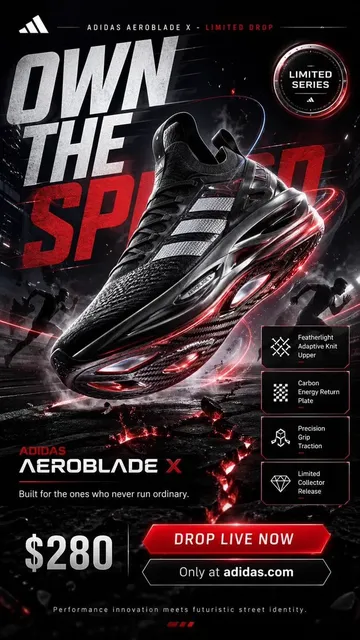

Why Automated Video Ads Became a Default Workflow
Video advertising used to be a bottleneck. A single 30-second spot meant a script, a shot list, a crew, a location, a talent budget, an edit suite, a colorist, a sound designer, and a review cycle that could stretch over weeks. Every variation — a different hook, a different audience angle, a different market — multiplied that cost. Most teams simply accepted that they could afford four or five creative variants per campaign and hoped one of them worked.
That constraint has largely collapsed. Modern generative video pipelines let a small team draft, render, revise, and publish dozens of ad variants in the time it used to take to schedule a single shoot. The shift is not just about speed; it changes the shape of the creative process. When variation is cheap, testing stops being a quarterly event and becomes a weekly habit. When localization is a checkbox instead of a project, a campaign can launch in eight markets simultaneously.
The practical question is no longer whether to use AI in video advertising, but how to build a workflow that produces ads people actually watch to the end. That is what this guide covers: the technologies involved, a repeatable production process, tool selection criteria, quality control, and the mistakes that quietly destroy performance.
What AI Does Well — And Where Humans Still Win
Generative tools are extraordinarily good at specific jobs:
- Volume. Producing 40 hook variations from one product description takes minutes.
- First drafts. A rough cut with music, voiceover, and captions appears before a human editor would have opened the project file.
- Localization drafts. Subtitle tracks, dubbed voiceovers, and culturally adjusted copy can be generated for multiple markets.
- Format adaptation. One master asset can be reframed into vertical, square, and widescreen versions.
Humans still win at the things that decide whether an ad works:
- Strategic insight. Knowing which customer objection to attack first.
- Taste. Recognizing that a technically clean render feels generic and needs a sharper idea.
- Judgment under brand constraints. Deciding when a claim is legally safe or tone-appropriate.
- Performance interpretation. Understanding why a variant won and whether the win is repeatable.
The healthiest teams treat AI as a production department, not a strategy department. It executes; people decide what deserves to exist.
The Core Technologies Behind Instant Video Ads
Four technical building blocks show up in nearly every automated ad pipeline. Understanding what each one is good at helps you assign the right task to the right stage.
Text-to-video generation
Text-to-video models turn a written prompt into moving footage. They are strongest on short, mood-driven shots: a product rotating on a pedestal, a city street at dusk, a slow push-in on a pair of sneakers. They struggle with long, continuous narrative and with precise actions involving hands, text, or multiple characters interacting.
In ad production, the reliable pattern is to use text-to-video for establishing shots, background plates, and abstract transitions, then assemble them into a sequence rather than expecting one prompt to deliver a finished commercial.
Image-to-video and multi-image fusion
If you already have product photography, packshots, or a brand illustration system, image-to-video is usually the higher-quality path. The model animates an existing image, preserving accurate product appearance while adding camera movement, parallax, or atmospheric motion.
Multi-image fusion goes a step further: it takes several stills and weaves them into one continuous scene with consistent lighting and motion. This is how you build a narrative — hero shot, lifestyle context, product detail, closing card — without the color and style drifting between shots. Keyframe control and style transfer prompts (for example, asking for a specific film look) are the levers that keep a sequence coherent.
Voice, music, and sound design
AI voiceover has moved past the uncanny phase for many languages and tones. The practical checklist is: pronunciation of brand and product names, pacing relative to the visual cut, and emotional register. A cheerful read over a serious product message reads as a mistake.
Music generation and sound design matter more than most teams expect. A silent ad with good visuals underperforms a modest ad with well-timed audio. Look for tools that let you set a target duration, mood, and energy curve, then duck the music under the voiceover automatically.
Avatars and lip-sync
Presenters built from AI avatars are useful for explainer-style ads, testimonial templates, and internal review cuts. They are less effective for emotional storytelling. If you use them, keep shots short, vary the framing, and avoid the static "talking head centered in frame" look for the entire duration.
A Step-by-Step Production Workflow
The teams that get consistent results follow roughly the same pipeline, regardless of which tools they use.
Step 1: Write the brief as a shot list, not a paragraph
A brief that says "make an upbeat ad for our new sneakers" will produce generic output. A brief that says "six shots, 15 seconds total, hook in the first 2 seconds, product reveal at second 6, CTA card for 3 seconds, warm daylight palette, no on-screen text except the price" gives the model and the editor something to hit.
Write the shot list in a table: shot number, duration, visual description, audio note, on-screen text. This single artifact eliminates most revision loops.
Step 2: Generate a hook library before generating the ad
The first two seconds decide whether the rest of the ad is seen. Instead of building full ads, build ten to fifteen distinct 2–3 second openings: a question, a bold claim, a visual surprise, a problem statement, a before/after flash. Review them as a batch, pick the three strongest, and only then build complete ads around them.
This is the highest-leverage step in the entire workflow and the one most often skipped.
Step 3: Assemble the first cut
Bring generated shots into an editor — traditional or AI-native — and assemble against the shot list. Keep the timeline simple: cut on motion, keep shots under three seconds in the first half, and resist the temptation to use every good clip. A tight 15-second cut beats a loose 30-second one in nearly every placement.
Add captions. Most social video is watched muted, and captions also improve retention for viewers with sound on.
Step 4: Localize and version deliberately
Once the master cut works, generate market variants. Change more than the language: swap the talent appearance where relevant, adjust currency and units, adapt humor, and reconsider the call to action. A literal translation of a punchy English hook often lands flat.
Versioning also covers format. Produce one master timeline, then export vertical, square, and widescreen crops with the subject kept inside a safe area. Check that captions do not collide with platform UI elements at the bottom of the frame.
Step 5: Test, read the data, then iterate on the winner
Launch variants in small, controlled batches. Let each run long enough to collect meaningful impressions before judging. When a winner emerges, do not simply scale it — generate five new variations of the winning concept and test again. This is how you compound improvement instead of plateauing after one lucky hit.
How to Choose Your Tool Stack
Tool selection matters less than workflow discipline, but a few criteria separate tools you will keep from tools you will abandon.
Output control. Can you specify duration, aspect ratio, camera movement, and style, or are you limited to a single prompt box? Control reduces wasted renders.
Consistency across shots. Does the tool maintain character, product, and lighting consistency between generations? Inconsistency is the single biggest reason AI ad sequences look amateurish.
Editing integration. Can you export clean, high-bitrate files with alpha channels where needed, or are you locked into one platform's editor?
Rights and commercial terms. Confirm that generated assets can be used commercially and that you understand how training data and likeness policies apply to your use case.
Team workflow. Look for shared asset libraries, comment threads, and version history. Ad production is collaborative even when the rendering is automated.
Cost predictability. Understand how usage is metered — by render minute, by export, by seat — and model your expected monthly volume before committing.
Quality Control: The Checklist That Saves Campaigns
Run every finished ad through the same review before publishing:
- First-frame test. Does the opening frame work as a still image in a feed?
- Two-second test. Is the value proposition or intrigue clear before the second mark?
- Muted test. Does the ad make sense with sound off?
- Brand test. Are the logo, colors, and typography consistent with the rest of your creative?
- Claim test. Is every factual statement defensible?
- Artifact scan. Look for warped hands, melting text, flickering backgrounds, and inconsistent lighting between cuts.
- Audio balance. Is the voiceover audible over the music on phone speakers?
- CTA clarity. Is the next action unmistakable?
Catching these before launch is far cheaper than catching them in comments.
Common Mistakes and How to Avoid Them
Over-prompting. Long, contradictory prompts produce muddled output. Keep prompts focused on one shot, one action, one mood.
Chasing realism when stylization is stronger. AI struggles with photorealistic humans in motion. Stylized, animated, or product-focused visuals often perform better and age better.
Publishing the first decent render. The first acceptable output is rarely the best one. Generate variations and choose deliberately.
Ignoring the platform's native style. An ad that looks like a polished television spot can feel out of place on a short-form feed. Match pacing and framing to the surface.
Skipping human review. Automated pipelines still need a person to confirm that nothing embarrassing, inaccurate, or off-brand slipped through.
Treating AI output as final. The best results come from editing AI footage the way you would edit stock footage — cutting hard, layering sound, and adding graphic treatments.
Scaling Without Losing Brand Consistency
Scaling ad volume is easy; scaling it consistently is not. Three practices keep a growing library coherent.
First, build a brand kit for generative tools: approved color values, typography, logo lockups, tone-of-voice examples, and a list of forbidden visual clichés. Feed this into every prompt template.
Second, standardize templates at the structural level. Decide that every ad opens with a hook, moves to a product moment, and closes with a CTA card — then let the content inside those beats vary. Structure provides consistency; content provides novelty.
Third, keep a living swipe file of winners and losers with notes on why each performed as it did. Over time, this becomes the most valuable creative asset your team owns, and it is the thing that makes AI output improve rather than drift.
Measuring What Matters
Vanity metrics will mislead you here. Views and impressions reward volume, which AI makes trivially easy to inflate. Focus instead on:
- Hook rate (three-second views divided by impressions) — the clearest signal of creative strength.
- Hold rate — how much of the ad is actually watched.
- Click-through and conversion rate by variant — the commercial outcome.
- Cost per result by asset type — whether generated footage is genuinely cheaper per conversion, not just cheaper per render.
- Iteration velocity — how many tested variants you ship per month. This is the metric that compounds.
Tag every asset with its structure, hook type, and visual style so that reporting can tell you which patterns win rather than which individual ad won once.
Frequently Asked Questions
How long does it take to produce an AI video ad?
A straightforward 15-second ad can go from brief to published in an afternoon. The bottleneck is rarely rendering — it is review, revisions, and the decision about which variant to launch. Plan for one round of feedback and bake it into the timeline.
Do AI-generated video ads perform as well as filmed ones?
For short-form social placements, well-made AI ads frequently match or beat static and simple filmed creative, largely because teams can test far more concepts. For brand films and emotionally driven storytelling, filmed footage still holds an edge. Match the method to the objective.
How many variants should I test at once?
Start with three to five distinct concepts rather than ten near-copies. Once a concept wins, generate variations of that concept. Testing many similar variants teaches you very little.
Will viewers notice that an ad was AI-generated?
Sometimes, particularly with photorealistic human motion. The mitigation is stylistic choice: lean into animation, product-focused visuals, and graphic treatments where generation artifacts are invisible, and save realism for shots where the model is reliable.
What should a small team automate first?
Captions, format resizing, and hook variations. These are high-volume, low-risk tasks that free up time for the strategic work — concepting, testing, and interpretation — that still needs a human.
How do I keep AI ads from all looking the same?
Constrain the structure, not the surface. Lock the beat pattern and brand elements, then deliberately vary camera movement, palette, pacing, and soundtrack between concepts. Sameness usually comes from reusing one prompt template without changing the creative variables.
The teams winning with automated video advertising are not the ones with the flashiest model. They are the ones with a clear brief, a disciplined shot list, a hook library, a modest testing cadence, and a quality checklist they actually run. Build that process once and it will outperform any single tool you swap in later.

Alexander
More Blogs
Read MoreVidu Q4 Alternatives: 4K AI Video Models Compared (2026)
Vidu Q4 alternatives compared: Kling 4.0, Seedance 2.5, Wan 3.0, and Runway Gen-4 — 4K support, input modes, durations, audio, and what each costs in credits on Domer.
Top 4K AI Image Generators in 2026: 5 Models Compared on Real Costs
The top 4K AI image generators on Domer compared: Flux 3 Klein, Nano Banana 2.1, GPT Image 2.5, GPT Image 2, and Nano Banana Pro — 4K credit costs, reference limits, and speed.
Nano Banana 2.1 vs GPT Image 2.5: Which Image Model Should You Use? (2026)
Nano Banana 2.1 vs GPT Image 2.5 Flare compared: credit costs per resolution, aspect ratios, reference images, text rendering, and which tasks fit each model.