

Affiliazione
Inizia Gratis Ora
Best Photo Camera Picks for a Stronger AI Video Workflow
Oct 13, 2026

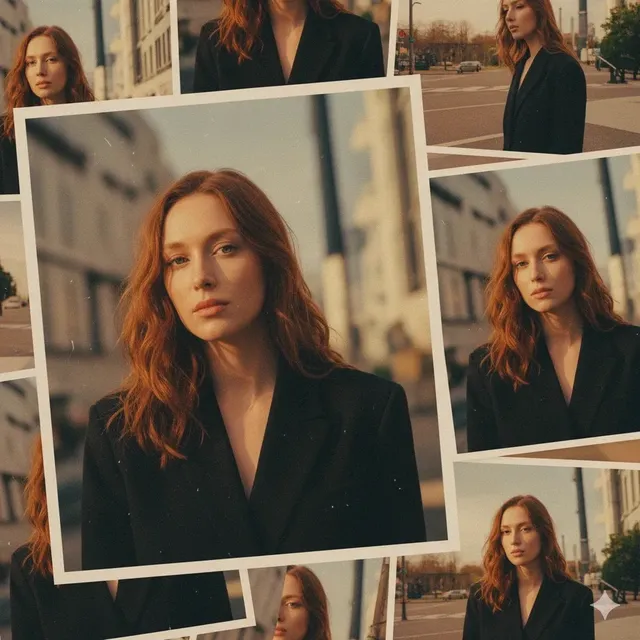
Why Source Capture Decides How Good AI Video Looks
Generative video tools have become remarkably forgiving. You can type a prompt, drop in a rough sketch, and get back a clip that moves convincingly. That forgiveness hides a hard truth: the ceiling of your output is set by the quality of the material you feed the pipeline. When a model is asked to match a subject's face, extend a shot, relight a scene, or reproduce a camera move, it is solving an inference problem — and inference quality depends entirely on evidence quality.
This is why the camera question keeps resurfacing in AI filmmaking circles. A phone can produce a beautiful finished video for social media, but the same phone footage can cause a generative tool to smear facial detail, hallucinate texture on skin, or jitter along edges. The difference is not that the phone is bad. It is that the footage lacks the dynamic range, bit depth, and motion clarity the model needs to stay anchored.
The practical takeaway is simple: treat your camera as the first stage of an AI pipeline, not as a separate hobby. Every decision — sensor size, lens, shutter speed, codec, stabilization — either helps a model understand your scene or forces it to guess. Guessing is where artifacts come from.
What an AI Video Pipeline Actually Needs From a Camera
Before shopping, define the job. Generative video and image tools do not consume "pretty pictures" in the abstract. They consume data with specific properties, and each property maps to a camera capability you can evaluate.
Clean, high-frequency detail
Upscaling, face replacement, rotoscoping, and background extension all depend on edge definition. A camera that resolves fine detail — hair, fabric weave, foliage — gives the model more anchors. Cameras that over-sharpen internally or apply aggressive noise reduction destroy exactly the micro-texture these tools need. This is one reason raw or lightly processed footage often outperforms a heavily processed in-camera JPEG or compressed clip.
Wide dynamic range
Relighting tools and background replacement tools need room to work. If highlights are already clipped and shadows are already crushed in the source, the model has nothing to recover. Ten to twelve stops of usable range is a comfortable baseline; more is better for interiors, backlit subjects, and mixed lighting.
Accurate, stable color
Color consistency across shots is what makes AI-assisted editing feel invisible. When a camera drifts in white balance or applies a heavy creative look in-camera, every generated insert inherits the mismatch. Shoot flat or neutral, then grade later — or at minimum lock a custom white balance and avoid auto modes.
Predictable motion
Motion inference improves when motion itself is well sampled. A correct shutter speed, a stable rig, and a consistent frame rate give the model a coherent sense of speed and direction. Rolling shutter skew and micro-jitter are the two biggest enemies here.
Metadata and file hygiene
Timecode, lens data, frame rate, and ISO embedded in the file help editors and pipelines stay organized. Cameras that write reliable metadata save you hours when a project spans dozens of clips.
Sensor Formats Compared for AI Work
Sensor size is the most over-debated and least understood variable in this conversation. Bigger is not automatically better; it is a tradeoff between low-light performance, depth of field control, lens cost, and portability.
Full frame
The default choice for narrative work. Excellent low-light performance, shallow depth of field, and the widest lens ecosystem. For AI work, the benefit is cleaner shadows in underexposed areas, which means less noise for a model to interpret as texture. Downside: heavier glass, more expensive stabilization, and a shallower focus plane that punishes missed focus.
APS-C and Super 35
The sweet spot for most hybrid creators. Roughly the classic cinema sensor size, generous lens selection, and better heat management for long takes. If you shoot interviews, product footage, or reference plates for character work, this format rarely disappoints.
Micro Four Thirds
Underrated for AI workflows. Smaller sensors mean lighter rigs, cheaper long lenses, and deeper depth of field — which is genuinely useful when shooting reference plates where you want the whole subject sharp. Noise is the tradeoff, so expose generously and avoid heavy crops.
One-inch compacts and phones
Modern phones and one-inch compacts can absolutely feed an AI pipeline when the light is good and the subject is well lit. Their weakness is not resolution; it is computational processing. Aggressive sharpening, skin smoothing, and temporal noise reduction bake artifacts into the file before any model sees it. If you must use a phone, shoot in the least processed mode available — often a raw or log-like option buried in the settings.
Resolution: how much is enough
Four to six megapixels is enough for a 4K frame. Twelve to twenty-four megapixels gives you crop flexibility for stabilization, reframing, and detail extraction. Beyond that, you are mostly buying print flexibility and larger file sizes that slow down generation and increase storage pressure. For AI pipelines, a clean 4K or 6K capture beats a noisy 8K capture every time.
Lenses: Shaping the Perspective a Model Learns
The lens determines what the model believes the scene looks like. Focal length, distortion, and aperture all imprint themselves on the footage, and generative tools will faithfully reproduce whatever character you establish.
Focal length and spatial logic
Wide lenses exaggerate depth and edge distortion; long lenses compress space and flatten faces in a flattering way. If you plan to generate additional angles of the same scene, stay consistent. Mixing a 16mm establishing shot with an 85mm close-up of the same location gives a model contradictory spatial cues, which often shows up as warped geometry in generated extensions.
A practical three-lens kit
- A 24–35mm equivalent wide for environments and establishing shots
- A 50–85mm equivalent normal-to-portrait lens for people and detail
- A 100mm+ macro or telephoto for texture plates and product work
Prime lenses usually win on edge sharpness and distortion control, which matters when a model is stitching generated content into a real frame. Zooms win on speed of coverage. Choose based on whether your priority is fidelity or shooting pace.
Aperture, focus, and depth of field
Shallow depth of field looks cinematic but creates problems for AI-assisted work. A background that is completely blurred gives a model very little to work with when you ask it to extend the frame or replace the environment. A middle aperture — f/4 to f/5.6 on full frame — keeps the subject separated while preserving enough background structure for the pipeline to reason about.
Distortion and aberration
Barrel distortion, chromatic aberration, and heavy vignetting all become artifacts downstream. Correct them in-camera where possible, or apply a lens profile before feeding footage into any generative or tracking tool.
Stabilization, Autofocus, and Motion Settings That Matter
Motion is where AI video tools are most likely to fail visibly. Their failures are usually traceable to unstable source material.
In-body stabilization versus gimbals
In-body stabilization is excellent for handheld work and reference shots. It is not a substitute for a gimbal or tripod when you need a smooth, repeatable move. If you plan to generate a matching camera move, shoot the original on a slider, gimbal, or dolly so the motion has a clean, learnable trajectory.
Rolling shutter
Most consumer sensors read out line by line, which skews vertical lines during fast pans. Tracking tools then misread geometry, and generated extensions inherit the skew. Pan slowly, use a stabilizer, or choose a camera with a fast readout if you shoot a lot of movement.
Autofocus behavior
Modern autofocus is superb, but it hunts. A focus pull mid-shot is a problem when a model is trying to maintain a consistent subject across frames. For disciplined work, lock focus for static dialogue and use manual focus or carefully tuned subject tracking for movement.
Frame rate discipline
Pick a base frame rate and stay with it for a scene. Twenty-four frames per second for cinematic material, thirty for general content, sixty or higher when you intend to slow things down. Mixing rates within a sequence complicates motion inference and creates flicker when tools interpolate.
Shutter speed
A 180-degree shutter — roughly double your frame rate — produces natural motion blur that models interpret correctly. Very high shutter speeds create a staccato look that confuses motion estimation, while very slow shutters smear detail beyond recovery.
Color Science, Codecs, and File Integrity
This section is unglamorous and disproportionately important. Most AI video failures that get blamed on the model are actually file problems.
Shoot log or raw when you can
Log profiles preserve highlight and shadow information at the cost of a flat-looking file. That flatness is a feature: it gives grading tools and generative relighting models headroom. Raw goes further, but adds storage, processing time, and workflow complexity. A good middle ground is a 10-bit log format with a manageable bitrate.
Codec and bit depth
Ten-bit 4:2:2 footage holds up far better under heavy processing than 8-bit 4:2:0. If your camera offers both, choose the 10-bit option even at a lower resolution. Banding in skies and gradients is one of the most common artifacts in AI-generated backgrounds, and it is usually inherited from an 8-bit source.
White balance and consistency
Lock white balance manually. Auto white balance shifts mid-shot and produces color discontinuities that are very hard to fix later and very easy for a model to amplify. Carry a gray card, shoot a reference frame at the top of each setup, and use it in post.
File naming and metadata
Standardize naming, keep camera metadata intact, and back up before any processing. When you are juggling reference plates, generated takes, and graded outputs, a clean folder structure is the difference between a smooth project and an afternoon of confusion.
Special Capture Modes as Reference Plates
Reference plates are short, deliberate recordings that teach a pipeline what a subject, environment, or movement looks like. They are cheap to shoot and enormously valuable.
Timelapse for environment context
A slow timelapse of a location gives a model information about how light moves through a space. It is also useful for establishing shots in generated sequences where you want believable ambient change.
Slow motion for motion learning
High-frame-rate footage of a specific action — a hand gesture, a jump, liquid pouring — provides dense motion data. Feed it as a reference when you need generated motion to feel physically plausible.
Micro-movement and texture plates
Ten seconds of a static shot with a slowly moving element — steam, curtains, leaves — gives generative tools a clean example of natural movement to imitate. Texture plates of surfaces (concrete, fabric, skin, food) improve material realism in generated inserts.
Clean plates and background-only shots
Record the scene without the subject when possible. Background-only coverage is the single most useful asset for removing objects, replacing subjects, or extending a set.
A Practical Capture-to-Generation Workflow
Here is a repeatable process that keeps AI-assisted projects predictable.
- Plan the shots that will need generation. Identify dialogue replacements, background extensions, and insert shots in advance. These are the ones that need the most disciplined capture.
- Lock exposure and white balance. Use manual settings, a gray card, and consistent lighting across all setups in a scene.
- Shoot a reference pass. Record each setup wide, clean, and steady before shooting the creative take. This is your safety net for any generative step.
- Capture clean plates and texture plates. Five to ten seconds each, tripod-mounted, no movement in frame.
- Keep notes. A simple shot log with lens, aperture, frame rate, and lighting notes prevents expensive guesswork in post.
- Offload and verify. Check for corrupted files, confirm bit depth and codec, and back up to two locations before touching anything.
- Normalize before generation. Apply lens correction, neutralize color, and transcode to a consistent intermediate format.
- Generate in small batches. Test one shot per setup first. If artifacts appear, adjust the source rather than regenerating endlessly.
- Grade after generation. Match generated clips to the graded look of your primary footage rather than the other way around.
Common Mistakes That Wreck AI Video Inputs
The same problems appear again and again. Avoiding them is easier than fixing them.
- Over-processing in camera. Heavy sharpening and noise reduction remove the micro-detail that makes generated footage believable.
- Auto everything. Auto exposure, auto white balance, and auto focus all introduce discontinuities mid-shot.
- Mixing frame rates and resolutions within a scene. Consistency is more valuable than maximum quality on individual clips.
- Shooting too shallow. Paper-thin depth of field starves a model of environmental context.
- Skipping clean plates. You will regret it the first time you need to remove an object.
- Ignoring storage and backups. Large 10-bit files fill drives quickly, and data loss is the only truly unrecoverable mistake.
- Chasing resolution over noise performance. A clean, well-exposed 4K file beats a noisy 8K file in nearly every pipeline.
FAQ: Choosing and Using a Photo Camera for AI Video
Do I need a dedicated cinema camera for AI video work?
No. A modern hybrid mirrorless camera with 10-bit log recording, reliable autofocus, and in-body stabilization covers the vast majority of AI-assisted projects. Cinema cameras add ergonomics, cooling, and codec options that matter for long shoots, not for basic pipelines.
Is a phone good enough?
For well-lit, simple shots, yes — especially if you can disable computational processing. For anything that requires relighting, background replacement, or consistent color across many clips, a dedicated camera will save you time and frustration.
How many megapixels do I actually need?
For 4K output, roughly 12 megapixels is a sensible floor, and 20–24 megapixels is comfortable headroom for cropping and stabilization. Beyond that, gains are marginal relative to the storage and processing cost.
What single setting improves AI output the most?
Shutter speed. Setting it correctly — double your frame rate — fixes more motion artifacts than any other single change.
Should I shoot log for short social clips?
If you plan to grade, yes. If the clip is going straight to a platform with no post work, a well-exposed standard profile can be faster and equally clean. The deciding factor is whether you intend to process the footage further.
How do I keep generated footage consistent with real footage?
Match three things: color, contrast, and grain. Grade generated clips to your primary footage's look, add a touch of matched grain, and avoid switching looks mid-scene.
Does lens choice really matter for generated content?
Yes, because the lens defines geometry — distortion, compression, and perspective. Keeping one focal length per scene keeps spatial logic intact in whatever the model generates.
What is the fastest upgrade for someone already shooting decent footage?
Better lighting and a tripod. Both improve capture far more than a new body, and both directly improve the quality of what a generative tool receives.
How should I organize a project that mixes real and generated footage?
Keep a separate folder for source plates, generated takes, and graded masters. Label generated clips by the setup they belong to, and version them. When a generation works, you want to know exactly which source produced it.

Alexander
More Blogs
Read MoreVidu Q4 Alternatives: 4K AI Video Models Compared (2026)
Vidu Q4 alternatives compared: Kling 4.0, Seedance 2.5, Wan 3.0, and Runway Gen-4 — 4K support, input modes, durations, audio, and what each costs in credits on Domer.
Top 4K AI Image Generators in 2026: 5 Models Compared on Real Costs
The top 4K AI image generators on Domer compared: Flux 3 Klein, Nano Banana 2.1, GPT Image 2.5, GPT Image 2, and Nano Banana Pro — 4K credit costs, reference limits, and speed.
Nano Banana 2.1 vs GPT Image 2.5: Which Image Model Should You Use? (2026)
Nano Banana 2.1 vs GPT Image 2.5 Flare compared: credit costs per resolution, aspect ratios, reference images, text rendering, and which tasks fit each model.