

Affiliazione
Inizia Gratis Ora
Choosing the Right Video App for AI Production Workflows
Oct 13, 2026
Why the Video App Choice Now Reshapes the Entire Pipeline
A few years ago, picking a video editor was mostly a question of taste and codec support. You compared timelines, export presets, and keyboard shortcuts, then committed to one application for years. That calculus has broken down. Today, a growing share of footage never passes in front of a camera at all — it is generated, refined, extended, and assembled inside the same tool. The line between "editor" and "production engine" has blurred, and the consequences of choosing poorly show up months later as rework, broken continuity, and stalled collaboration.
The practical implication is that you are no longer buying a cutting room. You are buying a pipeline. The pipeline includes model access, prompt and reference management, shot-level consistency tools, asset storage, review and approval loops, and delivery options. If any one of those links is weak, the whole chain drags. A tool with spectacular generation quality but no version history will undermine a four-person team. A tool with flawless asset management but only one mediocre model will cap your visual ambition.
This guide is deliberately neutral. It is not a ranking, and it does not assume any particular vendor. Instead it walks through the evaluation criteria that actually predict whether an AI-assisted production workflow will hold up across a series of projects rather than a single demo. Along the way you will find test protocols, continuity checklists, realistic production scenarios, and a scoring framework you can adapt to your own team.
What "Integrated Features" Actually Means in Practice
"Integrated" is one of the most overused words in software marketing. In video production, it should mean something specific: the steps of your workflow share state. A reference image uploaded in the asset library is available to the shot that needs it. A generated take is automatically versioned next to its prompt. An approval decision propagates to the editor without a screenshot pasted into a chat thread.
The four layers worth inspecting separately
Most AI video applications can be decomposed into four layers, and each fails in a different way:
| Layer | What it does | Typical failure mode |
|---|---|---|
| Model access | Provides one or more generative video and image models | Locked into a single model with narrow strengths |
| Orchestration | Sequences shots, manages timing, handles audio | Clip-by-clip tooling with no sequence-level view |
| Asset management | Stores references, takes, and versions | Files scattered across drives and chat apps |
| Delivery and review | Exports, shares, collects feedback and approvals | Feedback lives in comments that never reach the edit |
When people say an app feels "integrated," they usually mean layers three and four quietly do their job. That is unglamorous but decisive. A team that loses twenty minutes per shot hunting for the latest version loses days over a month.
Why breadth of model access is not automatically better
A long list of models sounds impressive, but the useful question is whether the models differ in kind rather than degree. Three variants of the same architecture give you stylistic options but not capability options. What you actually want is coverage across distinct strengths: cinematic realism, stylized animation, fast draft quality, strong motion handling, and reliable image-to-video conditioning.
Before committing, ask the vendor-neutral question: if a better model appears elsewhere in six months, how much friction stands between me and using it? A pipeline that treats models as swappable components will age far better than one welded to a single engine.
Testing Model Access and Output Quality Before You Commit
Marketing reels showcase best-case outputs. Your job during evaluation is to reproduce ordinary conditions. A simple, repeatable protocol beats a week of browsing showcases.
The five-prompt test
Prepare five prompts that map to your real work, not to demo aesthetics:
- A static dialogue shot with a single character speaking.
- A camera move — slow push-in or lateral track — on a static subject.
- A stylized environment with strong art direction.
- An image-to-video generation from your own reference still.
- A continuity test: the same character in a new location and lighting setup.
Run all five through every model available in the app. Score each on prompt adherence, motion naturalness, artifact frequency, and how many attempts were needed before the take was usable. The last metric matters most. A model that produces a beautiful result on the seventh attempt is more expensive to your schedule than a slightly less pretty model that lands on the second.
Judging at the right scale
Watch results at the size your audience will see them. A clip that looks flawless on a phone can fall apart on a large display, and vice versa — subtle artifacts often disappear at social feed dimensions. If your distribution splits between vertical short-form and widescreen long-form, evaluate both crops, because motion handling and composition instincts differ.
Documenting what you learn
Keep a lightweight results log: prompt, model, attempt count, rating, and notes. Within two projects this becomes the most valuable document on your team's drive. It converts model selection from tribal memory into an asset.
Keeping Characters, Props, and Style Consistent
Continuity is where amateurs and professionals diverge in AI-assisted production. Anyone can generate one striking shot. Generating twelve shots that feel like they belong to the same film is the actual craft.
Reference conditioning and multi-image fusion
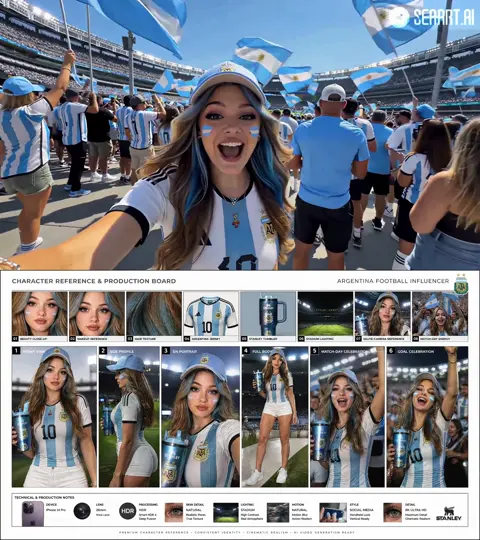
The strongest tool available to most creators is reference conditioning: supplying the app with images that define a face, costume, or environment, and letting the model carry those traits forward. Multi-image approaches go further, combining several references — a face, an outfit, a lighting reference — so the model resolves them into a single coherent subject.
When evaluating an app, test this directly. Upload two references with conflicting lighting and see whether the output blends them sensibly or produces a muddy average. Test whether the reference holds after three or four generations, or whether the likeness drifts toward a generic face.
A continuity checklist for every project
- Character sheet with front, profile, and three-quarter views plus a written description of age, build, and wardrobe.
- Palette reference: three to five colors that define the project's mood.
- Lighting bible: where key light comes from in each recurring location.
- Prop inventory: items that must look identical every time they appear.
- Naming convention for assets so references are findable in seconds.
Where continuity usually breaks
Drift rarely happens in a single dramatic failure. It accumulates. Shot four is 90 percent right, shot nine is 70 percent right, and by shot fifteen the character has quietly become someone else. Reviewing every fifth shot against the character sheet catches drift early, when a regeneration is cheap and a reshoot of an entire sequence is not.
The Orchestration Layer: Turning Clips into Sequences
Generation is only half the job. Clips must become scenes, scenes must become a story, and that requires an assembly environment that understands timing, rhythm, and sound.
Shot lists beat intuition
Before generating anything, write a shot list: shot number, framing, duration, action, dialogue, and the reference assets involved. This document does three things. It prevents duplicate generations, it makes parallel work possible, and it turns editing into assembly rather than archaeology.
Where AI helps inside the edit
Useful orchestration features include automatic scene detection, silence trimming, beat-matched cutting to music, and assisted selection of the best take from several variants. Treat these as accelerators, not directors. Automated cut decisions are good at removing dead air and poor at knowing why a pause matters.
Audio is not an afterthought
Dialogue intelligibility, room tone, and music ducking have more influence on perceived quality than most visual details. Decide early whether you will generate speech, record it, or narrate. If generating dialogue, budget time for lip-sync correction and pacing adjustments — generated speech tends to sound correct in isolation and slightly rushed inside a sequence.
Assembling a rough cut from generated takes
A workable rhythm: place every usable take on the timeline in shot order, then cut for story before cutting for beauty. Only after the sequence works at low fidelity should you spend time regenerating weaker shots. Polishing shots that will be cut entirely is one of the most common ways AI-assisted projects burn budget.
Storage, Versioning, and Collaboration
Asset sprawl is the quiet killer of generative workflows. A single scene can produce dozens of intermediate files, and without structure the project becomes unnavigable within a week.
Versioning that survives a team
Adopt a version scheme with three components: project, shot, and iteration. Something like ep02_sh07_v004 is unambiguous, sorts correctly, and tells an editor which clip is newest without opening it. Pair that with a written note describing what changed — "fixed hand artifact, warmer key light" — and the folder becomes self-documenting.
Centralized versus local storage
Local storage is fast and fragile. Centralized storage is slightly slower and far more resilient, especially when several people touch the same project. A hybrid approach works well: keep active shot folders local for speed, sync finished takes to shared storage, and treat the shared location as the single source of truth.
Designing a review loop people actually use
Feedback that lives in chat threads is feedback that gets lost. Choose a review method with three properties: it is timestamped, it is attributable to a person, and it can be marked resolved. A shared review document or the app's built-in annotation layer both work. The tool matters less than the discipline of resolving every note before the next version is generated.
Rights and permissions hygiene
Keep a simple record of what was generated, what was licensed, and what came from a client or stock source. This is unglamorous administrative work that prevents awkward conversations later when a project moves from internal test to public campaign.
Three Realistic Production Scenarios
Abstract criteria become clearer when applied to concrete work.
Scenario A: a 30-second social ad
One location, one product, one actor. The bottleneck here is iteration speed, not archival depth. Prioritize fast draft quality, easy vertical reframing, and quick export presets. A lightweight review loop is sufficient; you may be the only person approving.
Scenario B: an explainer with a recurring presenter
Eight scenes, the same on-screen character throughout. Consistency tools dominate the decision. You need multi-image reference conditioning, a character sheet workflow, and a version history that lets you compare shot nine against shot two side by side. Model variety matters less than reliability on the same face.
Scenario C: documentary-style b-roll with voiceover
Many short clips, no recurring characters, heavy reliance on atmosphere and pacing. Here, breadth of model access pays off, because you want stylistically varied environments without obvious repetition. Orchestration and audio tools carry more weight than consistent identity.
Each scenario points to a different weighted scorecard. The mistake is buying for scenario B when your actual work looks like scenario C.
Common Mistakes and How to Avoid Them
- Choosing on showcase quality. Demo reels are curated best-of outputs. Test with your own prompts and your own references.
- Ignoring attempt counts. Cost per usable second, not cost per generation, is the number that determines whether a workflow is viable.
- Skipping the shot list. Generation without a plan creates footage you cannot assemble.
- Letting continuity drift. Review against the character sheet every few shots instead of at the end.
- Storing assets in chat apps. Anything that cannot be searched, versioned, and restored is already lost.
- Automating too early. Get the manual process working first, then automate the steps that actually repeat.
- Over-relying on one model. Keep at least two viable options so a single change in availability does not halt production.
- Neglecting audio. Poor sound reads as amateur far faster than imperfect frames.
A Decision Framework You Can Score
Rate each candidate app from one to five on the criteria below, weighting by your own scenario:
- Model breadth and distinctness — do the available engines cover genuinely different strengths?
- Reference and consistency tools — multi-image conditioning, character retention, style locking.
- Orchestration — shot sequencing, timeline behavior, audio handling, take comparison.
- Asset management — versioning, search, storage syncing, restore.
- Collaboration — timestamped review, permissions, comment resolution.
- Learning curve — how long until a competent editor is productive?
- Exit cost — how hard is it to leave, and can you export projects and assets cleanly?
- Throughput ceiling — does it hold up under a real production week, not a single afternoon?
Criterion seven is the one teams skip and later regret. Portable projects and standard-format assets are worth accepting a slightly weaker feature list.
Frequently Asked Questions
Do I need one app or several?
Most teams end up with a primary environment for generation and assembly plus specialist tools for audio repair or color. Fewer tools reduce friction; a single tool that is weak in a critical area creates more friction than two well-connected ones.
How much footage should I generate before editing?
Roughly two to three times your target runtime, organized by shot. More than that means your shot list is too vague and you are searching instead of directing.
Is generated video good enough for client work?
For many formats, yes — particularly b-roll, stylized sequences, and social content. Hand-heavy action, complex crowds, and precise dialogue sync still demand careful testing and often hybrid approaches.
How do I handle changing models mid-project?
Freeze the model choice for the duration of a sequence rather than a whole project. Consistency matters most within a scene; visual logic across scenes tolerates a degree of variation if the palette and lighting stay stable.
What is the best way to learn these workflows quickly?
Pick a one-minute target, produce it end to end, and document every friction point. Three short projects taught this way reveal more than any feature comparison.
How do I keep costs predictable?
Track usable seconds per generation attempt. That single ratio tells you more about real throughput than any headline capability claim.
Bringing the Pipeline Together
The right video application for AI-assisted production is the one whose weakest layer is still strong enough for your kind of work. Start by defining your scenario — social ad, recurring presenter, atmospheric b-roll — and let that definition drive your weighting. Then run the five-prompt test, build a character sheet, adopt a version naming scheme, and design a review loop before the first large project begins.
Tools will keep changing, and the specific model names will matter less every year. What persists is the workflow: a written shot list, controlled references, structured assets, and a review process with clear owners. Build that, and any capable app becomes the right app — because the pipeline, not the software, is what actually produces the film.

Alexander
More Blogs
Read MoreVidu Q4 Alternatives: 4K AI Video Models Compared (2026)
Vidu Q4 alternatives compared: Kling 4.0, Seedance 2.5, Wan 3.0, and Runway Gen-4 — 4K support, input modes, durations, audio, and what each costs in credits on Domer.
Top 4K AI Image Generators in 2026: 5 Models Compared on Real Costs
The top 4K AI image generators on Domer compared: Flux 3 Klein, Nano Banana 2.1, GPT Image 2.5, GPT Image 2, and Nano Banana Pro — 4K credit costs, reference limits, and speed.
Nano Banana 2.1 vs GPT Image 2.5: Which Image Model Should You Use? (2026)
Nano Banana 2.1 vs GPT Image 2.5 Flare compared: credit costs per resolution, aspect ratios, reference images, text rendering, and which tasks fit each model.