
Affiliazione
Inizia Gratis Ora
How to Create Commercial Videos With AI: A Workflow Guide
Oct 15, 2026
Why commercial video is moving into AI-assisted pipelines
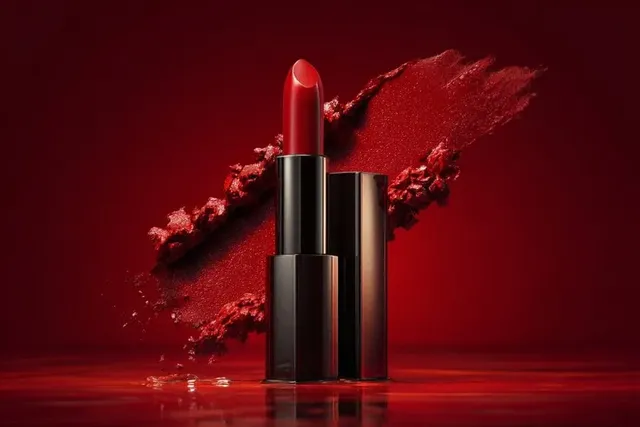
Every brand that buys media eventually hits the same wall: you need more video than your production budget can carry. A single hero spot used to be enough. Now the same campaign needs a 30-second cut, three vertical cutdowns, a six-second bumper, a product page loop, and a version for every region and audience segment. Traditional shoots can deliver that, but the cost curve is brutal — crew days, talent, locations, licensing, and a post schedule measured in weeks.
AI-assisted production changes the economics, not by replacing craft but by moving the expensive decisions earlier. Instead of paying for a shoot before you know which angle works, you generate variations cheaply, test them, and only commit to polished output once the concept proves itself.
The practical result is a hybrid pipeline. AI handles ideation, previsualization, b-roll, environments, and localized variants. Human teams handle strategy, brand judgment, sound, and the final 10 percent of polish that separates a clip from a commercial. This guide walks through that pipeline end to end: how the generation actually works, how to brief it, how to keep shots consistent, how to finish and ship, and where the common failure points are.
How AI video generation actually works
It helps to understand the machine before you try to direct it. Most modern video generators are built on diffusion or transformer-based architectures trained on huge collections of video and text pairs. The model learns statistical relationships between words and pixels, then reconstructs a plausible moving image from noise conditioned on your prompt.
Diffusion, latent space, and the denoising loop
A diffusion model starts with random noise and removes it step by step, guided by your prompt, until an image or frame sequence emerges. To keep this computationally feasible, most systems work in a compressed latent space rather than on raw pixels. The prompt is encoded into a numerical representation, and the model steers each denoising step toward that target. Change the prompt, the seed, or the number of steps, and you get a different result.
Temporal consistency is the hard part
A still image only has to look right once. A video has to look right in every frame and stay coherent between them. If a jacket changes colour between shots, a face drifts, or a building reshapes itself, the illusion collapses immediately. Generators handle this with temporal attention layers, motion modules, and conditioning on previous frames, but consistency is never perfect — which is why planning shots around what the model does well matters more than fighting its weaknesses in post.
What the model is genuinely good at
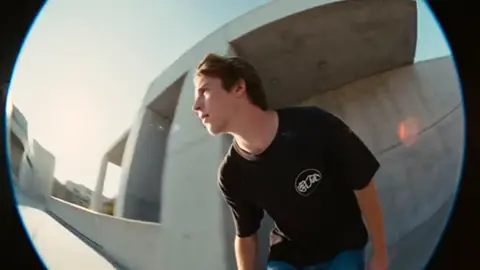
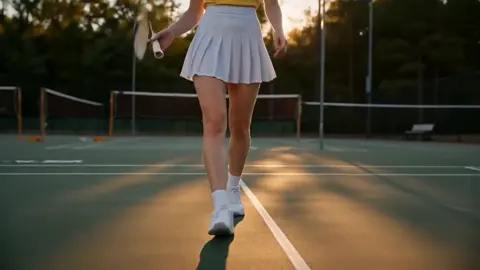
AI video generators excel at atmosphere, texture, abstract motion, product beauty shots, environment establishing shots, stylized animation, and rapid variation. They struggle with complex hand interactions, precise text rendering, long continuous camera moves, and multi-character choreography. A commercial workflow that respects those boundaries needs far fewer reshoots.
Choosing the right generation mode
Not every shot should be made the same way. Matching the mode to the shot is the fastest quality upgrade available.
Text-to-video
Best for concepts, mood pieces, abstract transitions, and scenes where no specific reference exists. You describe the shot and the model invents it. The trade-off is control: you get surprise and speed, but you cannot lock down exact framing or product geometry. Use text-to-video for exploration and for b-roll that only needs to feel right.
Image-to-video
Here you supply a keyframe — a product render, a styled photograph, a generated still — and the model animates it. This is the workhorse of commercial work because it preserves art direction. If your product must appear exactly as it does in the catalogue image, start with that image and animate subtly: a slow push, a light sweep, drifting particles, a gentle rotation. It also pairs well with brand-approved stills when legal teams need certainty.
Video-to-video and style transfer
You feed existing footage in and ask the model to restyle or extend it. This is how you take a phone-shot product demo and give it a cinematic grade, or extend a live-action plate with generated environment beyond the frame. It is the most controllable option and the most underused.
When hybrid wins
Most successful AI commercials are hybrid: live-action or rendered hero shots for the product, generated environments and b-roll around them, and generated transitions stitching sections. The audience never asks which shot was synthetic — they only notice whether it holds together.
Pre-production: the brief that makes AI output usable
AI does not remove the need for pre-production. It raises the penalty for vague thinking, because a fuzzy brief produces a fuzzy prompt, and a fuzzy prompt produces mush.
Start from the creative platform, not the tool
Write the message first. One sentence: what should the viewer believe, feel, or do after watching? Then write the proof: what visual demonstrates it? Only after that should you think about generation. Teams that jump straight to prompts usually produce attractive footage with no argument.
Build a shot list with durations
A 30-second spot is roughly eight to fourteen shots. List them, with target duration and purpose. Mark each shot as hero (needs precision), support (needs mood), or transition (needs motion energy). This classification tells you which generation mode to use and where to spend your review time.
Write a style bible
A style bible is a one-page document containing: palette and hex values, lighting direction, lens feel, film grain level, motion speed, aspect ratios, typography rules, and a set of approved stills. Every prompt you write inherits from it. When a stakeholder says a shot "feels off-brand," the style bible is how you diagnose which variable drifted.
Write prompts like a director, not a search query
Weak prompt: "modern office, cinematic."
Strong prompt: "Medium-wide shot of a sunlit open-plan office at golden hour, slow dolly right, shallow depth of field, warm amber key light from window camera-left, soft shadows, muted teal and sand palette, subtle film grain, 35mm lens feel, people blurred in motion in background, calm confident mood."
The second version names shot size, subject, lighting direction, colour, motion, lens, texture, and emotional tone. Those are the variables the model responds to. Keep a prompt template and fill it in — it makes results repeatable across a team.
Also define negatives: no on-screen text, no distorted hands, no fast whip pans, no harsh flash. Negative prompts are as valuable as positive ones.
Production: generating shots that hold together
This is where most projects either click or collapse. Treat generation as a shoot day with takes, not a slot machine.
Generate in batches and keep a log
For each shot, produce six to twelve takes at identical settings except for seed. Log seed, prompt, and mode in a spreadsheet alongside your rating. Within an hour you will see which seed family produces the look you want, and you can iterate from there rather than starting over.
Consistency tactics that work
- Lock the seed for shots in the same scene, then vary only the prompt details.
- Reuse keyframes. Generate one strong still, then animate it multiple ways.
- Keep environmental details literal. Specify the same jacket colour, the same window shape, the same car model in every prompt for a sequence.
- Match motion energy across shots. A slow-motion shot next to a snappy one reads as two different films.
- Extend rather than regenerate. If a take is 90 percent right, extend or re-run with a small prompt delta instead of a full rewrite.
Camera language the model understands
Terms like dolly in, dolly out, truck left, crane up, handheld, static tripod, orbit, and push-in reliably shift output. Speed adverbs — slow, gradual, subtle, drifting — matter more than you would expect. Avoid stacking three moves in one prompt; the model will blend them into a wobble.
Plan for the last frame
Because you will edit these shots together, think about how each ends. Shots that finish on a stable, centred composition cut more cleanly than shots that end mid-motion. If you know a transition follows, generate the outgoing shot with motion moving in the same direction as the incoming one.
Post-production: editing, sound, and finishing
Generation is half the job. The edit is where a collection of clips becomes a commercial.
Cut for rhythm, not for length
Lay all approved shots on a timeline and cut to a scratch music bed before refining anything. Commercial pacing usually wants a strong first second, an escalation through the middle, and a resolution plus call to action at the end. If a shot is beautiful but slows the rhythm, cut it — save it for a different format.
Colour-match everything
Even with a style bible, generated shots drift in temperature and contrast. Apply a single look-up table or grade to the whole timeline, then adjust individual shots so the blacks and highlights match. This one step does more for perceived quality than regenerating anything.
Sound design carries AI video
This is the most underrated point in the entire workflow. Synthetic footage forgives a lot when the audio is convincing. Layer:
- Ambience for every scene, even quiet ones. Silence reads as broken.
- Foley on movement: footsteps, fabric, whooshes on transitions.
- Music with a clear structure that matches your edit points.
- Voiceover recorded by a human whenever possible; synthetic voices work for utility content but rarely for brand storytelling.
Mix to broadcast-style loudness targets and check on phone speakers. Half your audience will watch muted first, then unmute.
Legibility and brand safety
Add captions burned in for social, and keep a clean master without them. Place logos in a safe area that survives every crop. Never let a generated frame imply an endorsement, a competitor logo, a real trademark, or an unlicensed face. Run every final frame past a legal or brand reviewer before publishing.
Quality-control checklist before you ship
Run this list on the final export, every time:
- First frame communicates the subject within one second.
- No flicker, warping, or morphing artefacts in any shot.
- Hands, faces, and text are correct — or absent.
- Product colour and logo match the brand guide exactly.
- Audio levels consistent; no clipping; music licensed for commercial use.
- Captions accurate and within safe margins.
- Aspect ratio variants exported and individually reviewed.
- File specs match each platform's upload requirements.
Common mistakes that ruin AI commercials
Chasing spectacle over message. Awe-inspiring footage with no argument does not sell. Start with the claim, then generate support.
Overloading prompts. Ten unrelated ideas in one prompt produce a muddy average of all of them. One shot, one idea.
Ignoring motion continuity. Cutting a leftward dolly directly into a rightward pan creates a jolt viewers feel but cannot name.
Skipping sound. Roughly half of the perceived production value is audio.
No legal review. Generated footage is not automatically safe. Check model terms, licensing, and likeness rules for your market.
Generating before the brief is signed off. Every hour spent generating an unapproved concept is an hour lost.
Never testing cutdowns. Vertical and square crops reveal problems invisible in widescreen.
Adapting one commercial across every channel
Design for variation from the start. Generate a wide master with generous headroom so vertical crops keep the subject in frame. Keep product hero shots in their own timeline bin so you can rebuild a version in minutes.
For each channel, change the opening second, the length, and the call to action — not the core story. A six-second bumper needs the product visible immediately. A vertical ad needs a hook spoken or captioned before the three-second mark. A landing page loop should be silent, seamless, and short enough to repeat without a visible seam.
Localization is where AI pipelines earn their keep. Swap on-screen text, re-record voiceover, and adjust visual references that do not translate culturally. Never simply translate slogans — rewrite them with a native speaker.
Cost, timeline, and when to shoot traditionally
AI-assisted production typically compresses the front half of a project dramatically: concept exploration, previsualization, and variant testing that once required a crew can now happen in a day. The back half — edit, sound, grading, review cycles — still takes real time, and it should. Budget your schedule with that shape in mind.
Shoot traditionally when you need a named actor's performance, precise hand interactions with a physical product, complex choreography, or footage that will be scrutinized as documentary evidence. Use AI when you need volume, speed, abstract atmosphere, environments you cannot access, or a hundred variants of the same idea.
Most brands land on a mixed model: one live-action day for the hero moments, generative work for everything around them.
FAQ
Do I need editing experience to make commercial videos with AI?
Basic timeline editing helps enormously. You can generate excellent clips and still produce a mediocre commercial if the pacing and sound are wrong. Learn one editor well.
How do I keep characters consistent between shots?
Descriptions drift because they are interpretive. Use a locked seed, reuse an approved keyframe, and keep character details literal and identical across prompts. Expect to regenerate more takes for character work than for environments.
Is AI-generated footage safe to use commercially?
It depends on the model's terms, your jurisdiction, and what the footage depicts. Review licensing, avoid real trademarks and recognizable people without permission, and get human sign-off before publishing.
How many takes should I generate per shot?
Six to twelve is a practical starting range. If none work, the prompt is the problem, not the seed.
Can AI handle product shots?
For hero product accuracy, start from a real photograph or render and animate it subtly. Pure text-to-video will invent details that break brand accuracy.
Key takeaways
- Understand the model before directing it: prompts define framing, light, motion, and mood.
- Match the generation mode to the shot: text for mood, image for accuracy, video for control.
- Pre-production — brief, shot list, style bible — determines output quality more than any setting.
- Consistency comes from locked seeds, reused keyframes, and literal, repeated details.
- Sound design and colour matching elevate synthetic footage faster than regeneration.
- Run a fixed QC checklist and a legal review before every publish.
- Design for cutdowns and localization from the first prompt.
Treat AI as a fast, tireless second unit. You still write the brief, choose the takes, cut the rhythm, and sign off on the brand. That division of labour is what turns generated clips into a commercial that actually performs.

Alexander
More Blogs
Read MoreVidu Q4 Alternatives: 4K AI Video Models Compared (2026)
Vidu Q4 alternatives compared: Kling 4.0, Seedance 2.5, Wan 3.0, and Runway Gen-4 — 4K support, input modes, durations, audio, and what each costs in credits on Domer.
Top 4K AI Image Generators in 2026: 5 Models Compared on Real Costs
The top 4K AI image generators on Domer compared: Flux 3 Klein, Nano Banana 2.1, GPT Image 2.5, GPT Image 2, and Nano Banana Pro — 4K credit costs, reference limits, and speed.
Nano Banana 2.1 vs GPT Image 2.5: Which Image Model Should You Use? (2026)
Nano Banana 2.1 vs GPT Image 2.5 Flare compared: credit costs per resolution, aspect ratios, reference images, text rendering, and which tasks fit each model.