
Affiliazione
Inizia Gratis Ora
How to Build a Custom GPT for Personalized AI Video
Oct 14, 2026
Why a Custom GPT Changes Personalized AI Video
Personalized video used to mean one of two things: a human editor who knew your taste, or a rigid template that made every output look the same. Generative video collapsed that trade-off. Now the bottleneck is no longer production capacity — it is decision quality. Choosing the shot, describing the motion, holding a character's face steady across eight clips, and keeping a series visually coherent are all communication problems before they are rendering problems.
Text models are unusually good at structured communication. A custom GPT — a saved, pre-instructed assistant with its own reference files and output format — turns a repeating video process into a reusable system. Instead of re-explaining your brand, aspect ratios, pacing rules, and prompt syntax on every new project, you open a workspace that already knows them.
The payoff shows up in three places. First, speed: a brief becomes a shot list in a single pass instead of an afternoon. Second, consistency: the same style rules apply to clip one and clip ninety. Third, transferability: when a new video model or editor enters your stack, your assistant does not have to relearn your preferences — you only update its prompt syntax sheet.
This guide is about the workflow rather than a single product: how to design an assistant that plans, prompts, and quality-checks AI video, and how to pair it with whatever generation tools you already use.
What a Custom GPT Is (and Is Not)
A custom GPT is a configured version of a chat model. You write its operating instructions, attach reference documents, define an output format, and optionally connect external tools. It is closer to a well-briefed collaborator than to a piece of new software.
Instructions, knowledge, and actions
Think in three layers:
- Instructions: the rules of the job. "You are a shot-list planner for vertical social video. Never propose shots longer than four seconds. Always output a table with columns Shot, Duration, Camera, Prompt, Audio."
- Knowledge: the files it consults. Brand guidelines, a visual style guide, a glossary of recurring characters, a list of clichés to avoid.
- Actions: optional connections to outside services, such as pushing a finished script into a document or pulling product data from a catalog.
Most people over-invest in actions and under-invest in instructions. The instructions are where quality comes from. A short, strict rule set beats a long, poetic description of the assistant's personality every time.
Where customization ends and video models begin
A custom GPT does not render frames. It writes the plan, the prompt pack, the edit notes, and the iteration log. Rendering happens in whichever video model you choose. Keeping that boundary explicit prevents the classic failure where someone asks a text assistant for "a video" and receives a page of optimistic prose instead of a usable prompt.
One practical consequence: your assistant should never describe a finished video. It should describe shots. Shots are testable, replaceable, and cheap to regenerate. Whole videos are not.
What it replaces — and what it does not
It replaces the repetitive cognitive work: writing the same style paragraph for the fifth time, remembering that your brand never uses lens flares, converting a script into shot beats, and logging which prompt produced a clean render. It does not replace taste, fact-checking, or the final edit. Treat it as a pre-production department, not a studio.
The Personalization Layers That Matter Most
"Personalized" is vague until it is broken into layers that a text assistant can actually enforce.
Visual identity
Color temperature, lens preference, grade, grain, amount of negative space, camera height, whether faces are shot at eye level or slightly below. A one-page style sheet attached as a knowledge file does more for consistency than any amount of prompt fiddling later.
Write it as constraints, not adjectives. "Warm key light from screen left, cool fill, 35mm equivalent, shallow depth of field, no hard shadows" gives a model something to obey. "Beautiful and cinematic" gives it nothing.
Voice and pacing
Sentence length, ordering of hook and payoff, how quickly cuts land, whether voiceover leads the image or follows it. Encode pacing as numbers: average shot 2.5 seconds, hook inside the first 1.2 seconds, one idea per shot, no shot longer than four seconds in vertical formats.
Numbers are the secret to personalization that survives contact with a real edit. A style described only in moods will drift by the third project. A style described in seconds and ratios will hold.
Series continuity
Recurring characters, wardrobe, props, and locations. Build a continuity block that gets pasted into every shot prompt verbatim: the same description of face, hair, jacket, and lighting, with only pose and action changing between shots.
For a series, treat the continuity block as a contract. If a shot cannot be described within the block's constraints, the shot should be cut rather than special-cased. Special cases are where consistency dies.
Designing the Instruction Prompt: A Working Skeleton
Rather than inventing instructions from scratch, start from a skeleton you can adapt. Here is one that works for most short-form video planning jobs:
Role. You are a shot planner for short-form video. You convert one-paragraph briefs into render-ready shot packs.
Inputs. A brief containing product or subject, audience, platform, tone, mandatory facts, and target duration. If any of these are missing and the gap would change the output, ask one grouped clarifying question. Otherwise proceed and state your assumptions.
Output. A markdown table with columns: Shot, Duration (seconds), Camera, Prompt, Audio, Fallback. The durations must sum to the target length within ten percent. After the table, output a continuity block and a short note listing assumptions.
Constraints. No shot over four seconds in vertical formats. No on-screen text in generated footage. No camera moves that cannot be described in one clause. Never invent product features; mark unknowns as [VERIFY].
Failure behavior. If the brief is unusable, say what is missing in one line and stop.
The last rule matters more than it looks. An assistant that always produces something will happily produce nonsense. An assistant that stops when a brief is thin forces the conversation back to the right level.
Building the Video Custom GPT: A Step-by-Step Workflow
Step 1: Define one job, not five
The most common mistake is a mega-assistant that writes scripts, generates prompts, edits copy, plans thumbnails, and answers customer support. Narrow it. "Produces a ten-shot prompt pack from a one-paragraph product brief" is a job. "Helps with video" is not.
Step 2: Write operating instructions in the imperative
Write rules, not vibes. Include the role, the inputs it expects, the exact output schema, hard constraints such as duration caps and banned shot types, and escalation behavior when the brief is too thin. Ask for clarifying questions only when the missing information changes the output materially — otherwise the assistant will interview you forever.
Step 3: Add knowledge files
Three to five tight documents beat one sprawling brand book:
- Style guide: palette, lighting, grade, do-not-use list.
- Prompt syntax sheet: the exact syntax your video tool prefers, with two good and two bad examples.
- Continuity sheet: characters, wardrobe, locations, product identifiers.
- Approved hooks and calls to action: lines that have already performed well.
Keep each file short enough to skim in two minutes. If a document is too long to read, the assistant will not prioritize it either.
Step 4: Design output templates
A stable output format is what makes the assistant usable in a real pipeline. A practical default:
| Field | Purpose |
|---|---|
| Shot | Number and one-line intent |
| Duration | Seconds |
| Camera | Framing and movement |
| Prompt | Render-ready text |
| Audio | Voiceover line or music cue |
| Fallback | Simpler alternative if the first render fails |
The fallback column is the one people forget and the one that saves the most time. Generative video models fail in predictable ways, and a prepared simpler shot keeps the edit moving while you re-render the hero shot.
Step 5: Test with adversarial briefs
Feed it a vague brief, a brief with contradictory constraints, and a brief for a format it has never seen. If it hallucinates a product feature, invents a character, or ignores duration caps, tighten the instructions rather than patching outputs one by one. Patching outputs is how assistants become unusable six weeks later.
Prompt Patterns That Survive Contact With Real Video Models
Text assistants tend to write beautiful prompts that render badly. Three patterns fix most of it.
Shot-level prompt template
Order the information so the model encounters the most important thing first: subject and action, then camera, then lighting and grade, then environment, then constraints.
"A ceramic mug rotates slowly on a walnut table, steam rising; locked-off macro shot, shallow depth of field; soft window light from the left, warm grade; quiet kitchen background slightly out of focus; no on-screen text, no fast motion."
Every clause is something a renderer can act on. Nothing is a mood the model has to guess at.
Continuity block
A frozen paragraph describing the recurring subject, reused word for word across every shot in a series. Change only what moves. If your video tool supports reference images or character features, note that the continuity block is meant to accompany the same reference file every time — the text and the image should agree.
Negative constraints
List what must not appear: extra fingers, subtitles, logos, jump cuts, lens flares, crowds, reflective surfaces. Models respond better to specific exclusions than to vague instructions to "make it good."
Iteration prompts
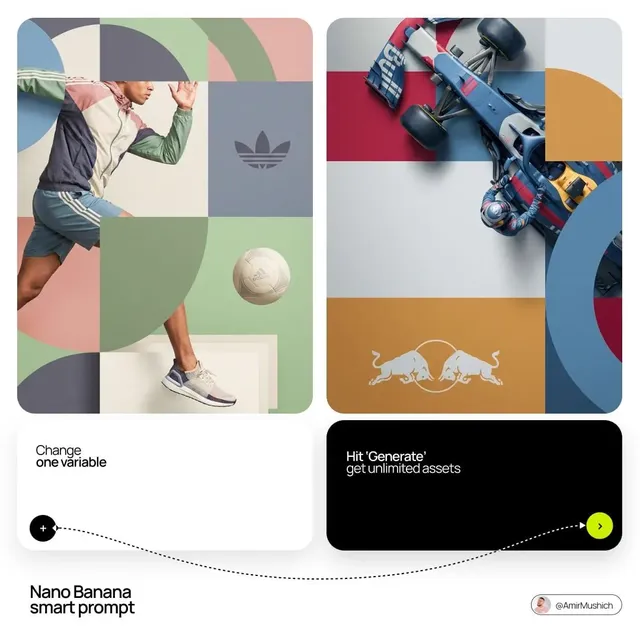
When a render fails, do not rewrite the whole prompt. Ask the assistant to change exactly one variable and log it. That habit turns random luck into a search process you can repeat.
A Practical End-to-End Workflow: A 60-Second Product Clip
Here is the loop worth running, with the assistant as the planning layer.
- Brief. One paragraph: product, audience, platform, desired feeling, and the hard facts that must be accurate.
- Script pass. The assistant returns a ninety-word voiceover, a hook under eight words, and a call to action. You approve or redirect before anything is generated.
- Shot plan. Ten shots with durations summing to about sixty seconds, each with a render-ready prompt and a fallback.
- Prompt pack export. Move the table into your working document and keep the continuity block pinned at the top.
- Generation. Render the three hero shots first. If the model cannot hold the look, adjust the style guide rather than rewriting all ten prompts.
- Assembly. Cut to the voiceover timing, not to the clip length. Most generated clips will be trimmed.
- Voice and music. Recorded or synthesized voiceover, one music bed, ducking under speech.
- Review pass. Check three things only: whether the hook is legible at thumb size, whether the product is accurate, and whether adjacent shots match.
- Log. Note which prompts rendered cleanly and feed that back into the knowledge file.
Steps five through nine are where personalization compounds. Each cycle leaves the assistant with better examples, which means the next brief starts closer to a finished edit.
A useful discipline: never generate more than ten shots before reviewing three. Rendering a full pack before checking the first results is the fastest way to waste an afternoon.
Choosing Your Stack and Keeping Quality High
You rarely need one tool to do everything. Typical combinations:
- Fast iteration on short social clips: a quick text-to-video model plus a mobile editor.
- Character-driven series: a model with reference-image or character features, plus a desktop editor for continuity fixes.
- Explainers and product demos: screen capture, motion graphics, and a generated b-roll library.
- Multilingual versions: a translation-aware script pass plus voice synthesis with matched pacing.
Decision criteria
- Output length per generation. Short clips stay coherent; long shots drift.
- Reference or character support. Non-negotiable for recurring people.
- Reproducibility. If you cannot repeat a render, version your prompts and keep the seed.
- Resolution and aspect ratio support. Vertical-first if social is your main channel.
- Licensing and commercial terms. Check before building a series on top of any tool.
- Cost per finished second, not per generation. Failures are part of the math.
The quality checklist, in order of cost
- Continuity between adjacent shots — face, wardrobe, light direction.
- Physics errors — hands, liquids, fabric, reflections.
- Text artifacts — any on-screen lettering belongs in the editor, not in the generation.
- Pacing — if a shot reads slow at normal speed, cut it rather than slowing it down.
- Audio sync — voice leads the image or the image leads the voice, but never both at once.
- Accessibility — captions, contrast, and type that stays legible at thumb size.
Run these in order. Catching a continuity break before rendering saves an entire generation cycle.
Common Mistakes and How to Avoid Them
- Writing prompts in adjectives instead of actions. "Cinematic" is a mood; "slow dolly-in, 35mm, warm key light" is a decision.
- Letting the assistant invent facts. Attach an approved facts file and instruct it to mark unknowns instead of filling them in.
- One mega-prompt for a whole video. Shot-level prompts are easier to debug and cheaper to re-render.
- Chasing a single perfect render. Generate variants, keep the best, move on.
- Ignoring the edit until the end. Plan shot lengths to the rhythm of the audio from the start.
- No versioning. If you cannot say which prompt produced which clip, you cannot repeat a win.
- Over-personalizing too early. Get a generic version working, then add style layers one at a time.
- Never revisiting the instructions. An assistant that has not been updated in months is quietly drifting away from your current style.
FAQ and Final Checklist
Do I need coding skills?
No. The useful work is writing clear rules, maintaining a small set of reference documents, and defining a stable output format.
Can a custom GPT generate the video itself?
Not directly. It produces scripts, shot lists, prompts, and review notes. Rendering happens in a video model or an editor.
How many knowledge files is too many?
If the assistant starts ignoring rules, you have too much. Keep three to five short documents and move anything else into a separate assistant.
How do I keep a character consistent across clips?
Freeze a continuity block, use reference images when the model supports them, and change only action and camera between shots. Test with three clips before committing to a full series.
What about multilingual versions?
Generate the source script first, then ask for localized versions with pacing notes. Translated lines often run longer and need shot timing adjusted.
How often should I update the assistant?
After every project. Add the prompts that rendered cleanly, remove the ones that failed consistently, and note which model version you used.
Final checklist
Before you ship a video, confirm that the hook is legible without sound, the product facts are accurate, adjacent shots match, no generated text appears on screen, and every prompt that produced a keeper clip is saved. Do those five things and the assistant stops being a novelty and starts being infrastructure — a system that turns a one-paragraph brief into a finished short video without re-explaining who you are every single time.

Alexander
More Blogs
Read MoreVidu Q4 Alternatives: 4K AI Video Models Compared (2026)
Vidu Q4 alternatives compared: Kling 4.0, Seedance 2.5, Wan 3.0, and Runway Gen-4 — 4K support, input modes, durations, audio, and what each costs in credits on Domer.
Top 4K AI Image Generators in 2026: 5 Models Compared on Real Costs
The top 4K AI image generators on Domer compared: Flux 3 Klein, Nano Banana 2.1, GPT Image 2.5, GPT Image 2, and Nano Banana Pro — 4K credit costs, reference limits, and speed.
Nano Banana 2.1 vs GPT Image 2.5: Which Image Model Should You Use? (2026)
Nano Banana 2.1 vs GPT Image 2.5 Flare compared: credit costs per resolution, aspect ratios, reference images, text rendering, and which tasks fit each model.