
Crea
Affiliazione
Inizia Gratis Ora
Dreamlike AI Video Generation: A Practical Workflow Guide
Oct 15, 2026

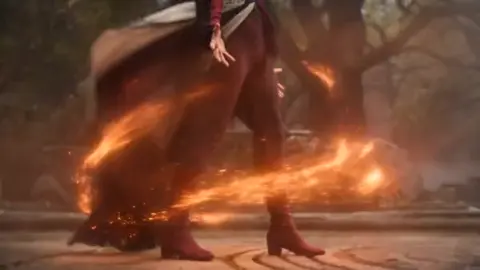

Why Dreamlike Video Became the Default AI Aesthetic
Walk through any short-form feed and the surreal stuff stands out: oceans pouring upward into a hotel lobby, a city folding itself into a paper crane, a portrait whose skin turns to stained glass and back again. A few years ago that look required a VFX team, a render farm, and weeks of compositing. Today a single creator with a laptop and a decent prompt can produce ten seconds of it before lunch.
The shift comes from two converging lines of research. First, image diffusion models learned to render nearly any concept from a text description. Second, temporal modules learned to keep those renders from flickering into confetti when you animate them. Put those together and you get generative video that behaves less like a slideshow and more like a camera pointed at a dream.
That matters commercially because dreamlike imagery is unusually good at stopping a scroll. It creates a small cognitive itch — you cannot immediately classify what you are seeing, so you keep watching. For musicians, advertisers, title sequences, and experimental shorts, that fraction of a second of confusion is worth a lot.
This guide is about the craft behind those results. It covers how the underlying systems work, how to plan a sequence that holds together, how to prompt for surreal imagery that still reads clearly, and how to avoid the failure modes that make AI video look cheap.
How Dreamlike AI Video Actually Works
You do not need to read papers to make good clips, but a working mental model saves a lot of wasted generation time. Almost every dreamlike result you see comes from three layers stacked together: a diffusion renderer, a temporal coherence mechanism, and a conditioning stack.
Diffusion in latent space
A diffusion model is trained by taking real images, adding noise progressively until they become static, then learning to reverse that process. At generation time you start from pure noise and denoise step by step, guided by your text prompt. Most modern systems do this in a compressed latent representation rather than raw pixels, which is why generation is fast enough to be practical.
Three parameters dominate your results:
- Sampler choice — different solvers produce different texture character. Some are crisp and graphic, others softer and more painterly.
- Step count — more steps refine detail but also lock in whatever interpretation the model settled on early. Surreal outputs sometimes benefit from fewer steps.
- Guidance scale — how strictly the model obeys your prompt. Low values drift dreamily but ignore you; high values obey but look burnt and over-saturated.
For dreamlike work, the sweet spot is usually mid-range guidance with a prompt that is specific about mood and vague about exact composition. Let the model improvise the details.
Temporal coherence is the real bottleneck
Early AI video failed because each frame was generated independently. Objects changed shape, faces melted, textures crawled. The fix is to make frames aware of each other. Three approaches are common:
- Temporal attention layers — the model attends to neighboring frames as well as to the prompt, so a texture or silhouette persists across time.
- Optical-flow warping — the previous frame is warped forward using estimated motion, then the model only has to correct the error instead of inventing the next frame from scratch.
- Keyframe anchoring — you provide a start frame, sometimes an end frame, and the model interpolates a path between them. This is the single most reliable way to control AI video today.
If you only remember one thing: control comes from anchors, not from adjectives. A locked first frame plus a clear motion instruction beats a paragraph of poetic description every time.
Multi-modal conditioning
Text is only one input channel. Most capable pipelines accept several at once:
- Reference images for style, palette, or subject identity
- Depth or pose maps to hold camera geometry steady while the world morphs
- Masks to keep one region stable and let another transform
- Audio to drive rhythm, cuts, or viseme animation
Layering channels is how professionals get repeatable output. A text prompt describes the idea; a depth pass enforces the camera move; a style reference enforces the look. Each channel reduces one kind of randomness.
Planning a Dreamlike Sequence Before You Generate
Most disappointing AI video is not a model problem, it is a planning problem. Before you touch a prompt box, decide four things.
The dream logic. Surreal sequences feel intentional when they follow one consistent rule that reality does not. Maybe gravity is inconsistent, maybe scale is unstable, maybe materials convert into each other on contact. Pick one rule and let every shot obey it. Two rules read as chaos; one rule reads as style.
The anchor shot. Choose a single frame that establishes the world. Generate it as a still image first. Iterate on it until it is exactly right, then use it as the first frame of every clip in the sequence. This is how you get visual continuity without training a custom model.
The shot list. Write five to eight beats, each six to ten seconds, described as a camera instruction plus a transformation. "Slow push in as the hallway tiles lift into birds" is a usable beat. "Something surreal and beautiful" is not.
The delivery format. Vertical for social, 16:9 for broadcast, square for some ad placements. Aspect ratio decisions should happen before generation, because cropping later destroys the compositions you paid for in render time.
Step-by-Step: From Prompt to Finished Sequence
Step 1 — Write the dream logic, not the plot
Dreamlike video rarely needs a story. It needs a premise that is visually generative. "A museum where the paintings remember being forests" gives you twenty shots for free. "A man walks through a museum" gives you one boring one.
Step 2 — Compose a layered prompt
Build prompts in four layers, in this order:
- Subject and action — what is in frame and what it is doing
- Environment and light — location, time of day, light direction, atmosphere
- Style and medium — film stock, lens, painterly reference, era of photography
- Camera and motion — dolly, crane, handheld, slow orbit, static tripod
Keep the total under about sixty words. Longer prompts dilute attention and produce mush.
Step 3 — Anchor the first frame
Generate the opening still in an image model. Fix hands, faces, and text there, because animated models will not fix them for you. Once the still is right, feed it in as the initial frame and describe only the motion you want.
Step 4 — Generate in short bursts and extend
Ask for four to six seconds per generation, then extend from the last good frame. Long single generations drift; short chained ones stay coherent. Discard aggressively — if a clip is wrong at three seconds, it will be wrong at eight.
Step 5 — Post-process like a filmmaker
Raw AI output looks like raw AI output. A pass through a color grade, a touch of grain, a subtle camera shake, and a sound design layer will do more for perceived quality than upgrading your model. Cut on motion rather than on stillness, and let audio carry the transitions.
Prompting Techniques for Surreal Imagery That Still Reads Clearly
The hardest part of dreamlike video is legibility. Surreal does not mean muddled. A few habits keep the weirdness readable:
Name the impossible thing precisely. "A staircase made of frozen lightning" works because the model knows stairs and knows lightning. "Abstract chaos energy" gives you texture soup.
Use real photographic language. Naming a lens and a film stock constrains the render in useful ways. "35mm, shallow depth of field, tungsten light" produces a coherent look even when the subject is impossible.
Describe motion with verbs the model has seen. Drift, dissolve, bloom, fracture, unfurl, collapse, seep, spiral. These correspond to recognizable visual phenomena.
Control the palette explicitly. Two or three named colors with one accent produces cinematic results. Rainbow everything produces noise.
Use negative prompts for the classic failures. Extra limbs, warped faces, floating text, watermark artifacts, oversaturated highlights, plastic skin.
Vary one variable at a time. Change a single word between runs so you learn what actually caused the improvement.
A useful exercise: take one anchor frame and generate the same eight-second clip six times, changing only the style layer. You will learn more about the model's behavior in twenty minutes than in a week of random prompting.
Style Transfer and Scene Blending Without the Melt
Style transfer that holds together
Style references are applied with a strength weight. Too low and nothing changes; too high and the content dissolves into the reference. The usable band is narrow. Start around the middle, change in small increments, and always keep the content prompt detailed so the model has structure to preserve.
For moving footage, apply style consistently across the whole clip rather than per shot. If the reference is painterly, expect to lose fine detail — plan for that by generating at higher resolution and downsampling rather than trying to sharpen afterward.
Scene blending without a visible seam
Merging two worlds is where dreamlike video earns its keep: a desert dissolving into a neon arcade, a portrait melting into a forest. Three techniques work reliably:
- Latent interpolation produces the smoothest transitions because the model blends the concepts, not the pixels.
- Masked transition keeps one region stable while the other transforms, which reads as intentional rather than glitchy.
- Shared lighting direction is the detail everyone forgets. If both worlds are lit from the same side and share one accent color, the blend feels authored.
Cut points are also a tool. Sometimes a hard cut between two impossible spaces is more convincing than a morph, because audiences already accept cuts as normal.
A Practical Toolkit: Matching Tools to Tasks
Different jobs need different instruments. A rough map:
| Task | Typical tool category | Notes |
| --- | --- |
| Text-to-video dreamscapes | Hosted generative video models | Fast iteration, less control |
| Image-to-video animation | Image-conditioned video models | Best control via anchor frames |
| Stylized loops | Node-based diffusion pipelines | Repeatable, complex to set up |
| Character consistency | Reference adapters and identity embeddings | Pair with a locked first frame |
| Upscaling and restoration | Dedicated upscalers | Do this before grading, not after |
| Editing and stitching | Non-linear editors | Cut on motion, not on frames |
| Sound and voice | AI audio tools | Sound design is half the illusion |
For a first project, stay in hosted models with a simple image-to-video workflow. Add a node-based pipeline only when you need repeatability across dozens of shots.
Common Mistakes and How to Fix Them
Overloaded prompts. More words do not mean more control. Fix: cut to four layers, sixty words.
No anchor frame. Every shot starts from noise, so nothing matches. Fix: lock one still and reuse it.
Long single generations. Drift and identity loss compound. Fix: chain short clips.
Ignoring motion blur and shutter. Static, sharp frames read as fake. Fix: add subtle blur and grain in post.
Chasing resolution over composition. A well-composed 1080p shot beats a mushy 4K one. Fix: frame deliberately, upscale later.
No sound design. Silent AI video feels like a tech demo. Fix: lay in ambience, impacts, and a music bed.
Random iteration. Changing five variables per run teaches nothing. Fix: one variable at a time.
Skipping the grade. Untreated output has a recognizable flat look. Fix: contrast, color balance, vignette, grain.
Ethics, Disclosure, and Working With Clients
Dreamlike imagery is lower risk than photorealistic human depiction, but the rules still matter. If a clip could be mistaken for real footage of a real event or person, disclose it. If you use a reference image of a person, get permission. Check the commercial terms of every model and dataset you rely on before you put output in a paid campaign.
Practical habits worth adopting:
- Keep a project log of prompts, seeds, models, and reference assets
- Embed or attach provenance metadata where the platform supports it
- Watermark client previews, not final deliverables, unless requested
- Write disclosure language into contracts rather than improvising later
- Never generate a recognizable living person's likeness for commercial use without consent
For brand work, the safest surreal content is abstract, environmental, or object-based. A dissolving perfume bottle is a marketing asset. A dissolving celebrity is a liability.
Frequently Asked Questions
How long should a dreamlike AI clip be?
Generate four to eight seconds at a time. Finished sequences of fifteen to sixty seconds work well for social and title sequences, because the aesthetic relies on novelty rather than narrative endurance.
Why does my AI video flicker?
Usually because frames are being generated with too little temporal conditioning, or because your prompt is ambiguous about texture and light. Strengthen the anchor frame, shorten the clip, and add explicit lighting language.
Do I need a custom-trained model?
Not for a first project. Custom training helps when you need a consistent character or a proprietary look across many shots. For single sequences, a locked anchor frame plus a style reference gets you most of the way.
Can I use generated dreamlike footage commercially?
Often yes, but terms differ by provider and by region. Verify the license for the specific model version you used, and check whether your prompt or reference assets introduce third-party rights.
What resolution should I generate at?
Generate at the highest resolution your compute allows for the anchor still, then animate at a practical resolution and upscale. Detail lost during generation cannot be recovered later.
How do I keep a character consistent across shots?
Lock a reference image, use identity embeddings or reference adapters, describe clothing and features identically in every prompt, and keep camera distance similar between shots.
Is a node-based pipeline worth learning?
If you produce more than a few clips a week or need exact reproducibility, yes. Otherwise a hosted model plus a good editor is faster to learn and nearly as capable.
What separates amateur from professional results?
Almost always post-production. Sound design, color grading, pacing, and grain discipline account for more perceived quality than the underlying model. The dream is generated; the film is edited.

Alexander
More Blogs
Read MoreVidu Q4 Alternatives: 4K AI Video Models Compared (2026)
Vidu Q4 alternatives compared: Kling 4.0, Seedance 2.5, Wan 3.0, and Runway Gen-4 — 4K support, input modes, durations, audio, and what each costs in credits on Domer.
Top 4K AI Image Generators in 2026: 5 Models Compared on Real Costs
The top 4K AI image generators on Domer compared: Flux 3 Klein, Nano Banana 2.1, GPT Image 2.5, GPT Image 2, and Nano Banana Pro — 4K credit costs, reference limits, and speed.
Nano Banana 2.1 vs GPT Image 2.5: Which Image Model Should You Use? (2026)
Nano Banana 2.1 vs GPT Image 2.5 Flare compared: credit costs per resolution, aspect ratios, reference images, text rendering, and which tasks fit each model.