
Affiliazione
Inizia Gratis Ora
Effortless AI Video Production: A Complete Creator Workflow
Oct 13, 2026
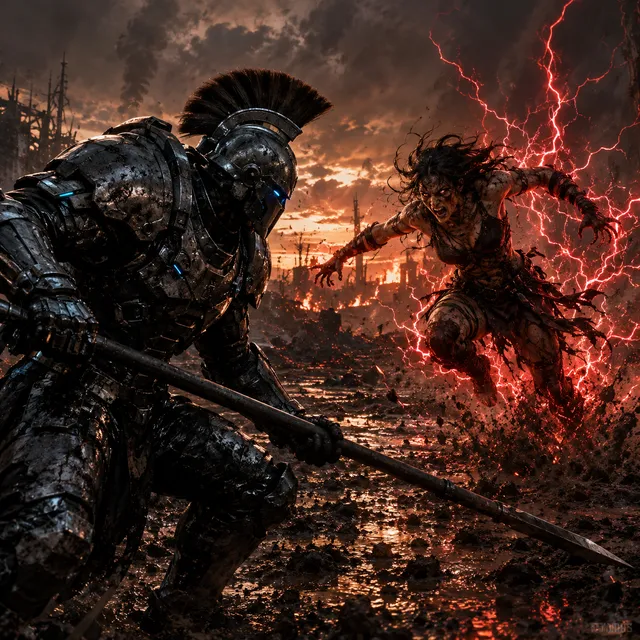
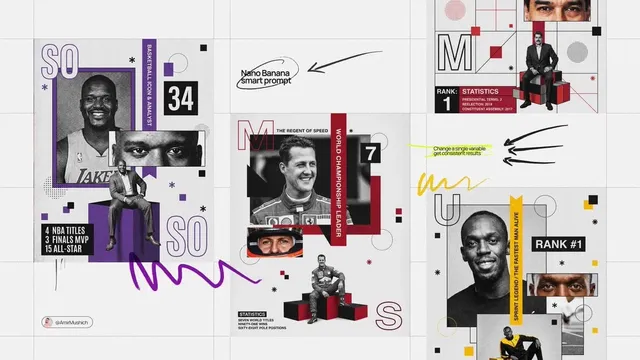
AI video production has moved well past the demo stage. Work that once needed a crew, a studio booking, and a week in an editing suite can now be drafted in an afternoon — but only when the workflow behind it is deliberate. This guide walks the entire pipeline, from a first spark of an idea to a finished, accessible, platform-ready file, and shows where AI genuinely removes friction and where human judgment still decides whether the result is any good.
What "Effortless" Really Means in AI Video Production
Effortless does not mean automatic. It means the distance between an idea and a watchable file has collapsed, and most of that collapse comes from removing repetitive work rather than removing decisions.
AI is genuinely strong at a specific set of tasks: generating visual variations, drafting narration in a consistent tone, proposing shot lists from a script, cutting silences out of a voice track, generating captions, upscaling soft footage, translating subtitles, and producing placeholder music that fits a mood. These are the tasks that used to eat entire days.
AI is weak at exactly the things that make a video worth watching: taste, timing, restraint, brand nuance, and knowing which joke lands with a specific audience. It also cannot tell you whether you have the right to use a face, a voice, a song, or a logo. Those decisions stay with you.
The practical definition of effortless, then, is this: a repeatable pipeline where AI handles first drafts and mechanical transformations, and a human handles selection, sequence, and sign-off. The faster the loop between those two halves runs, the more effortless the whole process feels.
The Five-Stage Workflow at a Glance
Every AI-assisted video project, whether it is a fifteen-second social cut or a ten-minute explainer, moves through the same five stages. Naming them explicitly prevents the most common failure mode: generating footage before the idea is clear.
| Stage | Main input | Main output | AI's role | Your role |
|---|---|---|---|---|
| 1. Brief | A rough idea | One-page brief | Idea expansion, angle suggestions | Choosing the promise |
| 2. Script & board | Brief | Script, shot list, style frames | Drafting, variations, thumbnails | Story and pacing judgment |
| 3. Generation | Shot list | Raw clips, voice, music | Video, speech, audio synthesis | Selecting takes, approving style |
| 4. Assembly | Raw assets | Rough cut | Silence removal, rough ordering, captions | Rhythm, story, trims |
| 5. Finishing | Rough cut | Delivery masters | Upscaling, captions, localization | Color, loudness, rights, sign-off |
Two rules keep this table honest. First, never skip backwards more than one stage at a time; if stage 5 reveals a story problem, go back to stage 2 rather than patching it with effects. Second, keep every stage's output as a file or a document. Memory is not a version control system.
Stage 1 — From Spark to Brief: Defining the Idea Before You Generate
Capture the idea in three sentences
Write what happens, who it is for, and what the viewer should do or feel when it ends. If you cannot fill those three lines, you are not ready to generate anything. A useful test: could a stranger read those three sentences and describe the video back to you accurately?
Build a one-page brief that constrains you
The brief should fix four things and leave everything else open: runtime, aspect ratio, tone, and the single message. Runtime and aspect ratio are technical constraints that determine which generation model and which editing approach makes sense. Tone and message are creative constraints that prevent the drift that happens when a project runs for two weeks.
AI is useful here as a devil's advocate rather than a ghostwriter. Ask it for three alternative angles on the same brief, then choose the one you would defend in a meeting. The point is not to outsource the concept; it is to make sure you considered more than one.
Define the success metric before you shoot
A tutorial succeeds when viewers finish it. A product teaser succeeds when it gets clicked. A recruitment film succeeds when applications rise. Writing the metric down early changes small decisions later — for example, whether to front-load the payoff in the first three seconds or build slowly toward it.
Stage 2 — Script, Shot List, and Storyboard
Draft the script in beats, not paragraphs
A video script is a sequence of beats, each with a job: hook, context, tension, demonstration, resolution, call to action. Draft each beat as two or three sentences, then read them aloud. Anything that is hard to say out loud will be hard to generate convincingly.
AI can compress, expand, or re-tone a beat quickly. Treat its output as clay. The most common scripting error is accepting a fluent draft that says nothing specific — replace every abstract claim with a concrete example, a number, or a visible action.
Turn the script into a shot list that a model can execute
A shot list is the contract between writing and generation. Each row should describe subject, action, camera framing, lighting, setting, and duration. Vague rows produce vague clips, and vague clips cannot be fixed in editing.
A workable row looks like this: "Close-up, hands opening a cardboard box on a wooden desk, soft window light from the left, slow push in, four seconds." That level of specificity gives both you and the generation model something to aim at.
Lock visual consistency before you scale up
Consistency is the hardest problem in AI video. Three habits solve most of it:
- Character and location sheets. Create one approved reference image per recurring character, product, or location, and reuse it in every prompt.
- A style block. Write a fixed sentence describing palette, lighting, lens, and texture, and paste it into every prompt unchanged.
- Seed discipline. When a generation produces a useful look, record the seed and settings so you can return to it.
Storyboarding with AI thumbnails is not about beautiful drawings. It is about checking that the sequence reads as a story before you spend an afternoon generating footage for a scene you will cut.
Stage 3 — Generating Video, Voice, and Sound
Split generation into plates, not scenes
Generating a whole scene in one pass rarely works. Instead, generate short plates: a wide establishing shot, a medium action shot, a close-up reaction, a detail insert. Each plate is four to eight seconds, which is both what most models handle best and what editors naturally need.
Generate three versions of each plate and keep notes on which one you chose and why. This takes discipline, but it prevents the classic trap of regenerating everything later because nobody remembers which take was approved.
Build the voice track before the picture
Narration sets the rhythm for everything else. Record or synthesize the voice first, then cut picture to fit it. If you are using synthetic narration, listen for two things: unnatural emphasis on the wrong word, and a flat emotional line across a long paragraph. Both are fixable by splitting the paragraph into shorter, individually directed lines.
Treat music and ambience as structure, not decoration
Music tells the viewer where they are in the story. A simple approach: one theme for the setup, a lift at the turning point, and a resolution bed under the close. Ambience — room tone, footsteps, keyboard clicks, distant traffic — does more for perceived production value than any visual filter.
Stage 4 — Editing, Pacing, and Assembly
Start with a rough assembly you expect to be too long
Drop every approved plate on a timeline in script order and export a rough cut without polishing anything. Watch it once without pausing. Note the moment your attention drifts — that timestamp is the real problem area, and it is almost always earlier than you think.
Cut for rhythm, not for coverage
AI makes it easy to generate more footage than a story needs. Resistance is part of the craft. Common fixes: trim the first two seconds of every clip, remove repeated information, and let one shot breathe instead of cutting on every beat.
Repair artifacts without regenerating everything
Bent hands, melting backgrounds, and drifting faces are still common. Before regenerating, try these cheaper repairs: shorten the shot so the artifact falls outside the cut, cover it with a cutaway or graphic, reframe slightly, or slow the clip down at the problem point. Regeneration is the last option, not the first.
Stage 5 — Finishing, Accessibility, and Delivery
Color and loudness in ten minutes
Apply one consistent look across all clips rather than grading each clip individually; mismatched color is the fastest way to make AI footage look AI-generated. For audio, aim for consistent loudness rather than peak volume, and check the mix on a phone speaker. Most viewers will watch there.
Captions are part of the edit, not an export option
Generate captions, then actually read them. Names, technical terms, and jokes are where automatic transcription fails. Fix the timing so captions appear slightly before the words are spoken, and keep lines short enough to read in one glance.
Localize only after the master is locked
Translation is cheap once the master exists and expensive if the master keeps changing. Lock picture and sound, then produce localized subtitle tracks and, if needed, alternate narration. Keep a version naming convention from the start — project name, cut number, language, aspect ratio — or you will eventually deliver the wrong file to the wrong platform.
Choosing Tools and Keeping the Stack Flexible
Decision criteria that matter more than feature lists
| Criterion | What to check |
|---|---|
| Output control | Can you set duration, aspect ratio, and camera motion precisely? |
| Consistency | Can you reuse a reference image or seed across shots? |
| Audio pipeline | Does it produce clean voice, or do you need a separate tool? |
| Export formats | Can it deliver the codecs and resolutions your platforms need? |
| Rights clarity | Are the terms around generated output and training data clear to you? |
| Speed of iteration | How long does one revised version take? |
Avoid single-tool dependency
Keep the pipeline modular: one tool for image generation, one for video synthesis, one for voice, one for the edit, one for captions. Modular stacks survive model changes, price changes, and quality shifts. They also let you upgrade one link without relearning the whole process.
Common Mistakes and How to Avoid Them
Generating before the brief exists. If the idea is not written down, every clip will look plausible and none will fit together.
Prompting with mood words only. "Cinematic and emotional" tells a model almost nothing. Describe subject, action, framing, light, and duration.
Ignoring continuity across shots. Wardrobe, time of day, and screen direction must stay consistent, or viewers will feel something is wrong without knowing why.
Over-generating. More footage means more decisions. Cap yourself at three takes per plate.
Leaving audio until the end. Sound determines pacing. Build the voice track early and cut picture to it.
Skipping the rights check. Confirm you have permission for every face, voice, logo, and music cue before publishing, not after.
Delivering a single aspect ratio. Plan vertical, square, and widescreen versions from the storyboard stage, not in the export screen.
No version naming. "final_v3_real_final" is a symptom of a broken process, not a personality trait.
FAQ
How long should a first AI video project take?
A two-minute explainer is a realistic first project. Budget roughly a day for brief and script, half a day for storyboard and style frames, one to two days for generation and voice, and one day for assembly and finishing. The second project usually takes half as long because the pipeline already exists.
Do I need editing experience to make this work?
You need basic timeline skills: trimming, ordering, and adjusting audio levels. Advanced color grading or motion design is optional. Story sense matters far more than software fluency.
How do I keep characters looking consistent?
Create one approved reference image per character, lock a style block into every prompt, and record the settings that produced your best results. When a shot drifts, regenerate from the reference rather than from the previous clip.
Is AI narration good enough for client work?
For internal, educational, and social content it is often indistinguishable from a decent studio read. For brand films where a recognizable voice is part of the identity, use a human narrator. Always disclose synthetic voice where required by platform policy or local law.
What should I check before publishing?
Read captions end to end, verify loudness on a phone, confirm every visible person and logo is cleared, check that the hook lands in the first three seconds, and make sure the file name matches the platform you are uploading to.
How do I scale this for a team?
Write the pipeline down as a checklist with named owners per stage, keep a shared asset library of approved style frames and reference images, and require a locked script before generation begins. Most team-level quality problems are process problems, not model problems.
The through-line across all five stages is simple: AI compresses the distance between idea and draft, and the craft lives in what you choose to keep.

Alexander
More Blogs
Read MoreVidu Q4 Alternatives: 4K AI Video Models Compared (2026)
Vidu Q4 alternatives compared: Kling 4.0, Seedance 2.5, Wan 3.0, and Runway Gen-4 — 4K support, input modes, durations, audio, and what each costs in credits on Domer.
Top 4K AI Image Generators in 2026: 5 Models Compared on Real Costs
The top 4K AI image generators on Domer compared: Flux 3 Klein, Nano Banana 2.1, GPT Image 2.5, GPT Image 2, and Nano Banana Pro — 4K credit costs, reference limits, and speed.
Nano Banana 2.1 vs GPT Image 2.5: Which Image Model Should You Use? (2026)
Nano Banana 2.1 vs GPT Image 2.5 Flare compared: credit costs per resolution, aspect ratios, reference images, text rendering, and which tasks fit each model.