
Affiliazione
Inizia Gratis Ora
Ethical AI Video Generation: A Safe Content Workflow Guide
Oct 13, 2026

Why ethical AI video generation is a workflow question
Almost anyone with a laptop and a subscription can now produce a polished, photorealistic video in an afternoon. That is genuinely exciting for small teams, solo creators, teachers, and internal communications departments that never had a production budget. It is also the reason the conversation about synthetic media has shifted. The interesting question is no longer "can this be generated?" It is "should this be published, and can we prove it was made responsibly?"
Most teams answer that question badly, not because they are careless, but because their process was never designed for it. A marketer writes a prompt at 4 p.m., gets a beautiful clip at 4:07, drops it into the edit, and publishes. Nobody asked who owns the likeness in the frame. Nobody checked whether the model was trained on licensed material. Nobody asked whether the voice sounds like a real public figure. The risk was introduced silently, in the gap between generation and publishing.
Ethical AI video generation is therefore less about a moral stance and more about production discipline. It means building a pipeline where consent, rights, representation, and disclosure are default steps rather than afterthoughts. The good news is that this does not require a legal department or a six-week approval cycle. It requires a short brief, a small checklist, a review gate or two, and a habit of documenting decisions.
This guide walks through the risk areas worth designing around, a repeatable workflow you can run on any project, criteria for choosing tools, use cases that stay comfortably on the safe side, the mistakes that create quiet liability, and a pre-publish checklist you can paste into your existing process.
The four risk areas you need to design around
Before you touch a generator, understand what actually goes wrong. Nearly every ethical failure in AI video falls into one of four buckets, and each has a different mitigation.
Deepfakes, likeness, and impersonation
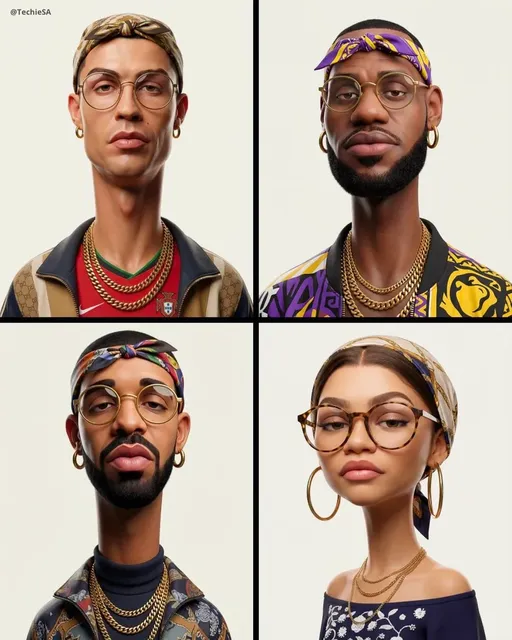
This is the risk most people think of first, and for good reason. A synthetic clip of a real person saying something they never said can move markets, damage reputations, and distort public debate. Even unintentional resemblance is a problem: if a generated actor looks uncannily like a well-known presenter, audiences will assume it is them.
The practical mitigation is to prompt for archetypes rather than individuals. Describe age range, wardrobe, energy, and framing instead of naming a person. If your script requires a real spokesperson, film the real spokesperson. Where a realistic human face is unavoidable, keep a written record of the consent you obtained and the context in which the clip may be used. Never generate a public figure into a scenario they have not authorized, even as a joke, because screenshots travel without context.
Copyright, training data, and style mimicry
Copyright risk in AI video has two layers. The first is input: what did the model learn from, and do you have any visibility into that? The second is output: does the result reproduce protected characters, logos, music, or a living artist's signature style closely enough to be a derivative work?
You cannot audit a model's training set from the outside, so focus on what you can control. Prefer tools that publish clear documentation about data sources and that let you upload your own licensed footage for style or character consistency. Avoid prompts that name a specific studio franchise, a living illustrator, or a recognizable brand mascot. Treat music separately: generated scores are usually safer than synthesized imitations of existing songs, and even then you should keep the generation record.
Bias, representation, and stereotypes
Generative models reproduce statistical patterns from their training data, and those patterns include social bias. Left unchecked, you get a sales team that is uniformly one demographic, a nurse who is always a woman, a villain with a foreign accent, or a "default" protagonist who does not resemble your actual audience.
The fix is deliberate specification. Write representation into the brief rather than leaving it to the model's defaults: vary age, body type, skin tone, disability, and setting across shots. Then review the outputs as a set, not one clip at a time, because bias is easier to see in aggregate. If you are producing content for a global audience, check that the cultural signifiers in the frame make sense for the regions you are targeting.
Disclosure, misinformation, and audience trust
Undisclosed synthetic media erodes trust even when the content is harmless. Audiences increasingly assume that voices can be cloned and faces can be fabricated, which means the absence of a label is itself a statement — and often the wrong one.
The mitigation is simple and cheap: label synthetic content clearly, in the video itself or in the caption, in plain language. Do not hide the disclosure in a terms page. When a clip could be mistaken for documentary footage of a real event, add context on screen. When it is stylized or obviously animated, a light label is still a good habit because it normalizes transparency rather than treating it as an admission of guilt.
A repeatable ethical workflow, step by step
This workflow fits on a single page and runs on any project, from a fifteen-second social clip to a multi-episode training series.
Step 1 — Write a one-page intent brief
Before generating anything, write down four things: who the video is for, what decision or feeling it should drive, which parts must be visually realistic, and which parts can be stylized. That last point matters more than it sounds. Most ethical problems disappear when a shot is clearly animated, illustrated, or abstract, because the audience no longer mistakes it for a recording of reality.
The brief should also name the reviewers. One person for brand and message, one person for legal or rights questions, and one person who owns final publication. If those are all the same person on a small team, write that down too, so it is a conscious decision rather than an accident.
Step 2 — Document the rights on every asset
Keep a simple asset log with four columns: file name, source, license or ownership status, and expiration if any. Every image you upload as a reference, every voice sample, every piece of music, and every face that appears should have a row. This takes minutes and saves weeks.
If you cannot state the license, do not use the asset. "Found it online" is not a license. If a client supplies assets, ask them to confirm rights in writing before you feed anything into a model, because you are the one producing the derivative work.
Step 3 — Prompt for archetypes, not real people
Write prompts that describe characteristics instead of identities. "A presenter in her forties, warm tone, studio lighting, medium shot" is safe. "A famous news anchor" is not.
Also avoid prompts that ask for a specific brand's product, a recognizable logo, or a named artist's technique. If your script genuinely needs a brand asset, generate a neutral scene and composite the approved brand asset in post-production, where you control it.
Step 4 — Generate in small batches and review early
Do not generate fifty variations and pick the best. Generate three or four, review them against the brief, and refine the prompt. Early review catches drift before you have invested in a direction that will not survive scrutiny. It also reduces the temptation to rationalize a problematic clip because it is the only usable take.
At this stage, watch for subtle tells: warped hands, text that reads as gibberish, mismatched lip sync, unnatural eye movement, and background objects that change shape between frames. These are not just quality issues. Artifacts are the first thing audiences notice, and they can push a clip from "obviously synthetic" into "looks real but feels wrong," which is the worst of both worlds.
Step 5 — Audit for bias, artifacts, and audio drift
Review the batch as a contact sheet. Ask three questions. Does the cast of characters reflect the audience rather than a stereotype? Do any frames reproduce protected characters, logos, or a recognizable style? Does the audio sound like a real, identifiable person, and are the room tone and lip sync believable?
If you are using a cloned voice, compare it against the consent agreement and check for overreach. A voice authorized for an internal explainer is not automatically authorized for a paid advertisement.
Step 6 — Label, publish, and keep a record
Publish with a clear, short disclosure. Store the prompt history, the model or version used, the asset log, and the approval notes with the project file. If a question arises later, you can answer it in minutes instead of reconstructing a decision from memory.
How to choose an AI video tool that supports safe creation
Tool selection is a risk decision, so evaluate features against the workflow above rather than against demo reels. A tool that makes the safe path easier will get used; a tool that requires heroics will get bypassed.
- Documented data practices. Can you find a plain-language explanation of what the model was trained on and how your uploads are handled?
- Private or local processing. For confidential scripts and unreleased products, on-premise or private workspace options matter more than render quality.
- Consent-aware voice features. Look for voice tools that require explicit authorization and that let you restrict usage scope.
- Character and style consistency without mimicry. You want your own recurring character, not a copy of someone else's.
- Transparency metadata. Watermarks, provenance tags, or exportable generation logs make disclosure and auditing easier.
- Human-in-the-loop review. Multi-stage approval, comments, and version history turn ethics from a policy into a step.
- Representation controls. Fine-grained control over appearance, age, and setting prevents default bias.
Score each candidate on those seven points. A tool that wins on six and costs a little more render time is usually the better long-term choice.
Use cases that stay safely on the right side of the line
Marketing and product explainers
Stylized, animated, or clearly designed visuals remove most impersonation risk while still looking premium. Use synthetic presenters for internal scripts and abstract visuals for product mechanics. Reserve photorealism for footage you actually shot. Always disclose when a spokesperson on screen is generated.
Learning and onboarding content
Training videos benefit enormously from synthetic media because they need frequent updates. You can swap a headline, re-record narration, or localize a module without booking a studio. Keep a named human reviewer for accuracy, and version each module so learners know what changed.
Internal communications
Executives are busy, and synthetic delivery of routine updates is increasingly accepted when disclosed. The line to hold is simple: no synthetic statement about financial results, safety, or personnel decisions without explicit, documented authorization from the person being represented.
Localization and accessibility
Dubbing and lip-sync adaptation are among the most defensible uses of AI video. Pair them with accurate captions, audio descriptions, and readable on-screen text. For sensitive topics, use a human translator for the script and let the model handle delivery.
Mistakes that quietly create risk
Most incidents do not come from bad intentions. They come from small shortcuts that compound. Watch for these patterns.
- Skipping the asset log. If you cannot name the source of an input, you cannot defend an output.
- Prompting a named person "just for the reference frame." Reference frames shape the output more than you think.
- Publishing a first take because it looked good. Review is a step, not an optional polish pass.
- Treating a disclaimer as a shield. A label does not fix a misleading claim.
- Cloning a voice because it was easy. Convenience is not consent.
- Letting one person approve everything. Single-approver pipelines drift toward whatever is fastest.
- Deleting the prompt history. When a question arrives months later, the record is your defense.
Lightweight governance that actually gets used
Heavy governance gets ignored, so aim for the minimum that survives a busy week. Name three roles: an owner who sets standards, a reviewer who checks each project against the checklist, and a publisher who has final authority. On a small team these can be three hats worn by two people, but they should be deliberate.
Run a monthly review of published clips. Look for near-misses rather than failures: a prompt that came close to a real likeness, a voice that was authorized for the wrong scope, a shot that reproduced a logo. Near-misses are free lessons. Also keep a shared prompt library of approved patterns, so the safe path becomes the fast path.
Finally, write a one-paragraph escalation rule. If anyone on the team thinks a clip could be mistaken for a real statement by a real person, the clip stops until the owner reviews it. That single rule prevents the majority of serious incidents.
FAQ
Is AI video generation legal?
In most places the technology is legal; the risk lies in how it is used. Impersonation, fraud, defamation, and unauthorized use of protected works are restricted regardless of how the media was made. Treat existing laws about likeness, copyright, and advertising as fully applicable.
Do I always need to label synthetic video?
Labeling is the safest default and increasingly expected. It is especially important when a clip could be mistaken for a recording of a real person or event. For clearly stylized animation, a light disclosure still helps build trust.
How do I avoid accidentally recreating a celebrity?
Describe traits instead of names, avoid celebrity-adjacent wording, and review outputs for resemblance before publishing. If a generated face looks familiar, regenerate rather than publish.
Can I use a cloned voice?
Only with explicit, documented authorization from the person whose voice it is, and only within the scope they agreed to. Get it in writing, and keep the agreement with the project file.
What if a client asks for something risky?
Explain the specific exposure in plain language — impersonation, rights, advertising rules — and offer a stylized alternative that achieves the same business goal. Most clients accept the alternative once the risk is named.
How long should I keep generation records?
Match your existing records-retention policy. For anything published publicly or used in regulated industries, keeping prompt history, asset rights, and approvals for the life of the campaign is a reasonable baseline.
A pre-publish checklist you can paste into your workflow
Before anything goes live, confirm each line.
- The intent brief exists and names the audience and the goal.
- Every input asset has a logged source and license.
- No prompt names a real person, brand character, or living artist.
- The batch was reviewed as a set for representation and bias.
- Artifacts, lip sync, and audio identity have been checked on a phone screen.
- Voice or likeness use is covered by written authorization with a defined scope.
- A plain-language disclosure appears in the video or caption.
- One named person approved the final cut.
- The project file contains prompts, model version, asset log, and approvals.
None of this is glamorous, and none of it will show up in a demo reel. But it is the difference between a team that experiments confidently with synthetic media and a team that eventually has to explain a clip it cannot defend. Build the workflow once, keep the checklist short, and the creative side gets faster — because nobody has to stop and wonder whether the last step was safe.

Alexander
More Blogs
Read MoreVidu Q4 Alternatives: 4K AI Video Models Compared (2026)
Vidu Q4 alternatives compared: Kling 4.0, Seedance 2.5, Wan 3.0, and Runway Gen-4 — 4K support, input modes, durations, audio, and what each costs in credits on Domer.
Top 4K AI Image Generators in 2026: 5 Models Compared on Real Costs
The top 4K AI image generators on Domer compared: Flux 3 Klein, Nano Banana 2.1, GPT Image 2.5, GPT Image 2, and Nano Banana Pro — 4K credit costs, reference limits, and speed.
Nano Banana 2.1 vs GPT Image 2.5: Which Image Model Should You Use? (2026)
Nano Banana 2.1 vs GPT Image 2.5 Flare compared: credit costs per resolution, aspect ratios, reference images, text rendering, and which tasks fit each model.