

Affiliazione
Inizia Gratis Ora
A Practical Guide to Ethical AI Video Generation Workflows
Oct 14, 2026

Why ethical AI video workflows are a production advantage
Generative video stopped being a novelty the moment agencies, studios, and independent creators started shipping it. Image-to-video models, text-to-video systems, and diffusion pipelines now produce shots that hold up on a 4K timeline. That capability raises a question every team eventually faces: what are you allowed to generate, and what are you allowed to publish?
Teams that answer that question early build faster pipelines than teams that answer it during a legal review. A production that sources its own reference footage, documents consent, and keeps a clear record of prompts, seeds, and model versions can move through client approval and platform review with far less friction. A production that borrows a likeness or trains on scraped images may get a striking result in an afternoon and a takedown request by the end of the week.
The practical advantages are unglamorous but real: fewer rejected uploads, cleaner client contracts, the ability to license your work, and repeatable pipelines your team can hand off without re-explaining the rules. This guide covers the risks, the criteria for choosing tools, a step-by-step workflow, and the documentation that keeps a project defensible.
The real risks: consent, likeness, copyright, and platform rules
Any recognizable person in a generated frame creates a rights question, whether or not the image is flattering, and whether or not it is labeled as artificial. Likeness and publicity rights exist independently of copyright, they vary by country and state, and in several jurisdictions they survive a person's lifetime. Practically, that means explicit permission beats inference every time. A written release should name the scope: which project, which channels, how long the rights last, whether the material can be edited, and whether the person's images may be used to train a model. A vague phrase such as for promotional purposes will not cover a video campaign.
Copyright and training-data provenance
Two separate questions matter. First, does the tool's training data have a lawful basis, or was it assembled from scraped material without permission? Second, does the output belong to you? Many legal systems treat purely machine-generated output as weakly protected or unprotected, and most vendor terms grant you a license to use the output rather than ownership of it. If a client contract promises exclusive ownership of everything you deliver, check whether your tool terms allow you to make that promise.
Platform policies and monetization
Ad networks, video hosts, stock libraries, and broadcasters increasingly require disclosure of synthetic media, and some prohibit entire categories outright. A shot that is perfectly legal to create may still be rejected by a distributor. Read the destination platform's synthetic media policy during pre-production, not after the render, and put the disclosure requirement directly into the delivery checklist.
Privacy, minors, and non-public people
Some lines do not need a cost-benefit analysis. Never generate imagery involving minors, and never include photographs of real children in a training set. Private individuals deserve the same care as public figures: bystanders in footage, employees, and test users all have privacy interests. Blur them, replace them, or exclude the frame. If a project needs a crowd, generate one from original assets rather than harvesting faces from the open web.
Decision criteria for choosing an ethical AI video toolkit
Tool selection is where policy becomes practical. Score every candidate against the sensitivity of your project rather than against a feature list.
- Consent and identity controls. Can you block specific identities, disable face-reference features, or force an approval step before a human likeness is generated?
- Dataset transparency. Does the vendor explain what the model trained on, and can you opt out of having your uploads used for training?
- Commercial rights. What exactly do the terms grant you, what restrictions apply, and does the license require disclosure?
- Asset handling. Retention windows, private workspaces, regional storage, and deletion guarantees all matter when client footage is involved.
- Provenance tools. Watermarking, content credentials, export logs, and prompt history make audits survivable.
- Production fit. Resolution, clip duration, image-sequence and ProRes export, batch generation, API access, and round-trip editing define whether a tool is a toy or a pipeline.
- Local options. When dealing with confidential material, a local diffusion pipeline keeps assets off vendor servers entirely.
- Cost predictability. Metered generation can be excellent for a proof of concept and ruinous for a two-hundred-shot explainer.
A public meme account and a healthcare brand shoot have different requirements, so write the scorecard once and reuse it.
A step-by-step ethical generation workflow
Step 1: define the brief and the exclusions
Write down what the project will depict and what it will not: no real people without releases, no celebrity resemblance, no minors, no medical claims visualized as fact. An exclusion list takes ten minutes and settles arguments before they start. Attach it to the brief so freelancers and vendors receive it alongside the creative direction.
Step 2: inventory the assets you own or licensed
Build a source manifest before the first prompt. List commissioned illustrations with full transfer of rights, self-shot photography, licensed stock with extended rights, released talent, and any archival material cleared for derivative use. Anything you cannot describe in a manifest should not enter the pipeline. This is also the right moment to decide which assets are permitted as model inputs and which must stay out.
Step 3: separate style from identity
Style transfer, meaning palette, line weight, lighting, and texture, carries little risk when references come from artwork you own. Identity transfer carries much more. Keep the two in different reference folders and never let a style reference double as an identity reference. Characters should be invented from scratch, with a written character sheet that documents age, wardrobe, and distinguishing features.
Step 4: generate with review gates
Work small first: low resolution, short duration, cheap settings. Review stills before animating, and animate only approved frames. Two gates are usually enough: an internal continuity and policy check, then a client or stakeholder approval. Log every prompt, seed, and model version at the gate so approved results are reproducible rather than lucky.
Step 5: post-production, disclosure, and archiving
Conform the clips, grade for consistency, add sound design, and export with metadata intact. Apply the required disclosure in the caption or description. Then archive the whole project in one folder: brief, exclusion list, asset manifest, releases, prompts, seeds, model versions, approvals, and final render. Future you will want the seeds; legal will want the releases.
Stylized art direction: getting impact without realism
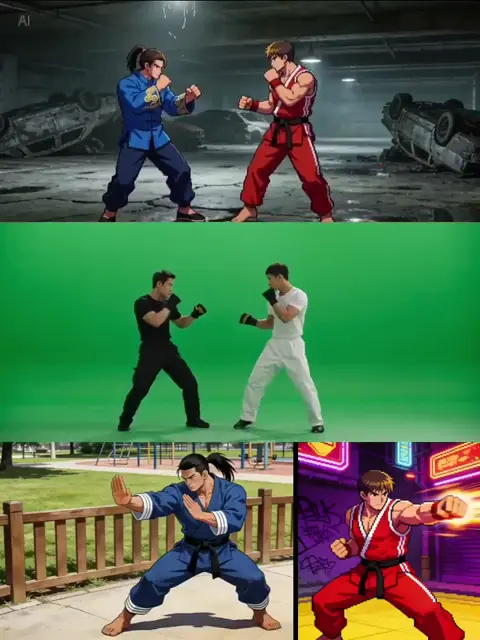
Realism is not the only register video can work in, and it is often the weakest choice for generated content. Stylized approaches such as editorial illustration, painterly animation, cel-shaded 3D, claymation, paper-cut collage, silhouette rotoscope, and ink wash dodge the entire category of problems that photographic realism invites, while giving a brand a visual signature that stock footage cannot match.
Practical art direction starts with a style guide rather than a prompt. Define a limited palette, a line quality, a light direction, and a texture reference, then translate those into prompt language. A prompt such as 'editorial gouache illustration, limited ochre and slate palette, visible brush texture, soft rim light' produces far more controllable results than broad phrases like 'cinematic, hyperreal, high detail'. Negative descriptions help too: exclude photorealistic skin, glossy renders, and lens flare if they break the world you are building.
Stylization also raises the odds that your output is defensible as an original work. An abstract reenactment, an animated diagram, or an illustrated protagonist stands a step removed from any source material someone else might claim. As a bonus, stylized frames tend to hold up better when scaled to large formats, because viewers read them as design rather than as photography.
Character consistency across multi-scene projects
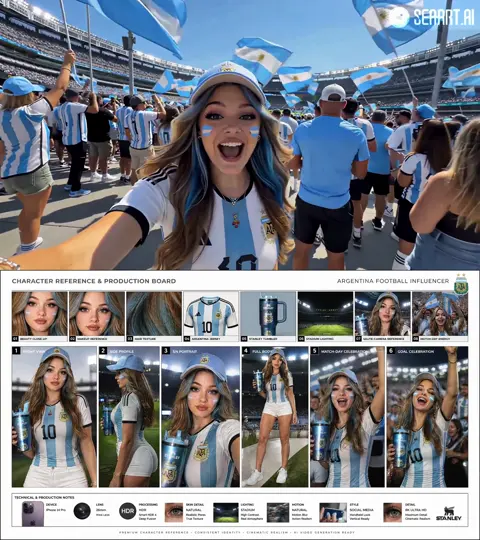
Consistency is the difference between a demo and a series. Build a character bible: front, three-quarter, and profile views, an expression sheet, a wardrobe list with exact colors, and a props inventory. Lock seeds where the tool allows it, use reference-image conditioning for pose and costume, and consider training a small adapter on your own illustrations so the character survives a change of scene, lens, and lighting.
Keep a continuity log for every shot: character identifiers, wardrobe state, time of day, and the color script for the sequence. Approve all stills for a sequence before animating any of them. If a character drifts, the drift usually starts in the stills, and fixing it after animation costs ten times more.
For ensembles, treat each character as a separate asset with its own reference set, then composite them in the edit or generate group shots from a combined reference. Do not rely on one hero image to carry eight characters through forty shots; the model will blend features, and blended features are exactly the kind of detail that breaks audience trust.
From stills to sequences: assembling the final video
Most image-to-video and text-to-video systems perform best at three to eight seconds per clip. Plan your shot list around that constraint instead of fighting it. Write motion prompts in camera language, for example slow dolly in, handheld drift, or rack focus from foreground to background, and keep one dominant motion per shot. When you need a longer take, cut on action and hide the seams with a whip pan, a match cut, or a sound transition.
Build an animatic first: stills, temporary voice, temporary music, and timing. An animatic costs almost nothing and reveals whether the sequence works before you commit to rendering. Animate only approved shots, then upscale, interpolate frames, and stabilize where needed. Grade the assembled sequence as a whole, because clips generated in separate sessions rarely match perfectly in contrast, grain, or white balance.
Sound design carries more weight than most creators expect. Licensed music, Foley, ambience, and a consented voice performance can make a modest generated shot feel finished. Use clear naming conventions such as project, shot, version, and model, and keep a version log so nobody edits the wrong render.
Paperwork, provenance, and disclosure
Documentation is the least glamorous part of the workflow and the part that saves projects. A model release should cover identity, voice, and likeness; name the specific production; define the media, territory, and term; state whether edits and synthetic alterations are permitted; and address whether the material may be used for model training. Contributor agreements for illustrators should include an explicit right to use their work as training or reference input.
Keep an asset sheet for anything used as training data: origin, license, date acquired, and any restrictions. Attach content credentials or watermarks where tools support them, and preserve metadata through export. Put disclosure language in the delivery template so captions and descriptions always carry it. Finally, keep an approval log: who reviewed what, on which date, and what they approved. If a question arrives six months later, that log is the answer.
Common mistakes that create legal and reputational risk
- Training or conditioning on face collections gathered from the open web.
- Assuming a personal or non-commercial project is automatically safe.
- Ignoring platform disclosure toggles and synthetic media policies.
- Never confirming who owns the export under the tool's terms.
- Typing celebrity names or brand marks into prompts as a shortcut.
- Using client assets for model training without a clause that permits it.
- Leaving orphan test renders with real faces on shared drives.
- Scaling a workflow before writing the policy that governs it.
- Treating a verbal understanding as a release.
FAQ: ethical AI video questions answered
Is AI-generated video protected by copyright?
It depends on the jurisdiction and on how much human authorship went into the result. Purely machine-generated output often receives thin or no protection, while substantial human arrangement, editing, and composition can attract protection. For commercial work, assume you may not be able to stop others from reusing a raw generation, and rely on your own creative contributions, including script, edit, art direction, and sound, as the protectable core.
Can I use an actor's likeness with permission?
Yes, with a written agreement that names the project, media, territory, term, and permitted alterations, and that addresses training use separately. Keep the scope narrow and renegotiate for new campaigns. Many productions now prefer a synthetic performer built from owned assets precisely to avoid renegotiating likeness rights every season.
Do I have to label AI-generated video?
Many platforms require it, some require it only for realistic depictions of real people, and a growing number of jurisdictions require transparency for synthetic media generally. Labeling is also good practice: audiences forgive disclosure far more readily than they forgive discovery.
Can I train a model on my own artwork?
Usually yes, but check your past client contracts. Work created for an employer or under a broad assignment clause may not be yours to train on. Keep a list of artwork that is unambiguously yours, and get written permission for anything else.
How do I avoid accidental resemblance to a public figure?
Use an exclusion list in the brief, avoid naming real people in prompts, review stills at thumbnail size where resemblance is easiest to catch, and run a final human check before delivery. If a generated character resembles someone recognizable, change the jawline, hair, age, or wardrobe rather than hoping nobody notices.
What about voice cloning?
Treat a voice as identity. Get written consent that specifies the project and term, keep the reference recordings secure, watermark synthetic speech where possible, and never clone a voice from broadcast or podcast audio.
Is a local workflow better for confidential footage?
For unreleased client material, a local diffusion pipeline removes upload risk and keeps the asset chain simple. The trade-off is hardware, maintenance, and slower iteration. Many teams run a hybrid: local for sensitive plates, hosted tools for stylized, non-confidential work.
How do I keep a workflow reusable?
Write the brief, the exclusion list, and the scorecard once, then reuse them. The creative side of AI video changes quickly; the governance side barely changes at all, and it is the part that lets you ship.

Alexander
More Blogs
Read MoreVidu Q4 Alternatives: 4K AI Video Models Compared (2026)
Vidu Q4 alternatives compared: Kling 4.0, Seedance 2.5, Wan 3.0, and Runway Gen-4 — 4K support, input modes, durations, audio, and what each costs in credits on Domer.
Top 4K AI Image Generators in 2026: 5 Models Compared on Real Costs
The top 4K AI image generators on Domer compared: Flux 3 Klein, Nano Banana 2.1, GPT Image 2.5, GPT Image 2, and Nano Banana Pro — 4K credit costs, reference limits, and speed.
Nano Banana 2.1 vs GPT Image 2.5: Which Image Model Should You Use? (2026)
Nano Banana 2.1 vs GPT Image 2.5 Flare compared: credit costs per resolution, aspect ratios, reference images, text rendering, and which tasks fit each model.