
Affiliazione
Inizia Gratis Ora
Image Prompt AI Art Generator: Turn Ideas Into Visuals
Oct 15, 2026
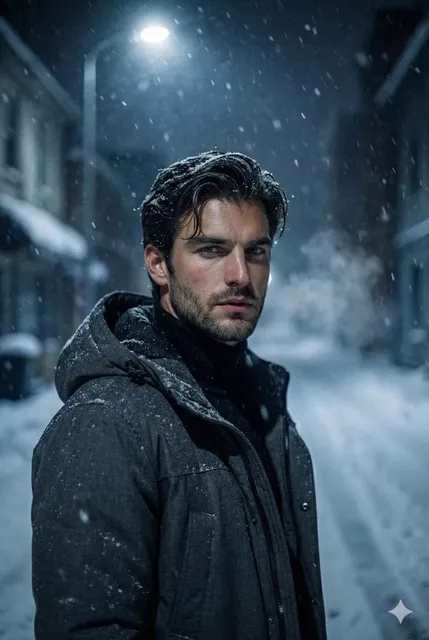
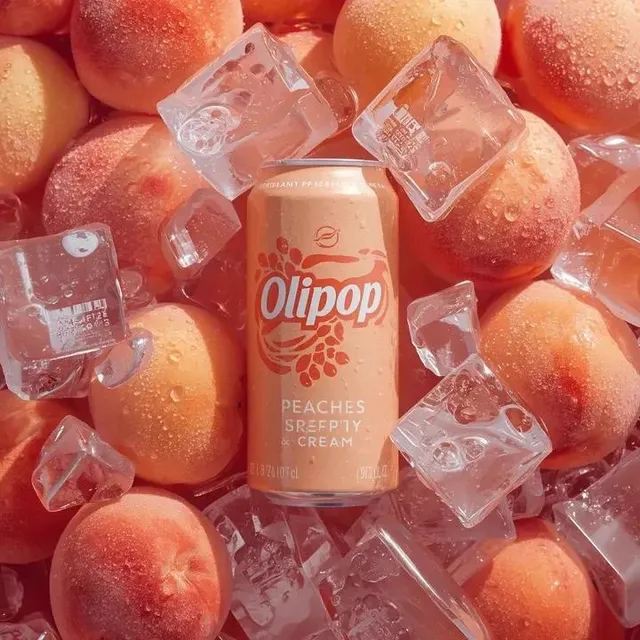
Why Prompt Craft Became the Core Skill in AI Visual Creation
A decade ago, turning a written idea into a finished image meant either hiring a photographer, commissioning an illustrator, or spending years learning software. Today the translation layer is language. You describe what you want, and a diffusion model returns a frame in seconds. That shift sounds like magic, but it is not passive. The quality of the output tracks the quality of the input far more closely than most beginners expect.
This is why prompting has quietly become a craft rather than a novelty. Two people can type into the same generator and get wildly different results. One gets a flat, generic stock-photo look. The other gets a marketable product shot, a believable character portrait, or a cinematic storyboard frame that a client approves without a second round. The difference is rarely the model. It is the structure of the prompt, the order of the information, and the discipline of iterating one variable at a time.
What follows is a practical working guide: how these systems interpret language, how to build prompts that survive iteration, and how to run a repeatable visual workflow you can hand to a teammate. It applies whether you are producing a single hero image for a landing page or building a library of consistent characters for a video project.
How a Prompt Actually Becomes a Picture
It helps to drop the mystique. A text-to-image model does not "understand" your sentence the way a colleague would. It converts your words into a numeric representation, then uses that representation to steer a process that removes noise from a blank field until an image emerges. Your prompt is a steering wheel, not a set of instructions.
That distinction explains a lot of beginner frustration. If you write a long, contradictory request, you are tugging the wheel in several directions at once. The model averages your contradictions and produces something mushy. If you write a short, sharp request, the wheel turns cleanly.
What the model decides and what you decide
You decide: subject, action, setting, style, mood, framing, and constraints. The model decides: exact anatomy, fine texture, small background details, and how literally to interpret ambiguous words. This is why vague adjectives like "beautiful" or "amazing" do almost nothing, while concrete nouns and physical descriptions do a lot.
Why word order matters
Most generators weight the beginning of a prompt more heavily. Put the non-negotiables first: the subject and the action. Put stylistic direction next. Put technical parameters last. A prompt that opens with "cinematic, moody, 8k, masterpiece" and buries the actual subject at the end will produce something pretty and irrelevant.
The noise-to-image loop in practice
Each generation run starts from a random seed value. A different seed means a different starting point, which is why two runs of identical prompts produce different images. Once you find a composition you like, saving the seed lets you regenerate it and change only the parts you want to change. This is the single most useful habit in the entire workflow.
Anatomy of a Strong Image Prompt
Think of a strong prompt as a stack of short, compatible clauses. Each layer narrows the search space without fighting the layers above it.
Subject, action, and setting
Start with a clear noun phrase and a verb. "A ceramicist glazing a bowl" beats "pottery." Add the environment: "in a sunlit studio with clay dust in the air." Now the model has a place to stand. Without a subject and action, everything downstream is decoration on an empty stage.
Style, medium, and rendering cues
Style words tell the model which visual tradition to imitate. Useful families include photographic (editorial portrait, macro product shot, documentary street photography), illustrative (gouache, ink and wash, flat vector), and cinematic (anamorphic, 35mm film grain, Technicolor). Pick one family. Mixing three traditions in one prompt usually produces an image that satisfies none of them.
Light, color, and mood
Lighting is the highest-leverage control most people ignore. "Soft window light from the left," "hard noon sun with deep shadows," and "overcast diffused light" describe three completely different images of the same subject. Add a color direction — muted earth tones, high-contrast teal and orange, pastel palette — and the mood locks in.
Camera, lens, and composition
Photographic vocabulary transfers surprisingly well: 85mm portrait lens, wide-angle low angle, shallow depth of field, centered symmetrical composition, negative space on the right. If you need room for headline text in a layout, specify it in the prompt rather than cropping blindly later.
Technical parameters
Aspect ratio is the parameter that most often ruins an otherwise good image. Vertical 9:16 for social, 16:9 for video and slides, 4:5 for feed posts, 1:1 for thumbnails. Beyond that, guidance strength controls how literally the model follows you, and step count controls how much refinement it applies. Very high guidance can make images look over-sharpened and artificial; very low guidance drifts away from your intent.
A Repeatable Workflow From Idea to Finished Frame
Ad hoc prompting produces lucky accidents. A workflow produces a library. Here is a five-stage loop that scales from one image to two hundred.
Stage 1: Write the idea in plain sentences
Before touching a generator, write two or three sentences describing the image as if you were briefing a photographer. Include who or what, where, when, and what the viewer should feel. This document becomes your source of truth and prevents the drift that happens after twenty iterations.
Stage 2: Build a base prompt
Translate the brief into a single prompt with the subject first. Generate eight to twelve variations using different seeds. Do not judge individual images yet. Look for the run that gets the composition and subject closest to the brief, even if the lighting is wrong.
Stage 3: Iterate one variable at a time
This is where most people go wrong. If you change the style, the lighting, and the framing simultaneously, you learn nothing about which change worked. Pick your best seed and change only the lighting. Then only the lens. Keep a simple text log: prompt, seed, what changed, result. Three or four controlled rounds usually beat thirty random attempts.
Stage 4: Lock the look
Once a frame works, extract a reusable template: a fixed block of style and lighting language plus a variable block for subject. Reusing the fixed block across a series is what makes a set of images look like they belong together, which matters enormously for brand work and editorial spreads.
Stage 5: Upscale and finish
Generated images often need a resolution pass for print or large displays. Upscale after you are happy with the composition, not before — correcting a composition you have already enlarged wastes time. Finish with light grading, dust cleanup, or a subtle grain pass so the final asset matches the rest of your visual system.
Prompt Patterns Worth Reusing
Instead of hunting for a universal magic prompt, build a small library of patterns by use case. Each pattern is a skeleton with slots.
Product and e-commerce imagery
Pattern: product type on surface, lighting setup, background treatment, lens, mood. Example: "matte ceramic mug on a linen surface, soft directional light from the upper left, warm neutral background, 100mm macro, minimal shadows." The goal is repeatability across an entire catalog, so keep the lighting and lens constant and change only the product.
Editorial and blog hero images
Pattern: conceptual scene, human element optional, generous negative space, muted palette. Hero images work best when they suggest a topic rather than illustrate it literally. A single figure walking through an abstract architectural space reads as "transition" or "strategy" without cliché.
Character and storyboard frames
Pattern: character description, wardrobe, action, location, shot type, lighting. Keep a written character sheet with fixed descriptors — age range, hair, build, clothing — and paste it verbatim every time. Consistency comes from repetition, not from hoping the model remembers.
Vertical and social-first visuals
Pattern: single subject, strong center or lower-third framing, high contrast, simple background. Vertical crops punish busy compositions. Generate at 9:16 from the start rather than cropping a wide image, or you will lose your subject to the safe-zone crop.
Character Consistency and Multi-Image Fusion
Consistency is the hardest problem in AI visual production and the one clients care about most. A brand mascot, a recurring presenter, or a comic protagonist needs to look like the same person across dozens of frames.
Two techniques carry most of the weight. The first is reference-based generation: supply one or more existing images of the character alongside your prompt so the model can anchor identity, wardrobe, and palette. This is often called multi-image fusion, and it works best when your references are clean, well-lit, and shot from similar angles.
Building an identity anchor
Start with a hero reference — a clear, front-facing, neutral expression image. Then build a small reference set: three-quarter view, profile, full body. Use these as inputs for every subsequent frame. When identity drifts, add the hero reference back rather than rewriting the prompt.
Continuity beyond the face
Consistency also means consistent wardrobe, props, and color grading. Maintain a short continuity document listing clothing, accessories, and signature colors. If your character carries a specific bag, describe the bag the same way every time. Small omissions are where drift begins.
Moving from stills to motion
If your stills are destined for video, generate your keyframes first, then animate between them. Locking character and lighting in stills before adding motion saves enormous rework, because motion tools amplify any inconsistency you failed to catch in a static frame.
Choosing the Right Tool for the Job
Tool selection should follow the task, not the other way around. Three questions resolve most decisions.
Text-to-image, image-to-image, or video?
Use text-to-image when you are exploring an idea with no visual reference. Use image-to-image when you have a composition, sketch, or photograph and want to restyle or refine it. Use video generation only after your keyframes are approved, since motion generation is slower and harder to control.
Local or hosted?
Local generation gives you privacy, unlimited iteration, and full control over settings, but requires capable hardware and setup time. Hosted tools give you speed, collaboration, and access to newer models without maintenance. Many teams use hosted tools for client-facing work and local setups for sensitive material.
A simple decision guide
If you need ten exploratory concepts in an hour, prioritize a fast hosted generator with broad style range. If you need fifty on-brand variations of one product, prioritize a tool with strong reference-image support and consistent seeds. If you need a single hero image at print resolution, prioritize upscaling quality and fine control over guidance and steps. Write these criteria down once and stop re-litigating the choice for every project.
Common Mistakes and How to Fix Them
The adjective pile-up. Stacking vague praise words adds noise. Replace "stunning, incredible, masterpiece" with concrete physical detail.
Contradictory styles. Asking for photorealistic and watercolor simultaneously yields a muddy compromise. Choose one tradition per image.
Ignoring aspect ratio. Framing decisions made after generation are crops, not compositions. Set the ratio in the prompt.
Judging a prompt by one seed. A single unlucky seed can make a good prompt look broken. Test with a batch before rewriting.
Over-writing. Prompts beyond roughly 60–80 words tend to dilute. If you need more control, use reference images instead of more adjectives.
No version log. Without a record of prompts and seeds, you cannot reproduce a result next month. A plain text file is enough.
Skipping the brief. Generating before writing down the goal is the root cause of most wasted sessions. Two minutes of writing saves an hour of scrolling.
Quality Control: Judging AI Images Like a Director
Evaluate finished candidates against a short checklist rather than a gut feeling. Does it satisfy the brief's subject and action? Is the lighting motivated and consistent with the rest of the set? Do hands, eyes, and text render cleanly — the three most common failure zones? Does it hold up at the size it will actually be used? Would it look out of place next to the other assets in the series?
A useful trick is the thumbnail test. Shrink your candidates to the size they will appear in a feed or a slide deck. If the subject disappears or the composition collapses, the image is not finished, no matter how impressive it looks full-screen. Pair that with a consistency pass: line up every approved frame side by side and look for palette or lighting jumps.
Rights, Disclosure, and Responsible Use
Before publishing, confirm what the tool's terms allow regarding commercial use, and check whether your target platform requires AI-generated content to be labeled. Be careful with prompts that name living artists or recognizable public figures; many platforms restrict this, and it can create legal exposure. Avoid generating logos, trademarked characters, or brand-identifying designs.
For client work, disclose your process clearly and agree in advance on how many revision rounds are included. Increasingly, audiences also value transparency, so a simple note that visuals were AI-assisted is rarely a problem and often builds trust. Keep records of your source references and prompts so you can answer questions about provenance later.
FAQ
How long should a prompt be? Between 20 and 60 words for most work. Long enough to specify subject, style, and light; short enough that no clause contradicts another.
Why do my images look generic? Usually because the prompt is style-only with no specific subject or action, or because lighting was left unspecified. Name a subject and a light source.
Do I need a different prompt for each aspect ratio? Adjust the composition language, not just the ratio. Vertical framing wants a single centered subject; wide framing wants environment and depth.
How do I keep a character identical across images? Use reference images plus a fixed written character sheet, and reuse the same style and lighting block in every prompt.
Should I write prompts in English? Most models perform best in English, even when they support other languages. Writing in English and translating the concept, not the words, usually yields cleaner results.
How many iterations before I give up on a prompt? If three controlled rounds with different seeds fail to reach the brief, change the approach rather than the adjectives — try a reference image, a different style family, or a new composition.
Where to Take This Next
The real unlock is not a secret prompt. It is treating image generation as a production process: write a brief, build a base prompt, change one variable at a time, lock the look, and keep a reference library for consistency. Do that consistently and the same tools that produce random results for everyone else start producing reliable assets for you.
Start small. Pick one recurring need — a weekly blog hero, a product catalog, a character series — and build a template around it. Once that template produces predictable results, expand it. Within a few projects you will have a reusable visual system rather than a folder of one-off images, and that is what separates a hobby from a workflow.

Alexander
More Blogs
Read MoreVidu Q4 Alternatives: 4K AI Video Models Compared (2026)
Vidu Q4 alternatives compared: Kling 4.0, Seedance 2.5, Wan 3.0, and Runway Gen-4 — 4K support, input modes, durations, audio, and what each costs in credits on Domer.
Top 4K AI Image Generators in 2026: 5 Models Compared on Real Costs
The top 4K AI image generators on Domer compared: Flux 3 Klein, Nano Banana 2.1, GPT Image 2.5, GPT Image 2, and Nano Banana Pro — 4K credit costs, reference limits, and speed.
Nano Banana 2.1 vs GPT Image 2.5: Which Image Model Should You Use? (2026)
Nano Banana 2.1 vs GPT Image 2.5 Flare compared: credit costs per resolution, aspect ratios, reference images, text rendering, and which tasks fit each model.