
Affiliazione
Inizia Gratis Ora
How to Make a Product Ad Video with AI: Workflow Guide
Oct 15, 2026
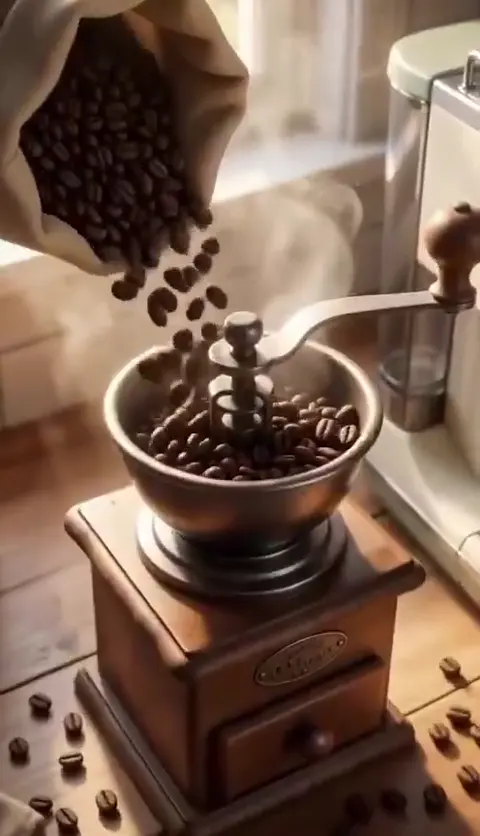
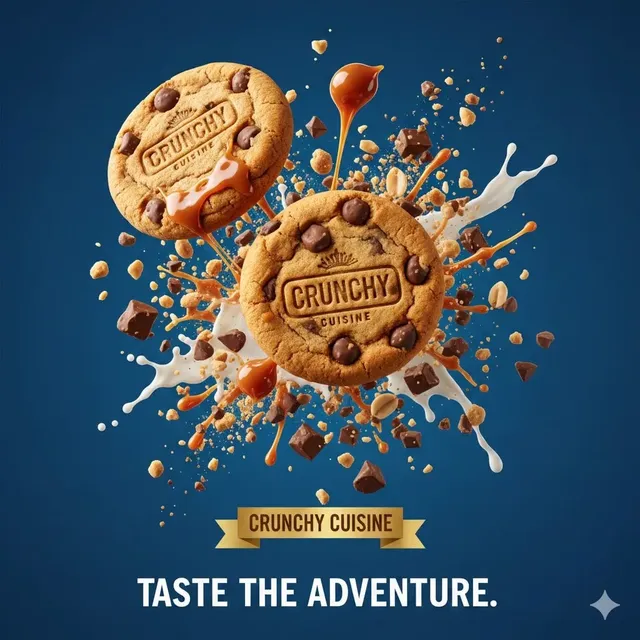
Product advertisements live or die in the first two seconds. AI video generation has made producing those two seconds dramatically faster, but speed only matters if the ad still sells something. This guide walks through a practical, tool-agnostic workflow for turning a product into a finished advertisement video: brief, shot list, generation, editing, quality control, and performance testing.
What AI Video Can and Cannot Do for Product Advertising
AI video is best understood as a production accelerator rather than a replacement for strategy. Knowing where generation wins prevents you from burning days on shots that a camera would have captured better in an afternoon.
Where generation earns its keep
- Lifestyle and context scenes. A skincare bottle on a marble counter at golden hour, a backpack on a mountain trail, sneakers splashing through a puddle. These are expensive to shoot and cheap to generate.
- Concept exploration. You can produce three visual directions in a day instead of arguing about storyboards for a week.
- Scale variants. Ten different backgrounds, five different casts, three different seasons, all from one master script.
- Impossible or impractical shots. Macro reveals, slow-motion physics, product-in-use fantasies that would need a rig you do not own.
- Localization. Swapping environments, weather, wardrobe, and on-screen language for different regions without a reshoot.
Where human craft still dominates
- Exact product depiction. Generated bottles often morph text, mangle labels, or change proportions between shots. If your packaging is the brand, shoot it for real and composite.
- Hands and faces doing fine motor work. Pouring, clicking, unboxing, applying. These still break most generators.
- Legal and regulatory claims. A generated scene cannot invent a benefit your product does not have. Claims stay in the script, written by a human who knows the rules.
- Performance editing. Rhythm, beat matching, and knowing exactly when to cut are editing skills, not generation skills.
- Brand typography and motion graphics. Logos, end cards, price flashes, and legal lines belong in a real editing tool.
The practical answer is a hybrid: generate the expensive, atmospheric, and variable footage; shoot the product itself; assemble and finish everything in an editor. This combination usually produces the best result per hour spent.
Start With a Brief, Not a Prompt
The most common failure in AI advertising is opening a generator before deciding what the ad has to accomplish. A prompt without a brief produces attractive footage that does not sell.
The one-page brief template
Keep it to a single page so it actually gets read:
- Product and price position. What it is, who buys it, what it costs relative to alternatives.
- One promise. The single sentence a viewer should remember. If you have three promises, you have three ads.
- Audience and moment. Who is watching, on which platform, in what mental state. A TikTok scroller and a search-intent shopper need different openings.
- Proof. The demonstration, testimonial, comparison, or specification that backs the promise.
- Tone. Three adjectives maximum. "Warm, matter-of-fact, slightly wry" is usable. "Premium and innovative" is not.
- Mandatory elements. Logo, tagline, legal line, pack shot, spokesperson, color codes.
- Constraints. Runtime, aspect ratios, platform policies, talent rights, budget ceiling.
- Definition of done. What must be true for this asset to ship.
Pick one conversion goal per asset
An ad that tries to drive awareness, clicks, and add-to-cart at once usually underperforms a focused one. Decide whether this asset is meant to stop the scroll, explain a feature, retarget a visitor, or close a sale. The goal determines the hook, the length, and the call to action:
- Awareness: strong visual hook, minimal copy, brand reveal in the first three seconds.
- Consideration: problem-to-solution structure, demonstration, comparison against the default behavior.
- Conversion: offer clarity, urgency, objection handling, repeated call to action.
- Retention: usage tips, results over time, community proof.
Write the goal at the top of the brief and read it before every review pass.
Scripting and Shot Planning for Short-Form Ads
A 30-second product ad is roughly 70 to 90 words of voiceover, or none at all. Both are legitimate. What matters is that every shot has a job.
Hook patterns that survive muted autoplay
Most viewers watch with sound off, so the first visual frame must carry meaning on its own:
- Problem first. Show the frustrating situation before showing the product.
- Result first. Open on the finished outcome, then rewind to explain how.
- Unexpected visual. An unusual angle, scale, or juxtaposition that earns half a second of curiosity.
- Direct address. On-screen text naming the exact audience: "If you work standing up all day..."
- Comparison. Side-by-side of the old way and the new way, with no narration needed.
- Objection. State the doubt before the viewer thinks it: "Yes, it survives the dishwasher."
Avoid opening with a logo animation or a slow drone move. Those patterns are familiar enough that viewers classify the content as an ad and scroll before the product appears.
From script beats to a shot list
Convert the script into beats, then each beat into one or two shots. A workable table keeps generation and capture organized:
| Shot | Purpose | Duration | Source |
|---|---|---|---|
| 1 | Hook: problem in context | 2s | Generated |
| 2 | Product hero, precise | 3s | Photographed |
| 3 | Feature in use | 4s | Generated + composite |
| 4 | Proof or comparison | 5s | Screen capture or shot |
| 5 | Lifestyle payoff | 4s | Generated |
| 6 | Pack shot and call to action | 3s | Photographed + graphics |
Two rules keep this table honest. First, no shot longer than five seconds unless it is deliberately holding tension. Second, mark every shot as generated, photographed, or composite before production starts, so nobody discovers at the edit that a critical frame cannot be generated reliably.
Producing Footage: Real Product Plates vs. Generated Scenes
Capturing clean product plates
Even a phone camera can produce usable product footage if you control three things: light, background, and movement.
- Use a large diffused source on one side and a white bounce on the other. A window plus a foam board works.
- Shoot on a seamless backdrop or a surface that matches the ad's palette.
- Lock the camera. Motorized slider moves and handheld drift make compositing harder and rarely look better.
- Capture a range of angles: straight-on, three-quarter, top-down, macro detail, and in-hand.
- Shoot at the highest resolution you can, then scale down in the edit for extra sharpness.
- Take a clean plate of the empty background for every setup. It makes removing a stand or reflection much easier later.
Using generated scenes for context
Generate the world around the product, not the product itself. Good candidates are environments, weather, crowds, abstract transitions, and lifestyle moments. When a generated scene must include the product, keep it at a distance or partially obscured, then cut to a real, sharp pack shot for the payoff.
A useful discipline: if a viewer could read the label in a generated shot, you probably should have photographed it instead.
Prompting a Video Model Like a Director
Prompt writing for advertising is closer to directing than to describing. You are specifying what the camera does, what the subject does, and what the frame feels like.
Anatomy of a shot prompt
A reliable prompt covers, in order:
- Subject and wardrobe. Age range, clothing detail, expression, what they are holding.
- Action. One readable action per shot. "She lifts the bottle and reads the label" beats "she uses the product."
- Camera. Static, slow push-in, handheld follow, overhead, orbit. Include lens feel: wide, 35mm, macro.
- Lighting. Soft window light, hard midday sun, practical neon, studio softbox with rim light.
- Palette and texture. Warm neutrals, cool clinical blues, film grain, clean digital.
- Duration and pacing. How long the moment lasts and whether motion is continuous.
- Exclusions. No text in frame, no extra fingers, no product deformation, no jump cuts.
Keep prompts short enough to iterate. A 40-word prompt you can adjust eight times beats a 200-word prompt you cannot diagnose.
Keeping products and characters consistent
Consistency is the hardest part of serialized ad production. Options that work in practice:
- Anchor images. Feed a reference frame of the same person, wardrobe, and location into every prompt in a series.
- Style anchors. Reuse the same lighting and palette phrases verbatim across shots rather than paraphrasing.
- Sequence generation. Generate a continuous take and cut it apart in the edit instead of generating separate clips that must match.
- Locked environments. Build one or two recurring sets and reuse them, the way a sitcom reuses a living room.
- Product replacement. Generate the scene without the product, then composite the photographed product into it. This guarantees the packaging is accurate.
Document the winning prompt structure in a shared file. Consistency across a campaign comes from a written recipe, not from memory.
Editing, Sound Design, and Platform Cutdowns
Generation produces clips. Editing produces an ad.
Build a cutdown family from one master
Start with a 60-second master that tells the complete story, then derive shorter versions by removing beats rather than speeding everything up:
- 30 seconds: hook, one feature, proof, pack shot.
- 15 seconds: hook, payoff, call to action.
- 6 seconds: hook and offer only, for bumper placements.
- Vertical and square: reframe to keep the subject centered; do not simply crop the horizontal master and hope.
Shoot or generate a little extra headroom in every frame so vertical crops keep the action intact.
Voiceover, music, and captions
- Record voiceover with a human voice whenever budget allows. Synthetic narration is fine for iteration and testing, less so for the final hero asset.
- Choose music that matches the edit's tempo, then cut picture to the beat rather than forcing music to fit the picture.
- Add captions to every sound-off placement. Burned-in captions are more reliable than platform-generated ones.
- Keep sound design light: a soft whoosh on transitions, a click for a feature reveal, a subtle room tone under dialogue. Heavy effects signal advertising more aggressively than most brands want.
- Mix dialogue and copy to sit above music by roughly 6 to 10 dB. Test on a phone speaker, not studio headphones.
A Practical End-to-End Production Workflow
A five-day sprint
| Day | Work | Output |
|---|---|---|
| 1 | Brief, goal, script, shot list | Approved plan and word count |
| 2 | Product photography and plate captures | Clean, labeled source footage |
| 3 | Generation passes and prompt iteration | Selected clips per shot |
| 4 | Edit, sound, graphics, cutdowns | Master plus platform versions |
| 5 | Review, compliance, export, schedule | Published assets and test plan |
This cadence assumes one product and one campaign concept. Multiple concepts run in parallel only if you have separate reviewers, otherwise approvals become the bottleneck.
Naming and versioning
Ad production generates dozens of files fast. A simple convention saves hours:
product_concept_shot_variant_version — for example serum_hook01_s03b_v2.mp4.
Keep a single spreadsheet or doc listing every asset, its source, its status, and where it is used. When a legal line changes, you will know exactly which exports need re-rendering.
Quality Control and Compliance Before You Publish
The pre-publish checklist
Review every export against this list before scheduling:
- Product label, shape, and color match reality in every frame.
- No text artifacts, warped logos, or six-fingered hands.
- Frame edges are clean in all aspect ratios.
- Captions are accurate, well-timed, and inside the safe area.
- Claims match approved marketing copy.
- Music and voice are licensed for commercial use.
- Talent or model releases cover any recognizable person, real or generated.
- Calls to action are correct: URL, offer code, date range, landing page.
- File meets platform specs for resolution, bitrate, and duration.
- A fresh reviewer who did not build the asset has watched it end to end.
Claims, disclosure, and rights
Advertising is regulated in ways that creative generation tools will not enforce for you. Substantiate every performance claim. Follow platform rules on AI-generated media disclosure where they apply. Do not generate a recognizable celebrity or a private individual's likeness. Treat generated people as talent requiring consent, because regulators and platforms increasingly do.
Keep a record of which shots are generated, which are photographed, and which combine both. That log answers almost every legal or client question that arrives later.
Testing, Measuring, and Iterating
Metrics that matter
Match metrics to the goal you wrote on day one:
- Hook rate (3-second views divided by impressions) tells you whether the opening frame works.
- Hold rate at 25, 50, and 75 percent shows where attention drops.
- Click-through rate measures the strength of the offer and the call to action.
- Conversion rate and cost per acquisition measure whether the ad actually sells.
- Return on ad spend is the number that decides whether you scale, iterate, or stop.
If hook rate is weak, change the first two seconds. If hold rate sags in the middle, shorten the feature section. If clicks are strong but conversion is weak, the problem is usually the landing page or the offer, not the video.
Iteration cadence
Test one variable at a time: hook, thumbnail, first line of copy, or call to action. Running four changes at once tells you that something worked but not what. Review performance weekly, promote winners into the master template, and retire losing hooks permanently so they do not creep back into the next brief.
Common Mistakes, Cost Notes, and FAQ
Mistakes that cost the most time
- Writing prompts before writing the brief.
- Generating the product instead of photographing it.
- Producing one aspect ratio and cropping everything else.
- Skipping captions because the ad "will run with sound."
- Reviewing while the file is still rendering, then losing track of which version was approved.
- Letting the first two seconds explain rather than stop.
- Setting no naming convention and drowning in files like
final_v3_final.mp4.
Budgeting a realistic pass
Plan spend across four buckets: generation or rendering time, product photography, editing and sound, and paid distribution. The generation bucket is usually smaller than people expect, and the editing bucket is larger. A common planning split is roughly 30 percent production, 30 percent post-production, and 40 percent media. If you generate dozens of variations, budget review time too — every clip you generate is a clip someone has to watch.
Frequently asked questions
How long should a product advertisement video be?
Match length to placement. Six seconds for bumper placements, 15 to 30 seconds for social feed and retargeting, 45 to 90 seconds for landing pages and explainer contexts. If in doubt, cut a shorter version and let the data decide.
Can AI fully replace a video shoot?
For atmospheric and lifestyle footage, often yes. For accurate packaging, hands-on demonstrations, and anything a regulator might scrutinize, no. The reliable pattern is generated context plus photographed product.
How many variations should I produce per concept?
Three to five distinct hooks, each with two or three executions. That is enough to learn something within a week without overwhelming reviewers or splitting the ad budget too thin.
Do I need a video editor if I use AI generation?
Yes. Generation produces shots; editing produces rhythm, emphasis, and clarity. Even a lightweight editor with captions and audio tools will improve results more than another generation pass.
What is the fastest way to improve a weak ad?
Replace the first two seconds and the call to action. Those two elements usually account for most of the difference between a mediocre and a strong performer.
How do I keep a campaign visually consistent across many shots?
Write a small style guide with fixed lighting, palette, and camera phrases, reuse reference images, and cut from longer continuous takes instead of assembling unrelated clips.
A product ad built with AI succeeds for the same reason any ad succeeds: one clear promise, a hook that earns attention, proof that the promise is real, and a call to action that makes the next step obvious. Generation simply removes the logistical friction between the idea and a finished cut — provided you keep the strategy, the product accuracy, and the performance review in human hands.

Alexander
More Blogs
Read MoreVidu Q4 Alternatives: 4K AI Video Models Compared (2026)
Vidu Q4 alternatives compared: Kling 4.0, Seedance 2.5, Wan 3.0, and Runway Gen-4 — 4K support, input modes, durations, audio, and what each costs in credits on Domer.
Top 4K AI Image Generators in 2026: 5 Models Compared on Real Costs
The top 4K AI image generators on Domer compared: Flux 3 Klein, Nano Banana 2.1, GPT Image 2.5, GPT Image 2, and Nano Banana Pro — 4K credit costs, reference limits, and speed.
Nano Banana 2.1 vs GPT Image 2.5: Which Image Model Should You Use? (2026)
Nano Banana 2.1 vs GPT Image 2.5 Flare compared: credit costs per resolution, aspect ratios, reference images, text rendering, and which tasks fit each model.