
Crea
Affiliazione
Inizia Gratis Ora
Photorealistic AI Video with Offline Learning: A Workflow Guide
Oct 13, 2026

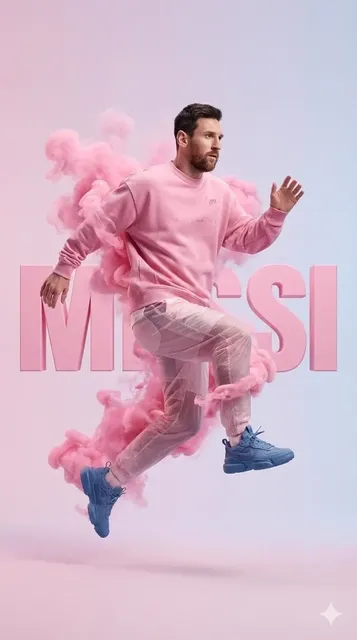
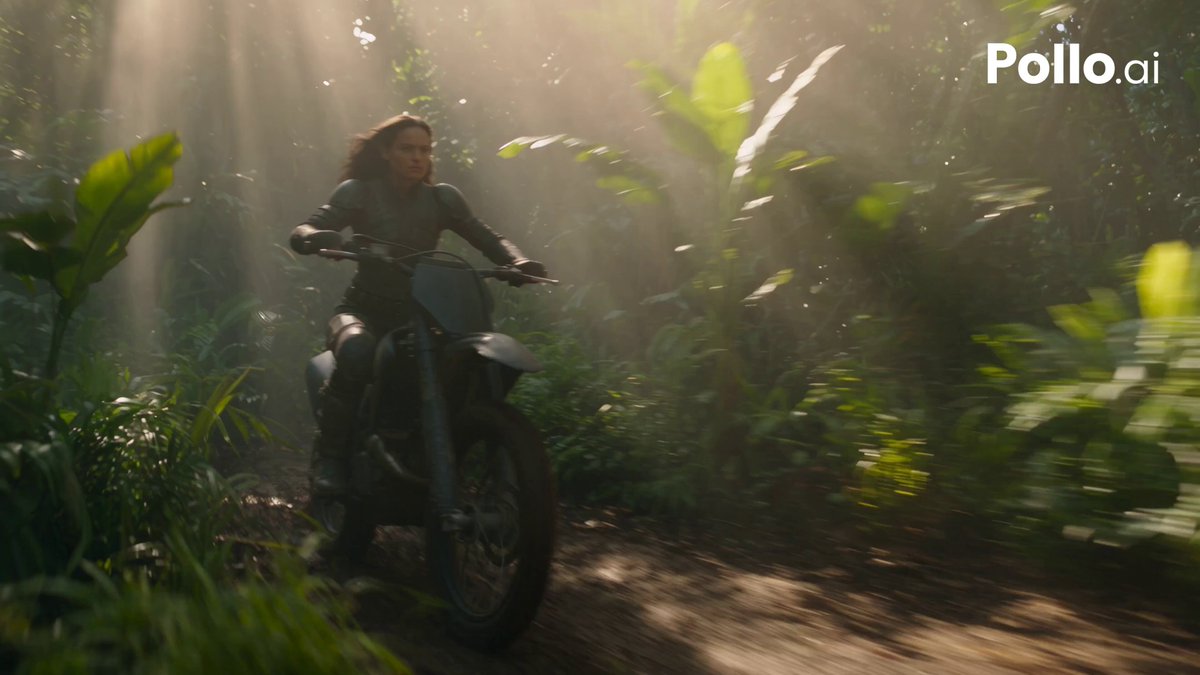
Why Photorealistic Video and Offline Learning Have Converged
Generative video has moved well past the demo stage. What used to be a novelty — a few seconds of uncanny motion — is now measured against the standards of commercial cinematography: believable skin, correct lens behavior, stable geometry across cuts, and lighting that behaves the way a gaffer would expect. The moment a generated shot has to sit next to real footage in the same timeline, tolerance for artifacts collapses.
At the same time, the teams producing this work have become more protective of their raw material. Unreleased footage, talent likenesses, client scripts, and location scans are precisely the assets you do not want sitting on a shared endpoint. That tension — higher quality demands on one side, tighter control over data on the other — is why offline pipelines and localized model adaptation have become a practical topic rather than an academic one.
An offline pipeline means the heavy generation work happens on hardware you control, without a live connection to a remote service. Localized learning means the model improves using data that never leaves your environment; only abstract updates — weights, adapters, preference signals — move between machines. Put the two together and you get a setup where a studio, a small animation shop, or a solo artist can iterate on photorealism for weeks without exposing a single frame to the outside world.
The real payoff is not secrecy for its own sake. It is iteration speed. When your reference library, your fine-tuned look, and your render queue all live on the same machine, the loop between "that skin texture is wrong" and "here is a better version" shrinks from hours to minutes. That loop is what actually determines how photorealistic a final shot becomes.
How Localized Learning Actually Works in a Video Context
The word "federated" gets thrown around loosely, so it helps to strip it down. The core idea is simple: instead of collecting everyone's data in one place, each participant trains or adapts a model locally and shares only the resulting update. A central process merges those updates into an improved shared model, which is then distributed back. The raw data never moves.
For video production, that pattern maps onto real workflows more naturally than you might expect.
From raw footage to model updates
Imagine three animators on a project. Each has a folder of approved shots: correct facial performance, correct fabric movement, correct color response under a specific lighting setup. Rather than pooling those shots on a server, each workstation fine-tunes a lightweight adapter on its own local folder. Each adapter captures what "correct" looks like from that artist's perspective. The adapters are then merged into a single house style that all three can use.
Why the abstraction layer matters
Because only updates travel, you can share a look across a team without sharing the underlying plates. That is useful for legal reasons, but it is also useful creatively: an adapter is small, versionable, and easy to roll back. If a merged style makes skin look plastic, you revert a file rather than re-rendering a project.
Where the pattern breaks down
Localized learning is not free. It requires consistent metadata, disciplined naming, and a way to reject bad local updates before they pollute the merged model. If one artist's folder contains mostly rejected takes, the merged style will drift toward rejected looks. Curation is not optional; it is the whole mechanism.
Anatomy of a Photorealistic Generation Stack
The most common reason a pipeline produces "almost convincing" frames is that one layer is doing too much work. A production-grade stack separates concerns.
| Layer | Responsibility | Failure symptom when missing |
| --- | --- |
| Reference and capture | Plates, scans, HDRI lighting data, wardrobe and prop photographs | Generic textures, invented details |
| Conditioning | Prompts, depth maps, pose guides, camera metadata | Drift in framing, wrong focal length |
| Generation | The diffusion or transformer model producing frames | Softness, warping, melted hands |
| Temporal coherence | Optical flow, tracking, latent consistency pass | Flicker, identity popping between frames |
| Finishing | Upscaling, grain matching, color pipeline, plate integration | "AI look," mismatched blacks |
Each layer needs its own review gate. A beautiful generation pass with no temporal layer will still flicker. A perfectly stable sequence with no finishing layer will still look synthetic because real footage has grain, subtle lens breathing, and imperfect focus falloff.
The practical implication is that no single model is "the best" at photorealistic video. What matters is whether the stack around the model can carry a look consistently from the first frame of a scene to the last.
A Practical Workflow: From Brief to Final Render
This is a repeatable process you can run on a local workstation with no live connection. Adjust the specifics to your hardware, but keep the order.
Step 1 — Lock the look before you generate anything
Collect ten to twenty still frames that define the target: reference photography, color scripts, lens choices. Write a one-paragraph look description in plain language. This document becomes the contract every subsequent review is measured against. Skipping it is the single most common cause of style drift later.
Step 2 — Build a curated reference set
Assemble plates, HDRI captures, wardrobe photos, and location scans. Rename everything with a consistent schema, for example scene03_shotB_look_ref_01. Add a simple text file per folder describing lighting direction, time of day, and lens. This metadata is what makes later local fine-tuning possible.
Step 3 — Define identity anchors
For each recurring character, produce a small anchor set: front, three-quarter, profile, and two extreme expressions, plus one full-body reference for silhouette and proportion. These anchors are reused in every scene. When identity drifts mid-shot, you will almost always find the anchor set was thin or inconsistent.
Step 4 — Generate in short, controllable bursts
Render four to eight seconds at a time rather than attempting a full minute. Short bursts keep temporal coherence manageable and let you reject a bad take before it consumes an hour of compute. Save every take, even the rejects, but tag them clearly — rejected material should never enter a curated training folder.
Step 5 — Review against a rubric, not a feeling
Use a fixed scoring sheet (covered later in this guide). Two reviewers, independent scores, then discuss only the shots where the scores diverge by more than one point. Divergence is where the real information lives.
Step 6 — Extract learnings, not just winners
From each review round, capture what changed: contrast ratio of the key light, hair specular response, fabric stiffness. Add two or three representative stills to your local style folder. Then fine-tune a lightweight adapter on that folder overnight.
Step 7 — Re-render key shots with the updated style
Re-render only the shots that scored below threshold plus one control shot from the previous best round. The control tells you whether the new adapter genuinely improved output or merely shifted the look.
Step 8 — Finish and integrate
Upscale, add grain matched to the plate, apply the project color transform, and composite against real footage. This is where a generated shot stops looking generated.
Consistency Systems for Characters, Props, and Lighting
Consistency is not one problem. It is three problems that overlap and mask each other.
Identity consistency
Always condition on the same anchor images, in the same order, with the same weights. Changing the order of conditioning inputs can shift facial structure subtly — enough to be visible in a cut. Keep a written record of the conditioning recipe per character.
Lighting consistency
Record key light angle, color temperature, and contrast ratio per scene, and describe them in the prompt using plain photographic language rather than vague adjectives like "cinematic." "Hard key from camera left at 45 degrees, warm 3200K, deep shadow falloff on the right cheek" gives the model far more to work with.
Prop and wardrobe continuity
Props are the quiet killer of realism. A bracelet that appears on the wrong wrist, a shirt collar that changes cut between shots — audiences notice these even when they cannot articulate what felt wrong. Maintain a simple continuity sheet per scene listing every visible prop, its position, and its condition.
Cross-shot color science
Apply the same color transform to every generated shot before you judge it. Comparing a log-encoded render to a graded plate will always make the render look wrong, and you will end up "fixing" a problem that does not exist.
Choosing Tools: Decision Criteria That Actually Matter
Tool selection in this space is often driven by demo reels. Demos show best-case single shots. Production shows worst-case sequences. Judge tools on the second category.
Offline capability. Can the tool generate, upscale, and run consistency passes without a network connection? Test this by physically disconnecting and running a full short sequence end to end.
Model breadth. A pipeline that supports several model families lets you match the model to the shot: one for faces, another for wide establishing shots, another for slow motion. Single-model pipelines force every shot through the same compromises.
Control depth. Look for depth maps, pose inputs, camera motion controls, and region-based prompting. Photorealism is largely a control problem.
Temporal handling. Ask how the tool addresses flicker. If the answer is a single upscaler applied after generation, you will fight instability constantly.
Output resolution and bit depth. For anything intended for broadcast or theatrical delivery, working at higher bit depth from the start saves painful banding fixes later.
Learning loop support. Can you fine-tune locally on your own curated stills? A tool that cannot adapt to your look will always produce someone else's look.
Licensing and delivery terms. Check whether generated output can be used commercially, whether model weights can be stored on your own hardware, and what obligations come with redistribution.
Integration. Export formats, color space handling, and how cleanly output moves into your existing editing and grading tools.
A quick comparison of pipeline approaches
- Cloud-only: fastest to start, weakest on data control, latency depends on connection quality.
- Hybrid: generation in the cloud, finishing and fine-tuning locally. Good middle ground for small teams.
- Fully local: highest setup burden, best privacy and iteration consistency, requires serious hardware.
The right answer for most teams is hybrid during exploration and fully local once a look is locked.
Hardware, Storage, and Sync Practicalities
Photorealistic generation is memory-hungry. Plan around these realities rather than discovering them mid-project.
Compute. Video generation rewards VRAM more than raw clock speed. For 1080p work, 16 to 24 GB of video memory is a comfortable floor; for 4K output or multi-model pipelines, budget higher and expect to run batch jobs overnight.
Storage tiers. Keep three tiers: a fast scratch drive for active renders, a working drive for approved takes and adapters, and an archive for raw plates. Never let scratch and archive share a volume — a failed render should not be able to corrupt source material.
Verification. Use checksums on every transfer between workstations. Silent corruption in a training folder produces subtle model drift that is nearly impossible to diagnose later.
Metadata schema. Decide on a naming and tagging convention before the first render and enforce it. project_scene_shot_take_version is boring and works. Creative filenames do not survive contact with a hundred takes.
Sync windows. Move adapters and metadata, not footage, between machines. Adapters are small and fast to transfer, which means a team can stay coordinated even on a slow link.
Power and thermals. Sustained generation loads are closer to a stress test than to normal gaming. Ensure adequate cooling and consider capping sustained power draw; thermal throttling mid-batch produces inconsistent quality between shots rendered early and late in a run.
Common Mistakes That Break Photorealism
Over-prompting. Stacking twenty adjectives produces averaged, generic imagery. Three specific photographic instructions beat twenty vague ones.
Ignoring lens behavior. Every real lens has distortion, vignetting, and focus falloff. Shots that are perfectly sharp corner to corner read as synthetic.
Using rejected takes as training data. If it was cut for a reason, it should not teach the model anything.
Changing the pipeline mid-scene. Swapping model versions halfway through a sequence guarantees a visible seam, even if the new model looks better in isolation.
Skipping the control shot. Without a control from the previous round, you cannot tell improvement from drift.
Rendering at the wrong frame rate. Generating at 24 fps and delivering at 30 fps introduces motion artifacts that are frequently misdiagnosed as model failures.
Neglecting audio and motion cues. Photorealism is partly perceptual. If camera movement is too smooth and there is no subtle handheld imperfection, the image feels wrong regardless of texture quality.
Treating finishing as optional. Grain, halation, and slight chromatic aberration are not decoration. They are part of what "real camera" looks like.
No rollback plan. Keep versioned adapters and model configs. The ability to return to last week's look is worth more than any single improvement.
Evaluating Output: A Scoring Framework
Subjective review drifts under deadline pressure. A fixed rubric keeps a team honest.
| Criterion | Weight | What to check |
|---|---|---|
| Identity match | High | Facial structure, proportion, expression range |
| Surface realism | High | Skin pores, fabric weave, specular response |
| Motion naturalness | High | Weight, anticipation, secondary motion |
| Lighting consistency | Medium | Key direction, shadow softness, color temperature |
| Temporal stability | Medium | Flicker, edge crawl, texture popping |
| Compositing readiness | Medium | Edges, motion blur, grain match |
| Artifact count | Medium | Hands, teeth, eyes, hair, background objects |
Score each on a five-point scale. A shot averaging below three gets re-rendered. Between three and four, it goes to a targeted fix pass. Above four, it moves to finishing. Track averages per scene — scene-level trends reveal whether your adapters are drifting.
Pair the rubric with a blind comparison: place one generated shot among five real frames and ask someone unfamiliar with the project to identify it. That single test tells you more about photorealism than any internal score.
FAQ
Can I realistically run a photorealistic video pipeline without any internet connection?
Yes, provided you have prepared in advance. Download model weights, dependencies, and documentation while connected, then run generation, upscaling, consistency passes, and local fine-tuning entirely offline. Test the whole chain once by disabling networking before you rely on it under deadline.
How much training data do I need to fine-tune a look?
Far less than most people assume. A curated set of twenty to fifty excellent stills, consistent in lighting and framing, usually outperforms thousands of mixed-quality frames. Quality and consistency matter more than volume, because inconsistent data teaches the model to average across mutually contradictory looks.
What is the biggest difference between cloud generation and local generation?
Iteration latency and control. Local generation removes network round trips and lets you fine-tune on your own material continuously. Cloud generation is easier to start and often provides stronger base models out of the box. Most teams eventually settle on a hybrid.
Why does my character's face change between shots?
Almost always a conditioning problem. Either the anchor set is inconsistent, the conditioning order varies between runs, or different models were used across the sequence. Standardize the recipe, keep the anchor set fixed, and re-render the affected shots.
Do I need a multi-GPU setup?
Not to start. A single high-memory GPU handles 1080p work at reasonable speed, especially when you generate in short bursts. Multi-GPU setups mainly help with overnight batch rendering and parallel experimentation, not with per-shot quality.
How do I know if a local fine-tune actually helped?
The control shot test. Re-render one shot that already scored well before the update. If it improves, the adapter is doing something useful. If it changes but does not improve, you have drift, not progress.
Is localized learning worth the complexity for a small team?
It is worth it as soon as you have a look you want to reuse across more than one project. Before that point, the overhead of metadata discipline outweighs the benefit. After that point, it becomes the fastest way to protect a house style.
What is the fastest way to improve realism in an existing pipeline?
Add a finishing pass. Grain, subtle lens imperfection, and correct color handling routinely make a bigger perceptual difference than upgrading the generation model, and they cost a fraction of the compute.
How should I organize files so adapters stay usable?
One folder per look, containing the stills used for training, a short text description of the lighting and lens, and the adapter file itself with a version number. Anything not in that folder should be assumed to be unusable for training.
Where do teams usually stall?
At the transition from single shots to sequences. Individual frames look excellent, but stability, continuity, and finishing are not yet systematized, so assembled scenes fall apart. Fixing that means building review gates and continuity sheets, not buying a bigger model.
Bringing the Pipeline Together
Photorealism in AI video is not a model you download. It is a system: curated references, disciplined conditioning, local adaptation, rigorous review, and a finishing stage that respects how real cameras behave. Offline operation and localized learning are the parts of that system that let you iterate quickly without giving up control of your material.
Start small. Pick one scene, build a proper reference set, run eight short generations, score them against a rubric, and use the best three stills to fine-tune a single adapter overnight. Compare the next round against a control. If the control improves, you have a working loop — and a working loop is the only reliable route to a pipeline that makes footage nobody can pick out of a lineup.

Alexander
More Blogs
Read MoreVidu Q4 Alternatives: 4K AI Video Models Compared (2026)
Vidu Q4 alternatives compared: Kling 4.0, Seedance 2.5, Wan 3.0, and Runway Gen-4 — 4K support, input modes, durations, audio, and what each costs in credits on Domer.
Top 4K AI Image Generators in 2026: 5 Models Compared on Real Costs
The top 4K AI image generators on Domer compared: Flux 3 Klein, Nano Banana 2.1, GPT Image 2.5, GPT Image 2, and Nano Banana Pro — 4K credit costs, reference limits, and speed.
Nano Banana 2.1 vs GPT Image 2.5: Which Image Model Should You Use? (2026)
Nano Banana 2.1 vs GPT Image 2.5 Flare compared: credit costs per resolution, aspect ratios, reference images, text rendering, and which tasks fit each model.