
Crea
Affiliazione
Inizia Gratis Ora
Text to Video with AI: A Practical Creation Workflow
Oct 15, 2026

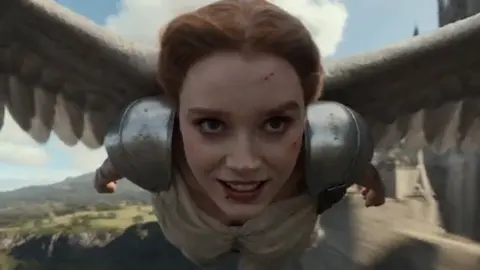
What Text-to-Video Can Realistically Do Today
A paragraph, a shot list, or a rough script can now produce moving footage in seconds to minutes. The output is good enough for storyboards, animatics, social cutdowns, product teasers, and previsualization on live-action productions. It is not yet good enough to carry a hero shot where a specific actor, a legible logo, or a precise product detail must be pixel-accurate. Knowing that boundary up front saves a lot of wasted rendering time.
Three advances made this practical. Language models now read a prompt as intent — subject, action, camera, mood — rather than as a bag of keywords. Video generators hold a scene together across dozens of frames instead of drifting into mush. And post-processing tools repair motion, sharpness, and frame rate before delivery. Each stage improved independently, and the combination is what changed the outcome.
The gap that remains is the gap between a clip and a video. Tools generate shots. Someone still has to decide what the shots mean, keep the look consistent across a sequence, add sound, and cut it together. Treat generation as one stage in a pipeline, not the whole pipeline. Teams that internalize this produce usable material far faster than teams that keep re-rolling a single prompt hoping for a miracle.
It also helps to separate two jobs that feel similar but are not. Exploration is fast, loose, and disposable: you generate forty variations to find a direction. Production is slow, deliberate, and repeatable: you lock a look and reproduce it. Mixing them in the same session is the most common reason people conclude that text-to-video "doesn't work."
The Generation Pipeline, Stage by Stage
Understanding where things go wrong means knowing the sequence your prompt travels through.
Prompt interpretation and scene decomposition
The model converts your text into a structured scene description: subject, attributes, action, camera move, environment, lighting, style. Long prompts with conflicting instructions get averaged into something bland, so each prompt should describe one shot with one dominant action. If you find yourself writing "and then" or "while also," split the prompt into two shots.
Latent video synthesis and temporal coherence
Most current systems build video in a compressed latent space, denoising frame by frame while referencing neighboring frames so that motion flows. Coherence is the hard part: hands, reflections, text on signs, and fast rotations are where the model's internal model of the world breaks down. Shorter clips with simpler motion hold up better than long clips with busy staging. This is a physics-of-the-medium constraint, not a settings problem you can prompt your way out of.
Decoding, interpolation, and upscaling
The latent output is decoded to pixels, then often interpolated to a higher frame rate and upscaled. This is where a soft, slightly wobbly clip starts to read as footage. Interpolation can also introduce warping around fast edges, so always scrub a frame or two on either side of a quick movement before you commit the clip to a timeline.
Where humans re-enter the loop
Everything after decoding is craft: trimming the best two seconds out of an eight-second generation, matching color between shots, and deciding which imperfections read as style. A slightly imperfect clip that cuts well beats a technically clean clip that does not serve the story.
Text-to-Video vs Image-to-Video vs Hybrid Workflows
When pure prompt generation wins
Use text-to-video when you are exploring, building mood boards, generating abstract or atmospheric scenes, or need rapid variety. It is the fastest way to answer "what could this feel like?" before committing to a look.
When to start from a still
Use image-to-video whenever consistency matters. Generate or photograph a keyframe, approve it, then animate it with a short motion instruction. Characters keep their faces, products keep their labels, and wardrobes stay put. For any project with a recurring subject, this is the default.
When to restyle existing footage
Video-to-video is the right tool for style transfer, background replacement, cleanup, and turning live-action plates into animation. It preserves real motion and real performance, which no generator can invent convincingly.
The hybrid workflow most teams land on
The pattern that works reliably: storyboard with text-to-video, lock keyframes as images, animate those keyframes, then repair the weakest shots with editing and sound. Roughly 80 percent of a finished piece comes from the first three steps, and the last 20 percent of polish is what makes viewers assume it was shot.
Writing Prompts That Survive Movement
The shot sentence formula
Subject plus action plus environment plus camera plus lighting plus style. One sentence, one action, one camera move. A concrete example:
"A cyclist in a yellow rain jacket pedals through a flooded street at dusk, camera tracks alongside at handlebar height, wet asphalt reflects neon signs, shallow depth of field, 35mm film grain."
Compare that with "beautiful cinematic video of a cyclist, epic, masterpiece, ultra detailed." The second prompt gives the model almost no decisions to make, so it makes them randomly. Specificity is not decoration; it is the control surface.
Vocabulary that actually changes output
- Lens and framing: wide, macro, telephoto, over-the-shoulder, low angle, Dutch tilt
- Camera motion: slow push in, dolly left, handheld follow, static tripod, crane up
- Lighting: golden hour backlight, single practical lamp, overcast soft light, hard noon sun
- Texture: 16mm grain, clean digital, motion blur, anamorphic flare
- Pace: slow motion, real time, time-lapse, stutter frame
Vague adjectives like "stunning" or "high quality" push the model toward a generic average of its training data. Physical descriptions push it toward a specific image.
Negative constraints and continuity anchors
State what you do not want — no text overlays, no extra limbs, no camera shake, no lens flare — and repeat the anchors that must stay identical between shots: wardrobe, hair color, vehicle, time of day, weather. Repetition is not redundancy here; it is continuity.
Iterate on one variable at a time
If a shot fails, change exactly one thing: the camera move, the action verb, or the lighting. Changing three at once tells you nothing about which one mattered, and you lose the ability to reproduce the version that worked.
A Repeatable Workflow From Script to First Cut
Step 1: beat sheet and shot list
Write the story in beats. Each beat becomes one or two shots, and each shot becomes one prompt. A 30-second piece usually needs 8 to 12 shots. This step takes twenty minutes and saves hours of aimless generation.
Step 2: keyframe approval
Generate stills for every shot before animating anything. Stills are cheap to iterate and video is not. Approve composition, wardrobe, color, and lens here. Once a keyframe is locked, treat it as a contract: every later generation references it.
Step 3: animate in short bursts
Generate 4 to 8 second clips. Longer generations drift, morph, and lose their subject. Overlap consecutive clips by about half a second so you have handles for transitions later. Save the prompt and seed for every clip you keep, because you will need to re-render one of them.
Step 4: assemble, sound, and finish
Cut to a temporary music bed first — music hides timing problems and exposes them at the same time. Then add sound design, then color match. Add room tone under every scene. Absolute silence is the single fastest way to make generated footage feel synthetic, and a quiet ambience bed fixes it instantly.
Step 5: review on a small screen
Watch the cut on a phone before you declare it finished. Artifacts that look tolerable on a large monitor are often invisible on a phone, and framing problems that seem minor on a monitor become obvious on a small vertical screen.
Keeping Characters, Props, and Locations Consistent
Consistency is the hardest problem in multi-shot AI video, and it is solved with references rather than luck.
Create a project bible with a locked description block for each recurring element: character name, wardrobe, hair, age range, and two or three distinguishing details. Paste that block unchanged into every prompt that includes the element. Do not paraphrase it between shots; small wording changes produce visible drift.
For locations, generate one establishing shot, approve it, and then use it as the source image for other angles in the same scene. This anchors the architecture and color palette even when the camera moves.
For scenes with two or more characters interacting, generate each character separately and composite them in an editor. Generators handle a single subject well and multiple interacting subjects poorly, particularly when hands touch or eyelines must match.
Finally, keep a contact sheet of approved frames taped next to your timeline. Comparing a new generation against the approved frame takes five seconds and catches drift before it reaches an edit.
Sound, Dialogue, and Lip Sync
Text-to-video produces picture. Audio is what makes a viewer believe the picture.
You have three realistic paths. Record a real voice-over and cut picture to it — this is the highest quality option and the easiest to control. Synthesize narration when you need speed and do not need on-camera presence. Or generate ambient sound and foley to support a mostly visual piece.
Lip sync deserves its own warning. It requires a clean, frontal, well-lit face with minimal occlusion. Profile shots, hands near the mouth, fast head turns, and heavy shadows all defeat it. If your script needs a talking head, generate or film a stable take and drive the sync from a clean audio track. If the piece is narration-led, skip lip sync entirely and cut to illustrative footage; audiences accept a voice-over over B-roll without a second thought.
Sound design basics that pay off immediately: a low room tone under every interior, a subtle whoosh on fast camera moves, and a music edit that lands the visual cut on a beat. None of these are expensive and together they do more for perceived production value than another hour of generation.
Common Failure Modes and Fixes
- Melting hands and fingers. Simplify the action, shorten the clip, and frame hands out of the shot. Regenerating rarely fixes it; recomposing usually does.
- Faces morphing mid-shot. Switch to image-to-video with a locked reference frame and avoid turning heads. A three-quarter angle that holds steady beats a dramatic rotation every time.
- Flickering or boiling textures. Reduce motion strength, lower the frame rate slightly, and add a fine grain layer in post to unify the surface.
- Unnatural pacing. Generate at slow motion settings and speed the clip up in the edit. Models produce smoother motion when they are not rushed.
- Garbled on-screen text. Never trust generated lettering. Generate the plate without text and add titles, signage, and UI in the editor.
- Lighting that shifts between shots. Lock time of day and light direction in the project bible and repeat those words in every prompt for the scene.
- A clip that is almost right. Trim it. Two perfect seconds are worth more than eight mediocre ones, and the cut hides the failure.
- Everything looks the same. Vary lens and shot size deliberately across the sequence: wide, close, insert, wide. Monotony reads as artificial even when every individual frame is clean.
Building a Sensible Tool Stack
You do not need a dozen subscriptions. You need one tool per job, and a workflow that moves files between them without friction.
Ideation and scripting. A writing assistant or a simple outline document. The goal is a beat sheet, not prose.
Keyframe generation. A high-quality still image generator with strong reference and inpainting controls. This is where consistency is won.
Video generation. One or two engines with complementary strengths: one that excels at realistic motion, one that handles stylized or animated looks. Test the same prompt in both and keep notes.
Upscaling and interpolation. A dedicated pass to raise resolution and smooth frame rate before editing.
Audio. A voice tool, a sound library, and a music source you have the rights to use.
Editing. Any timeline editor. Nothing about AI footage changes the fundamentals of cutting, color, and sound.
Decision criteria to apply before committing to a stack: maximum usable clip length, how well it handles complex motion, resolution and aspect ratio support, the amount of control over camera and subject, predictable cost per finished minute, licensing terms for commercial work, and export formats that fit your editor. Write these down and score options honestly; the engine with the prettiest demo is often not the one that survives a twenty-shot sequence.
FAQ
How long should a single generated clip be?
Four to eight seconds is the sweet spot. Shorter clips are easier to keep coherent, and longer clips tend to drift in subject identity and lighting. You can always extend a scene by cutting between two clips.
Do I need a powerful computer?
For cloud-based generation, no — a browser and decent upload speed are enough. Local generation and heavy upscaling benefit from a strong GPU, but most workflows are hybrid: generate in the cloud, finish on a laptop.
Why does my prompt work once and then fail?
Video generation is stochastic. Seeds, sampling settings, and model updates all shift results. Save the exact prompt, seed, and settings for every clip you keep so you can reproduce it, and accept that some shots simply need three or four attempts.
Can I use generated video commercially?
It depends on the specific tool's terms and on where your training data concerns sit. Read the license for each engine you use, keep records of what you generated and with which model, and get legal review for anything client-facing or advertising-related.
How do I stop every shot from looking like an AI shot?
Vary your shot sizes, add imperfect sound, include one real element — a hand, a texture plate, a practical light — and cut faster than feels comfortable. Artificiality is usually a pacing problem before it is a rendering problem.
Is text-to-video good enough to replace a shoot?
For storyboards, pitch material, internal explainers, and social content, often yes. For hero product shots, talent-driven performance, or anything requiring precise brand assets, use it as previsualization and shoot the real thing.
What is the fastest way to improve results?
Stop rewriting prompts and start locking keyframes. Approving a single still before animating improves consistency, reduces wasted generation, and makes every downstream shot easier to match. It is the highest-leverage habit in the entire workflow.

Alexander
More Blogs
Read MoreVidu Q4 Alternatives: 4K AI Video Models Compared (2026)
Vidu Q4 alternatives compared: Kling 4.0, Seedance 2.5, Wan 3.0, and Runway Gen-4 — 4K support, input modes, durations, audio, and what each costs in credits on Domer.
Top 4K AI Image Generators in 2026: 5 Models Compared on Real Costs
The top 4K AI image generators on Domer compared: Flux 3 Klein, Nano Banana 2.1, GPT Image 2.5, GPT Image 2, and Nano Banana Pro — 4K credit costs, reference limits, and speed.
Nano Banana 2.1 vs GPT Image 2.5: Which Image Model Should You Use? (2026)
Nano Banana 2.1 vs GPT Image 2.5 Flare compared: credit costs per resolution, aspect ratios, reference images, text rendering, and which tasks fit each model.