

Affiliazione
Inizia Gratis Ora
Text-to-Video AI Tools Compared: A Practical Workflow Guide
Oct 15, 2026
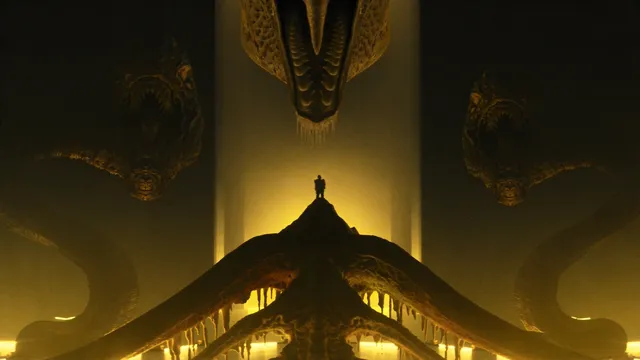
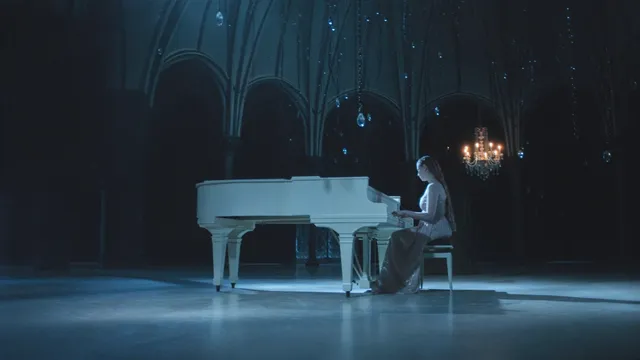
Text-to-video generation has crossed a practical threshold. Instead of a few seconds of dreamlike morphing, modern models can hold a subject's face, follow a camera instruction, and produce footage that survives an edit. That changes the job. The hard question is no longer whether an AI tool can make a clip, but whether you can direct it consistently, on schedule, with results a reviewer will accept.
This guide compares the main approaches to text-to-video generation, explains the criteria that separate a demo from a production tool, and lays out a workflow you can reuse. Tool names appear as category examples rather than a ranking, because the right choice depends entirely on the shots you need.
What Text-to-Video AI Does Well — and Where It Still Breaks
Text-to-video models are strongest when the shot is short, the subject is singular, and the camera move is simple. They excel at establishing shots, abstract transitions, product hero moments, stylized B-roll, and previz for scenes that would be expensive to shoot. Avatar-led tools extend that strength into explainers, onboarding videos, and training modules, where a synthetic presenter can carry a script in several languages without booking a studio.
The weaknesses are predictable. Character identity drifts after roughly ten to fifteen seconds unless the tool supports subject references or image conditioning. Hands, teeth, small text, and reflective surfaces still wobble. Dialogue timing is difficult to control precisely, and physics fails in ways audiences notice instantly: objects sliding instead of falling, crowds moving in unison, liquids that ignore gravity.
Treat text-to-video as a shot machine, not a film machine. Narrative continuity comes from editing. The strongest results usually come from generating many short clips and assembling them deliberately rather than asking one prompt to carry a story.
The Criteria That Separate Usable Tools From Demos
Ignore the showreels. These criteria show up in almost every real production review, and they matter more than raw resolution.
Motion coherence and physics
Watch how the tool handles weight. A dropped object should accelerate; cloth should fold; hair should lag. Test motion with a simple prompt such as a person walking through a doorway, then inspect the feet and the background parallax. Tools that render beautiful stills but smear under motion will cost you hours in repair passes.
Prompt adherence, including what you forbid
Give each candidate a prompt with three specific requirements and one exclusion, for example a wide shot in heavy rain with neon signage and no people. Strong models honor the exclusion. Weak models quietly add the crowd anyway, which means every future prompt needs defensive rewriting and a review cycle you cannot automate.
Consistency across shots
Generate the same character in three environments and compare clothing, facial structure, and color grade. Consistency is the single biggest gap between consumer tools and production tools, and it determines whether you can build a multi-scene sequence without heavy compositing.
Audio, dialogue, and timing
Decide early whether you need native sound. Some tools generate ambience and lip-synced speech; others are silent by design and expect you to finish audio in an editor. Native audio saves time, but it also locks you into the tool's voice options and pronunciation quirks, so test names, numbers, and technical vocabulary before you commit.
Control surface and iteration speed
Check for image-to-video, first and last frame conditioning, camera controls, seed locking, clip length limits, and supported aspect ratios. Then measure the boring part: how long a generation takes, how many you can queue at once, and how easily you can reproduce a result you liked yesterday. Reproducibility is a workflow feature, not a luxury.
Five Approaches to Generative Video
Most tools cluster into a handful of approaches. Knowing which cluster you need narrows the shortlist fast.
Cinematic shot generators
Runway, Luma, and similar cinematic generators aim at filmic footage: camera language, motion realism, style transfer, and image-to-video conditioning. They are the default for ads, music videos, and short narrative pieces. Expect to iterate heavily; a usable three-second shot is often the fifth or eighth attempt.
Avatar and presenter platforms
Synthesia, HeyGen, and comparable platforms focus on a talking presenter, script-driven delivery, templates, and localization. They are excellent when the value is in the information rather than the cinematography, such as compliance training, product walkthroughs, or internal announcements. Their weakness is scene variety: long-form stories with changing locations need a different tool.
Physics-aware and 3D-leaning animation
Pika and similar tools lean into simulated weight, collisions, and object persistence, which makes them useful for stylized action, product demos with moving parts, and playful social content. They reward prompts that describe a clear physical event rather than a mood.
Music-first and stylized visuals
Kaiber and beat-synced pipelines align cuts to tempo and lean on retro or painterly filters. They are the right answer for visualizers, lyric videos, and abstract loops, and the wrong answer when you need a believable human face across multiple shots.
Image fusion and custom-trained style models
The most controllable results often come from pipelines that blend several reference images into one coherent scene or train a lightweight style model on your own footage. This approach requires more setup and a willingness to experiment, but it delivers brand consistency that generic prompts cannot match.
Prompting for Motion: A Formula That Works
A prompt that works for a still image usually fails for video, because video needs an action and a camera decision. Use this structure: shot type, subject with two or three stable descriptors, one action, environment and time of day, lighting, camera movement, style reference, and a duration or aspect note.
A weak prompt says a man in a city at night, cinematic. A stronger one says: medium tracking shot of a man in a charcoal coat walking west along a wet city street at night, neon reflections in puddles, shallow depth of field, slow lateral camera move, muted teal and amber palette, vertical format.
Three rules keep output usable. First, one camera move per clip — combining a dolly, a pan, and a crane confuses the model and produces muddy motion. Second, one primary action per clip; she opens the box beats she opens the box, laughs, turns, and walks away. Third, log everything: seed, prompt, settings, and output, so that when a shot works you can reproduce it exactly for the next variation.
Use negative prompts to remove recurring artifacts such as extra fingers, text overlays, logos, watermarks, or jump cuts, rather than rewriting the positive prompt each time. Keep a running list of negatives that your chosen model responds to; it becomes a personal style guide.
A Repeatable Workflow From Script to Final Cut
- Break the script into a shot list. Convert each beat into a shot with a target duration, a purpose, and a required subject. Most AI sequences fail because the shot list was vague, not because the model was weak.
- Lock the visual language before generating. Choose palette, lens feel, aspect ratio, and pacing, then collect three to five reference frames. Consistency is cheaper to enforce up front than to fix in post.
- Write one prompt sheet per shot. Include the prompt, negative prompt, seed, model version, and settings so any teammate can reproduce a shot without guessing.
- Generate in batches, not one at a time. Produce four to eight variants per shot, review them on a timeline rather than in an endless grid, and keep the best two.
- Assemble a rough cut with placeholders. Cut with stills or rough generations to validate timing and story before spending time on polish.
- Repair instead of restarting. Use image-to-video, frame extension, inpainting, or interpolation to fix a flawed shot rather than regenerating from zero.
- Finish audio early. Dialogue, ambience, and music change how motion reads on screen; cutting sound last often forces visual re-edits.
- Run a QC pass on a large screen. Check hands, teeth, background text, flicker, warping, and continuity between adjacent shots.
Choosing by Use Case
| Use case | Best-fit approach | Check before committing |
|---|---|---|
| Social shorts and hooks | Cinematic generators, physics-leaning tools | Vertical output, fast iteration, strong first frame |
| Explainers and training | Avatar platforms | Pronunciation, language coverage, slide or screen support |
| Product hero ads | Cinematic generators with image-to-video | Product fidelity, label legibility, consistent reflections |
| Music visualizers | Music-first stylized pipelines | Beat alignment, loopability, color consistency |
| Previz and storyboards | Cinematic generators, image fusion | Speed over polish, clear camera notes |
| Localization | Avatar platforms, dubbing tools | Lip sync quality, dialect review, subtitle timing |
Pick the tool that matches the weakest link in your pipeline. If your bottleneck is a believable presenter, cinematic generators will frustrate you. If your bottleneck is motion realism, avatar platforms will never satisfy it. If your bottleneck is brand consistency, trained style models and image fusion are worth the extra setup.
Mistakes, Budgets, and Quality Targets
The most common mistakes are surprisingly consistent. Cramming a scene into one clip turns a five-second generation into mush. Judging a tool by a single output ignores variance; evaluate across ten generations before forming an opinion. Ignoring aspect ratio until the end crops composition you carefully prompted for. Upscaling before the edit locks wastes compute on shots that get cut. Skipping seed logging makes your one perfect take unreproducible. Forgetting the audio plan forces a rework cycle when silent clips need precise dialogue.
Budgeting for AI video is closer to photography than to rendering. Plan in passes: an ideation pass at low quality to test composition, a production pass at full settings for approved shots, and a repair pass for problem frames. A realistic ratio is three to five generations per finished second of footage, and considerably more for complex action or crowds.
Define acceptance criteria before you start — sharpness threshold, artifact tolerance, exact duration, required framing — so reviewers argue about the shot rather than about taste. A sequence with clear criteria usually ships two or three revision cycles faster, because the editor can approve takes without a committee meeting.
Legal, Likeness, and Disclosure Basics
Three questions deserve answers before publishing. Do you have rights to the likeness and voice in the output? Is synthetic media disclosure required by the platform or the jurisdiction you publish in? Is any recognizable logo, artwork, or trademark visible in the frame? Keep a small review checklist: no real people without consent, no cloned voices without written permission, no third-party characters, and a consistent on-screen disclosure style if your audience expects one.
Document prompts and model versions for the shots you keep, because provenance questions arrive long after delivery. Confirm the commercial terms of the tool you choose, and keep generation logs for client work so that revisions are traceable rather than archaeological.
FAQ
Do I need multiple tools to finish a project? Often, yes. A typical pipeline uses one tool for cinematic shots, one for a presenter or voice, and a standard editor for pacing, sound, and captions. Single-tool workflows are realistic mainly for short social content.
How long should one generated clip be? Start at three to five seconds. That is long enough to read a beat and short enough to avoid identity drift. Stitch several clips for longer sequences rather than pushing one prompt.
Why does my character change between shots? Because the model has no memory of the previous clip. Use image conditioning, subject references, or a consistent reference frame, and keep wardrobe and lighting descriptors identical across prompts.
Is image-to-video better than text-to-video? For character work and product fidelity, almost always. Start from a strong still, then animate with a small, specific camera move. Reserve pure text-to-video for abstract or environmental shots.
How do I handle text on screen? Generate clean background plates and add typography in your editor. In-frame text from generators remains unreliable in motion, and fixes usually cost more than a simple overlay.
What about native audio? Use it for ambience and rough timing, then replace or reinforce it in post. Treat generated dialogue as a scratch track unless pronunciation testing has already passed on your specific vocabulary.
How many generations should I plan per finished minute? For a polished minute, expect several hundred short generations spread across ideation, production, and repair passes. Budget review time as carefully as generation time, because selecting takes is where quality is actually decided.

Alexander
More Blogs
Read MoreVidu Q4 Alternatives: 4K AI Video Models Compared (2026)
Vidu Q4 alternatives compared: Kling 4.0, Seedance 2.5, Wan 3.0, and Runway Gen-4 — 4K support, input modes, durations, audio, and what each costs in credits on Domer.
Top 4K AI Image Generators in 2026: 5 Models Compared on Real Costs
The top 4K AI image generators on Domer compared: Flux 3 Klein, Nano Banana 2.1, GPT Image 2.5, GPT Image 2, and Nano Banana Pro — 4K credit costs, reference limits, and speed.
Nano Banana 2.1 vs GPT Image 2.5: Which Image Model Should You Use? (2026)
Nano Banana 2.1 vs GPT Image 2.5 Flare compared: credit costs per resolution, aspect ratios, reference images, text rendering, and which tasks fit each model.