

Affiliazione
Inizia Gratis Ora
Unrestricted AI Image Generation: A Practical Creative Guide
Oct 15, 2026

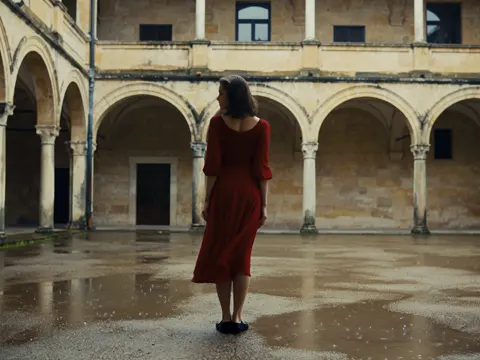
Why Unrestricted AI Image Generation Changes the Brief
When image models stop refusing most requests and stop stamping watermarks on outputs, the practical bottleneck of a project moves. It is rarely "can the software render this?" any more. The real constraints become specificity, consistency, and throughput: can you describe the shot precisely, can you keep a character's face and wardrobe stable across forty frames, and can you iterate fast enough to hit a deadline without losing quality?
That shift sounds liberating, and it is, but it also raises the bar for craft. A permissive tool will happily produce something mediocre in three seconds, which makes it easy to accept the first plausible result and move on. Teams that get the most out of generative images treat the model as a rendering engine inside a pipeline: references go in, a defined output spec comes out, and a review step catches drift before it compounds.
Three capabilities define the modern workflow:
- Style range. Photoreal, painterly, ink, claymation, risograph, technical illustration — the same tool covers all of them.
- Continuity. Characters, props, and locations stay recognizable across poses, angles, and lighting conditions.
- Composition. Image-to-image, multi-reference blending, inpainting, and outpainting let you direct a frame rather than accept whatever appears.
Everything else in this guide is about turning those three capabilities into a repeatable process you can hand to a teammate.
How Modern Image Models Work in Practice
Diffusion in plain language
Most current generators are diffusion models. Training teaches a network to remove noise from a corrupted image. At generation time you start with pure static and let the model denoise step by step, guided by your text. That single mechanic explains most of the quirks you will run into: the model is not assembling objects from a library, it is converging on a plausible image, which is why small prompt changes can produce large composition changes and why hands, text, and symmetrical objects are historically harder.
Latent diffusion runs the same process in a compressed representation, which is why generation is fast enough for iteration. It is also why very fine details — tiny lettering, thin jewellery, distant faces — are the first things to break down.
What "unrestricted" actually means
A flexible generator typically means four practical freedoms: stylistic range without penalties, the ability to mix multiple reference images, character continuity across a series, and output you can use commercially without a watermark baked into the file. Those are workflow freedoms, not a licence to ignore the law.
Where limits still exist, and why that matters
Every serious tool has some guardrails — typically around sexual content involving minors, non-consensual intimate imagery, and identifiable public figures in deceptive contexts. Beyond that, the limits you will hit are technical and legal, not moral: likeness rights, trademarked characters, stock-photo provenance, and the terms of the model you are running. Build a one-page usage policy for your team early. It is far cheaper than retrofitting one after a client asks an awkward question.
A Prompt Framework You Can Reuse
The five-slot skeleton
Free-form prompting produces inconsistent results because you emphasise different things each time. A fixed slot order fixes most of that:
- Subject — who or what, with age, build, and defining features.
- Action and expression — what they are doing and how they feel.
- Environment — location, weather, time of day, background density.
- Camera and light — lens length, angle, key light direction, contrast.
- Style and medium — rendering style, palette, film stock, texture.
"An older cartographer, weathered hands, studying a map, dim archive room, three-quarter view, 50mm, warm lamp light from the left, muted oil painting with visible brush texture" is a working prompt because each slot is populated once and nothing contradicts.
Negative guidance that helps instead of hurts
Long negative lists borrowed from forums often hurt more than they help, because they can push the model away from legitimate features. Keep negatives short and specific to the actual failure you saw: blurry text, extra fingers, watermark, harsh flash, cluttered background. Change one variable per iteration so you learn which lever did what.
Versioning and naming
Save prompts in a plain text file or spreadsheet with three columns: prompt, model or checkpoint, and output reference. Rename files with a shot ID and version number (scene04_hero_v07). You will thank yourself when a client asks for "the version from Tuesday with the blue coat".
Character and Scene Consistency Without Guesswork
Reference sheets first
Before generating a single scene, produce a turnaround sheet: front, three-quarter, profile, back, plus two or three expressions. Then a wardrobe sheet: full outfit, key accessories, colour swatches. These become your canonical references. Every later generation uses them as input rather than relying on text alone.
Techniques that actually hold a face together
- Seed locking. Reusing the same seed with a stable prompt keeps a baseline look. It is fragile but free.
- Reference conditioning. Feeding a face or character image alongside the prompt is far stronger than describing features in words.
- Personalised adapters. Small trained add-ons learn a specific face, object, or style from a handful of images; they generalise better across poses than a single reference.
- Inpainting passes. Fix the face last, in a masked region, after composition and lighting are settled.
A continuity checklist
Run every generated frame past the same five questions: is the hairline the same, is the coat the same cut and colour, are the props in the right hand, is the light direction consistent with the previous shot, and does the background geometry make sense from this angle? Five seconds per frame catches the errors that viewers notice immediately.
Multi-Image Fusion and Style Blending
What fusion is good for
Blending references is the fastest way to get a result that does not look like generic model output. Common recipes:
- Portrait plus environment. Subject from one image, lighting and background from another, for a surreal composite.
- Product plus context. Keep the product pixel-accurate, let the model build a plausible setting around it.
- Mood board plus subject. Feed three to five tonal references to lock palette and texture.
Avoiding the melted look
Fusion fails when references disagree about structure. Two landscapes at different horizons will produce a broken horizon. Three faces at different focal lengths will produce a wide, uncanny average. Give each reference a clear job — one for identity, one for palette, one for composition — and state those roles in the prompt.
Style transfer versus style mixing
Style transfer applies one aesthetic to your content. Style mixing deliberately combines two, such as ink line work over photographic lighting. Mixing is more expressive but less predictable, so test it on a low-stakes frame before applying it to a hero shot. Keep a small "style library" of four to six looks you have already dialled in; consistency across a campaign matters more than novelty in any single frame.
Custom Models and Personal Style Libraries
When training pays off
If a project needs twenty or more images of the same character, product, or house style, a small trained model or adapter usually beats prompt engineering alone. It is less appealing for one-off shots, where the training time outweighs the gain.
Data hygiene for small sets
Twelve to thirty images is often enough. Quality beats quantity: sharp focus, varied angles, consistent lighting, no watermarks, no duplicates that differ only by crop. Crop tightly, remove distracting backgrounds where you can, and caption honestly. If your captions describe the background instead of the subject, the model learns the background too.
Evaluating before you commit
The acceptance test is simple: generate the same character in three poses you never trained on, at two distances, in two lighting conditions. If the identity survives all six, you have something usable. If it drifts, the fix is usually better data, not more training steps.
From Stills to Motion: An AI Video Workflow
Once your stills look right, motion is the natural next step — and it is where consistency gets tested hardest.
Storyboard with stills first
Use the image generator to build the board. Lock character and location references, then produce each keyframe at the same aspect ratio you intend to deliver. This gives you an animatic you can time before spending any compute on video.
Keyframes, timing, and motion prompts
For each shot, decide the start frame, the end frame, and the camera move. Image-to-video tools work best when the motion request is modest and physically plausible: a slow push in, a head turn, fabric shifting. Requests that ask the model to invent an entirely new camera position mid-shot tend to warp. Generate short clips — three to six seconds — and cut between them rather than asking one generation to carry a long take.
Finishing
Expect to do a final pass: stabilise, adjust speed, colour match between shots, and add sound. Audio is not a garnish; room tone and a subtle score do more for perceived quality than another round of upscaling. If dialogue matters, generate it separately and lip-sync in a dedicated pass rather than hoping the video model handles it.
Real-World Pipelines: Film, Games, Marketing, Sequential Art
Previsualisation and pitch decks
Directors use generative stills to test coverage before a shoot: wide, medium, close, and the reverse angle. The value is not the final image, it is the argument. A board with consistent lighting and wardrobe communicates a vision far better than sketchy thumbnails, and it survives client review.
Game asset concepting
Concept artists generate twenty environment variants in an afternoon, then paint over the two that work. The trick is to keep a locked style reference so props, architecture, and UI elements feel like one world. Export layered files where possible so downstream artists can isolate elements.
Campaign variants and localisation
A single hero image rarely covers every channel. Generate the master, then produce crops, alternate crops, seasonal colourways, and text-safe versions with empty space where copy will sit. Keep a naming convention so nobody ships last quarter's variant.
Sequential art and zines
Comics and illustrated zines benefit enormously from character continuity. Build the reference sheet, lock the palette, then generate panels as separate images and letter them in layout software. Resist generating full pages in one go; per-panel control gives you pacing.
Common Mistakes, Evaluation Criteria, and Tooling
Mistakes that cost the most time
- Chasing a prompt instead of fixing the pipeline. If identity drifts, add a reference before you rewrite the sentence for the tenth time.
- Over-prompting. Contradictory descriptors produce mush. Three strong style words beat fifteen weak ones.
- Upscaling as a cure-all. Upscaling cannot invent structure. If a face is wrong at low resolution, it will be wrong and larger at high resolution.
- No review gate. Without a checklist, drift accumulates silently across a series.
- Ignoring provenance. Keep a record of which images are generated, which are edited, and which are original photography. Clients increasingly ask.
How to evaluate a tool quickly
Run the same five-prompt test on any candidate: a photoreal portrait, a stylised character, a product shot, a text-heavy graphic, and a multi-reference fusion. Score each on identity accuracy, prompt adherence, speed, and editability. Tools that win on identity and editability usually win the project, even if another tool looks prettier in a demo.
A minimal workable stack
A generation tool with reference conditioning and inpainting, an upscaler for final delivery sizes, a simple image editor for cleanup, and a spreadsheet for prompt history. Add an image-to-video tool once your keyframes are stable. That is enough to ship professional work.
FAQ
Do I need a trained model to get consistent characters?
No, but you need something stronger than text. Reference conditioning plus seed discipline plus inpainting can hold a character for a short project. Past twenty images, a trained adapter saves time.
How many reference images should I feed at once?
Two or three with distinct roles. More than that usually dilutes the signal unless the tool explicitly supports weighted multi-reference input.
Why does my output change when I only tweak one word?
Because diffusion converged on a different plausible image. Lock the seed to isolate the effect of the word, and change one variable per test.
Is it fine to use generated images commercially?
It depends on the model licence and the content. Check the terms of the specific model, avoid trademarked characters and identifiable people without permission, and keep a record of what was generated versus photographed.
How do I stop styles drifting across a series?
Fix a style block in your prompt, reuse the same checkpoint, and generate a calibration frame at the start of each session. Compare every new image against it side by side, not from memory.
Should I generate video directly or animate stills?
Animate stills you already approve. Image-to-video gives you a controlled start frame; text-to-video gives you surprises you then have to fix in editing.
What resolution should I work at?
Generate at the model's native sweet spot for composition, then upscale for delivery. Fighting for maximum resolution during exploration slows iteration for no gain.

Alexander
More Blogs
Read MoreVidu Q4 Alternatives: 4K AI Video Models Compared (2026)
Vidu Q4 alternatives compared: Kling 4.0, Seedance 2.5, Wan 3.0, and Runway Gen-4 — 4K support, input modes, durations, audio, and what each costs in credits on Domer.
Top 4K AI Image Generators in 2026: 5 Models Compared on Real Costs
The top 4K AI image generators on Domer compared: Flux 3 Klein, Nano Banana 2.1, GPT Image 2.5, GPT Image 2, and Nano Banana Pro — 4K credit costs, reference limits, and speed.
Nano Banana 2.1 vs GPT Image 2.5: Which Image Model Should You Use? (2026)
Nano Banana 2.1 vs GPT Image 2.5 Flare compared: credit costs per resolution, aspect ratios, reference images, text rendering, and which tasks fit each model.