

Affiliazione
Inizia Gratis Ora
How Video Changed Storytelling Podcasts: A Creator's Guide
Oct 15, 2026


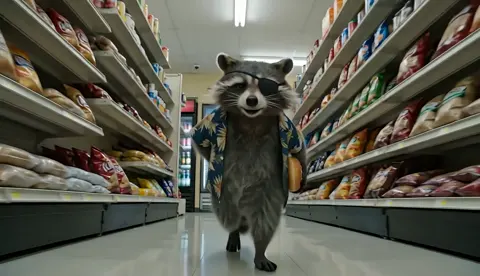
Why Storytelling Podcasts Sound Like Television Now
In the late 2010s, a narrative podcast was a lean production: one host or two, a decent microphone, a theme tune, and an RSS feed. The audience did the visualizing. A listener heard “the cabin at the edge of the lake” and built that cabin themselves, from memory, in the dark, half-listening on a commute. The empty space in the audio was the medium’s superpower, and it cost nothing to produce.
Today the same show ships with a trailer, a set of vertical clips, animated reconstructions of key scenes, a full video cut on a streaming platform, and a thumbnail engineered to win a click in a crowded feed. The superpower turned into a constraint. When a story is discovered in a visual feed, with the sound off and the first three seconds deciding everything, an audio-first production does not simply underperform. It becomes invisible.
That shift did not happen because audiences stopped loving audio. It happened because the surrounding environment changed: how people find shows, how platforms rank them, and how cheaply a visual layer can now be produced.
Three forces that made video the default
Platform incentives. Recommendation systems rank by watch time, completion, and re-engagement, not by downloads. A show that holds someone for eighteen minutes gets pushed further than a show that earns a download and a goodbye.
Generative video. Scenes that once demanded a VFX budget, a location shoot, or a licensing deal now demand a shot list and patience. This is the largest cost change in narrative production in decades, and it applies to a two-person team, not only to studios.
Viewing context. Most first impressions happen on a phone, muted, inside a feed. If the first frame does not communicate what the story is, the audio never gets a chance.
None of this means you must become a filmmaker. It means the visual layer is now part of the storytelling decision, not an afterthought bolted on at distribution.
What Changed in Audience Behavior and Success Metrics
Downloads measured loyalty. They told you how many people had opted into your world and how consistently they returned. That number was useful, but it was also a lagging indicator: it counted intent, not attention.
Video metrics measure attention directly, and they are far less forgiving.
The metrics that replaced downloads
- Average view duration across the full episode, not just the first thirty seconds.
- Retention curve shape, including the exact timestamps where viewers leave.
- Thumbnail click-through rate, which decides whether the episode is seen at all.
- Clip share rate, the strongest signal that a moment in your story is genuinely portable.
- Subscriber conversion per episode, which separates a viral spike from a growing show.
- Return viewership across episodes, the video equivalent of download loyalty.
A download told you someone wanted your show. A retention curve tells you where they stopped wanting it, to the second. That is a harder truth, and a more useful one.
Why retention is a story problem, not an editing problem
Teams tend to respond to a sagging curve with faster cuts and louder music. Usually the real cause is structural. There are four drop-off patterns worth memorizing:
The cold open failure happens in the first twenty seconds, when the episode starts with housekeeping, sponsorship reads, or a slow reintroduction. Fix it by opening on the story’s highest-tension moment.
The context cliff lands around minute three to five, when the setup has been explained but nothing has been at stake yet. Fix it by introducing a question the viewer wants answered.
The midpoint sag sits near the halfway mark, where investigations stall or characters stop making decisions. Fix it by inserting an escalation, a reversal, or a new piece of information.
The ending drift happens when the resolution arrives but the episode keeps going. Fix it by cutting everything after the emotional landing.
The useful part: all four fixes are writing fixes. Visual polish cannot repair a story that stops moving.
Choosing Your Format: A Decision Framework
Before buying tools or booking a shoot, decide what kind of show you are actually making. Most narrative teams get into trouble by drifting between formats episode to episode.
| Format | Effort per episode | Best for | Watch-time risk |
|---|---|---|---|
| Audio-first with clip art support | Low | Interview shows, essay series | Low reach in visual feeds |
| Talking-head video with visual inserts | Medium | Host-led narrative, reporting | Medium; pacing dependent |
| Hybrid: audio spine plus generated scenes | Medium-high | Investigative, historical, doc style | Low if visuals are purposeful |
| Fully scripted animated narrative | High | Fiction, anthology, world-building | Low; production dependent |
| Short-form-first, long-form as library | Medium | Discovery-driven shows | High if long episodes feel thin |
The questions that decide it
Is your story carried by a voice or by a world? An interview about a court case survives on audio. A fictional town in a drought year does not.
Can you sustain the cadence? A hybrid format at two episodes a month beats a fully animated format at one episode a quarter, and it grows faster.
What do your first three seconds look like? If you cannot answer that concretely, the format is not decided yet.
Where will people find you? If discovery happens on short-form video, build the short-form version first and let the long episode be the payoff.
Most successful shows today are hybrid: a strong audio spine, plus visuals that add information rather than decoration.
Building the Visual Plan Before You Record
The most expensive mistake in video storytelling is deciding on visuals after the audio is locked. That turns every visual choice into a scramble.
Start with a visual bible — a short document that fixes your show’s look so episodes feel like one series rather than a collection of experiments. Include:
- A palette of three to five colors and where each is allowed to appear
- A rule about camera feel: locked and formal, handheld and intimate, or floating and dreamlike
- A rule about light direction and time of day
- Two to three style references per story world
- A rule about what never appears on screen
The goal is not to limit creativity. It is to make continuity something you can delegate.
Plan aspect ratios at the same time
Decide how each episode will be cut for landscape, vertical, and square before anyone starts building assets. A scene composed for a wide frame often dies in a vertical crop, because the subject sits off-center. If you know from the start that you need vertical versions, you will frame subjects with headroom and keep key action near the middle third.
State the visual’s job in one sentence
For each scene, write one sentence: “This shot shows the flood line on the church wall.” If you cannot state the job, the shot is decoration, and decoration is what makes generated visuals feel cheap. A scene should add information the narration does not already contain.
A Step-by-Step Video Storytelling Workflow
This workflow assumes a small team producing a recurring narrative show. It works for documentary, historical, and lightly fictionalized formats.
1. Lock the story in audio form
Write and record the narration first. Edit it ruthlessly before any visual work begins. Every minute you cut from the audio saves three to five minutes of visual production, because the same trim eliminates shots you have not built yet.
2. Map beats to visuals
Break the edited audio into beats, typically twelve to thirty per episode. For each beat, decide one of four treatments: existing footage, a generated scene, an archival or graphic element, or a deliberate black-and-text pause. That last option is underused and often the most powerful.
3. Build an asset library before you need it
Generate or collect establishing shots, textures, maps, and character references in batches. Ten background plates and three character reference sheets cover more scenes than you expect, and reusing them strengthens continuity instead of weakening it.
4. Assemble in layers
Build each scene in four layers: base image or video, subtle motion, text or graphic overlay, and sound. Sound is where most video podcasts underdeliver. A room tone, a distant train, a chair scrape, or a low drone changes how a static image reads more than any camera move.
5. Design the cut-downs at the same time
When you finish the long cut, mark three to five moments that work as standalone pieces in vertical format. Do not simply crop; rebuild them with a hook in the first second, a clean ending, and captions that are readable without sound.
6. Run a quality gate before publishing
Watch the episode once with sound off, on a phone, at arm’s length. Watch it again at double speed. Watch the first thirty seconds three times. These three passes catch almost everything that would have cost you retention.
Solving Continuity: Keeping Characters and Settings Consistent
Consistency is the hardest technical problem in video storytelling. It is also the one audiences notice instantly, because the human brain is built to spot faces that change between shots.
Practical continuity techniques
Build character sheets. For each recurring person, lock a set of defining traits: age range, hair, build, a signature garment, and a fixed palette. Reuse the same reference images across every scene that features them.
Lock your settings. Record the exact parameters, seeds, and reference weights for every recurring look in a spreadsheet or production note. Reproducing a shot months later is only possible if you documented how you made it the first time.
Accept the side-profile trick. When a face must stay consistent and your tools struggle, show the character from behind, in silhouette, in reflection, or partially out of frame. It reads as a directorial choice and removes the failure mode entirely.
Hide short clip lengths with structure. Generated motion often holds up best in short bursts. Cut on movement, use reaction shots, and insert a graphic or a wide establishing frame between two generated shots. The viewer experiences rhythm, not limitation.
Do a human review pass. Check hands, background text, reflections, and fast movement. Any frame that will be on screen for more than two seconds deserves a manual look.
When to stop chasing photorealism
Photorealism raises the bar for everything else. A stylized look — illustration, paper collage, archival grain, high-contrast noir — is more forgiving, more distinctive, and usually faster to produce. Many strong narrative shows choose a style deliberately because it hides imperfection and signals authorship at the same time.
The Tool Stack, Organized by the Job It Does
Tools matter less than the job descriptions. Build your stack by asking what each stage needs to produce, then pick the simplest tool that does it.
| Job | What it must deliver | Example tools |
|---|---|---|
| Script and story structure | Beat sheets, revisions, comments | Google Docs, Notion, Final Draft |
| Audio capture | Clean remote or studio tracks | Riverside, Zencastr, a treated room |
| Audio repair | De-noise, de-click, level match | iZotope RX, Auphonic |
| Voice work | Narration, character reads, dubbing | ElevenLabs, a hired voice actor |
| Image generation | Reference sheets, plates, style frames | Midjourney, Stable Diffusion, Ideogram |
| Video generation | Short motion shots, transitions, atmosphere | Runway, Kling, Luma, Pika |
| Editing and motion | Timeline assembly, titles, compositing | DaVinci Resolve, Premiere Pro, After Effects, CapCut |
| Captions and accessibility | Accurate subtitles, translated versions | Descript, Whisper-based tools |
| Review and delivery | Timestamped feedback, version control | Frame.io, a shared drive with clear naming |
Two rules for tool selection
First, never let a tool decide your story. If a visual idea is good and the tool cannot do it, use a different treatment rather than a weaker version of the same idea.
Second, keep a fallback for every stage. When a generated scene fails, you need a still image, a graphic, or an archival photo ready to take its place. Productions stall when a single shot becomes a blocking dependency.
Budget, Time, and Team: Realistic Scenarios
Estimates below reflect a twenty-minute narrative episode with a visual layer. Hours are approximate and assume a repeatable template after the first three episodes.
| Scenario | Team | Time per episode | Notes |
|---|---|---|---|
| Solo creator, hybrid format | 1 | 10-16 hours | Reuse asset libraries aggressively; cap generated shots at 25 per episode |
| Two-person team | 2 | 16-24 hours combined | Split story/edit from visuals; weekly review call |
| Small studio | 4-6 | 30-45 hours combined | Parallel tracks: audio, visuals, motion, publishing |
| Fully animated fiction | 6+ | 60+ hours | Only sustainable with a recurring world and reusable sets |
The first three episodes always cost double. Plan for that, publish them anyway, and treat episode four as the real baseline.
Where the budget actually goes
The largest hidden cost is not generation. It is review time: watching, rejecting, and regenerating. Teams that document their settings and style rules cut review time dramatically, because fewer outputs miss the mark in the first place.
Common Mistakes That Kill Visual Narrative Shows
Over-visualizing. A visual for every sentence creates noise. Let narration breathe over a single strong image for fifteen seconds.
Inconsistent style between episodes. When episode one looks like a documentary and episode five looks like a cartoon, the show stops feeling like a show.
Ignoring audio quality. Viewers forgive imperfect visuals far more readily than room echo, clipping, or uneven levels.
Generating without direction. Prompting randomly and picking the best result produces a slideshow, not a story. Decide the shot’s job first.
Treating vertical as a crop. Reframing is a rebuild. Hooks, captions, and pacing all change.
Publishing on an unstable cadence. Discovery rewards consistency more than polish. A slightly rough episode on schedule outperforms a perfect episode that arrives late.
Skipping the sound-off test. If the story cannot be followed without audio for the first thirty seconds, most of your potential audience never hears it.
FAQ: Video Storytelling Podcasts
Do I need to appear on camera? No. Many of the strongest visual narrative shows never show a host. Narration over generated or archival visuals is a complete format, and it removes lighting, wardrobe, and camera anxiety from your production list.
How long should a video story episode be? Long enough to finish the story, short enough to stay tight. For most narrative shows, twelve to twenty-five minutes is the productive range. The correct answer is the runtime at which your retention curve stops falling off a cliff.
Is generated video good enough for fiction? For atmosphere, establishing shots, and stylized sequences, yes. For sustained close-up dialogue between two characters, it is still the weakest area. Structure scenes around the strengths: wide shots, silhouettes, hands, objects, landscapes, and short motion bursts.
How many visuals per minute should I plan? Roughly four to eight distinct visual events per minute for a paced narrative, but fewer is often better. One powerful image held for twenty seconds beats five weak shots in the same span.
What if my existing audience is audio-only? Keep publishing the audio version. Add a video cut as a separate distribution channel rather than replacing what already works. The audio feed keeps loyalty; the video feed brings discovery.
How do I keep a series from looking different every week? Write the visual bible, enforce the palette, reuse reference sheets, and document your settings. Continuity is a process problem before it is a technical one.
The shows that survive the transition to visual storytelling are not the ones with the biggest generation budgets. They are the ones that treat video as a storytelling decision — planning the visual layer alongside the script, testing ruthlessly before publishing, and keeping the format stable enough that an audience knows what they are returning to.

Alexander
More Blogs
Read MoreVidu Q4 Alternatives: 4K AI Video Models Compared (2026)
Vidu Q4 alternatives compared: Kling 4.0, Seedance 2.5, Wan 3.0, and Runway Gen-4 — 4K support, input modes, durations, audio, and what each costs in credits on Domer.
Top 4K AI Image Generators in 2026: 5 Models Compared on Real Costs
The top 4K AI image generators on Domer compared: Flux 3 Klein, Nano Banana 2.1, GPT Image 2.5, GPT Image 2, and Nano Banana Pro — 4K credit costs, reference limits, and speed.
Nano Banana 2.1 vs GPT Image 2.5: Which Image Model Should You Use? (2026)
Nano Banana 2.1 vs GPT Image 2.5 Flare compared: credit costs per resolution, aspect ratios, reference images, text rendering, and which tasks fit each model.