

Affiliazione
Inizia Gratis Ora
The Wild Symphony of AI Video: A Creator's Workflow Guide
Oct 15, 2026
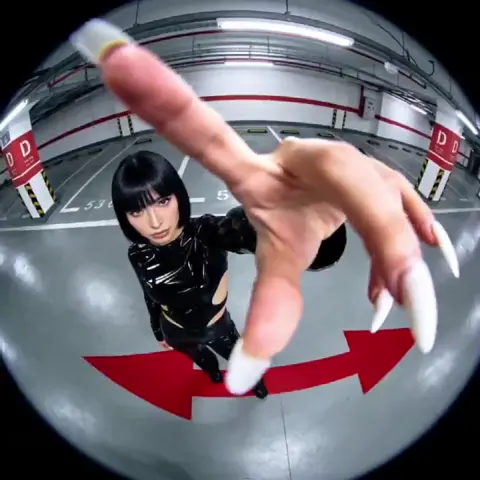


Why AI Video Feels Like Conducting an Orchestra
Ask ten creators what makes an AI-generated video succeed and you will get ten different answers. One swears by a specific model. Another insists the prompt matters more than the tool. A third says editing saved a mediocre render. They are all partly right, which is exactly why AI video feels less like operating a camera and more like conducting an orchestra. You are not playing every instrument yourself. You are keeping dozens of independent performers in time, in tune, and pointed at the same emotional destination.
The performers are easy to name once you look for them. There is the generation model, which decides what is physically possible in a frame. There is the prompt, which sets the intention. There are the reference assets, which lock identity and style. There is the edit, which controls rhythm. There is the sound design, which most creators treat as an afterthought and audiences notice immediately when it is missing. When any one of these drifts, the whole piece sounds off — even if every individual shot looks impressive in isolation.
The shift from shooting to directing generation changes the skill set. You no longer need a location permit or a lighting crew, but you do need a repeatable process. Improvisation produces one lucky clip. Process produces a series, a campaign, a channel that people return to. The rest of this guide lays out that process in the order you would actually use it: choosing instruments, writing the score, rehearsing, and performing.
The Four Layers of an AI Video Production
Before touching a prompt box, it helps to understand that every AI video project passes through four distinct layers. Problems that look like "the model is bad" are frequently problems in a layer you never examined.
Layer one: generation
This is the raw output — clips rendered from text, images, or a combination of both. Generation quality sets your ceiling, but it is also the layer you have the least control over moment to moment. Models update, endpoints change, and the same prompt can behave differently on a Tuesday than it did on a Monday.
Layer two: direction
Direction covers everything you do to steer generation: prompt structure, reference images, motion controls, seeds, keyframes, negative instructions, and the number of retries you are willing to accept. This is where most of the craft lives. A skilled director can produce a coherent thirty-second sequence with an average model. A careless one can produce chaos with the best model available.
Layer three: assembly
The edit is where fragments become a film. Cuts, transitions, speed ramps, color grading, stabilization, upscaling, and frame interpolation all happen here. Assembly is also where you rescue imperfect shots — a clip that fails as a five-second hero moment can work beautifully as a twelve-frame insert.
Layer four: distribution
Distribution is not just uploading. It is aspect ratios, captions, thumbnails, hook timing, platform-specific pacing, and the metadata that helps the right people find the piece. A video composed only for the timeline and never for the feed is a rehearsal that never reaches an audience.
Treat these four layers as separate work sessions. Mixing them — prompting while editing, grading while publishing — is how projects become endless and unreleasable.
Choosing Instruments: Matching Models to Shot Types
No single model is best at everything. Photorealism, stylized animation, camera motion, lip sync, and text rendering are different problems, and the leaders in each category change frequently. Instead of chasing a universal winner, build a small bench of specialists.
Photoreal hero shots
For the shot that carries your story — the product reveal, the character close-up, the landscape establishing frame — prioritize photoreal models with strong temporal consistency. Look for these traits when testing: skin tones that do not shift between frames, hands that stay anatomically plausible, and camera movement that does not smear detail. Render several variations of the same prompt with different seeds and keep the best one. Never build your entire video around a single hero shot until you have it in hand.
Stylized and animated sequences
Stylized work is often more forgiving than photorealism because the audience has no real-world reference to compare against. Illustration, painterly, anime-inspired, and paper-craft looks hide small artifacts while giving you a strong visual identity. If your brand needs a recognizable style more than it needs realism, this is the most reliable path to a consistent series.
Local and open-source generation
Running models locally on your own hardware gives you two things hosted tools rarely match: repeatability and privacy. A frozen model version produces the same behavior six months from now, which matters enormously for episodic content. Local setups also let you chain tools — generation, upscaling, interpolation, and face restoration — inside a single node graph, so a single prompt can flow through an entire pipeline without manual exports.
The tradeoff is time and maintenance. Expect a learning curve, driver conflicts, and long render queues. Choose local generation when consistency or confidentiality outweighs convenience.
Hybrid live-action and AI
Some of the most convincing work blends generated footage with real material. Shoot real hands, real textures, real environments, then generate the impossible elements around them. Anchoring a frame with one authentic object makes generated surroundings read as believable. This approach also reduces the number of shots you must generate, which shortens timelines dramatically.
A practical bench for most creators: one photoreal model, one stylized model, one image generator for keyframes and thumbnails, one upscaler, one frame-interpolation tool. That is enough to cover nearly every brief.
Writing the Score: Prompt Architecture for Repeatable Results
If the model is the instrument, the prompt is the sheet music. Vague notes produce vague performances. The goal is not longer prompts; it is structured ones.
The five-slot shot prompt
Build every prompt from five consistent slots, always in the same order:
- Subject — who or what, with two or three defining details.
- Action — a single clear verb phrase in present tense.
- Environment — location, time of day, weather, atmosphere.
- Camera — shot size, angle, lens feel, movement.
- Look — lighting, color palette, film stock or rendering style.
A prompt like "a ceramicist shaping a bowl on a wheel, hands wet with clay, workshop at dawn, medium close-up, slow push-in, 50mm, warm window light, shallow depth of field" hits all five slots. So does a far shorter version, as long as nothing essential is missing. Reusing the same slot order across a project trains your own eye as much as it guides the model.
Motion and camera language
Motion is the hardest thing to control and the easiest to over-specify. Choose one dominant movement per shot: slow push-in, lateral tracking, handheld drift, static lock-off. Combining two movements in a single prompt usually produces neither. If your model supports explicit motion controls or keyframe endpoints, use them instead of stacking adjectives.
Negative prompts and guardrails
Negative instructions are your mute button.
Prompt versions and naming
Keep prompts in a plain text or spreadsheet file with a version suffix: scene03_hero_v4. When a render fails, you can trace exactly what changed. When a shot succeeds, you can reuse the recipe. This single habit prevents more wasted renders than any model upgrade.
Consistency: Keeping Characters and Style on Key
Consistency is the difference between a video and a slideshow of unrelated images. It applies at three levels: character identity, wardrobe and props, and overall visual style.
Reference images and character sheets
Generate a character sheet first: front, three-quarter, and profile views in neutral lighting, plus two or three expressions. Use those images as references for every subsequent shot. Even models with weak reference support benefit from a strong first frame, because you can generate the opening frame of each shot separately and animate from it.
Seeds, style locks, and control layers
When a model exposes seeds, lock one per scene and vary only the action. When it supports style references, feed it two or three stills that define your palette and grain. When it supports depth or pose control, drive camera and body movement with simple proxies rather than words. Control layers are the closest thing AI video has to a physical camera rig.
A continuity checklist
Run this before rendering a full sequence:
- Does the character's hair length and color match the previous shot?
- Is the wardrobe identical, including details like sleeve length and footwear?
- Does the light direction stay plausible across cuts?
- Are props in the same hand and same state?
- Does the color temperature match the scene's established mood?
- Does the pace of motion feel consistent with neighboring shots?
None of these require perfection. They require that you check, because audiences forgive stylization and never forgive carelessness.
Tempo: Shot Length, Pacing, and the Edit
Generation gives you clips. Editing gives you rhythm. Two rules govern most successful AI video edits.
First, be shorter than you think you need to be. An AI clip that looks astonishing at three seconds becomes uncanny at eight. Hard cuts conceal artifacting, hide awkward motion, and keep energy high. When in doubt, cut earlier.
Second, vary shot length deliberately. A run of identical two-second shots flattens into a slideshow. Build patterns: three fast inserts, then one long hold, then two medium beats. This is the visual equivalent of phrasing in music, and it is what makes an edit feel composed rather than assembled.
Practical assembly workflow: import everything, tag clips by scene, build a rough cut with no effects, watch it muted, then watch it again with sound. If it does not hold together muted, no amount of grading will save it. Only after the structure locks should you invest in stabilization, upscaling, interpolation, and color.
The invisible techniques worth learning: blend or dissolve on soft transitions, speed ramps on motion-heavy clips, subtle grain to unify mismatched sources, and a consistent grade across the whole piece. A LUT applied globally can make three different models look like one production.
Sound Design: The Layer Everyone Forgets
Audiences forgive imperfect visuals far faster than they forgive bad audio. A vertical video with no sound design reads as amateur even when the imagery is stunning.
Build sound in four passes. Start with ambience: room tone, wind, traffic, office hum. Add Foley for specific actions — footsteps, cloth movement, a mug set down. Add music that matches the emotional arc, and cut it so it lands on your structural beats rather than looping endlessly. Finally, add voice. Synthetic narration works well for explainers and documentary tone; keep it slow, punctuate with pauses, and generate a few takes so you can pick the one with natural emphasis.
Where possible, generate or record real vocals, even if you replace them later. Lip movement driven by actual speech timing looks dramatically better than lip movement driven by a guess.
Mixing basics apply: dialogue around -6 dB, music tucked under it, effects peaking without clipping. If you publish to social platforms, check your mix on a phone speaker — that is where most of your audience will hear it.
The Rehearsal Loop: Quality Control Before You Publish
Rehearsal is where an orchestra finds its balance. For AI video, that means a fixed review pass with a checklist.
Pass one — continuity. Watch at normal speed, no pausing. Note anywhere your eye snags.
Pass two — artifacts. Watch at half speed and look for warping faces, dissolving hands, morphing backgrounds, and flickering textures. Flag timestamps rather than trying to remember.
Pass three — narrative. Mute the audio and confirm the story reads without words. If it does not, your visuals are decoration, not communication.
Pass four — platform. Watch on the device and orientation your audience will use. Vertical, square, and widescreen crops reveal different problems.
Common mistakes that break the composition
- Over-prompting. Cramming six ideas into one shot gives the model conflicting instructions.
- Rendering before storyboarding. Without a shot list, you generate footage first and invent a story second.
- Chasing every new model. Switching tools mid-project destroys visual consistency and adds days.
- Ignoring the first three seconds. Retention is decided before your story begins.
- Skipping the muted watch. Audio masks structural weaknesses more than any other element.
- Perfecting one shot. A flawless four-second clip is worthless in a video that never ships.
Distribution and Measurement: Where Resonance Happens
A finished video is not a published video. Distribution work is a composition of its own.
Prepare three crops from one master: vertical for short-form feeds, square for mid-feed placements, and widescreen for long-form platforms and embedded pages. Burn captions into the vertical version — most short-form viewing is silent. Create a thumbnail or poster frame deliberately; do not let the platform pick a random frame from the middle of a transition.
On measurement, resist the urge to judge by views alone. Track the metrics that correlate with intent: three-second retention, average watch percentage, completion rate, saves, shares, and profile visits. Completion rate tells you whether your pacing works. Saves tell you whether the content has reference value. Shares tell you whether people felt something worth passing on.
Then close the loop. If retention collapses at a specific timestamp, examine that cut. If completion is high but shares are low, your ending is not giving people a reason to send it on. If completion is low but saves are high, you have a reference piece — cut a tighter version for feed distribution.
FAQ
How long should an AI-generated video be?
As long as it holds attention and not a second longer. For social feeds, fifteen to forty-five seconds covers most goals. For explainers, ninety seconds to three minutes. For narrative work, follow the story.
Do I need expensive hardware?
Not for hosted generation. Local generation and heavy upscaling benefit from a strong GPU, but you can produce professional results entirely with browser-based tools and a mid-range laptop.
How do I stop characters from changing between shots?
Generate a character sheet, use image references or first-frame anchoring for every shot, lock seeds per scene, and run the continuity checklist before rendering a full sequence.
What is the biggest time waster in AI video work?
Rendering before you have a shot list. Storyboard on paper or in a simple outline, define each shot's five prompt slots, then render. Creators who skip this step routinely generate three times the footage they need.
How many retries should a single shot get?
Set a budget of five to ten attempts, then either change your approach — different model, different framing, different prompt structure — or redesign the shot. Endless retries on one clip is the most common reason projects stall.
Can AI video carry a brand campaign on its own?
It can carry the visual load, but the campaign still needs a clear message, a distinct look, and consistent sound. AI accelerates production; it does not replace positioning.
How do I keep a series visually consistent over months?
Freeze your tool stack, keep a written style guide with palette, grain, lens feel, and pacing rules, and archive the exact prompts and reference images for every episode.
Start with one instrument. Pick a single model, make a five-shot sequence, edit it, add sound, and publish it. Then add a second instrument to the orchestra, and a third. The symphony is not written in one sitting — it is rehearsed, section by section, until it plays.

Alexander
More Blogs
Read MoreVidu Q4 Alternatives: 4K AI Video Models Compared (2026)
Vidu Q4 alternatives compared: Kling 4.0, Seedance 2.5, Wan 3.0, and Runway Gen-4 — 4K support, input modes, durations, audio, and what each costs in credits on Domer.
Top 4K AI Image Generators in 2026: 5 Models Compared on Real Costs
The top 4K AI image generators on Domer compared: Flux 3 Klein, Nano Banana 2.1, GPT Image 2.5, GPT Image 2, and Nano Banana Pro — 4K credit costs, reference limits, and speed.
Nano Banana 2.1 vs GPT Image 2.5: Which Image Model Should You Use? (2026)
Nano Banana 2.1 vs GPT Image 2.5 Flare compared: credit costs per resolution, aspect ratios, reference images, text rendering, and which tasks fit each model.