
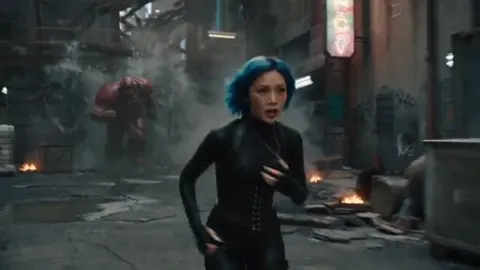
How to Create an AI Animated Avatar: Full Workflow Guide
Oct 16, 2026


What an AI Animated Avatar Really Is
An AI animated avatar is a synthetic character that can be generated, directed, and re-used across video, images, and live formats. Unlike a simple profile picture, an animated avatar has a persistent identity: the same face, hair, wardrobe logic, and vocal character appear across every shot, even when the pose, camera angle, lighting, or language changes.
That persistence is what separates a toy from a production asset. A one-off generated portrait is a novelty. An avatar that holds its identity across forty clips is a brand, a channel, or a product feature.
It helps to split avatars into four practical tiers:
- Static identity portrait. A locked face used for thumbnails, profile art, and character sheets.
- Talking head. An audio-driven clip where mouth shapes, blinks, and subtle head motion follow a voice track.
- Full-body performer. Gesture, pose, and blocking are directed, often through motion transfer or pose references.
- Stylized character. Deliberately animated or illustrated rather than photoreal, which sidesteps uncanny-valley problems and travels well across cultures.
The tier you choose determines almost every downstream decision: how many reference photos you need, how forgiving the model is, how long your shots can be, and how much post-production cleanup is required.
The Technology Stack Behind Convincing Avatars
Understanding the pipeline makes troubleshooting dramatically faster. Most avatar tools chain three separate systems, and problems almost always originate in a specific link rather than "the AI" generally.
Identity and image generation
Image models learn a face from reference images and then re-render it in new poses and lighting. Identity encoders distill the important structure — face shape, eye spacing, jawline, skin tone — into a numeric signature. Fine-tuning techniques let the model attach that signature to a short trigger phrase, so you can recall the same person on demand.
This stage determines likeness. If the references are inconsistent, the model averages them and produces a face that resembles nobody.
Motion, lip sync, and performance transfer
This layer converts an audio track into visemes — visual mouth shapes — and maps them onto the avatar's rig or onto the generated frames. It also handles the small motions that make a performance believable: blinks, eyebrow raises, breathing, weight shifts, and micro-adjustments of the head.
Lip sync quality is usually judged on plosives (p, b, m), sibilants (s, sh), and fast consonant clusters. If those look soft or smeared, the issue is timing alignment, not resolution.
Voice and language
Text-to-speech or cloned voice drives the performance. The prosody — pacing, emphasis, pauses — has more effect on perceived realism than the visual render does. A slightly stylized face with excellent timing reads as more alive than a photoreal face speaking in a monotone.
If you plan to localize, test the mouth shapes in every target language. Languages with dense consonant clusters stretch lip sync in ways that a spoken-language model trained mostly on English may not handle gracefully.
Planning Decisions Before You Generate Anything
Most disappointing avatar projects fail at the planning stage, not the rendering stage. Answer these questions in writing before you open a tool.
What is the avatar's job? A spokesperson needs credibility and calm delivery. A mascot needs exaggeration and personality. A narrator can be partially obscured, framed from behind, or shown only in cutaways — which massively reduces the difficulty.
How photoreal should it be? Photorealism raises audience expectations for perfect skin, teeth, and eye contact. Stylized characters raise expectations for expressive animation. Pick the risk you would rather manage.
What is the shot length? Short, punchy clips hide small artifacts. Long continuous takes expose drift, blinking irregularities, and lip-sync lag.
What is the destination format? Vertical short-form, horizontal long-form, and square social formats demand different framing. Design for the hardest format first.
Whose voice is it? Your own recorded voice generally outperforms synthetic speech for trust, but synthetic voice scales faster and edits more easily.
What are the brand rules? Wardrobe, background, color palette, and on-screen text placement should be locked before the first render so you do not rebuild the character later.
Write these answers into a one-page brief. It becomes your quality checklist for every clip.
A Step-by-Step Avatar Production Workflow
This is the sequence that consistently produces usable output with the fewest re-renders.
Step 1: Build a disciplined reference set
Collect fifteen to thirty images of the same person or character. Prioritize:
- Even, soft lighting with no harsh shadows across the face
- Multiple angles: front, three-quarter left, three-quarter right, slight profile
- Neutral expression plus two or three natural expressions
- Sharp focus, high resolution, no motion blur
- Consistent hairstyle, facial hair, and eyewear across every shot
Exclude images with heavy beauty filters, other faces in the background, hats that hide the hairline, and strong color casts. Consistency beats quantity. Ten clean images outperform forty messy ones.
Step 2: Lock the identity and stress-test it
Generate a batch of neutral test images: same prompt, same seed, varied pose and lighting. Compare them side by side. If the nose, jawline, or eye spacing shifts noticeably, return to the reference set and remove the outliers.
The goal of this step is not beauty. It is repeatability. Once the identity holds, save the settings, seed, and prompt text in a document you will reuse for every future clip.
Step 3: Write the performance, not just the prompt
A weak prompt describes a subject. A strong prompt describes a shot. Include:
- Framing — medium close-up, waist-up, wide establishing
- Lens feel — 35mm natural, 85mm compressed portrait, wide-angle energy
- Camera behavior — locked tripod, slow push-in, handheld drift
- Emotion and intent — explaining, joking, delivering serious news
- Wardrobe and set — specific colors and objects anchor continuity
- Lighting — soft key with rim light, overcast daylight, warm practicals
Write the prompt as if briefing a camera operator, then keep the phrasing identical between related shots so continuity is automatic.
Step 4: Record and clean the audio
Audio quality caps perceived video quality. Record in a treated space or a closet full of soft furnishings, keep a consistent distance from the microphone, and speak at a conversational pace rather than a presentational one.
Then clean it: remove background hum, trim long silences, and cut mouth noises. Do not over-compress. Lip sync engines follow the waveform closely, and a squashed track produces mushy mouth shapes.
Step 5: Render the motion pass
Generate the performance at a lower resolution first. Watch it at normal speed, not frame by frame. Check:
- Do plosives land on the right frame?
- Does the head move naturally, or does it float?
- Are blinks frequent enough and irregular enough?
- Does the avatar maintain eye contact without staring blankly?
Fix the script or the audio before re-rendering. A wordy sentence with three subordinate clauses is much harder to animate than three short sentences.
Step 6: Final render and cleanup
Once the motion pass is approved, render at full resolution and apply sharpening sparingly. If the tool supports it, an upscale pass removes the softness that low-resolution generation leaves around hair and teeth.
Step 7: Run the review checklist
Before publishing, check identity drift, teeth and mouth interior artifacts, hair edges against the background, ear and hand shapes in wider shots, frame-to-frame jitter, lip-sync offset, audio-video alignment, and caption timing. Most audience complaints trace back to one of these seven items.
Keeping Character Consistency Across Many Shots
Consistency is the hardest and most valuable skill in avatar production. Four habits do most of the work.
Always start from the locked base portrait. Instead of generating a new person each time, use the approved portrait as the first frame and animate from there. This anchors the identity before motion is introduced.
Keep a shot bible. Record the exact prompt, seed, reference images, wardrobe description, and lighting phrase for every approved shot. Reproducibility is a documentation problem more than a modeling problem.
Freeze the variables that should not change. Hairstyle, facial hair, eyewear, and wardrobe colors should be identical strings in every prompt. Changing a single word like "casual" to "relaxed" can shift the entire look.
Keep the same voice identity. Switching between a recorded voice and two synthetic voices across a series breaks continuity faster than any visual difference.
A practical test: cut five clips from different sessions into a single timeline and watch them back-to-back. If a viewer can tell which clips were made on different days, your shot bible has gaps.
Common Mistakes and How to Fix Them
Too few or too similar references. Twenty near-identical front-facing photos teach the model one pose. Fix: add three-quarter and profile angles.
Overlong scripts. Long unbroken monologues amplify every lip-sync imperfection. Fix: break scripts into eight-to-fifteen-second beats and cut on natural pauses.
Unbroken eye contact. A character staring into the lens for sixty seconds feels uncanny. Fix: add cutaways, off-camera glances, and reaction shots.
Exaggerated emotion. Overdone eyebrow raises and head nods read as parody. Fix: underplay emotion to roughly seventy percent of what feels natural.
Noise-heavy audio. Background hiss triggers visible mouth jitter. Fix: clean the audio before rendering, not after.
Aspect-ratio neglect. A vertical-first design crops badly in horizontal placements. Fix: frame with a safe center zone and render separate versions rather than cropping in post.
Missing idle motion. A perfectly still character looks dead between sentences. Fix: keep a subtle idle layer of breathing and micro-movement running underneath.
Weak opening seconds. Viewers decide almost immediately. Fix: open with the strongest sentence and the most dynamic camera move in the clip.
Where Animated Avatars Pay Off
Explainer and educational series. A consistent presenter builds recognition across episodes without scheduling recordings. Ideal for complex topics that benefit from a calm, repeatable on-screen guide.
Product walkthroughs. The avatar narrates while screen recordings or renders carry the visual load, which reduces the amount of animation precision required.
Internal training. Policy updates and onboarding modules need frequent revisions. Updating a script and re-rendering is faster than re-shooting a presenter.
Multilingual localization. The same character speaking several languages keeps brand identity intact across markets.
Faceless channels. Creators who prefer not to appear on camera still get a recognizable face that audiences can follow.
Personalized outreach. Short, individually addressed clips scale better with an avatar than with a camera crew, provided disclosure rules are respected.
Game and interactive characters. Stylized avatars and non-player characters can share the same generation pipeline as marketing assets.
Match the style to the stakes. Corporate and financial content usually rewards photorealism and restraint. Entertainment, gaming, and social formats reward stylization and personality.
How to Choose an Avatar Tool
Feature lists blur together quickly. Evaluate tools against the workflow you actually run.
- Identity controls. Can you fine-tune on your own references, or only pick from a fixed roster? Are seeds and prompts savable?
- Motion control. Can you direct camera behavior, gestures, and emotion with specificity, or only select presets?
- Lip-sync coverage. Which languages and accents are supported well? Test with your own audio, not a demo.
- Output specs. Resolution, aspect ratios, frame rate, clip length limits, and whether alpha-channel export exists.
- Audio tooling. Built-in voice generation, dubbing, and noise handling save an entire app from your stack.
- Commercial rights. Confirm that generated output can be used commercially and that model training on your references is disclosed.
- Data handling. Know where your reference images are stored and whether they can be deleted on request.
- Iteration speed. Fast, cheap test renders matter more than a beautiful final render you can only afford to attempt once.
Do not optimize for the longest feature list. Optimize for the shortest path from script to approved clip.
Publishing, Repurposing, and Measuring Results
Render one master clip per scene, then derive format versions rather than re-generating. Vertical, horizontal, and square cuts from the same master keep the identity locked and save enormous time.
Repurpose aggressively:
- Extract still frames for thumbnails and profile art
- Slice long-form videos into short vertical clips with a strong hook at the top
- Dub the same performance into other languages using the same avatar identity
- Reuse the character across ads, tutorials, and social posts to compound recognition
Measure three things: the first-three-seconds retention rate, average view duration, and comment sentiment about realism. If retention drops early but sentiment is positive, your hook is the problem. If retention holds but comments fixate on the face, your identity consistency or motion layer needs work.
Finally, disclose synthetic presenters where audiences or platforms expect it. Trust is easier to maintain than to rebuild, and a clearly labeled avatar still performs well when the content is genuinely useful.
FAQ
How many reference photos do I need? Fifteen to thirty clean, varied images is the practical sweet spot. Quality and angle variety matter more than raw count.
Can I use my own recorded voice? Yes, and for trust-building content you generally should. Clean audio is the single largest quality upgrade available to most creators.
Why does my avatar look subtly wrong? Usually one of three causes: inconsistent references averaged into a blurry identity, over-sharpened output, or missing idle motion that leaves the face unnaturally still.
Are stylized avatars easier to produce? Often yes. Stylization gives you more tolerance for exaggerated motion and hides small artifacts that would be obvious on a photoreal face.
How long should each clip be? Eight to twenty seconds per beat for social formats, and longer only when the shot includes visual cutaways that break up the talking-head segments.
Do I own what I generate? Check the specific tool's commercial terms, and confirm whether your reference images may be used for training. This varies widely between products.
Should I tell viewers it is AI? In most contexts, yes. Clear labeling rarely harms performance and prevents credibility problems later.
Can I build a whole channel around one avatar? Absolutely, and consistency is the entire advantage. Treat the avatar as a recurring cast member with a fixed wardrobe, voice, and visual grammar, and audiences will follow it across episodes.
The through-line across all of this is simple: treat avatar generation as a production pipeline rather than a single button. Lock the identity, direct the performance, clean the audio, document what worked, and review before publishing. Done in that order, an AI animated avatar stops being a gimmick and becomes a dependable piece of your content system.

Alexander
More Blogs
Read MoreVidu Q4 Alternatives: 4K AI Video Models Compared (2026)
Vidu Q4 alternatives compared: Kling 4.0, Seedance 2.5, Wan 3.0, and Runway Gen-4 — 4K support, input modes, durations, audio, and what each costs in credits on Domer.
Top 4K AI Image Generators in 2026: 5 Models Compared on Real Costs
The top 4K AI image generators on Domer compared: Flux 3 Klein, Nano Banana 2.1, GPT Image 2.5, GPT Image 2, and Nano Banana Pro — 4K credit costs, reference limits, and speed.
Nano Banana 2.1 vs GPT Image 2.5: Which Image Model Should You Use? (2026)
Nano Banana 2.1 vs GPT Image 2.5 Flare compared: credit costs per resolution, aspect ratios, reference images, text rendering, and which tasks fit each model.