
Utwórz
AI Anime Art Generator: Prompts, Workflow and Tips
Oct 15, 2026
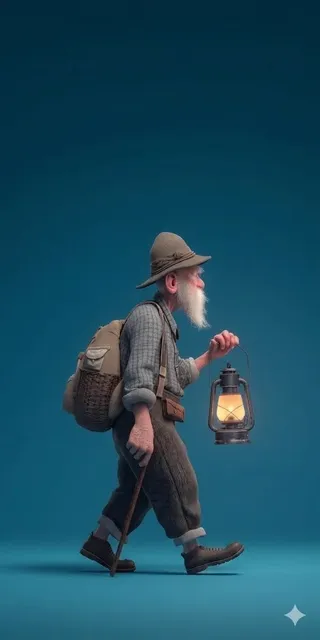
Anime art has become one of the most popular subjects for generative AI, and the reasons are practical rather than trendy. The visual language of anime — clean line work, expressive eyes, bold color blocking, dramatic lighting — follows strong internal rules, which means image models can learn it well. That structure also makes anime a great place to learn AI image generation in general: the feedback loop is fast, the style is recognizable, and small prompt changes produce visible differences.
This guide walks through a practical workflow for generating anime art with AI, from writing your first prompt to animating finished frames. It stays tool-agnostic, so you can apply it whether you work with a browser-based generator, a local diffusion setup, or a full AI video pipeline.
What an AI Anime Art Generator Actually Does
A modern anime art generator is not a single program. It is a stack of components working together. A text encoder interprets your prompt and converts it into a mathematical representation of what you described. A diffusion or transformer model then starts from random noise and progressively resolves that noise into an image that matches the representation. A sampler decides how many steps that resolution takes and how aggressively each step moves. Finally, a post-processing stage often handles upscaling, sharpening, and color correction.
Understanding this stack matters because it tells you where to intervene when something goes wrong. If the composition is wrong, the problem is usually the prompt or the seed. If the anatomy is wrong, the problem is usually resolution or the model itself. If the color is muddy, the problem is often the sampler settings or an over-stuffed prompt.
Text-to-Image, Image-to-Image, and Video Modes
Most tools offer at least three entry points, and each is suited to a different stage of work.
Text-to-image is the fastest way to explore ideas. You describe a scene and get variations. It is ideal for thumbnails, concept sketches, and brainstorming.
Image-to-image takes an existing image and reinterprets it at a chosen strength. Low strength values act like a stylistic filter; high values act like a near-complete regeneration. This is the workhorse mode for refining a composition you already like.
Image-to-video takes a finished still and generates motion from it. This is where anime art stops being a still image and starts becoming a shot: a character turning their head, hair moving in wind, a camera slowly pushing in.
Why Anime Specifically Works Well With Diffusion Models
Anime is a stylized medium, and stylization is where diffusion models shine. Because anime reduces real-world complexity into flat regions, limited palettes, and consistent line weights, a model does not need to hallucinate pores, fabric weave, or individual hairs. It needs to get the silhouette, the eye placement, and the color relationships right.
The flip side is that anime fans are extremely sensitive to small errors. A single misplaced eye or a broken hand reads as obviously wrong in a way that it might not in a photorealistic image. That is why consistency tools and refinement passes matter more here than in almost any other genre.
The Anatomy of an Anime Prompt
A good anime prompt is not a long list of adjectives. It is a structured description with distinct layers. Build it in this order and your hit rate improves immediately.
Subject and Framing
Start with who or what is in the frame and how tightly it is cropped. Be specific about the number of characters, because ambiguity here is the single most common cause of merged or duplicated figures.
Examples of useful subject lines:
- a single teenage swordswoman, upper body, centered
- two students walking side by side, wide shot, backs to camera
- a lone mechanic kneeling beside a damaged mecha, low angle
Framing words such as close-up, bust shot, cowboy shot, full body, and wide establishing shot do more work than most style tags.
Style and Medium Descriptors
This is where you define the visual family. Decide whether you want modern digital animation, classic cel animation, watercolor illustration, manga ink, or a hybrid look. Pick two or three descriptors rather than ten. Style tags compete with each other, and stacking too many produces a muddy average instead of a stronger style.
Useful clusters include:
- Bright modern TV anime: clean lines, saturated palette, soft cel shading
- Retro film look: grain, slightly muted palette, painted backgrounds
- Illustration style: watercolor textures, loose line work, visible paper texture
Lighting, Color, and Mood
Lighting is the fastest way to make AI anime art look intentional. Specify a direction and a quality: backlit, rim light, overcast daylight, neon signage from below, sunset through blinds.
Color direction helps too, especially if you are building a set of images that need to feel related. Phrases like warm amber highlights with teal shadows or monochrome with a single red accent give the model a rule to follow.
Negative Prompts and Quality Tags
Negative prompts describe what you do not want. In anime generation, the usual suspects are extra limbs, fused fingers, distorted face, text, watermark, and blurry. Keep the list short and specific. Long negative lists can accidentally remove features you wanted.
Quality tags like highly detailed, sharp focus, and clean line art still help, but treat them as seasoning rather than the meal.
A Step-by-Step Workflow: From Idea to Finished Frame
The difference between random results and reliable output is process. Here is a workflow that scales from a single portrait to a full set of illustrations.
Step 1 — Define the Shot Before You Type
Write one sentence describing the image as if you were briefing a storyboard artist. Include the subject, the framing, the setting, the light, and the emotional beat. If you cannot write that sentence, no prompt will save you.
Step 2 — Generate a Base at Low Commitment
Generate a batch of four to eight images at moderate resolution. Do not chase perfection here. You are looking for a composition that is approximately right: the pose, the silhouette, and the placement of the face. Lock in the seed of the best candidate so you can reproduce it.
Step 3 — Refine With Image-to-Image and Inpainting
Now switch modes. Run the chosen image through image-to-image at a moderate strength to clean up the rendering while keeping the composition. Then use inpainting to fix specific regions: the hands, the eyes, a background element that does not match.
Work one region at a time. Repainting the whole image at high strength throws away the good decisions along with the bad ones.
Step 4 — Upscale, Color Correct, and Export
Upscale in two passes rather than one large jump. A first pass at a moderate scale factor fixes resolution; a second pass at a smaller factor cleans edges. After that, do a light color pass. Anime art benefits from slightly increased saturation and contrast, but it is easy to overshoot, so compare against your reference set.
Export at the aspect ratio your destination needs. Generating at the final ratio from the start reduces cropping problems later.
Character Consistency Across a Whole Set
If you only ever make single images, consistency is not a problem. The moment you make a set — a character sheet, a comic page, a short film — it becomes the central problem.
Build a Character Sheet First
Create one clean reference image per character: front view, neutral expression, plain background. Add a second angle and a couple of expression variations. This sheet becomes your anchor. Every later generation is judged against it, and it gives you a fixed visual vocabulary to describe.
Use Seeds, References, and Lightweight Tuning
Seeds give you reproducibility, not identity. They help you re-render the same image, but changing the prompt meaningfully will change the character. To hold identity you generally need reference-based conditioning: feeding one or more approved images alongside the prompt so the model can match facial features, hair shape, and outfit details.
Lightweight fine-tuning on a small set of your own character images produces the strongest consistency, but it requires more setup and a clean, well-labelled dataset. For short projects, reference conditioning is usually enough.
Multi-Image Fusion and Pose Transfer
A practical technique is to combine references: one image for the face, another for the outfit, another for the pose. Some tools accept multiple reference inputs and blend their influence, letting you keep a character's identity while changing their action and environment.
Pose transfer is the mirror-image trick. You supply a reference pose — from a photo, a 3D render, or a rough drawing — and the model applies your character's identity to it. This is the fastest route to consistent action shots.
From Still Image to Motion
Once you have strong stills, animating them is the next step. AI image-to-video tools take a frame and generate a short clip, usually a few seconds, with motion inferred from a text description.
Image-to-Video Essentials
Approach this like a shot, not a slideshow. Describe one clear motion: the character turns to look over their shoulder; a cape billows to the left; the camera drifts slowly forward past a doorway. Multiple simultaneous motions confuse the model and produce warping.
Keep clips short. Two to four seconds per shot is typical for good results, and you can cut several together for a longer sequence. Short clips also give you more chances to discard a bad generation without losing much work.
Camera Language for Anime Shots
Anime uses a recognizable camera vocabulary, and AI video tools respond to it reasonably well. Useful terms include slow push in, pull back, pan left, tilt up, handheld wobble, and static with character motion only. Pair the camera move with a single subject action and the shot reads cleanly.
Sound, Pacing, and Assembly
Silent clips feel unfinished even when they look good. Add ambience, a light music bed, and a few punctuating sound effects. Cut on motion: when a character finishes turning, that is the cut point. If a generated clip warps midway, trim before the warping begins rather than trying to fix it.
Choosing the Right Tool for Your Project
Tool choice depends on what you are actually producing. Use these criteria rather than chasing whatever is newest.
| Need | What to prioritize |
|---|---|
| Quick concept art | Fast text-to-image, wide style variety |
| Production stills | Reference conditioning, inpainting, upscaling |
| Character sets | Multi-image input, identity preservation |
| Short animation | Image-to-video, camera control, clip length |
| Local, private work | Offline models, hardware you control |
| Team collaboration | Shared asset libraries, version history |
Three secondary criteria matter more than people expect. First, licensing terms: check what you are allowed to do commercially with generated output. Second, export control: can you get clean, high-resolution files without watermarks? Third, iteration speed: a tool that produces a result in eight seconds lets you explore twenty ideas, which almost always beats a slower tool that is marginally better on a single attempt.
Common Mistakes and How to Fix Them
Anatomy Breakdowns
Extra fingers, merged limbs, and asymmetric eyes are the classic failure modes. Fixes, in order of effectiveness: increase resolution, simplify the pose, add explicit hand descriptions, then use inpainting to repair the specific region. If a pose is fundamentally ambiguous, change the pose rather than fighting the model.
Style Drift and Washed-Out Color
If images from the same session look like they came from different artists, your style tags are probably too varied or too numerous. Reduce to two or three descriptors and keep them identical across the batch. If color looks flat, add one lighting clause and one color relationship clause instead of more quality tags.
Over-Prompting and Prompt Collisions
Long prompts feel thorough but often produce contradictions: a character that is both smiling and solemn, both indoors and outdoors, both backlit and evenly lit. Read your prompt and delete anything that conflicts. Shorter, cleaner prompts frequently outperform elaborate ones.
Resolution and Aspect Ratio Traps
Generating far outside the model's trained resolutions causes duplicated figures and stretched anatomy. Generate near a supported resolution, then upscale. Also decide the final aspect ratio early — portrait for social, widescreen for video, square for thumbnails — because recomposing after the fact always costs quality.
Rights, Ethics, and Style Referencing
There are two separate questions here, and conflating them causes bad decisions.
The first is legal: what do the tool's terms allow, and what do local rules say about generated images? Read the terms of the specific tool you use, and keep records of what you generated and when.
The second is ethical and professional. Naming a living artist as a style target is different from describing a visual quality. Rather than "in the style of a specific illustrator," describe the actual attributes you want: soft cel shading, muted palette, delicate line weight. This is more useful creatively, because it gives you control over individual variables instead of a single opaque label, and it avoids putting a specific person's name on work they did not make.
A Practice Plan That Actually Improves Results
Skill in AI image generation comes from deliberate repetition, not from collecting tools. A simple structure:
- Prompt drills. Take one subject and write five prompts that change only the lighting. Compare results side by side.
- Mode drills. Take one approved image and run it through image-to-image at several strength levels to learn what each level preserves.
- Consistency drills. Build a three-image set of the same character in three different scenes using reference conditioning only.
- Motion drills. Animate your best three stills and identify which ones warp, then adjust the motion description and try again.
Keep a small personal library of prompts that worked, along with the seed and settings. Over a few weeks this becomes more valuable than any preset collection.
FAQ
Do I need an artistic background to generate good anime art with AI?
No, but visual literacy helps enormously. The people who improve fastest are the ones who can look at an image and name what is wrong — the light direction, the proportion, the color balance. Practicing that analysis is more valuable than memorizing prompt lists.
How many images should I generate before judging a prompt?
At least four, ideally eight. Single outputs are misleading because generation is stochastic; a prompt that looks bad once may produce something excellent on the third attempt. Judge prompts across a batch, not a sample.
Why does my character look different in every image?
Because a text prompt describes a category, not an individual. To hold identity you need reference images, and usually more than one. Build a small approved set first — front view, three-quarter view, two expressions — and use those as conditioning inputs for every later generation.
Should I generate at high resolution from the start?
Usually not. Very high resolutions increase the chance of duplicated anatomy and take far longer per attempt. Generate at a moderate size, choose your composition, then upscale in two gentle passes. This is both faster and more reliable.
Can AI anime art be animated directly?
Yes. Image-to-video tools accept a still frame and generate a short clip with motion. Describe one clear action and one camera behavior, keep clips short, and edit multiple clips together for a longer sequence.
What is the biggest single improvement most people can make?
Cutting their prompt length and adding specificity about light and framing. Most weak results come from crowded prompts that describe five things vaguely instead of two things precisely.
How do I make a consistent set of backgrounds?
Treat backgrounds like characters. Create one approved establishing image for each location, then use it as a reference when generating new angles of the same place. Keep lighting descriptions identical across the set so the locations stay readable as a world.
Where to Go From Here
The shortcut to good AI anime art is not a secret model or a magic prompt. It is a repeatable loop: describe the shot precisely, generate a batch, pick the strongest candidate, refine it in stages, then either build a consistent set or animate it into motion. Every step in that loop is learnable, and each one compounds.
Start small. Pick a single character, build a clean reference sheet, and produce three images in three different scenes. Once those hold together, move to motion. The tools will keep changing; the workflow — clear intent, controlled iteration, disciplined refinement — will keep working.

Alexander
More Blogs
Read MoreVidu Q4 Alternatives: 4K AI Video Models Compared (2026)
Vidu Q4 alternatives compared: Kling 4.0, Seedance 2.5, Wan 3.0, and Runway Gen-4 — 4K support, input modes, durations, audio, and what each costs in credits on Domer.
Top 4K AI Image Generators in 2026: 5 Models Compared on Real Costs
The top 4K AI image generators on Domer compared: Flux 3 Klein, Nano Banana 2.1, GPT Image 2.5, GPT Image 2, and Nano Banana Pro — 4K credit costs, reference limits, and speed.
Nano Banana 2.1 vs GPT Image 2.5: Which Image Model Should You Use? (2026)
Nano Banana 2.1 vs GPT Image 2.5 Flare compared: credit costs per resolution, aspect ratios, reference images, text rendering, and which tasks fit each model.