

AI Design Workflows for Stunning Marketing Materials
Oct 15, 2026
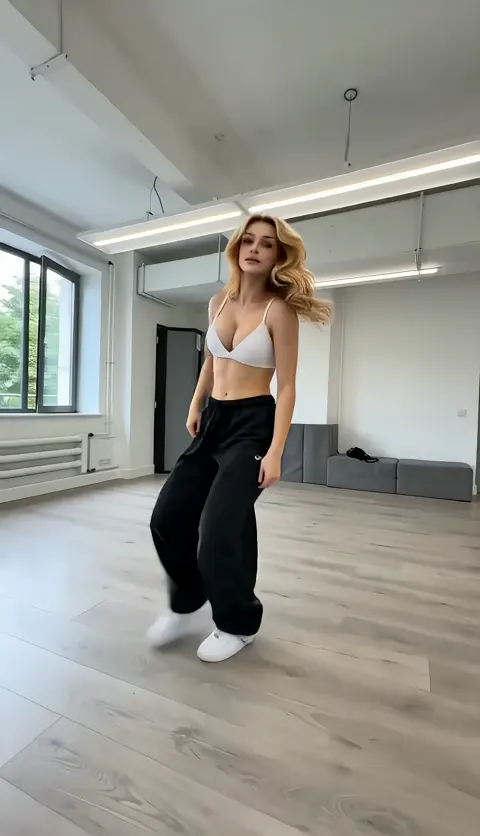

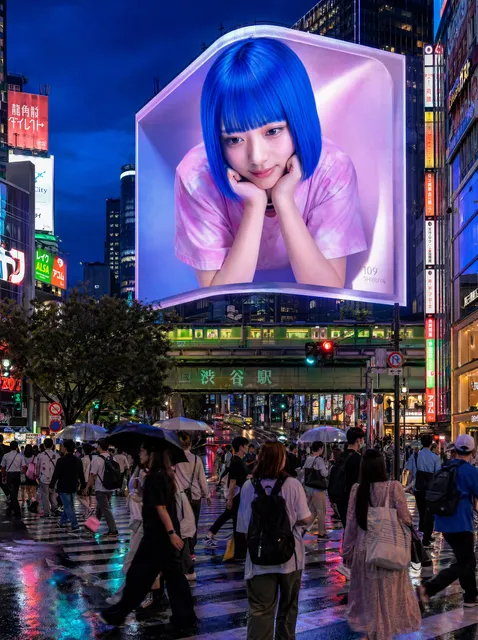
Marketing teams no longer wait weeks for retouching to come back before a campaign goes live. A brand manager can describe a concept in a paragraph, generate twenty visual directions in an afternoon, and push the three strongest into a polished final set. The interesting part is not the speed itself — it is what the speed makes possible: more testing, tighter brand consistency, and campaigns that adapt per channel instead of being cropped into submission.
This guide covers a practical AI design workflow for marketing materials. It walks through brand guardrails, still and video generation, batch production, quality control, and the criteria that separate a tool you keep from one you abandon after a month.
Why AI Design Changed the Marketing Production Line
Traditional marketing production is a relay race. A brief goes to a strategist, then to a photographer or illustrator, then to retouching, then to a layout designer, then to localisation, then through approvals. Every handoff adds days, cost, and drift from the original idea.
AI compresses the relay race into a loop: generate, judge, refine, regenerate. The strategic layer — what to say, to whom, with what offer — stays stubbornly human. The production layer becomes a conversation you can have in minutes.
Three practical consequences follow.
First, iteration becomes nearly free. Producing ten variants costs about the same as producing one, which means you can actually test creative instead of arguing about it in a meeting.
Second, style becomes a parameter rather than an accident. You can hold a lighting direction, colour grade, or composition rule constant across an entire campaign.
Third, the bottleneck moves. The scarce resource is no longer production time but judgement — picking the right frame out of forty plausible ones and noticing when an output is subtly wrong.
Where AI still struggles: precise typography inside an image, hands and fingers, reflections on glossy products, legal claim accuracy, and anything requiring verifiable real-world specificity. Design your workflow so a human reviews exactly those points.
The Four Building Blocks of an AI Design Stack
Most teams start with one tool and wonder why the workflow feels fragile. A durable stack has four layers, and you should know which layer each product occupies.
1. Image generation and editing. Text-to-image for concepts and backgrounds, image-to-image for variations, inpainting for surgical fixes, and upscaling for final delivery. This is the layer most people mean when they say AI design.
2. Video generation. Text-to-video and image-to-video models turn a still concept into motion, usually in short clips of a few seconds. The strongest practical pattern is keyframe-first: generate a great still, then animate it, rather than asking a model to invent an entire scene from a sentence.
3. Brand conditioning. This is what stops output from looking generic. Options range from lightweight (a reference image plus a detailed style prompt) to heavyweight (training a custom model or adapter on your own product and campaign imagery). The goal is the same: a house look that survives a change of subject.
4. Assembly and delivery. Resizing, captions, safe-area crops, template locking, file naming, and export presets for each channel. Unglamorous, but this layer decides whether two hundred assets are usable or whether you have a folder of near-duplicates.
Teams that skip layer four usually end up doing everything manually in a design tool anyway. Teams that skip layer three get fast output that could belong to any competitor.
Build the Brand Kit Before You Generate Anything
The fastest way to waste an afternoon is to start prompting before you have written down what on brand actually means. Twenty minutes of preparation saves days of rework.
What belongs in the kit
- Colour system with exact values, plus rules for when to break the palette.
- Typography with the two or three sizes you actually use in social and display.
- Logo lockups in all required treatments, on transparent backgrounds, at delivery resolution.
- Approved imagery: twenty to forty recent assets that represent the look you want more of.
- Banned treatments: the styles, colours, or clichés nobody on the team wants to see again.
- Safe areas and crops for each channel you publish to.
- Tone words — five adjectives that describe the brand visually, not just verbally.
Prompt grammar you can teach the whole team
A repeatable prompt skeleton keeps output consistent between people:
[subject and action] + [environment] + [lighting] + [lens and composition] + [style reference] + [negative constraints]
For example: a matte ceramic coffee cup on a concrete counter, morning window light from the left, shallow depth of field, 50mm, editorial product photography, muted earth tones, no text, no hands, no clutter.
Two habits matter more than prompt cleverness. First, store the prompt next to the asset so a colleague can reproduce it. Second, version your prompts the way you version copy — small edits, documented, one variable at a time.
The End-to-End Workflow: From Brief to Published Asset
This is the sequence that holds up under deadline pressure, whether you are producing one hero image or two hundred social variants.
1. Decompose the brief. Write the single message, the audience, the channel, and the one action you want. If you cannot state it in one sentence, generation will not save you.
2. Assemble a reference board. Six to ten images that show the direction. This becomes your visual contract with stakeholders before anything is generated.
3. Produce one anchor asset. Generate a single image or keyframe and get it approved. Never batch-produce before the direction is locked.
4. Batch generate. Push the anchor prompt through multiple seeds, aspect ratios, and two or three controlled variations — lighting, angle, or setting. Aim for breadth here, not perfection.
5. Select ruthlessly. Kill anything with anatomy, text, or brand errors. Keep a shortlist of five to eight.
6. Refine the winners. Inpaint problem areas, adjust framing, clean up edges. Most of the visible polish happens at this stage.
7. Run quality control. Use the checklist in the section below. Two reviewers, if possible.
8. Resize and adapt. Crop to each channel's safe area, rewrite the overlay copy for length, and check contrast against text placement.
9. Publish and archive. Store the final file with the prompt, seed, model, and date, so a future campaign can start from a known-good point instead of zero.
What to log with every asset
Prompt text, model and version, seed, aspect ratio, reference images used, and the names of whoever approved it. This sounds like overhead until the first time a stakeholder asks for the version we ran in spring and you can produce it in ninety seconds.
Product Visuals and Image Generation Done Properly
Product imagery is where AI design earns or loses trust. A beautiful scene with a subtly wrong bottle is worse than a plain accurate photo.
Keep the product real
Whenever the product itself must be accurate — packaging, label text, hardware details — do not generate it. Photograph or supply the real asset, then generate the environment around it. Composite with masking rather than prompting a full scene and hoping. Tools with strong inpainting let you place a product on a new surface, rebuild the shadow, and match the light direction without touching the product pixels.
Manage consistency across a set
If the same character, model, or setting appears in several assets, consistency is the hard problem, not realism. Practical levers:
- Reuse the same seed and prompt base, changing only one variable per variant.
- Use reference images or an image-to-image workflow at moderate strength, so composition moves but identity holds.
- For recurring spokespeople or mascots, invest in a trained custom model rather than hoping prompts will hold a face together.
- Build a look-up sheet of approved lighting setups and angles so different team members produce compatible output.
The mistakes that show up most often
Warped text on packaging, extra fingers, jewellery that melts into skin, shadows that contradict the light source, reflections that show nothing, and product proportions that drift between frames. All of these are catchable in review — if you schedule the review.
Video: Turning Keyframes into Multi-Scene Stories
Video is where AI output most often looks like a demo rather than an ad, usually because the team tried to generate a narrative in a single prompt. Build in shots instead.
Storyboard in three to five beats
For a fifteen-second spot: hook (zero to three seconds), context (three to seven), product reveal (seven to eleven), call to action (eleven to fifteen). For thirty seconds, add a proof beat or a second product angle. Each beat becomes one generated clip of two to four seconds, which matches what current models handle comfortably.
Animate the frame you already approved
Generate or choose a still for each beat, then use image-to-video to add motion. Describe camera and subject motion separately: slow push in, steam rising, hands remain still. Vague motion instructions produce the drifting, melting look that makes AI video obvious. Keep camera moves simple and motivated.
Assemble with sound and text
Join clips on the beat, add music, then add captions and end cards in an editing tool rather than inside the generated clip. Text rendered by a video model is unreliable; text added in post is crisp. Export a vertical, square, and landscape master from the same timeline, and export the first frame as a still for thumbnails and email.
Test the sequence muted. If the story does not read without sound, the edit needs work.
Scaling Output: Batch Production, Variants, and Resizing
Scale is not one thousand random images. It is a controlled matrix where every cell exists for a reason.
Define the matrix
Choose two or three dimensions — audience, channel, message, format — and generate the combinations deliberately. A typical social campaign matrix might be three hooks multiplied by two visuals multiplied by three aspect ratios, giving eighteen assets with clear purpose. Everything else is noise.
Template the repeatable parts
Lock the layout, logo placement, and typography in a template. Vary only the image and headline. This is what lets a small team publish daily without looking inconsistent.
Handle localisation early
Translated headlines run longer than English ones. Build layouts with thirty to forty percent text expansion room, avoid baking text into generated images, and re-check safe areas after every translation pass.
Automate the boring steps
Batch resize, format conversion, compression targets, and file naming are worth automating once you produce more than twenty assets a month. Consistent naming — campaign, channel, format, variant, version — saves more time than any prompt trick.
Track what performs
Tag assets with the variant ID used at generation time, then connect that ID to your platform reporting. Within a few cycles you will learn whether the winning variable was the hook, the visual style, or the format.
Quality Control: Catching What AI Gets Wrong
Ask two people to review, with one reviewing on a large screen and one on a phone. Many errors appear only at full size, and many legibility problems appear only on a small one.
Checklist to run for every asset:
- Anatomy: fingers, ears, teeth, joints, feet.
- Text: spelling, kerning, warped letters, invented words, mismatched fonts.
- Brand: exact colour values, correct logo version, correct spacing, no stretched marks.
- Physics: shadows, reflections, gravity, liquid behaviour, reflections that imply impossible scenes.
- Claims: offers, dates, prices, disclaimers, comparative language.
- Accessibility: contrast ratio for overlaid text, alt text written, captions present on video.
- Crops: safe areas respected in every aspect ratio, faces not clipped.
- Rights: model releases where recognisable people appear, licensed music, cleared typefaces.
Add one more test that catches more problems than any checklist item: view the asset at thumbnail size for three seconds. If the message is not obvious, the composition is wrong — no amount of upscaling fixes that.
Choosing Tools and Setting Governance Rules
Most teams need two or three tools, not ten. Choose by capability, then decide how you will govern usage before the first invoice.
| Criterion | What to look for |
|---|---|
| Output quality for your category | Test on your own product, not on landscapes |
| Consistency controls | Reference images, seeds, trained models, style locking |
| Editing depth | Inpainting, outpainting, upscaling, background removal |
| Video capability | Image-to-video quality, clip length, motion control |
| Format coverage | Native aspect ratios, export presets, resolution |
| Workflow fit | Batch access, asset naming, team permissions |
| Licensing clarity | Commercial rights, training data transparency, disclosure terms |
| Support and roadmap | Response times, update cadence, community knowledge |
Questions to ask before committing
Can I reproduce last month's asset exactly? Can a new team member produce on-brand output in their first week? Does the licence cover paid media in every market I run? What happens to my trained model if I leave? If any answer is unclear, treat the tool as an experiment rather than infrastructure.
Governance in practice
Keep a written usage policy covering approved tools, disclosure requirements for AI-generated imagery, human sign-off before publishing, and a ban on generating recognisable real people without consent. Log prompts and outputs for anything that makes a claim. Review the policy quarterly — capabilities move faster than the rules.
FAQ and a 30-Day Rollout Plan
Will AI design replace our designers?
It replaces production tasks, not judgement. Designers who thrive with these tools spend their time on art direction, brand systems, and final polish rather than on cutting out backgrounds. Budget for review capacity, because reviewing is now the bottleneck.
How do we stop everything looking the same?
Sameness comes from default prompts and default styles. Counter it with a trained brand model, a strong reference library, and deliberate art direction — a specific lighting setup, an unusual angle, a distinctive colour rule. Generic input produces generic output.
What is a realistic first project?
A single channel with a fixed format, one product, and a clear performance metric. A month of social statics or one fifteen-second video is a better pilot than a full rebrand.
How much human editing is normal?
Expect roughly half of the production time to be generation and half to be selection, editing, and adaptation. Teams that assume generation is the whole job are disappointed within two weeks.
Do we need custom trained models?
Only when consistency across many assets is essential: recurring characters, licensed mascots, or a very specific house style. Start with reference-image workflows and upgrade when they start failing.
How do we measure success?
Track production cost per asset, time from brief to publish, variant volume, and creative performance lift. If speed improves but performance does not, revisit the strategy layer rather than the models.
A practical thirty-day rollout
Week one: build the brand kit and run a small tool test on your own product imagery. Week two: produce one pilot campaign with a locked template and a documented prompt set. Week three: expand to a variant matrix across two channels and start measuring. Week four: write the governance policy, train a brand model if the pilot justified it, and hand the workflow to a second team member — the real test of any process is whether someone else can run it without you.

Alexander
More Blogs
Read MoreVidu Q4 Alternatives: 4K AI Video Models Compared (2026)
Vidu Q4 alternatives compared: Kling 4.0, Seedance 2.5, Wan 3.0, and Runway Gen-4 — 4K support, input modes, durations, audio, and what each costs in credits on Domer.
Top 4K AI Image Generators in 2026: 5 Models Compared on Real Costs
The top 4K AI image generators on Domer compared: Flux 3 Klein, Nano Banana 2.1, GPT Image 2.5, GPT Image 2, and Nano Banana Pro — 4K credit costs, reference limits, and speed.
Nano Banana 2.1 vs GPT Image 2.5: Which Image Model Should You Use? (2026)
Nano Banana 2.1 vs GPT Image 2.5 Flare compared: credit costs per resolution, aspect ratios, reference images, text rendering, and which tasks fit each model.