
Utwórz
AI Hair Color Simulation in Video: Paint vs Neural Workflows
Oct 15, 2026
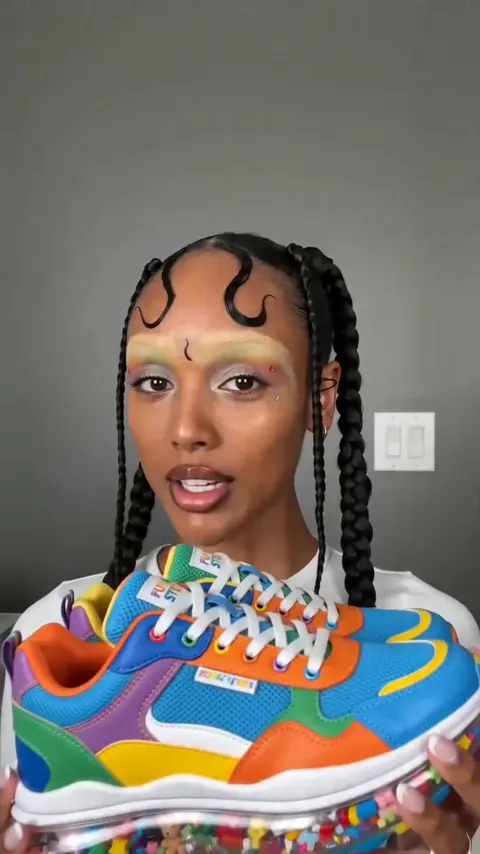
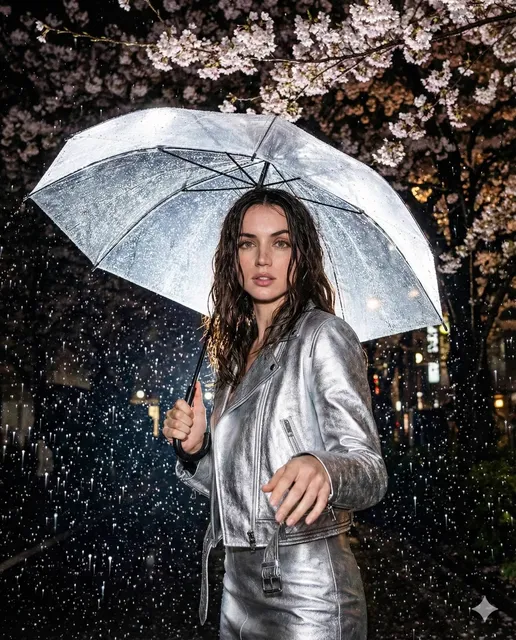
Why Hair Color Simulation Is Now a Core Video Skill
Hair color changes are one of the most requested edits in beauty, fashion, and character-driven video. A salon wants to show a client what copper balayage looks like on their own head before the first foil is placed. A beauty brand wants the same shampoo commercial to run in four shade variants without four shoots. A filmmaker wants a character's hair to shift from natural black to platinum across a three-episode arc. A game or animation studio wants a stylized tint that holds up in motion rather than only in a hero still.
All of those jobs share one problem: hair is the least forgiving surface in the frame. It is made of thousands of semi-transparent strands that overlap, catch specular highlights, blur with motion, and pass in front of skin, fabric, and background clutter. Change the color and you change how light travels through the entire silhouette. Get it wrong and you get the classic tells, a flat helmet of pigment, a glowing halo where the mask edge sits, or highlights that stay white and plastic no matter which shade you choose. That difficulty is why hair color simulation has become a small discipline of its own, and why the toolset has split into two very different approaches: painting pixels by hand, and teaching a model what hair actually is.
The Technical Divide: Pixel Painting vs. Neural Synthesis
The fundamental difference between a paint-style workflow and an AI-based one is not speed, it is what each system believes it is looking at. A raster editor believes it is looking at a grid of colored squares. A neural model that has been trained on hair believes it is looking at layered strands with depth, direction, and light response. Everything downstream, from masking to motion tracking to how highlights behave, follows from that single distinction.
What Manual Highlighting Actually Does
In a paint or raster workflow, you are performing a sophisticated act of camouflage. You isolate regions with masks, rotoscoping, or tracked shapes, then you push pixels inside those regions toward a target hue using blend modes like Color, Overlay, Soft Light, or Hue/Saturation adjustment layers. A skilled artist can achieve beautiful results, especially on a locked-off shot with clean edges.
The underlying assumption, though, is that the mask is the truth. If a stray strand crosses the mask boundary, you must hand-paint it back. If the subject turns and the hair mass changes shape, you must re-key the shape. If a highlight sits where your new pigment should be darker, you have to paint a new highlight that convinces the eye. Every frame is a negotiation between what the artist drew and what the footage actually contains.
What Neural Synthesis Understands About Hair
A model trained on hair structure does not need a perfect mask because it has learned hair as a semantic object with properties. It knows that strands thin toward the tips, that the underside of a fringe is usually in shadow, that a cool ash tone needs to suppress warm bounce light, and that motion blur should smear pigment across a moving edge rather than produce a hard cutoff.
This is why AI-assisted color changes survive camera movement, wind, and partial occlusion far better than a drawn shape. The trade-off is that you are describing intent rather than controlling pixels. Your job shifts from painting to specifying: which regions change, which stay protected, how saturated the result should read, and how much of the original luminance you want to preserve.
Workflow A: Manual Paint Highlighting, Step by Step
If you want to understand why the manual approach is still valuable, run it once end to end. It teaches you what good hair color looks like in motion.
1. Prepare the Plate and Lock Exposure
Stabilize the shot, normalize exposure, and remove any global color cast before touching hair. A neutral starting point matters because hair pigment changes are judged relative to skin. If skin is green-shifted, every shade you pick will look slightly wrong. Save a reference still of the untouched frame for side-by-side comparison.
2. Track, Mask, and Layer the Strand Groups
Break the hair into three or four luminance zones rather than one mask: the root shadow area, the mid-tone body, the crown highlight band, and the tips. Each zone gets its own adjustment layer with its own opacity. Then track the head with a planar or 3D tracker, and refine the matte with short strokes at the hairline where strands meet skin. Feather the edges slightly more than feels natural on a still frame, because playback hides softness but punishes hard edges.
3. Where the Manual Method Breaks
Manual work is reliable right up until it is not. Three failure points appear again and again. First, temporal flicker: hair masks that look clean in stills pop and shimmer across frames. Second, translucent edges where backlit strands let background light through, which no opaque mask can reproduce. Third, extreme color distance, such as black to ice blonde, where no blend mode can invent the missing luminance detail without a full relight. Artists solve these with extra passes, which is exactly where the hours disappear.
Workflow B: AI-Assisted Hair Color Simulation
An AI-driven workflow treats the hair change as a rendering problem rather than a compositing problem. You supply references, region instructions, and constraints, then iterate on variants.
Build a Base Identity From Reference Images
Before changing color, define who the subject is. Feed the system several frames or stills that show the hair from different angles and under different lighting. This establishes identity, texture, and density so later renders stay recognizably the same person instead of drifting into a generic model of hair. This step is the single most important variable for consistency; skipping it produces previews that look fine individually and wrong as a sequence.
Prompt for Color Behavior, Not Just Color
Weak instructions name a shade. Strong instructions describe behavior: how much warmth survives in the root shadow, whether the highlight band should stay cool, whether the tips should read brighter than the mid-lengths, and how much gloss should appear on the crown. You are effectively acting as a director describing the result you want on screen, to an artist who has studied every strand pattern. The clearer your description of light and dimension, the less cleanup remains.
Keyframe Control and Temporal Consistency
Most AI video tools let you pin keyframes so a reference look is locked at specific moments and interpolated between them. Use those pins where hair passes in front of the face, where the head turns sharply, or where the light changes. Then scrub at full playback speed, not frame by frame, because consistency problems reveal themselves as flicker or pulsing long before they look wrong in a still. If you see breathing edges around the hairline, that is usually a sign you need more reference coverage or a stronger keyframe anchor.
Side-by-Side: Time, Control, and Realism
| Dimension | Manual paint workflow | AI-assisted workflow |
|---|---|---|
| Setup effort | High, masks and tracking per shot | Moderate, references and instructions |
| Per-frame touch time | High, scales linearly with duration | Low, mostly review and tuning |
| Edge fidelity on wispy strands | Depends heavily on artist skill | Strong on translucency and motion blur |
| Creative control | Total, down to the pixel | Constrained by model behavior and prompts |
| Best for | Hero close-ups, stylized looks, tricky plates | Volume previews, variant testing, moving shots |
| Worst for | Tight deadlines with many variants | Precise fixes on a single strand |
The honest summary is that manual painting wins on deterministic control and loses on throughput, while AI wins on volume and motion realism and loses on pixel-level predictability. Most professional pipelines now use both: AI for the rough simulation and variant exploration, manual refinement for the final hero shot.
Tutorial: Running a Hair Color Test Inside a Video Preview
Here is a practical sequence you can reuse for salon demos, e-commerce variants, or character tests.
Step 1: Choose a Test Clip That Exposes Problems
Pick five to eight seconds of footage with the hardest conditions you expect: a head turn, some strand movement, and at least one area where hair overlaps skin. A clip that is too easy will give you false confidence. Export at a consistent frame rate and keep the source resolution high, since hair detail needs pixels to work with.
Step 2: Establish the Neutral Base
Color-correct the clip to a neutral starting point and save a reference frame. Then feed three to five reference stills into your AI tool to establish the subject's hair identity. Keep these stills consistent in lighting; mixing a warm indoor shot with a cool outdoor one teaches the model conflicting things about the hair's true color.
Step 3: Generate a Small Variant Set
Generate four or five shades rather than one. Ask for a range: a cool variant, a warm variant, a high-contrast variant with visible dimension, and a subtle variant that reads almost natural. Variants make it obvious which component of the color change is responsible when something looks off.
Step 4: Review at Speed, Then Inspect Stills
Watch the whole clip at normal speed twice before pausing. Flicker, pulsing edges, and color drift are motion problems, and they are invisible in a paused frame. After the speed pass, freeze two or three frames around the head turn and check the hairline, the specular band, and the tips. Only then decide whether to refine or regenerate.
Step 5: Composite the Final Pass
Once the shade is approved, render the hair layer with enough headroom to grade slightly. Keeping the render a touch less saturated than the final target gives you room to match skin tone in the last grade, which is where previews usually fall apart.
Common Mistakes That Ruin Hair Color Previews
Most failed hair simulations fail for the same handful of reasons, and they are all avoidable.
- Changing color without changing light response. Real blonde hair is not brown hair with yellow paint on it; it reflects more and holds less shadow. If highlights do not brighten along with the shade, the result reads as a filter.
- Using one mask for the whole head. Roots, mid-lengths, and tips behave differently. Treating them as one region flattens dimension instantly.
- Ignoring the scalp and roots. Viewers notice a strip of untouched dark roots faster than almost any other error. Either include them in the simulation or deliberately embrace them as a grown-out look.
- Over-saturating the result. Preview renders usually look better slightly desaturated in motion. Saturated previews look artificial on a phone screen, which is where most viewers will see them.
- Skipping skin interaction. Hair color bounces onto skin, collars, and shoulders. A cool shade that leaves warm bounce light on the neck looks physically impossible.
- Judging only stills. A frame that is perfect in isolation can flicker badly in sequence. Always validate in playback.
When Manual Painting Is Still the Better Choice
AI simulation is not a universal replacement, and knowing when to stay manual saves both time and credibility. Reach for hand painting when you need one strand corrected in an otherwise finished shot, when the look is deliberately stylized or graphic rather than photographic, when the plate is a locked-off beauty close-up where you can afford per-frame attention, or when the client needs an exact brand color reproduced without variation.
Manual work also remains the fallback when hair is heavily occluded, when the subject wears a hat or veil that confuses segmentation, or when footage is so degraded that the model has no reliable structure to interpret. In those cases, a tracked shape and a careful grade will beat a regenerated render every time.
Quality Control Checklist Before Delivery
Run this list before any hair color preview leaves your hands.
- Play the clip once at normal speed on a small screen, ideally a phone.
- Check the hairline where strands meet skin for halos or hard edges.
- Confirm specular highlights brightened or dulled consistently with the new shade.
- Verify roots and scalp are plausible for the intended look.
- Look for bounce light on skin and clothing that contradicts the new color.
- Scrub the fastest motion section for pulsing or flicker.
- Compare the final render against the neutrally corrected reference frame.
- Confirm the render carries enough headroom for the final grade.
FAQ: Hair Color Simulation in Video
Can AI hair color simulation handle curly or coily hair? Yes, provided the reference set includes clear views of the curl pattern. Tight curl patterns benefit from multiple angles because density changes how light penetrates the hair mass. Under-sampling references is the most common reason textured hair previews look muddy.
How many reference images do I need? Three to five well-lit frames from different angles is a practical baseline. More helps, but consistency between references matters more than quantity. Conflicting lighting in the reference set causes more drift than too few images.
Why does my preview flicker between frames? Flicker almost always comes from insufficient temporal anchoring or from hair edges that the model reads differently frame to frame. Pin keyframes around head turns and occlusion, shorten the clip, or add references that show the same lighting condition.
Can I simulate highlights and roots separately? You can, and for complex looks you probably should. Running a base shade pass first and a dimensional highlight pass second gives you far more control than asking for a full balayage in one instruction.
Does the technique work on animated characters? It does, though stylized hair follows different rules. Flat-shaded or cel-shaded characters often look better with manual painting because the appeal comes from graphic simplicity rather than physical accuracy.
How do I match hair color to skin tone in a preview? Grade the composite, not the render. Keep the hair render slightly less saturated than the target, then adjust skin tone and overall balance in the final pass so both elements sit in the same light.
What resolution should I work at? Work at the highest resolution your pipeline can handle, then deliver at the platform's spec. Hair detail is high-frequency information, and downscaling at the end preserves more strand definition than rendering small and upscaling later.
The real lesson from comparing paint-style highlighting with AI-driven simulation is that they answer different questions. Painting answers "what exactly should these pixels be?" AI simulation answers "what would this hair look like in this light?" Use the second to explore and the first to finalize, and hair color previews stop being a technical gamble and become a repeatable part of your video workflow.

Alexander
More Blogs
Read MoreVidu Q4 Alternatives: 4K AI Video Models Compared (2026)
Vidu Q4 alternatives compared: Kling 4.0, Seedance 2.5, Wan 3.0, and Runway Gen-4 — 4K support, input modes, durations, audio, and what each costs in credits on Domer.
Top 4K AI Image Generators in 2026: 5 Models Compared on Real Costs
The top 4K AI image generators on Domer compared: Flux 3 Klein, Nano Banana 2.1, GPT Image 2.5, GPT Image 2, and Nano Banana Pro — 4K credit costs, reference limits, and speed.
Nano Banana 2.1 vs GPT Image 2.5: Which Image Model Should You Use? (2026)
Nano Banana 2.1 vs GPT Image 2.5 Flare compared: credit costs per resolution, aspect ratios, reference images, text rendering, and which tasks fit each model.