
AI Video Ad Generator Workflow: From Brief to Tested Creative
Oct 13, 2026

The New Economics of Video Ad Volume
Every performance marketer eventually hits the same wall. Audience attention is fragmented across placements, platforms reward freshness, and the creative that worked three weeks ago has quietly decayed. The historical answer has been more variants — more hooks, more openings, more endings, more aspect ratios — but producing them the traditional way is slow and expensive. A single shoot day, a single edit pass, and a single round of stakeholder feedback can eat the entire testing budget for a quarter.
Generative video models attack that bottleneck directly. Instead of paying primarily for production, you pay primarily for iteration. You describe a shot, generate several takes, keep the one that works, and move on. When the cost of a bad idea collapses, the creative process itself changes: you can test ten concepts instead of defending one.
This does not make cameras obsolete. It shifts where skill matters. Strategy, art direction, editing rhythm, and measurement become the scarce inputs, while raw footage becomes abundant. Teams that get results treat AI generation as one stage in a pipeline rather than a magic button, and they build that pipeline deliberately — with checkpoints, review gates, and a consistent visual identity that survives across dozens of generated shots.
The rest of this guide walks through that pipeline end to end: how the generation step actually works, how to brief it, how to assemble and version output, how to judge quality before you ship, and how to measure whether any of it moved the business.
What an AI Video Ad Generator Actually Does
Most people imagine typing a sentence and receiving a finished commercial. The reality is closer to a short production line with six distinct stages, each of which can be improved independently of the others:
- Concept and brief — audience, promise, hook, proof, and call to action.
- Keyframe creation — still images that define the look, the product, the character, and the framing.
- Motion generation — animating those keyframes, or generating entirely from text prompts.
- Assembly — cutting shots to a rhythm, adding text, transitions, and product overlays.
- Audio — voiceover, music, sound effects, and burned-in or platform captions.
- Versioning — resizing, re-hooking, and localizing for each placement.
A single tool may bundle several stages, but none of them disappear. When an ad underperforms, the useful diagnostic question is which stage failed. Weak hook is a stage one problem. Uncanny faces are a stage two or three problem. A confusing first five seconds is usually a stage four problem.
Text-to-video, image-to-video, and hybrid pipelines
Text-to-video is the fastest way to explore a mood, a camera move, or an abstract transition. It is also the least controllable, which makes it a poor first choice for anything with a specific product, logo, or human face in frame.
Image-to-video flips the control. You generate or photograph a keyframe until it is exactly right — composition, lighting, wardrobe, product angle — then let the model add motion. Because the visual decisions were already locked, the output is far more predictable and far easier to match across shots. For product-led advertising, this is almost always the better path.
Hybrid pipelines combine both: text-to-video for atmosphere and B-roll, image-to-video for hero shots and anything that has to stay on-brand, and real footage or screen recordings for the moments where accuracy matters more than style.
Where the models shine and where they break
Be honest about the boundary. Generative video is excellent at:
- Atmosphere and establishing shots
- Product beauty footage on clean backgrounds
- Stylized transitions and morphs
- Abstract or metaphorical visuals for problem-and-solution framing
- Localization of existing footage with new voice and captions
- Rote B-roll that would otherwise require a second shoot day
It is still fragile with:
- Precise on-screen text, prices, and legal disclaimers
- Hands manipulating objects, especially thin or reflective items
- Consistent characters across many separate shots
- Exact packaging, labels, and fabric detail
- Complex physical interactions between multiple subjects
A reliable production philosophy follows from that list: let the model handle everything that is impressionistic, and handle everything literal in the edit with overlays, motion graphics, or real footage. Nobody in the audience is disappointed that the price tag was added in post-production.
A Repeatable Workflow From Brief to Export
The value of a workflow is that it removes decisions from the moment when you are excited about a generated clip. Here is one that holds up under deadline pressure.
Step 1 — Write the brief as a shot list, not a script
Scripts describe dialogue. Shot lists describe visuals. Since you are generating images and motion, write in shots: what the viewer sees, how long it lasts, and what it has to communicate. A ten-shot list for a thirty-second ad is a good target — it forces specificity without over-cutting.
Each entry should carry four things: the framing (wide, medium, close), the subject, the camera behavior (static, push in, orbit), and the emotional job of the shot. That last field matters most and is the one most teams skip. A shot exists to create curiosity, to deliver proof, or to release tension. If you cannot name the job, cut it.
Step 2 — Lock visual identity before generating motion
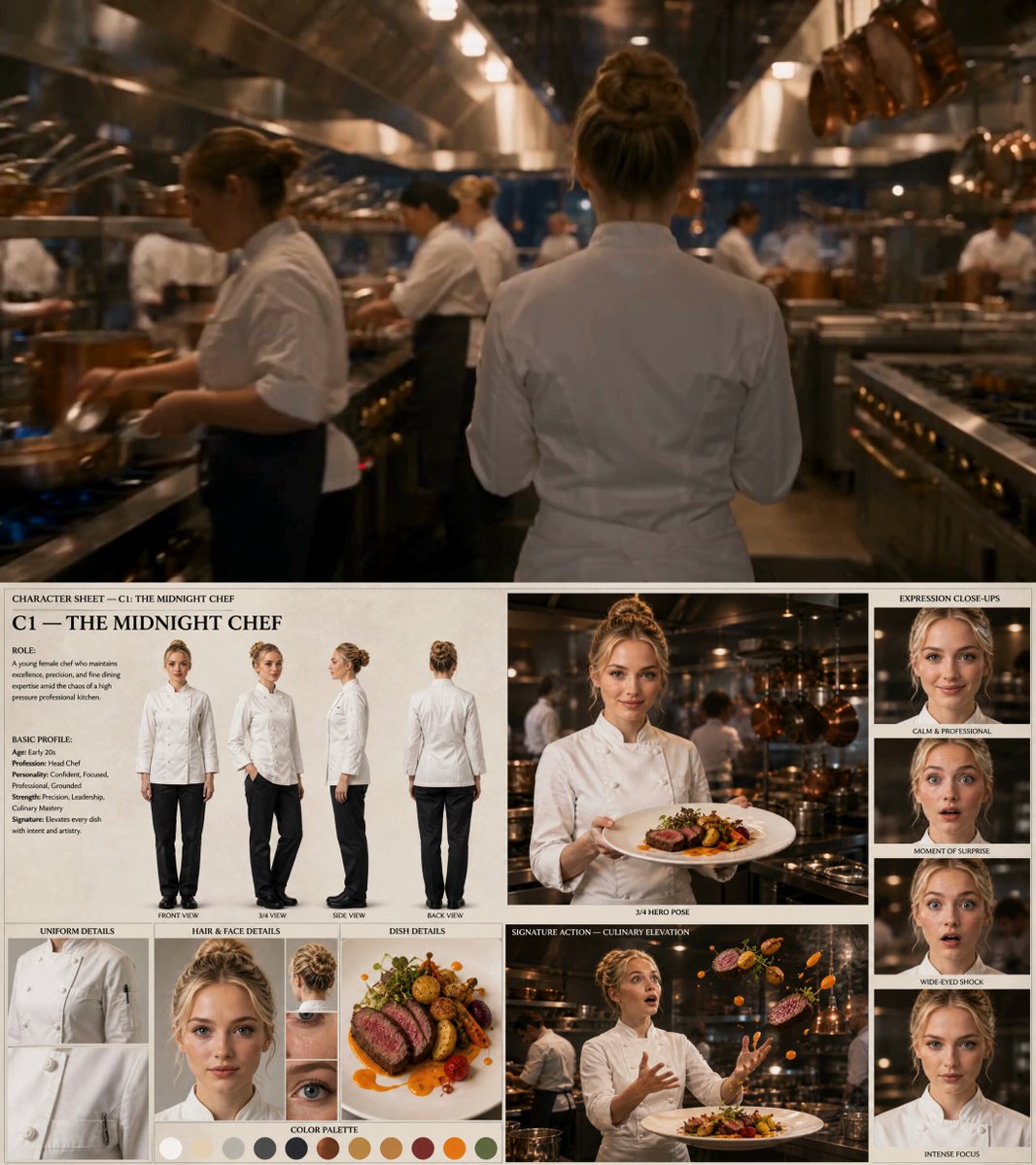
Generate and approve still keyframes first. This is the single highest-leverage habit in AI video production. Fix your palette, your lighting direction, your lens character, and your product angle while the cost of a change is one image, not one video render.
Build a small reference library: three to five approved stills that define the look, plus prompts or reference settings that reproduce it. Every later shot should be checked against that library. If a generated clip would look out of place next to the references, it is out of place in the ad.
Step 3 — Generate in batches, select ruthlessly
Generate several variations of each shot rather than perfecting one. Review at thumbnail scale first — most weak generations reveal themselves instantly when small. Keep only clips that are clean at full size and consistent with the reference library. A useful rule: if you have to rationalize why a clip works, it does not.
Step 4 — Assemble for rhythm, not for beauty
Beautiful shots cut together badly all the time. Build the timeline around the audio rhythm and the message beats, then drop footage in to serve them. Cut earlier than feels comfortable. Most first-draft AI ads die from slow openings and shots that linger two beats past their information value.
Step 5 — Build the audio layer deliberately
Voiceover does more to make generated footage feel intentional than any visual filter. A clear, well-paced read ties disconnected shots into a single argument. Add music that matches the edit tempo, then drop in real sound effects on cuts — a whoosh, a click, a paper tear. These micro-sounds make transitions feel designed rather than accidental.
Always burn in captions or use platform-native ones. A large share of viewers watch muted, and an ad without captions is an ad half the audience cannot follow.
Step 6 — Version for placements
Generate the master in the widest aspect ratio you need, then rebuild safe areas rather than cropping blindly. Vertical placements need different text placement, different pacing, and usually a different hook. Budget versioning as a real production stage — it is where most of the incremental performance comes from.
Creative Strategy: What Actually Makes AI Ads Convert
Generation quality does not create performance. Creative structure does.
The first two seconds
The opening frame is a decision point, not a title card. Effective openings do one of four things: show a problem the viewer recognizes, show a result they want, make an unusual visual claim, or address the viewer directly. Slow logos, atmospheric establishing shots, and brand-first intros are the most common way a well-produced AI ad loses the click.
Generate multiple opening variants from the same body footage. You already have the assets; swapping the first three seconds is cheap and often produces a larger lift than any improvement to the middle.
Product truth and the trust problem
AI-generated footage can drift into the uncanny when it overpromises. If the product is a skincare bottle, the ad should show the real packaging at some point — even for a single frame. If the ad claims a physical result, show the real result. Viewers forgive stylized visuals; they do not forgive a product that does not match what arrives in the mail.
A practical pattern: generate the aspirational and atmospheric shots, and reserve real photography or screen recordings for the proof moment. The contrast actually reads as confidence.
Match format to intent
Short vertical placements reward immediate pattern interruption and fast payoff. Longer landscape placements on streaming or web allow a narrative arc and more product explanation. The same script does not serve both. Decide which placement you are feeding before you write the shot list, and write specifically for that context.
Choosing Tools Without Getting Locked In
Tool choice matters less than pipeline discipline, but a few criteria prevent expensive detours.
Reference control. How strongly can you steer the model with an image? Weak reference support means weak brand consistency. This is the first thing to test.
Shot length and continuity. Some systems produce convincing three-second moments but fall apart past that. Test long shots early with your actual subject matter.
Aspect ratio flexibility. Native vertical and square generation beats cropping a landscape master, especially when composition matters.
Character consistency features. If your campaigns use recurring people or avatars, check whether the tool preserves identity across shots or requires manual re-prompting each time.
Export and interoperability. Clean codec options, alpha channels for overlays, and straightforward handoff to your editor are worth more than any single flashy feature.
Batch behavior. Speed of iteration is the whole point. A tool that takes twenty minutes per attempt will push you back toward old habits.
Rights and commercial terms. Confirm what you are licensed to use commercially, and how the output can be used in paid media. This is a legal question, not a creative one, and it belongs in the evaluation stage.
API or automation access. If you plan to produce hundreds of localized variants, manual clicking becomes the bottleneck.
Run the same three test shots through every candidate tool — one product shot, one human shot, one abstract transition. Compare the results against your reference library. A two-hour test saves a two-month commitment.
Pre-Flight Quality Control Checklist
Before anything ships, run the same review every time:
- Anatomy and hands. Zoom in. Check fingers, ears, teeth, and wrist angles.
- Text integrity. Any generated text should be removed and replaced with a real overlay.
- Product accuracy. Logo, color, cap, label, and proportions all match reality.
- Motion artifacts. Watch for warping edges, melting backgrounds, and unstable reflections.
- Continuity. Wardrobe, lighting direction, and character features hold across shots.
- Hook strength. Would a stranger stop scrolling on frame one?
- Sound mix. Voice intelligible on phone speakers, music not fighting the read.
- Captions. Accurate, readable, inside safe areas.
- Compliance. Claims, disclaimers, and platform policy requirements are satisfied.
- File specs. Resolution, frame rate, aspect ratio, and duration match placement requirements.
Treat this as a gate, not a suggestion. Most embarrassing AI ad failures were visible at thumbnail size before anyone published them.
Common Mistakes and How to Avoid Them
The same handful of errors shows up across almost every team new to generated advertising.
Generating before deciding. Making clips first and looking for a story afterward produces beautiful, meaningless video. Write the shot list first.
Skipping the keyframe stage. Text-to-video straight into a hero product shot guarantees inconsistency. Lock stills first.
Over-cutting. New generators tempt you to show off every clip. Fewer, longer, better-motivated shots usually convert better.
Ignoring audio. Generated footage with no considered sound design feels like a tech demo. The audio layer is what makes it a commercial.
One version, one placement. A single export across every platform wastes the cheapest performance lever you have.
Chasing novelty over clarity. A clever morph transition does not explain the product. Clarity first, flourish second.
No naming convention. Within a month you will have hundreds of clips. Adopt a consistent naming scheme for concept, shot, version, and ratio from day one, or you will re-render work you already own.
Measuring What You Ship
Generative production only pays off if you can attribute results. Structure your tests so each variant isolates a single variable: hook, opening visual, call to action, or length. Changing three things at once tells you nothing except that something moved.
Track a small set of metrics consistently: hook rate or three-second view rate, completion rate, click-through rate, and conversion rate per variant. Early in the funnel, view-through metrics tell you whether the creative earned attention. Late in the funnel, conversion metrics tell you whether the promise matched the product.
Keep a simple creative log: date, concept, hook text, format, primary metric, and the decision you made. Patterns emerge quickly. Teams that maintain this discipline typically discover that two or three hook structures outperform everything else, and that most production polish barely registers against them.
Finally, retire losing creative on a schedule rather than by feel. Fatigue arrives predictably, and having the next batch already generated and approved is the difference between a dip and a decline.
FAQ
Is AI-generated video good enough for paid advertising?
For atmosphere, stylized product shots, transitions, and B-roll, yes. For literal accuracy — text, packaging detail, complex hands — plan to fix it in post or shoot it practically. Ads that mix generated footage with real proof assets consistently outperform fully generated ones.
How long should a generated ad be?
Short placements rarely need more than fifteen seconds; long placements can support thirty or more. Length should be determined by how much explanation the promise requires, not by platform minimums.
Do I still need an editor?
Yes, and often more than before. Generation produces raw material cheaply, which makes editing judgment the primary source of quality. Rhythm, pacing, and message clarity are editorial skills, not generation settings.
How do I keep characters consistent across shots?
Generate and approve a keyframe first, then use image-to-video so the model animates a known subject rather than inventing one. Lock wardrobe and lighting in the prompt, and keep a reference folder for every recurring character.
Can I reuse one master across every platform?
You can, but you should not. Rebuild safe areas and re-cut pacing for vertical, square, and landscape placements, and test a different opening hook for each.
What is the biggest mistake beginners make?
Producing polished visuals before deciding what the ad needs to say. Decide the message, write the shot list, lock the look, and only then start generating.

Alexander
More Blogs
Read MoreMontaggio video rapido: transizioni e software per l'AI
Guida pratica al montaggio video rapido con AI: transizioni fluide, software, workflow, coerenza visiva, errori da evitare e FAQ operative.
Building an AI Video Production Workflow From Concept to Cut
A practical guide to planning, generating, editing, and finishing AI-assisted videos with consistent characters, clear shot lists, and reliable review loops.
A Repeatable Post-Production Workflow for Polished AI Video
Build a repeatable AI video post-production pipeline: organize assets, cut story-first, design transitions, refine audio, and review versions calmly.