

AI Video Ad Personalization: A Practical Workflow Guide
Oct 15, 2026

Why Personalized Video Ads Outperform Broad Campaigns
Video advertising has shifted from broad, one-message-fits-everyone campaigns toward something closer to one-to-one storytelling. The change is not cosmetic. A viewer who has browsed trail running shoes three times this week responds very differently to a generic apparel spot than to a clip that opens with the exact silhouette they keep returning to, narrated in the tone they seem to prefer.
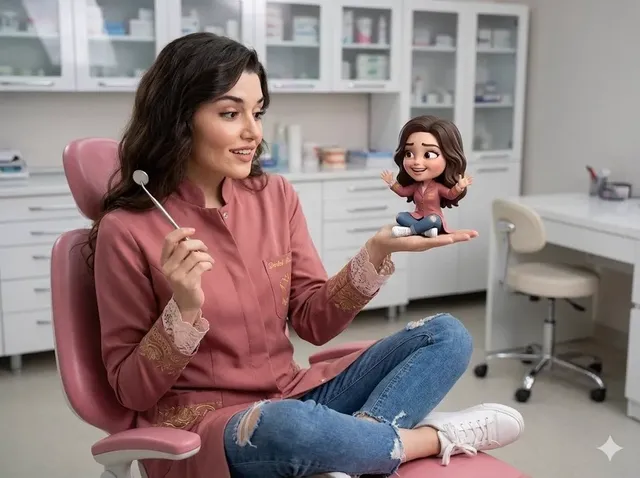
AI makes that level of tailoring practical. Instead of producing one hero video and hoping it lands, teams now assemble a library of modular shots, swap in product variants, adjust hooks, and let a system decide which combination to serve to which audience. The creative team stops being a bottleneck and becomes a system designer.
The economics are the real driver. A single production shoot used to justify one or two edits. Today the same footage can feed dozens of variants, each tuned to a different intent signal. Personalization stops being a premium add-on and becomes the default output of the pipeline.
That said, personalization without structure becomes chaos fast. The teams that succeed treat it as an engineering problem with a creative core: define the variables, lock the constants, and let automation handle assembly.
How AI Personalization Actually Works
Personalization is often described in vague marketing language. Under the hood it is a matching problem: connect a signal about a viewer to a creative element that is likely to resonate.
The signals that matter most
Not every data point is useful. In practice, four categories of signal carry most of the weight:
- Declared intent — what someone searched for, added to a cart, or asked a chatbot about.
- Behavioral history — pages viewed, videos completed, repeat visits, time on a product page.
- Context — device, connection quality, time of day, placement, and whether audio is likely on.
- Creative response — how the same person reacted to previous ad variants, including skips and completions.
The fourth category is the one most teams ignore, and it is often the most valuable. A viewer who consistently skips intros does not need a better intro; they need a different structure entirely.
From segments to variants
The classic approach builds audience segments, then assigns one creative per segment. Modern pipelines invert this: they define creative dimensions (hook, product, setting, narrator, pacing, aspect ratio, call to action) and generate combinations. A rule layer maps signals to dimension values.
A simple example: a fitness brand defines three hooks, four product focuses, two narrators, and three aspect ratios. That is seventy-two possible combinations from a modest asset library. Only a fraction will ever be served, but the system has room to learn which ones win.
What AI contributes at each stage
AI is not one thing in this pipeline. It shows up as:
- Asset generation — producing backgrounds, b-roll, voiceover, and product renders that may not exist in the original shoot.
- Assembly — cutting, captioning, and sequencing clips according to a template.
- Prediction — estimating which variant will perform best for a given signal before spending on a full test.
- Post-hoc analysis — reading performance data and proposing the next creative iteration.
The mistake is expecting one model to do all four. Treat them as separate stages with separate quality bars.
Building a Modular Creative System
The practical foundation of personalized video is a modular asset library. If every variant requires a new shoot, personalization does not scale.
Define your constants and your variables
Start by deciding what must never change. Brand colors, logo placement, legal disclaimers, and the core promise usually belong in the constants column. Variables are everything else: opening line, featured product, location, narrator voice, music bed, and closing action.
Write this down as a table before touching any tool. Teams that skip this step end up with beautiful variants that violate brand guidelines or miss required disclosures.
Shoot and generate for reuse
When planning a shoot, capture clean plates: product on neutral background, hands interacting with the item, environment shots without talent, and talent performing in multiple energy levels. These become the raw material for assembly.
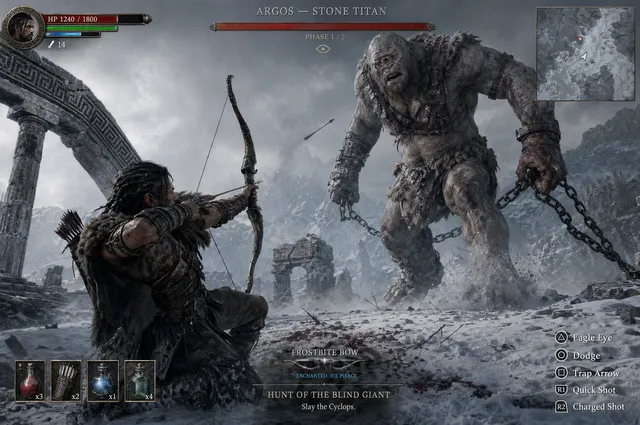
Generative tools fill the gaps. Image and video generators can extend a scene, create a background variation for a different region, or produce a stylized version of an existing shot for a younger audience. Used carefully, this reduces the number of physical setups dramatically.
Template the edit, not the story
A good template defines slots rather than fixed timing. The hook slot might accept eight to twelve seconds. The proof slot might accept either a testimonial clip or a stat card. This flexibility is what allows one edit structure to serve very different products.
Keep a versioned template file in your editing tool and treat changes to it like a product release: documented, reviewed, and rolled out deliberately.
Real-Time Adaptation: Triggers, Rules, and Safe Fallbacks
Real-time personalization sounds like magic and behaves like an if-statement. The magic is in the rules you write.
Common triggers
- A viewer abandons a checkout and reappears on a different site.
- Someone watches more than seventy percent of a product demo.
- A returning visitor lands on a category page they have not seen before.
- Inventory or pricing changes for a specific item.
Each trigger should map to a small, defined change in the creative: a new opening frame, a different offer card, a swapped product angle. Large structural changes on a trigger tend to feel jarring.
Always design the fallback
Every rule needs a default. If the personalization service is slow, if the signal is missing, or if the viewer has opted out, the system must still deliver a coherent, on-brand video. Fallback versions should be the most broadly tested creative you have, not an afterthought.
Latency matters here. A personalized pre-roll that takes an extra second to load loses more than it gains. Pre-render the most likely combinations and reserve live assembly for genuinely high-value moments.
Cap the creepiness
There is a line between helpful and unsettling. Showing a product the viewer searched for is usually fine. Referencing a specific page they visited three weeks ago, on an unrelated site, in a voice that feels like surveillance, is not. A useful rule of thumb: if a human salesperson said it out loud, it is probably acceptable.
Consistency Is the Hard Part
Ask anyone who has shipped AI-generated video at volume what the real obstacle is. It is not cost or render time. It is keeping a character, product, and scene visually stable across dozens of shots.
Character and product continuity
Models have improved at holding an identity across frames, but drift still appears: a jacket changes shade, a face subtly shifts, a logo renders with altered letterforms. Three practices reduce this:
- Lock a reference set. Keep approved reference images for every recurring subject and pass them into every generation request.
- Generate in short beats. Long continuous generations drift more than several short clips that are cut together.
- Review at the cut, not the frame. Judge whether the sequence reads as consistent to a viewer, not whether every pixel matches.
Style and tone across a campaign
Style drift is subtler than identity drift. One variant looks like a clean studio product shot, another looks like a grainy documentary, and suddenly the campaign feels assembled from unrelated parts.
Fix this with a style sheet: reference frames, color treatment, lens character, grade, and typography rules. Hand that sheet to whoever generates assets, human or model. Consistency is a specification problem before it is a technology problem.
Aspect ratios and localizations
Vertical, square, horizontal, and large-format placements each need their own composition, not just a crop. Likewise, localized versions need text-safe areas, culturally appropriate casting, and re-recorded narration rather than subtitles slapped on top. Plan these as separate deliverables from the start, because retrofitting them is expensive.
A Production Workflow, Step by Step
Here is a workflow that holds up when you move from a handful of variants to a real library.
Step 1: Write the creative brief as a matrix
Instead of prose, define your dimensions and values. Hook A/B/C, Product 1/2/3, Narrator X/Y, Ending Soft/Hard. Note which combinations are forbidden and why.
Step 2: Assemble the asset base
Pull existing footage, shoot the gaps, and generate what cannot be filmed. Tag every asset by the dimension it serves, plus technical metadata like resolution, frame rate, and duration.
Step 3: Build the master templates
Create an editable timeline per format. Use placeholders for variable elements and keep graphics in a separate document that can be swapped quickly. Naming conventions matter more than you think: a variant called q3-shoes-hookB-narrX-9x16-v3 saves hours of confusion later.
Step 4: Generate variants in batches
Batch generation by dimension rather than by finished ad. Render every hook first, then every product block, then every ending. This makes it far easier to spot quality problems before they multiply across hundreds of outputs.
Step 5: Human review gates
Nobody should ship unreviewed generative output. Build two gates: a technical pass (audio levels, captions, safe areas, legibility) and a brand pass (tone, claims, compliance). Automate what you can, but keep a human accountable for the final call.
Step 6: Publish through a rules layer
Connect your finished variants to the delivery platform through a mapping document that says which variant serves under which condition. Review this mapping monthly; audience behavior shifts and stale rules quietly waste budget.
Step 7: Feed results back into the library
Retire losing hooks, promote winning ones into the fallback set, and generate new variations around whichever dimension shows the most headroom. The library should behave like a living inventory.
Choosing Your Tool Stack
There is no single tool that covers this workflow end to end, and chasing one usually costs more than assembling a small stack.
- Idea and storyboard stage: a shared canvas tool plus a writing assistant that can produce multiple hook directions quickly.
- Generation stage: one or two video generation models for b-roll and stylized scenes, plus an image editor for product and background work.
- Voice stage: a text-to-speech engine with consistent voice identity, or recorded talent when the brand voice is distinctive.
- Assembly stage: a professional editor with template and scripting support so variants can be produced programmatically.
- Management stage: a digital asset manager that can tag by dimension, plus a rules layer that maps signals to variants.
When evaluating tools, ask three questions: can it hold a consistent subject across shots, can it output in every format you need, and can it be driven by a script or template rather than manual clicking? A tool that fails the third question will never scale past a dozen variants.
Also consider licensing. Generated assets often carry terms that affect commercial use, exclusivity, and where you may run advertising. Read those terms before the creative is finished, not after.
Privacy, Consent, and Brand Safety
Personalization lives on a foundation of data, and that foundation has rules.
Build for consent, not compliance minimums
Give people a clear way to opt out of personalized creative and honor it at the technical layer, not just the policy layer. If personalization depends on a signal you cannot collect lawfully in a region, fall back to a contextual version rather than a poorly informed personalized one.
Minimize what you actually need
Most personalization works with category-level signals and coarse behavioral data. You rarely need identity-level detail to decide whether to show a running shoe or a hiking boot. Collecting less reduces risk and usually improves creative decisions because the segments stay broad enough to be statistically meaningful.
Protect brand safety in generated content
Generative systems can produce unexpected artifacts. Names, logos, numbers, and gestures can appear in ways nobody intended. Automated checks plus human review catch most issues, but keep a fast takedown process for anything that slips through.
Document your decisions
Keep a written record of which signals drive which creative, why each rule exists, and who approved it. This is invaluable during audits and even more valuable when a new team member asks why a strange-looking rule exists.
Measurement: What Actually Matters
Personalized video programs generate a lot of data and very little clarity unless you decide in advance what you are testing.
Separate the three questions
- Does the variant work? Measured by completion rate, engagement, and downstream action for a single creative.
- Does personalization work? Measured by comparing personalized delivery against the best non-personalized creative, not against an average.
- Does the system work? Measured by production velocity, cost per variant, and how quickly the library improves.
The third question is the one most teams forget, and it is the one that determines whether the program survives past the first quarter.
Watch for false signals
Small sample sizes produce confident nonsense. A variant that wins with two thousand impressions has told you very little. Set minimum sample thresholds before you declare winners, and check whether results hold across placements and devices.
Beware overfitting to the click
If the optimization target is clicks, the system will learn to produce clickbait. Pair short-term metrics with brand-lift measurement, retention, and return rate so the model does not optimize you into a corner.
Mistakes That Sink Personalization Programs
- Starting with technology. Picking a model first and defining the creative strategy later almost always produces impressive demos and useless campaigns.
- Treating variants as final assets. Variants are inventory. If you cannot regenerate, retag, and retire them easily, the library ossifies.
- Ignoring the fallback. The most common cause of ugly personalization failures is a missing default.
- Over-segmenting. Audiences smaller than a few thousand people rarely justify dedicated creative.
- No naming convention. Chaos creeps in silently and then makes measurement impossible.
- Skipping legal review. Claims made in generated voiceover are still claims.
- Chasing consistency perfection. Viewers notice tone and rhythm far more than they notice a slightly different shadow.
FAQ
How many variants do I actually need?
Fewer than most teams assume. Start with three or four hooks, two or three product focuses, and two endings. That is enough to learn which dimensions matter before you invest in a large library.
Can small teams do this without an engineering department?
Yes, with constraints. Keep the rules simple, pre-render common combinations, and use a spreadsheet plus a templated editor before building anything custom. Complexity should arrive only when manual assembly becomes the bottleneck.
Is AI-generated video good enough for brand advertising?
For b-roll, environments, stylized sequences, and localized variations, it is already competitive. For hero shots with a recognizable human face or a precise product finish, human-shot footage still wins. Most strong campaigns blend both.
How do I avoid making viewers uncomfortable?
Keep personalization at the category level, avoid referencing specific past behavior too precisely, and always offer an opt-out. Test new rules with a small audience before rolling them out broadly.
What is the single biggest lever for quality?
Reference sets. Locking approved images, style frames, and voice references and passing them into every generation request improves output more than any prompt trick.
How often should I refresh the creative library?
Review performance monthly and refresh the weakest dimension rather than rebuilding everything. Continuous, small improvements beat occasional large overhauls.
Where This Is Heading
The direction is clear: creative production is becoming a system rather than a series of one-off projects. Brands that treat video as a living library of tagged, reusable components — assembled by rules and refined by data — will outpace those still producing single hero assets.
The teams that win will not be the ones with the most advanced models. They will be the ones with clear creative specifications, disciplined review gates, honest measurement, and a respect for the viewer on the other side of the screen. Personalization is powerful precisely because it feels individual. Keep it useful, keep it honest, and the results follow.

Alexander
More Blogs
Read MoreVidu Q4 Alternatives: 4K AI Video Models Compared (2026)
Vidu Q4 alternatives compared: Kling 4.0, Seedance 2.5, Wan 3.0, and Runway Gen-4 — 4K support, input modes, durations, audio, and what each costs in credits on Domer.
Top 4K AI Image Generators in 2026: 5 Models Compared on Real Costs
The top 4K AI image generators on Domer compared: Flux 3 Klein, Nano Banana 2.1, GPT Image 2.5, GPT Image 2, and Nano Banana Pro — 4K credit costs, reference limits, and speed.
Nano Banana 2.1 vs GPT Image 2.5: Which Image Model Should You Use? (2026)
Nano Banana 2.1 vs GPT Image 2.5 Flare compared: credit costs per resolution, aspect ratios, reference images, text rendering, and which tasks fit each model.