

AI Video Marketing Workflow for Scalable Brand Storytelling
Oct 15, 2026
Video Marketing Is Now a Production System, Not a Single Film
For most of the last two decades, brand video worked on a project mentality. A campaign started with a strategy deck, moved through casting and location scouting, consumed a block of shoot days, and ended in an edit suite where every small change carried a real cost. The finished film was treated as an artifact: fragile, expensive, and hard to alter once approved.
Generative tooling changes the shape of that work. A written brief can now become a coherent set of shots in minutes, and those shots can be reshaped per audience, per language, and per channel without assembling a crew again. Video stops being a single deliverable and becomes a living system — something you regenerate, re-version, and re-voice as the campaign learns.
That does not retire craft. It relocates it. When anyone can produce a watchable clip, the differentiator becomes discipline: a clear message hierarchy, a locked visual identity, a review process that catches weak output before an audience does, and honest disclosure about what was synthesized.
This guide is written for marketers, creative directors, and small in-house teams who need a workflow they can repeat every week — not a list of features. It covers the pipeline from brief to published cut, how to write prompts that behave like directing notes, how to personalize without becoming intrusive, how to choose tools against real constraints, and the mistakes that quietly burn the most hours.
The End-to-End Workflow: From Brief to Published Cut
The teams that get consistent results run the same sequence every time. Skipping steps does not save time; it just moves the cost later, usually into the week of a launch.
Step 1: Turn the brief into scene-level intent
A brief that says "showcase our new app in a modern, aspirational way" gives a model nothing to work with. Rewrite it as intent statements: what the viewer should feel in the first three seconds, the single product truth the video must communicate, the action the viewer takes at the end, and an explicit list of what must never appear — competitor marks, unsupported claims, generic stock imagery, text baked into frames that will be cropped.
Step 2: Write for the ear, not the page
Narration exposes weak copy. Sentences that look elegant on a slide tangle when spoken. Read the script aloud before generating anything; if you stumble, a voice model will stumble too. Keep sentences short, lead with verbs, and place the product name early enough that viewers who drop off after five seconds still absorb it.
Step 3: Storyboard before you spend generation time
Produce six to ten key frames that map emotional beats: hook, tension, resolution, proof, call to action. Reviewing a storyboard takes minutes; regenerating a finished sequence takes hours and can derail a launch calendar. Get sign-off on structure while it is still cheap to change.
Step 4: Generate in batches, by scene
Produce more shots than you need, then select. A useful pattern is to lock the character, wardrobe, palette, and camera language first, then vary only action and framing. That produces a sequence that reads as one film rather than a collage of unrelated clips. Log the prompt and seed for anything approved so it can be reproduced later.
Step 5: Layer voice, music, and sound design
Voice quality has improved dramatically, but pacing is what separates good from great. Leave breathing room after key claims. Duck music under narration instead of letting it compete. Add subtle room tone so cuts do not sound sterile. Where a synthetic voice would feel dishonest — testimonials, executive messages, apologies — record a human and reserve generation for supporting visuals.
Step 6: Assemble in an editor, not inside the generator
Finishing in a traditional timeline gives frame-accurate control over cuts, captions, color, and loudness. Export raw clips, then build the final piece where you can measure and correct rather than hope.
Step 7: Version for every surface
One master, many children. Plan the aspect ratios and durations before you generate, so framing survives the crop.
| Surface | Typical deliverable | What to protect |
|---|---|---|
| Landing page | 60–90 second 16:9 cut with sound | Product detail, on-screen text |
| Short-form feed | 15–30 second vertical cut, captioned | Hook in first second, face framing |
| Paid social | 6–10 second silent-safe loop | Readable text, no dialogue dependency |
| Sales enablement | 3–5 minute walkthrough | Accuracy, feature naming |
| Localized markets | Same master, new voice and captions | Cultural references, idioms, units |
Writing Generative Prompts Like Directing Notes
Most disappointing output traces back to vague input. A prompt is not a wish; it is a compact shot description. Build it from consistent slots so results stay comparable across a batch.
The seven slots: subject and wardrobe, action, camera movement, lens and framing, lighting, mood or color tendency, and negative constraints. Fill the same slots every time, and keep the ones that define identity identical across shots.
A mediocre prompt: "A happy customer using our app in a bright space, cinematic."
A working prompt: "Early-30s woman in a charcoal knit sweater seated at a pale oak desk, mid-morning; she taps a tablet, glances up and smiles slightly; slow push-in, eye-level medium shot; 35mm-feel, shallow depth of field; soft window light from camera left with gentle falloff; calm, warm-neutral grade; no on-screen text, no logos, no exaggerated gestures."
The second version is longer, but it is also reviewable. A reviewer can point at a slot and say "the lighting is wrong," which is a fixable note. "It doesn't feel right" is not.
Three habits make prompt work compound:
- Lock seeds and references. Once a shot is approved, freeze the parameters that produced it. Reproducibility is what lets you fix one frame in a sequence without rebuilding the whole scene.
- Change one variable per iteration. If you alter camera, wardrobe, and lighting simultaneously, you cannot tell which change helped.
- Keep a prompt library. Save the prompts behind your best shots, labeled by purpose: "product macro," "team documentary," "kinetic launch." New team members start from a known-good baseline instead of guessing.
Personalization That Builds Trust Instead of Eroding It
Personalization is the strongest commercial argument for generative video, and also the fastest route to losing an audience's goodwill. The dividing line is not technology; it is consent and proportionality.
Tier 1: Segment-based variation (the safe default)
Build a handful of meaningful audience groups — new prospects, active trial users, long-term customers, lapsed accounts — and vary the opening hook, the proof point, and the call to action. A trial user should see onboarding value; a longtime customer should see advanced capability. None of that requires invasive data.
Tier 2: Context-based variation
Use signals the viewer already expects you to have: the page they arrived from, the campaign they clicked, the language they browse in, the device they use. Swap a headline card, a testimonial, or a voice track while keeping the core narrative identical so brand consistency survives.
Tier 3: Individual-level variation
Inserting a name, a company, or a recent action works best in sales outreach and account-based work, where a one-to-one relationship already exists. In paid media it usually reads as surveillance, even when it is technically permitted.
Three guardrails keep this sustainable:
- Ask before you use. If a data point would surprise the viewer to see reflected back at them, keep it out of the creative.
- Segment, don't stalk. Five well-defined groups outperform five thousand micro-variants nobody can maintain or measure.
- Personalize the framing, never the offer. Variation should change how a real offer is presented, not invent claims that will not survive contact with customer support.
Keeping Visual Identity Consistent Across Every Asset
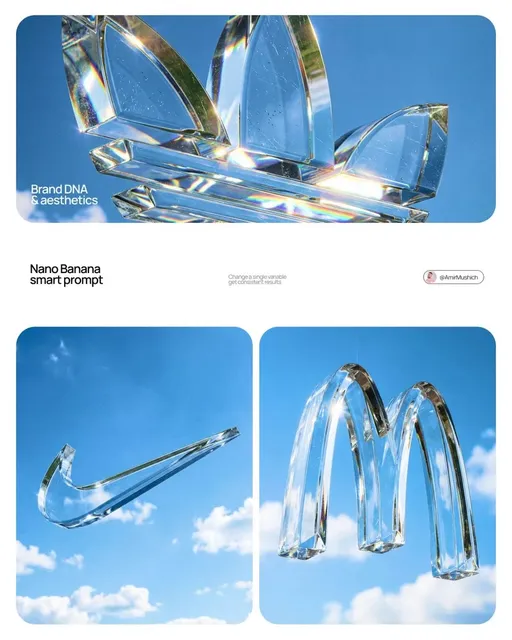
Generic generation produces generic brand video. The fix is giving your tools a reference standard: a small, documented library of approved visual traits.
Start by collecting what already defines the brand — logo usage rules, color values, typography, photography guidelines, motion principles — then add a folder of reference frames that represent the look you want. From that material, configure a reusable style profile so every generation inherits the same palette, lighting tendency, and camera behavior.
Keep the library small and named. Fifty hand-picked reference frames beat five hundred random exports. Label each profile by purpose so a freelancer can choose correctly without asking: "clean product macro," "documentary team footage," "kinetic launch energy."
Version the library rather than overwriting it. When the brand refreshes, archive the old profile so earlier campaigns remain reproducible for edits, localizations, and legal review. A style archive is also the fastest way to answer the question every new agency asks: what exactly did this campaign look like, and why?
Choosing Tools: Decision Criteria and a Bake-Off Test
Tool selection should follow your workflow, not define it. Score candidates against the constraints your team actually lives with, and weight the factors that match your content type.
| Factor | Why it matters | How to test it |
|---|---|---|
| Shot coherence | Fragments do not make a story | Can it hold one scene for the length you need? |
| Control interfaces | Directability beats novelty | Image-to-video, camera direction, style reference, seed locking |
| Character consistency | Recurring people carry brand recall | Same synthetic person across shots and sessions |
| Native aspect ratios | Reframing loses composition | Vertical and square output without cropping surprises |
| Voice and localization | Multi-market delivery speed | Accent control, pronunciation of brand terms |
| Rights and licensing | Prevents downstream problems | Commercial usage terms, indemnification, input ownership |
| Review and collaboration | Decides whether a team can scale | Versioning, comments, approval states |
| Export fidelity | Finishing quality | Resolution, codec, alpha channel for compositing |
Then run a bake-off on one real project. Give every candidate the same brief, the same storyboard, and the same deadline, and measure four things: usable shots per batch, time to first approval, cost per approved second, and reviewer frustration. Cost per generation is a misleading number — cheap output that needs ten retries is expensive.
A useful tiebreaker: pick the tool whose failure modes are easiest to detect. A model that produces obviously wrong hands is easier to manage than one that produces subtly wrong hands your audience notices before you do.
Quality Control: Catching Artifacts Before Your Audience Does
Viewers forgive imperfect lighting. They do not forgive melting fingers, drifting logos, or on-screen text that changes spelling mid-shot. A short, disciplined review catches almost everything.
Pass 1 — Continuity. Watch at normal speed. Does the same character keep the same face, jacket, and hair across cuts? Do props stay put? Does the time of day remain stable?
Pass 2 — Detail. Watch at half speed, pausing on hands, teeth, eyes, jewelry, text, and product labels. Regenerate any shot that fails rather than hoping a small artifact goes unnoticed at feed size.
Pass 3 — Audio. Listen on phone speakers, headphones, and a laptop. Check loudness consistency between scenes, sibilance on narration, and whether music masks dialogue in the mix.
Pass 4 — Captions. Auto-captions mishear brand names, product names, and technical terms. Correct them by hand. Captions are the version most of your audience actually reads, often muted, often on a small screen.
Pass 5 — Compliance. Confirm claims, disclaimers, disclosure labels, and regional restrictions before anything is scheduled.
Template the checklist so every reviewer evaluates the same criteria in the same order. Consistency is what turns quality control from a bottleneck into a routine that takes twenty minutes instead of an afternoon.
Transparency, Rights, and Review Policy for Synthetic Media
Synthetic footage is now difficult to distinguish from recorded footage in many contexts, which makes disclosure a brand asset rather than a legal chore. Audiences punish concealment far harder than they punish automation.
A workable internal policy covers four areas:
- Disclosure. State when footage is generated, especially when a synthetic person appears to speak. A short on-screen label or a line in the description is usually sufficient.
- No impersonation. Never generate a real person's likeness or voice without explicit, documented permission — celebrities, executives, customers, and employees alike.
- Provenance records. Keep prompts, model versions, reference images, and approval notes attached to each asset so you can answer questions about how a shot was made months later.
- Data hygiene. Do not feed customer footage, unreleased product images, or confidential material into a third-party generator without checking the terms and your own obligations to the people in that material.
There is also a craft dimension. Synthetic testimonial footage, invented statistics, and fabricated "customer reactions" are not creative liberties; they are misrepresentation. Keep generative tools for atmosphere, illustration, scale, and localization, and keep real people for claims.
Common Mistakes and How to Fix Them
Starting with the tool instead of the message. Teams produce impressive clips with no narrative spine and end up with a mood board instead of a story. Fix: write the one-sentence message first and reject any shot that does not serve it.
Overloading a single generation. Asking one clip to carry a full narrative produces mush. Fix: break the story into beats and generate one clean shot per beat.
Ignoring brand consistency. Mixed palettes and drifting visual styles make a campaign feel like unrelated ads. Fix: lock a style profile and reuse it across every asset, including the small ones nobody reviews.
Using synthetic voice where a human is required. Generated narration is excellent for neutral explanation and poor for emotional testimony. Fix: reserve real voices for anything that implies a personal promise.
No approval workflow. When anyone can generate anything, versions multiply and nobody knows which file is final. Fix: a numbered review stage with a named owner per asset and a single source of truth for the current cut.
Publishing without captions. A large share of feed viewing happens muted. Fix: burn in captions or ship a captioned variant by default.
Treating generated output as finished. Clips rarely survive final delivery untouched. Fix: budget finishing time equal to at least a third of generation time.
Measuring vanity metrics only. View counts hide whether the work performed. Fix: track three-second view rate, completion rate, conversion by variant, and approved-to-generated ratio so you can see whether briefs and style profiles are improving.
FAQ
Can generative video replace a production crew entirely?
No, and attempts usually show. It handles illustration, atmosphere, scale, and localization beautifully. Anything that requires proof — real products, real customers, real facilities — still benefits from cameras and people.
How do I keep a character consistent across shots?
Define the character once with a reference image, lock the seed, and repeat wardrobe, lighting, and lens language in every prompt. Avoid switching style profiles mid-scene, and never regenerate a shot from a different starting reference than its neighbors.
Is AI-assisted brand video legal to publish?
Generally yes when you own or license your inputs and the platform grants commercial rights, but rules vary by region and by platform. Review disclosure requirements, particularly for synthetic people, and keep documentation of how each asset was produced.
How much does personalization actually help?
Segment-level variation in hook and call to action usually delivers the clearest lift for the least complexity. Individual-level personalization pays off mainly in one-to-one sales contexts, where the relationship already justifies the data.
What is the single biggest time saver?
Storyboarding before generation. Teams that approve frames first regenerate far less finished video, and their review cycles stop stalling on structural disagreements.
Should I disclose that a video was made with AI?
When a reasonable viewer could be misled about whether a real person or event was recorded, disclose it. When generation is used for abstract backgrounds or motion graphics, disclosure is usually unnecessary and can add noise.
Where should a small team start?
Pick one recurring need — product explainers, social cutdowns, or localized versions — and build a single repeatable workflow around it before expanding. One reliable pipeline beats five half-finished experiments.
How do we know the workflow is improving?
Watch the ratio of approved shots to generated shots. If it climbs month over month, your briefs, prompts, and style library are getting sharper — that is the compounding advantage of a disciplined generative pipeline.
The Takeaway
AI-assisted video marketing rewards teams that treat generation as a system rather than a shortcut. Define the message, storyboard before you generate, lock a visual identity, personalize by segment, review with a checklist, disclose synthetic content plainly, and measure the things that predict business outcomes rather than applause. Do those things consistently, and a small team can ship a volume and variety of on-brand video that once required a studio — while keeping the taste, judgment, and honesty that make the work worth watching.

Alexander
More Blogs
Read MoreVidu Q4 Alternatives: 4K AI Video Models Compared (2026)
Vidu Q4 alternatives compared: Kling 4.0, Seedance 2.5, Wan 3.0, and Runway Gen-4 — 4K support, input modes, durations, audio, and what each costs in credits on Domer.
Top 4K AI Image Generators in 2026: 5 Models Compared on Real Costs
The top 4K AI image generators on Domer compared: Flux 3 Klein, Nano Banana 2.1, GPT Image 2.5, GPT Image 2, and Nano Banana Pro — 4K credit costs, reference limits, and speed.
Nano Banana 2.1 vs GPT Image 2.5: Which Image Model Should You Use? (2026)
Nano Banana 2.1 vs GPT Image 2.5 Flare compared: credit costs per resolution, aspect ratios, reference images, text rendering, and which tasks fit each model.