
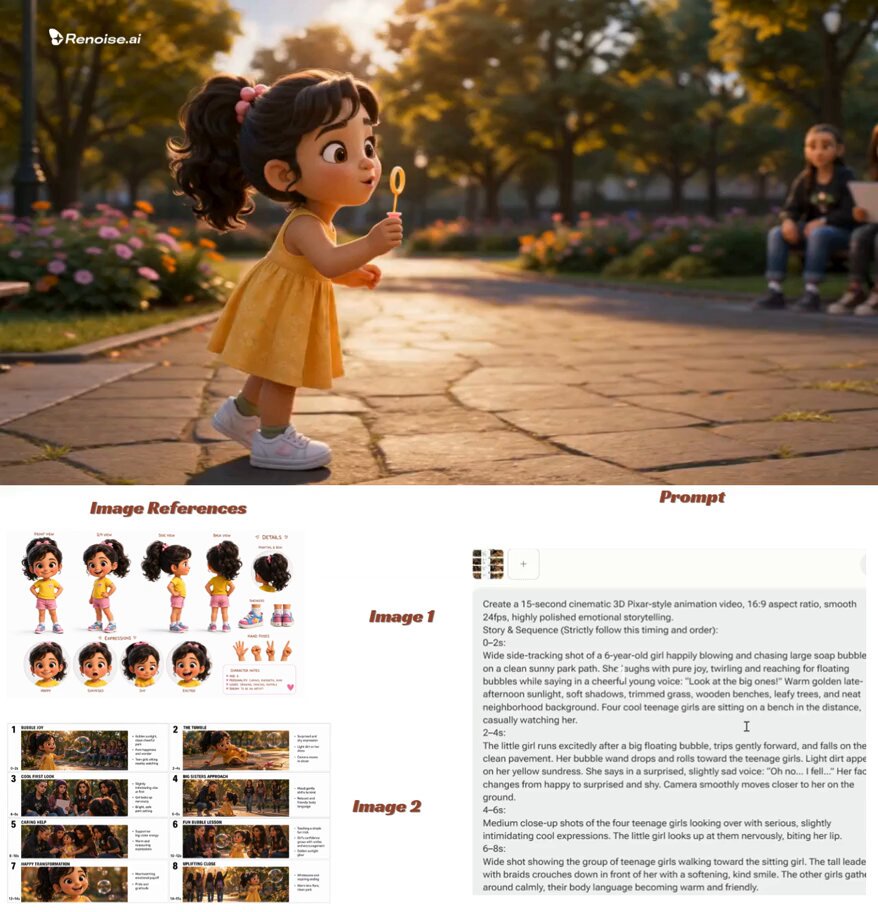
AI Video Editing Software with Special Effects: A Practical Guide
Oct 13, 2026
Why the Effects Conversation Changed
Special effects used to be a gatekeeping problem. A convincing explosion, a floating city, a character stepping through a portal — each one required a compositor, a render farm, and patience measured in weeks. Today the barrier is less about access and more about judgment. Anyone with a laptop can generate something plausible, which means the advantage has shifted from can you make it to can you make it fit.
That shift is worth naming precisely, because it explains why so many AI-assisted edits look impressive in a short demo and disappointing in a finished piece. Generation has become cheap. Coherence has not. The hard part of effects work was never drawing the dragon; it was making the dragon belong in the shot — same lens, same light, same grain, same motion, same world.
AI video editing software with special effects sits at the meeting point of two crafts. Editorial craft gives you pacing, rhythm, continuity, and story. Visual effects craft gives you compositing, tracking, keying, color, and simulation. Modern tools are genuinely strong at accelerating pieces of the second. They do not replace the first. Productions that forget this end up with footage that is technically accomplished and emotionally flat.
There is also a quiet economic change underneath the technical one. A five-person team can now attempt shots that previously required a vendor, a bid, and a schedule negotiation. That is real leverage — but only if the team also acquires the taste to know when a shot is finished. Tools accelerate execution; they do not supply discernment. The rest of this guide is about building both: a workflow that keeps quality predictable, and a set of evaluation habits that keep you from chasing features you will never use.
Separating Capabilities: What These Tools Actually Do
Marketing blurs several distinct capabilities into one promise. Untangling them makes tool selection dramatically easier, because you stop comparing apples to render farms.
Generative effects versus assisted editing
Generative effects create new pixels: a replacement sky, an invented background, a stylized texture, an object that was never on set. Assisted editing improves pixels that already exist: noise reduction, stabilization, masking, upscaling, speech cleanup, object removal. These are different jobs with very different quality ceilings.
Assisted tools are generally dependable. Their failures are graceful — a slightly soft mask, a mild warp — and they save enormous amounts of time. Generative tools are more variable. They can produce something extraordinary, or something that betrays itself the moment a performer turns their head. Budget your expectations accordingly, and always review generative output at full resolution. A thumbnail hides exactly the flaws your audience will notice first.
Tracking, matting, and the invisible middle layer
The least glamorous layer is where most of the value sits. Tracking solves where an element should sit in three-dimensional space. Matting solves what should be visible and what should be hidden. Both are traditionally tedious and both have improved enormously. A mask that once took an afternoon now takes an hour plus refinement, and that hour is the difference between sending a revision and sending three.
Learn to judge matte quality by the worst frame, not the average frame. Scrub to the fastest motion, the hair against a busy background, the moment a hand crosses a face. If the edge holds there, it will hold everywhere.
Where the human still decides everything
AI is excellent at producing a plausible frame. It is weak at producing continuity across a sequence. A generated background may look beautiful in one shot and quietly change its architecture in the next. A de-aged face may sing in a wide shot and fall apart in a close-up. A stylized treatment applied to one shot in an otherwise naturalistic scene reads as an error unless the story motivates it.
Your job, then, is continuity control: checking light direction, lens character, color temperature, motion blur, grain, and geometry across every cut. This is unglamorous work, and it is precisely where a polished AI-assisted edit separates itself from a casual one.
A Decision Framework for Choosing Tools
Ranking products is less useful than ranking your own constraints. Ask these questions in order, and let the answers eliminate most of the market before you download anything.
What kind of effects dominate your work?
If most of your effects are cleanup, stabilization, and color, you need a strong traditional editor with good AI assistants — not a generative powerhouse. If you regularly need invented environments, stylized animation, or composited creatures, prioritize matting quality, element generation, and three-dimensional integration instead. Buying for the rare case and paying for it daily is the most common tool-selection mistake.
What are your hardware and connectivity realities?
Some tools lean heavily on cloud processing, which is convenient but introduces queue times and upload bandwidth costs. Others run locally and reward a good GPU with instant previews. If you edit on a modest laptop or on unreliable internet, a cloud-first tool will frustrate you no matter how good its output is. Test render times on your own weakest machine before you commit to a workflow built around somebody else's hardware.
How well does it leave the building?
Interoperability matters more than feature lists. Can the tool export a clean project file, exchange mattes as alpha channels, or hand color off to a dedicated grading application? A brilliant effect trapped inside a closed ecosystem becomes a liability the moment a client asks for a revision six weeks later and the original project will not open.
How does collaboration actually work?
Review and approval are where small teams lose days. Look for comment threads anchored to timecode, version history, and the ability to share a review link without forcing anyone to install software. If your effects tool forces a fresh export for every note, you have chosen a bottleneck.
Which one will you still be using next year?
Prefer tools with a visible learning curve that flattens, a stable file format, and a community that documents its workarounds. Novelty is easy to buy and expensive to maintain. Fluency in one compositor beats superficial familiarity with five.
A Repeatable Effects Workflow, Stage by Stage
The single most useful thing you can build is a process you repeat on every project. Effects quality is mostly a consequence of ordering, not talent.
Stage 1: Lock the story before touching effects
Edit the piece with no effects at all, or only those that are structurally unavoidable. If the story does not work with plain cuts, no amount of spectacle will save it. Rough cuts also reveal which shots genuinely need enhancement — usually far fewer than you expected. Every effect you remove from the plan is an hour returned to refinement elsewhere.
Stage 2: Prepare and organize the footage
Normalize frame rates, transcode to a consistent codec, and label shots clearly. Note which takes have camera movement and which are locked off, because tracking difficulty drives the cost of every downstream effect. A naming convention such as scene-shot-take-movement saves hours when a project becomes complex. Back up the camera originals and never run effects over the only copy of anything.
Stage 3: Choose your element strategy per shot
Decide shot by shot whether you need a generated element, a filmed element, or a stock element. Generated elements win when the subject is abstract or lives in the background. Filmed elements win when the subject sits in the foreground and interacts with performers. Stock wins when speed matters more than originality. Mixed approaches usually beat pure ones, because each shot gets the method it deserves.
Stage 4: Composite and refine
This is where craft lives. Match the element to the plate for lens distortion, focal length feel, motion blur, edge softness, grain, and light direction. Add atmosphere — haze, particulate, a hint of depth falloff — to glue foreground and background together. Nine times out of ten, an effect that looks fake is really an effect that looks too clean.
Stage 5: Grade everything through one look
Grade the composite and the plate together so they share a single visual identity. If you grade them separately, the audience will feel a seam even if they cannot name it. A unified look forgives small technical imperfections and exposes large ones, which is exactly the feedback you want before delivery.
Stage 6: Design the sound
Effects are audiovisual. A flawless composite with no sound design still feels amateur. A well-timed whoosh, rumble, or impact does more for believability than another hour of rendering. Build a small personal library of transitions, impacts, and ambiences so you are never tempted to skip this pass because of time.
Stage 7: Deliver at the right resolution and keep versions
Export masters, review copies, and platform-specific cuts from a single locked timeline. Keep dated project versions and a short written log of what changed in each. When someone asks for the cut from three rounds ago, the log is worth more than any single render.
Techniques With the Best Return on Learning Time
You do not need to master everything. These four areas deliver the highest payoff for most creators, regardless of niche.
Rotoscoping and edge refinement
Isolating a subject from a background underpins almost every advanced effect. AI-assisted matting has improved dramatically, especially for people and hair, but edges still need manual work on fast motion or complex silhouettes. Learn to feather, choke, and decontaminate edges. This single skill unlocks cleanup, replacement, and compositing work across nearly every project type.
Background replacement and set extension
Replacing a flat sky or extending a wall is one of the most practical uses of generative tools. The trick is matching perspective and light. Identify the horizon line and vanishing points in your plate, then constrain generated content to respect them. Add a foreground element — a branch, a railing, a passing figure — to give the new background depth and prevent it from reading as a flat painting.
Style transfer with intent
Stylized treatments such as painterly, animated, archival, or retro looks are popular because they are visually loud. Use them deliberately. A stylized shot inside a naturalistic sequence reads as a mistake unless the transition is motivated by the story. If you cannot explain why the style changed at that moment, change it back.
Cleanup, upscaling, and repair
Removing a boom microphone, a logo, or a stray crew member is unglamorous and endlessly valuable. Upscaling older footage and repairing compression artifacts can rescue archival material that would otherwise be unusable. These tasks are where AI assistance is at its most dependable, and they are excellent candidates for early automation in any pipeline.
Matching Generated and Real Footage: A Continuity Checklist
Most of the perceived quality of an effect comes from how well it sits inside the shot, not from how complex it is. Run this checklist on every composite before you show anyone.
- Light direction. Do highlights and shadows agree between element and plate?
- Color temperature. Does the element sit in the same white balance as the surrounding scene?
- Grain and noise. Is the generated element too clean for grainy source footage?
- Motion blur. Does fast movement in the element smear the same way the plate does?
- Edge softness. Are edges slightly soft, matching the lens, rather than razor sharp?
- Depth of field. Does focus fall off at a believable distance?
- Atmosphere. Is there haze, dust, or particulate connecting foreground and background?
- Ground contact. Do shadows and contact points anchor the element to the floor?
- Perspective. Do vanishing points and horizon lines agree?
The pattern behind all nine items is the same: imperfection is the signature of reality. Generated pixels tend to arrive perfectly clean, and perfect cleanliness is the giveaway.
Seven Mistakes That Make AI Effects Look Cheap
Most disappointing results trace back to a small, recurring set of errors. Recognizing them early saves entire weekends.
Trying to fix coverage in post. Generative tools cannot invent coverage that was never shot. If a scene needs a reaction shot, shoot the reaction shot. Generation is a finishing tool, not a substitute for directing.
Overusing the effect. Audiences habituate quickly. A visual trick used three times in thirty seconds loses its power by the second repetition. Pick your moments.
Ignoring grain and motion blur. Clean, sharp elements pasted onto handheld footage look pasted. Match the imperfection of the source, then add a touch more.
Rendering at full resolution while iterating. Working at final quality during exploration wastes hours. Stay at proxy resolution until timing and composition are locked.
Skipping the sound pass. Effects are half audio. A silent composite still feels unfinished no matter how good the pixels are.
No version control. Renaming files with vague labels such as final-final-v2 guarantees confusion. Use dates, and keep a change log.
Chasing every new tool. Adopting software faster than you can master it fragments your skills. Depth beats breadth in post-production, consistently.
Three Project Blueprints
Different formats reward different approaches. Here is how to think about the most common ones.
Blueprint one: a talking-head explainer
Keep it simple and invisible. The effects that matter are cleanup, subtle background refinement, and graphic animation. Use AI assistance for noise reduction, color balance, and background replacement, then invest remaining time in motion graphics that reinforce the narration rather than compete with it. Text should appear where the viewer is already looking, and it should leave before it becomes clutter.
Blueprint two: a short narrative film
Prioritize continuity above all. Build a shot list that flags which shots need effects and which are clean, then generate environments for wide establishing shots where detail tolerance is high and rely on practical elements for close-ups. Grade everything through a single look so generated and filmed material feel like one world. Keep a shot-by-shot continuity note for light direction, because a single flipped shadow breaks the illusion instantly.
Blueprint three: vertical social content
The constraint is pace. Effects must be legible in under a second on a phone screen. Favor bold silhouettes, high contrast, and motion that reads in a small frame. Fast iteration matters more than polish, so choose tools with quick preview and easy versioning, and design your templates so a new episode takes minutes rather than hours. Vertical crops also punish small details: if an effect only reads when you squint, cut it.
Toolkit Tiers, Budgets, and Collaboration
At the entry level, a capable editor with built-in AI assistants plus a free compositing tool covers most needs. Spend your first effort on masking, tracking, and color rather than collecting plugins. Most beginners overbuy software and underbuild skill.
At the mid level, add a dedicated compositor and a generative asset tool. This is where a decent GPU pays for itself and where a consistent project template saves real time on every new job. Build a template with your standard sequence settings, color pipeline, and export presets, then reuse it relentlessly.
At the professional level, the question shifts from capability to reliability: predictable render times, pipeline integration, review workflows, and support when something breaks at 2 a.m. Teams at this tier often run several tools rather than hunting for one that does everything, accepting the exchange cost in return for best-in-class results at each stage.
Collaboration deserves its own line item at every tier. Timecode-anchored comments, shareable review links, and clear version labels reduce revision rounds more than any rendering upgrade. If a client cannot point at a frame and say what is wrong, you will spend the difference in guesswork.
FAQ
Do AI effects tools replace a compositor? No. They compress the tedious parts of compositing — matting, tracking, cleanup — while leaving creative decisions, continuity control, and edge refinement to a person. The skill does not disappear; it moves up the stack.
How do I stop generated backgrounds from looking fake? Match grain, motion blur, edge softness, and light direction to the plate, then add atmosphere such as haze or depth falloff. Perfect sharpness is the giveaway, and so is a background with no foreground obstruction.
Should I render effects at full resolution while iterating? Almost never. Work at proxy resolution, lock timing and composition, then commit to final quality once. High-resolution iteration is the most common hidden time sink in AI-assisted editing.
What is the fastest skill to learn with the biggest payoff? Masking and edge refinement. It unlocks cleanup, replacement, and compositing across nearly every project type, and it is the skill that most visibly separates amateur work from professional work.
How much of a project should rely on generated elements? Treat generation as one tool in a mixed approach. Use it where it is strong — abstraction, backgrounds, stylization — and keep practical, filmed elements for foreground interaction and anything the audience will study closely.
How do I keep a project manageable when clients request many revisions? Version everything with dates, keep a written change log, and deliver review links with timecode comments so feedback is precise rather than interpretive. Also agree in advance on how many revision rounds are included.
Do I need an expensive workstation? Not necessarily. A modest machine with proxy workflows and a cloud-assisted pipeline can produce excellent results. What you cannot skip is storage discipline, an organized project structure, and a backup of the camera originals.
How do I know when an effect is finished? When you can watch the shot twice without your eye drifting to the effect itself. If you notice it as an effect rather than as part of the story, keep refining.
Getting Started This Week
Begin with one project and one new technique. Pick a shot that currently looks slightly wrong — a dull sky, a distracting background, a noisy interior — and fix only that. Then move to the next. Skill in AI-assisted effects accumulates the same way it does in editing: through repetition on real material, not through collecting tools.
Keep a personal shot journal. Note which effects you used, how long each took, and where you lost the most time. After five projects, the pattern becomes obvious, and you will start planning shots around your actual strengths instead of your wishlist. That feedback loop is worth more than any feature comparison.
The creators who get the most from this technology treat it as an accelerant for craft rather than a substitute for it. They plan the shot, lock the story, match the imperfection, and let the software handle the tedious pixels. That combination — deliberate process plus capable tools — is what makes AI video editing with special effects feel effortless to an audience, even when the work behind it was anything but.

Alexander
More Blogs
Read MoreMontaggio video rapido: transizioni e software per l'AI
Guida pratica al montaggio video rapido con AI: transizioni fluide, software, workflow, coerenza visiva, errori da evitare e FAQ operative.
Building an AI Video Production Workflow From Concept to Cut
A practical guide to planning, generating, editing, and finishing AI-assisted videos with consistent characters, clear shot lists, and reliable review loops.
A Repeatable Post-Production Workflow for Polished AI Video
Build a repeatable AI video post-production pipeline: organize assets, cut story-first, design transitions, refine audio, and review versions calmly.