

Planning AI Video Generation Budgets: A Practical Workflow Guide
Oct 13, 2026
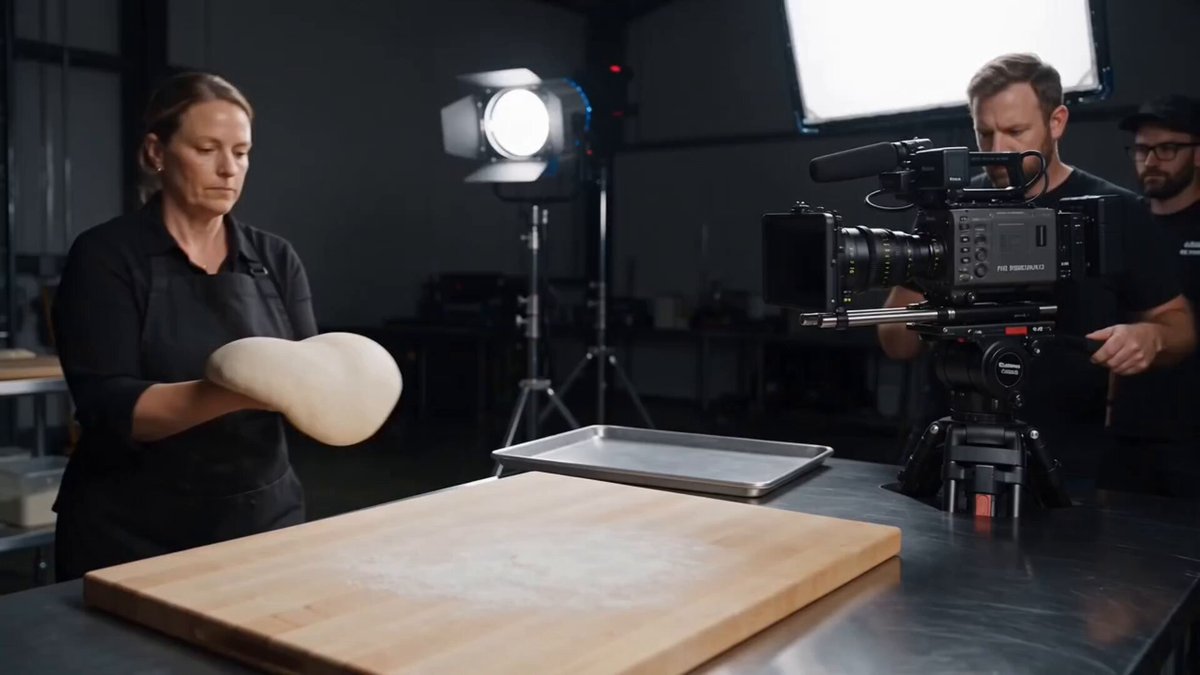

Why Two Creators Spend Very Different Amounts on the Same Video
Two production teams brief the same 30-second product video. Same script length, same deadline, same distribution plan. One team finishes with a handful of render passes and a calm edit. The other burns through dozens of attempts, rebuilds the same shot four times, and still patches motion problems in post. The gap is almost never talent. It is workflow.
AI video generation is not a single purchase with a single price. It is a chain of decisions: which model handles which shot, what resolution you generate at, how long each clip runs, how many alternatives you keep, whether you iterate at draft quality or at final quality, and how much finishing work sits on top. Each decision looks small in isolation. Together they decide whether a project feels efficient or expensive.
That is why comparing tools by a headline number rarely helps. A model that looks inexpensive per generation can become the most costly option if it needs twenty attempts to produce one usable shot. A premium model used on two hero moments can be far more economical than a budget model used on everything. The metric that matters is cost per usable second of finished video, and that metric is mostly a function of how you work.
Video is also an unforgiving medium for guesswork. Viewers expect motion that reads clearly, subjects that stay consistent, and edits that hold attention. Generation produces raw material; the rest of the budget lives in selection, assembly, and delivery. Plan for the whole chain or the final numbers will surprise you.
The Four Variables That Drive Generation Spend
Every estimate should start from the same four levers. Understand how they interact and you can predict a project's weight before rendering a single frame.
Model tier and fidelity
Most tools ship at least two modes: a fast mode built for exploration and a high-fidelity mode built for finished imagery. Fast modes are ideal for testing timing, framing, and camera direction because they return results quickly and tolerate many attempts. High-fidelity modes produce cleaner detail, more stable motion, and better prompt adherence, but they are slower and heavier to run. The practical rule is simple: never use a hero-tier model to answer a question you can answer with a draft-tier model.
Resolution, frame rate, and duration math
These three multiply. A four-second clip at high resolution and a high frame rate consumes far more processing than the same clip at draft settings. Creators usually think in final runtime, but generation happens in short segments, so a 60-second finished video might require ten to fifteen separate generations plus alternates and coverage. If you sketch the shot list before estimating, the multiplier becomes visible instead of theoretical.
Shot count versus final runtime
A two-minute explainer with twenty-two shots is a different animal from a two-minute brand film with six long takes. Shot count, not runtime, drives volume. Short, dense edits demand more generations per minute of finished video, while long takes reduce count but raise the stakes on each attempt. Count shots first, then assign each shot a tier and an expected number of tries.
Iteration count: the silent multiplier
Iteration is where budgets quietly disappear. Every prompt change, seed change, or camera adjustment triggers another attempt, and not all failures are obvious. Some outputs look acceptable at a glance but fall apart in an edit because of expression drift, sliding feet, morphing hands, or inconsistent lighting. Test at low fidelity, lock composition early, and only promote a shot to final quality once it works at draft quality. A take log is not bureaucracy; it is the difference between a controlled project and a rerun loop.
A Tiered Model Strategy: Draft, Standard, Hero
The most reliable way to control spend is to split every shot into one of three tiers and treat promotion between tiers as a deliberate decision.
Draft tier. Fast models, low resolution, short duration. Used to test composition, camera language, subject placement, and timing. Draft passes are disposable by design. Do not fall in love with them.
Standard tier. Mid-range models at moderate resolution. Used for shots that support the story but do not carry it: background action, transitions, establishing frames, inserts that appear for a second or two. Quality is good enough that most viewers will never question it.
Hero tier. The best available model and settings for the few shots that sell the idea: the product reveal, the emotional close-up, the signature camera move, the opening frame that has to stop a scroll. Hero shots are expensive, so keep them few and give them the best references you have.
Before promoting a draft to a hero pass, run four checks. Does the composition read at a glance? Does the subject hold identity across the clip? Does the action read at normal playback speed rather than frame by frame? And does the shot actually earn its place in the edit? If the answer to any of those is no, fix the plan instead of upgrading the model.
Mapping Budget Decisions to the Production Pipeline
Generation is one stage of four. Spending discipline has to be distributed across all of them.
Pre-production: script, shot list, look board
Pre-production is the cheapest part of the project and the one that saves the most. Write the script, break it into shots, and storyboard the moments that carry meaning. Decide which shots genuinely need generated footage and which can be handled with stock, screen capture, motion graphics, or a simple camera. Build a look board covering color, lighting, lens choice, and movement so everyone is aiming at the same target. Every hour spent here tends to remove several attempts later.
Draft passes: explore cheaply
Generate rough passes in a single low-cost batch. Review them as an editor rather than a technician: does the shot communicate the intended idea? If yes, promote it. If not, change the prompt, the reference, or the shot design before spending more. Batching also helps because you compare options side by side instead of chasing perfection one render at a time.
Hero passes: spend where it shows
Only promote shots that survived the draft review. Give hero passes the strongest references available, whether that is a first-frame image, a style board, or a previous approved clip from the same sequence. Resist the urge to improve a hero shot that already works. The most common form of waste is refining something that was finished two attempts ago.
Finishing: audio, color, captions, graphics
Voice, lip sync, sound design, music, color correction, captions, and motion graphics often add more time than generation itself. Some of that work is bundled into the tools you already use; some is not. List every finishing step in the estimate. A project that looks affordable at the generation stage can become heavy once audio, captions in three languages, and platform-specific versions are included.
Subscriptions, Usage-Based Billing, or a Mix
Most AI video tools fall into one of three structures: recurring plans with included usage, pay-per-generation pricing, or a blend of both. None is universally better. The right choice depends on your production rhythm.
When a subscription fits best
Recurring plans suit creators who generate every week and value predictability. They also help teams that need shared asset libraries, collaboration features, and consistent access to more than one model family. If your output is steady, a subscription usually beats paying per generation because it removes the hesitation that stops you from testing an idea.
When usage-based billing fits best
Pay-per-generation structures suit project work with clear start and end dates. If you produce one campaign per quarter, paying only when you render keeps idle months free. The trade-off is that heavy weeks become visible spikes, so keep a buffer and review usage weekly rather than at the end of a project.
Building a hybrid stack
Many studios run a hybrid: one subscription for the workhorse tool used daily, plus pay-as-you-go access to a specialized model for specific needs like product visuals or cinematic motion. The risk of stacking tools is hidden overhead. Every additional tool brings storage, logins, learning time, asset duplication, and version confusion. Add a new tool only when it solves a problem the current stack cannot, and remove one when it stops earning its place.
Shot Planning Habits That Protect the Budget
Two habits separate disciplined teams from reactive ones: a shot list that functions as a budget, and a reference strategy that reduces retries.
The shot list that doubles as a budget
Build a table with one row per shot and columns for duration, model tier, expected attempts, aspect ratio, and finishing needs. The expected-attempts column is the honest one. Simple, locked-off shots might need two or three tries; complex camera moves with human subjects might need eight or more. Multiply duration by attempts and you have a rough weight for each shot. Sort by weight and you immediately see where the project's mass sits, which is usually one or two expensive sequences rather than the whole edit.
References, continuity, and character planning
Reference images are the single most effective way to cut retries. A first-frame image gives the model a clear target, stabilizes lighting and wardrobe, and reduces drift between shots. Character consistency remains the hardest problem in AI video, so treat it as a separate task with its own allowance: collect reference frames, write a reusable subject description, and generate consistency tests before committing to a multi-shot sequence. If a character appears in six shots, those six shots should share one reference set rather than six improvised prompts.
Pre-flight checklist before you generate
Confirm the deliverable format and deadline. Confirm the shot list with tiers and attempt limits. Confirm aspect ratios and caption safe areas. Confirm which shots need audio. Confirm where files will be stored and how takes will be named. Then generate. Skipping this five-minute ritual is how projects end up re-rendering footage that was never going to fit the edit.
Ten Mistakes That Quietly Inflate Video Budgets
- Generating at final resolution too early. You are paying premium prices for shots you have not approved yet.
- Rewriting prompts without changing the reference. If the composition is wrong, wording alone rarely fixes it.
- Ignoring shot duration while planning the edit. A four-second generation cannot fill a seven-second slot without padding or slowing.
- Skipping the take log. Duplicate work happens when nobody knows which file was approved.
- Using hero models for background moments. Viewers do not inspect the fourth frame of a transition.
- Forgetting audio, captions, and versioning. These steps consume real time even when they do not consume generations.
- Assuming one aspect ratio serves every platform. Vertical, square, and horizontal cuts may need separate framing.
- Chasing character consistency per shot instead of per sequence. Consistency is a system, not a single prompt.
- Refining approved shots. Once a shot works, move on; perfectionism here is pure cost.
- Skipping pre-production entirely. No model can rescue a story that was never decided.
Each of these adds attempts, and attempts are the currency of AI video. The fix is procedural, not technical: treat generation like a production pipeline with gates, not like a slot machine with a lever.
Estimating Three Real Projects Before You Render
Estimates do not need exact prices to be useful. Use relative weights so you can compare options and communicate scope.
A 30-second social ad
Assume ten to twelve shots, mostly short, with one hero product reveal. Most shots sit in the draft and standard tiers, with one or two hero passes. Add vertical and square versions, captions, and a music bed. Weight: light to moderate, dominated by the hero shot and the extra aspect ratios. The most common mistake here is generating everything in high fidelity because the total runtime feels small.
A 90-second explainer
Assume twenty to twenty-six shots, heavy on graphics, screen recordings, and inserts, with moderate generated footage. Voice-over, captions, and synchronized cutaways matter more than motion complexity. Weight: moderate, but time-heavy in editing rather than generation. The common mistake is underestimating assembly time because each individual shot looks simple.
A two-minute brand film
Assume eight to fourteen shots with long takes, deliberate camera movement, and at least one human subject appearing repeatedly. Character consistency, cinematic motion, and color grading all matter. Weight: heavy, with most of the cost concentrated in three or four sequences. The common mistake is under-planning continuity and re-rendering entire sequences after realizing the subject changes appearance between shots.
In all three cases, add a revision buffer of roughly twenty to thirty percent. Revisions are not failure; they are a normal part of creative approval, and a project without a buffer will feel over budget the first time a stakeholder asks for a different opening.
Delivery and Versioning Without Extra Renders
Delivery is where budgets quietly grow a second time. A single campaign might need a horizontal master, a vertical cut, a square cut, captions in two languages, and a silent version for autoplay. If you generated only one framing, you may be forced into reframing, regenerating, or cropping footage in ways that hurt composition.
Plan deliverables before generation. Set a safe area in the frame so captions and interface overlays never cover faces or product details. Compose shots with enough headroom that a vertical crop keeps the subject intact. Keep one high-quality master file per approved shot and derive versions from it instead of regenerating per platform. Name files by shot, tier, and version so nobody renders the same idea twice.
Finally, archive prompts, reference images, and settings alongside the approved footage. When a client asks for a variation months later, a documented setup turns a rebuild into a small adjustment.
FAQ
Why do AI video projects cost so much more than the final runtime suggests?
Because generation happens in short segments. A one-minute video might require a dozen or more separate clips, each with alternates. Cost scales with shots and attempts, not with finished minutes.
How many attempts should I plan per shot?
Simple locked-off shots often need two to four tries. Shots with complex camera movement, human subjects, or detailed product interaction may need eight or more. Review every attempt at draft quality before promoting it.
Is it cheaper to generate long clips or stitch short ones?
Longer clips reduce editing work but tend to drift in quality and limit your ability to replace a weak moment. Shorter clips give more control and make revision cheaper. Most workflows generate short and assemble in the edit.
Can prompt quality really change my spend?
Yes, but only within limits. Specific prompts describing subject, action, camera, lighting, and style reduce randomness. Prompts cannot fix a shot that was never clearly designed. Planning beats wording every time.
Do I need more than one AI video tool?
Not at the start. Begin with one tool, learn its strengths, and add a second only for a capability you genuinely lack, such as stronger image-to-video control or better human motion. Each added tool multiplies storage, learning, and version confusion.
What is the biggest hidden cost in AI video production?
Time. Sorting unusable outputs, learning interfaces, re-rendering sequences, and repairing continuity can consume more budget than generation itself. A disciplined pipeline protects hours as much as money.
How do I estimate usage before starting?
Build the shot list with tiers and expected attempts, multiply duration by attempts, and add a twenty to thirty percent revision buffer. Review the total with stakeholders before rendering anything.
Is AI video ready for client work?
It works well for social ads, explainers, product visuals, stylized sequences, and concept work. Set expectations around motion complexity, character consistency, and revision rounds, and combine generated footage with traditional material where AI is weak.
When should I switch from a subscription to usage-based billing?
If your output is steady and weekly, a subscription usually fits better. If your work arrives in bursts with long quiet periods, paying per generation keeps idle months free. Review your usage pattern every quarter rather than committing permanently.
What is the fastest way to reduce spend tomorrow?
Stop rendering at final quality during exploration. Draft everything, approve a small number of shots, then promote only those. That single habit typically removes more waste than any other change.
AI video generation rewards planning more than it rewards horsepower. Choose tiers deliberately, count shots honestly, review at draft quality, and finish only what you have approved. Do that and your budget becomes predictable, your edit gets calmer, and the quality concentrates exactly where the audience is looking.

Alexander
More Blogs
Read MoreMontaggio video rapido: transizioni e software per l'AI
Guida pratica al montaggio video rapido con AI: transizioni fluide, software, workflow, coerenza visiva, errori da evitare e FAQ operative.
Building an AI Video Production Workflow From Concept to Cut
A practical guide to planning, generating, editing, and finishing AI-assisted videos with consistent characters, clear shot lists, and reliable review loops.
A Repeatable Post-Production Workflow for Polished AI Video
Build a repeatable AI video post-production pipeline: organize assets, cut story-first, design transitions, refine audio, and review versions calmly.