

AI Video Generation Workflow: A Practical Marketing Guide
Oct 13, 2026

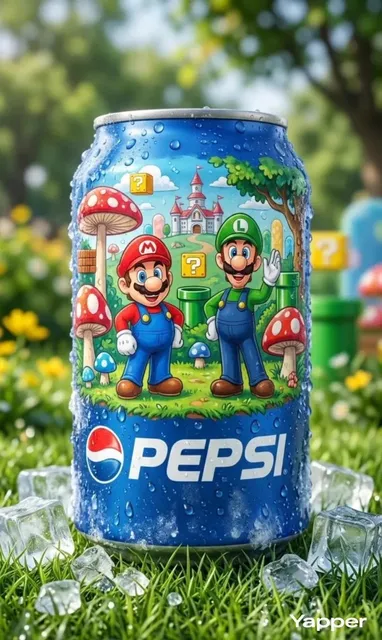

AI video generation has moved well past the novelty phase. What started as a way to produce short, surreal clips now sits inside real marketing production schedules, feeding paid social, product launches, onboarding libraries, and always-on brand channels. The teams getting the most out of it are rarely the ones with the most exotic model access — they are the ones who built a repeatable workflow around it and treat generation as one step in a pipeline rather than a magic button.
Start With the Job, Not the Model
Most disappointing AI video projects begin with a tool-first sentence: "Let's see what this model can do." That approach reliably produces technically impressive clips that have nothing to do with the business goal. A better starting point is a plain-language statement of the job the video must do — one sentence, written before anyone opens a generator.
For example: "Show new trial users how to connect a data source in under 40 seconds, so they reach first value without contacting support." That sentence dictates length, tone, pacing, what must be on screen, and what can be cut. Without it, every later decision becomes a matter of taste instead of strategy.
Three questions that shape every decision
- What is the viewer supposed to do after watching? Sign up, keep watching, click a link, remember the brand, or simply feel reassured? A video with two goals usually achieves neither.
- Where will it actually be watched? A vertical paid social clip, an embedded product page hero, and a conference loop have wildly different constraints on framing, text size, and duration.
- What does "good enough" look like? Defining the acceptable bar up front prevents endless revision cycles. A support clip tolerates a plain look; a launch film does not.
Format follows placement
Placement decides more than most people expect. Work backwards from the player:
- Paid social feed: vertical, sound-off first, hook in the first two seconds, burned-in captions.
- Pre-roll and streaming ads: horizontal, brand cue early, skippable-safe structure.
- Product page hero: short loop, subtle motion, no critical audio, fast load.
- Onboarding and support: screen-accurate, chaptered, searchable, captioned.
- Trade show and lobby loops: silent-friendly, text-heavy, readable from three meters.
- Internal training: longer runtimes, accurate terminology, verifiable claims.
Writing this list on a single page before production starts prevents the most expensive mistake in AI video: generating beautiful footage in the wrong aspect ratio for its only real destination.
The End-to-End AI Video Workflow
A workable pipeline has seven stages, and generation is only one of them:
- Brief and objective
- Script and message hierarchy
- Shot plan and style references
- Generation and asset capture
- Assembly and pacing
- Sound, captions, and accessibility
- Review, approval, and publication
Teams that skip stages two and three usually compensate by generating far more footage than they need, then discovering in the edit that nothing cuts together.
Where generation genuinely saves time
AI video generation excels at the expensive middle of production: B-roll that would otherwise require a location, a permit, or a second shoot day; concept visualization before a client approves anything; localized versions of an existing spot; abstract or impossible imagery; and rapid variants for A/B testing. In each case the output is treated as raw material, not as a finished deliverable.
Where human judgment still wins
Structure, claims, and brand voice remain human territory. A model can render a convincing warehouse, but it cannot decide whether showing the warehouse is honest. It can produce twelve variations of a hook, but it cannot know which one overpromises. Keep a named owner for the final cut, and give that person authority to reject a render that looks great but says the wrong thing.
Step-by-Step: Brief, Script, and Shot Plan
Turn the brief into a one-page creative brief
Keep it to a single page with fixed fields: objective, audience, placement, runtime, tone, mandatory elements, prohibited elements, and success metric. The prohibited list matters more than most people expect. Stating "no logos on clothing, no implied medical claims, no scenes with children" saves an entire round of regeneration later.
Scripting for generative footage
Generative footage rewards scripts written in visual beats rather than dialogue. Each beat should describe a single action or image that can stand alone for two to four seconds. If a sentence requires two simultaneous actions to make sense, split it.
A practical pattern for a 30-second marketing clip:
- Beat 1 (0–3s): a single, arresting image that poses a question.
- Beats 2–4 (3–18s): three escalating illustrations of the problem or the product in use.
- Beat 5 (18–25s): the turn — the moment of resolution.
- Beat 6 (25–30s): brand cue and call to action.
Write the on-screen text separately from the voiceover. When the same words appear in both, the viewer reads ahead of the narration and the audio becomes noise.
Build the shot plan before opening a generator
A shot plan is a table with five columns: shot number, description, duration, camera and lighting notes, and status. Add a sixth for "generation approach" once you have chosen your tools. This table becomes your production tracker, your review checklist, and your handoff document if someone else takes over the edit.
Populate the plan with the shots you know you need, then mark which ones are realistic for generation and which ones are better filmed, screen-recorded, or built as motion graphics. Mixed pipelines are the norm, not a compromise.
Generation Choices: Text, Image, Avatar, or Hybrid
Text-to-video
Best for concept shots, abstract backgrounds, and fast exploration. The tradeoff is control: you describe, you get, and small wording changes produce large visual changes. Keep a prompt log so you can reproduce anything that works.
Image-to-video and reference frames
When brand consistency matters, start from a still you control — a product photo, a designed frame, a brand color block — and animate from it. This anchors palette and composition far better than words alone and dramatically reduces the number of rejected takes.
Avatar and voice-led video
Talking-head generation is useful for explainers, internal announcements, and localized versions of a spokesperson-led message. It is weakest for emotional storytelling. Use it where clarity beats performance, and always review mouth shapes, eye movement, and hand gestures at full speed rather than frame by frame.
Hybrid approaches
Most polished marketing work mixes sources: filmed product footage, generated environments, motion-graphic typography, and stock or archival inserts. Audiences do not reward purity. They reward coherence.
| Approach | Best for | Watch out for |
|---|---|---|
| Text-to-video | Concepting, abstract B-roll | Low control, inconsistent style |
| Image-to-video | Brand-consistent shots | Weak motion, stiff camera |
| Avatar-led | Explainers, localization | Uncanny gestures, flat delivery |
| Hybrid | Launch films, product stories | Continuity mismatches between sources |
Decision criteria
Choose based on three factors: how much visual control you need, how fast the deadline is, and how visible the result will be. A hero launch film justifies a slower, hybrid pipeline. A weekly social clip justifies speed and volume. Deciding this per project — not per team — keeps quality and throughput in balance.
Editing, Sound, and Accessibility
Pacing
Generated clips often arrive slightly too slow. Tightening each shot by 10–15 percent is usually invisible as a decision and obvious as an improvement. Cut on motion, not on stillness: a hand entering frame, a camera drift, a light change. These are natural edit points even in synthetic footage.
Sound design and music
Sound is the fastest way to make generated footage feel intentional. A consistent ambience bed, subtle whooshes on transitions, and one music track with a clear emotional arc will do more for perceived quality than another round of rendering. Watch audio levels between voiceover, music, and effects; a limiter on the final mix prevents the clipped, amateur feel that undermines good visuals.
Captions and accessibility
Most social video is watched without sound, so captions are not optional. Keep them to two lines maximum, use high-contrast backgrounds behind text, and avoid placing captions where platform UI will cover them. Also check color contrast for on-screen text, avoid rapid flashing, and provide a transcript for longer content. Accessibility improvements consistently improve comprehension for every viewer, not just those who need them.
Brand Consistency and Visual Systems
Build a prompt style guide
If three people write prompts, you will get three visual languages. Create a shared document that lists approved descriptive terms for lighting, lens, palette, texture, and pace, plus banned terms that pull the output off-brand. Treat it like any other brand asset: versioned, shared, and referenced in every brief.
Motion grammar
Decide how your brand moves. Slow and steady? Quick cuts? Always left-to-right reveals? A short motion grammar — three or four rules — creates instant recognition across a campaign and makes disparate clips feel like one family.
Campaign-level consistency
When producing a series, lock the elements that must repeat: opening frame style, typography, transition sound, closing brand cue. Everything else can vary. Consistency is not sameness; it is recognizable structure with room for variety.
Quality Control Checklist Before You Publish
Technical pass
Check resolution, aspect ratio, frame rate consistency, audio loudness, and file size against platform specifications. Watch the full video once at normal speed on a phone, not on an editing monitor.
Continuity pass
Look for the classic generation artifacts: morphing hands, drifting logos, changing clothing, inconsistent lighting direction across a sequence, text that shifts shape between frames. If a shot needs three viewings to spot the problem, viewers will still notice it — but they will notice it as unease rather than as an error.
Rights, claims, and disclosure
Confirm you have rights to every input: reference images, music, voices, and any real person's likeness. Review every factual claim, especially numbers, comparisons, and performance statements. Where required, disclose that synthetic media was used, and follow platform-specific rules for realistic depictions of people.
Pre-publish checklist
- Objective and single call to action present
- Hook lands in the first two seconds
- Captions accurate and legible when muted
- Brand cue visible without audio
- No unverified claims or unsupported superlatives
- Correct aspect ratio and safe zones for the destination
- Approval recorded from the named owner
Scaling the Pipeline Without Losing Craft
Batching and templating
Batch by asset type rather than by campaign: generate all backgrounds in one session, all product inserts in another, all avatar segments in a third. Templates — opening sequence, lower-third, closing card — reduce the creative surface area that needs review and make new videos faster to assemble.
Review loops that do not stall
Give reviewers a fixed form: one question about clarity, one about brand fit, one about accuracy, and a single yes or no on approval. Free-form feedback on a 20-second clip produces paragraphs about personal preference and delays everything. Also set a rule that unresolved feedback after one round goes to the named owner for a final decision.
Repurposing
One production session should yield many outputs: a horizontal master, a vertical cut, a silent loop for a landing page, and three short hooks for testing. Plan repurposing in the shot plan by capturing vertical-safe framing and clean moments without text, so the vertical edit does not require a second generation pass.
Common Mistakes and How to Avoid Them
- Starting with the tool. Fix the objective first; tools are interchangeable, objectives are not.
- Over-generating. Forty clips that do not cut together are worth less than eight planned shots. Use the shot plan as a gate.
- Ignoring audio. Silent, dry renders read as cheap. Ambience and music are cheap wins.
- Chasing photoreal when stylized would work. A distinctive illustrated or graphic style often looks better, is easier to keep consistent, and avoids the uncanny valley entirely.
- No prompt log. If you cannot reproduce a look, you cannot build a campaign on it.
- Skipping rights review. Reference images and voice clones carry real legal exposure; verify before publishing, not after.
- Treating the first render as final. Budget two or three passes per shot and plan the schedule around it.
- Ignoring mobile viewing. Large text blocks and fine detail disappear on a phone screen held at arm's length.
FAQ
How long should an AI-generated marketing video be?
Match length to placement, not to ambition. Paid social performs best in the 6–20 second range, product explainers in 30–90 seconds, and onboarding or training content in 2–5 minutes with chapters. If a video needs to be longer than its placement rewards, split it into a series.
Do I need a full production team to make this work?
No, but you need clear roles. A practical minimum is one person who owns strategy and final approval, one who writes scripts and shot plans, and one who edits and mixes sound. Those can be the same person on small teams, but the roles should still be explicitly assigned so nothing falls through.
How do I keep outputs consistent across a campaign?
Anchor on reference images rather than words alone, maintain a shared prompt style guide, and lock a small set of repeatable elements such as opening frame, typography, and transition sound. Consistency comes from constraints, not from luck.
What should I check before publishing anything?
Run three passes: technical (resolution, loudness, aspect ratio), continuity (hands, text, lighting, logos), and compliance (rights, claims, disclosure). Then watch it muted on a phone, because that is how a large share of your audience will experience it.
Is AI video generation suitable for regulated industries?
It can be, with guardrails. Avoid generated depictions of outcomes you cannot substantiate, keep voiceover and on-screen text under legal review, and be careful with realistic human likenesses. In many regulated categories, stylized or product-focused visuals are safer than photoreal people.
Should I use one tool or several?
Almost always several. Different tools handle text-to-video, image animation, voice, and editing with different strengths. Standardize on a small, stable set — two or three generators, one editor, one audio tool — so your team builds real fluency instead of constant tool-hopping.
How do I measure whether it is working?
Tie each video to one metric decided during the brief: click-through, watch-through at 50 percent, trial activation, support ticket deflection, or recall in a brand study. Compare cuts of the same concept rather than unrelated videos, otherwise you are measuring topic, not production quality.
What is the fastest way to get started?
Pick one recurring, low-risk need — a weekly social clip or a product feature explainer — and run the full seven-stage pipeline on it once. Document what you learned in the prompt guide and the shot plan template. Then expand to a second format. Speed comes from repetition of a known process, not from skipping steps.

Alexander
More Blogs
Read MoreVidu Q4 Alternatives: 4K AI Video Models Compared (2026)
Vidu Q4 alternatives compared: Kling 4.0, Seedance 2.5, Wan 3.0, and Runway Gen-4 — 4K support, input modes, durations, audio, and what each costs in credits on Domer.
Top 4K AI Image Generators in 2026: 5 Models Compared on Real Costs
The top 4K AI image generators on Domer compared: Flux 3 Klein, Nano Banana 2.1, GPT Image 2.5, GPT Image 2, and Nano Banana Pro — 4K credit costs, reference limits, and speed.
Nano Banana 2.1 vs GPT Image 2.5: Which Image Model Should You Use? (2026)
Nano Banana 2.1 vs GPT Image 2.5 Flare compared: credit costs per resolution, aspect ratios, reference images, text rendering, and which tasks fit each model.