
Utwórz
AI Video Generator Workflow for Viral Short-Form Videos
Oct 15, 2026
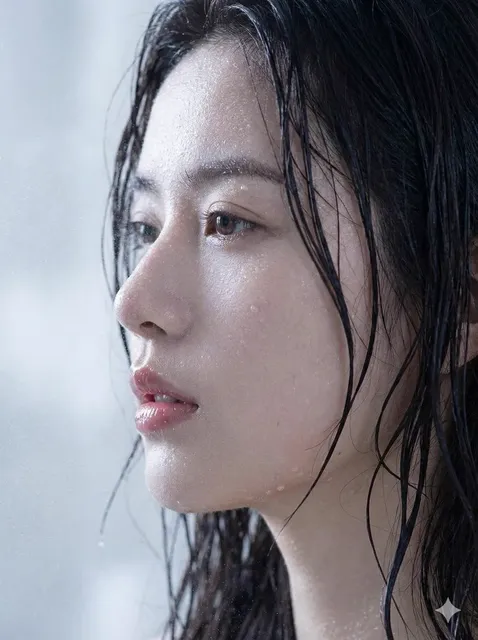

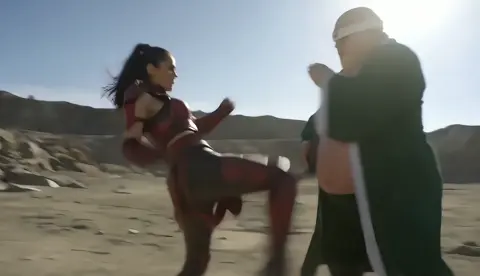
Short-form video is no longer a side experiment. It is the main distribution channel for creators, small brands, educators, and product teams. Traditional production is slow: scripting, shooting, editing, and revisions can take days. AI video generators change the math by turning a written idea into usable footage in minutes, then helping you iterate until the clip fits the platform. This guide is a practical workflow for using AI video generation in a repeatable way. It covers ideation, prompt design, character consistency, editing, publishing, analytics, and the decision criteria that separate a tool that fits your process from one that just creates impressive demos.
Why short-form video still rewards speed and iteration
Short-form feeds are recommendation engines. They do not care about your production budget; they care about whether the first few seconds hold attention, whether the clip is easy to understand, and whether it gives viewers a reason to watch again or share. That reality makes speed and iteration more valuable than perfection. A creator who can test ten hooks in a week learns faster than one who spends a week polishing a single video.
AI video generation fits this environment because it collapses the distance between idea and edit. You can describe a scene, generate several versions, pick the best moments, and assemble a draft without booking a studio or hiring a crew. The goal is not to remove human taste. The goal is to remove the bottlenecks that stop you from testing ideas.
The strongest AI-assisted channels treat generation as one part of a pipeline. They still plan content pillars, write scripts, review analytics, and refine pacing. The AI handles footage, variation, and rapid prototyping. That division of labor is what makes sustainable output possible.
How AI video generators turned text and images into usable footage
Modern AI video generators are built on models trained to connect language, images, and motion. Some start from text prompts. Some animate a still image. Others combine both approaches. The common thread is that you describe what should happen, and the system produces a short clip that approximates your intent.
Text-to-video, image-to-video, and hybrid workflows
Text-to-video is best for exploration. You can invent a scene, a character, a camera move, or a visual style without any source media. Image-to-video is better when you already have a brand asset, a product photo, a storyboard frame, or a character design. Hybrid workflows let you generate a keyframe, refine it, then animate it.
For short-form content, image-to-video often gives more control. If you need a specific product, outfit, logo placement, or facial likeness, starting from an image reduces randomness. Text-to-video remains useful for B-roll, abstract transitions, and scenes that do not need a precise subject.
Temporal consistency and the illusion of a single take
A video is not a sequence of unrelated pictures. Viewers notice when a face changes, a jacket color shifts, or a room layout moves between cuts. Early tools struggled with this. Newer systems use reference frames, character embeddings, motion controls, and scene memory to keep subjects stable across shots.
That does not mean consistency is automatic. You still need to write prompts that describe stable traits, reuse seed values when available, and keep shots short enough to avoid drift. If a character must appear in five clips, generate a reference image first and use it as the anchor for each shot.
What these tools do well and where they still struggle
AI video generators excel at mood, motion, lighting, and visual variety. They can create a rainy city street, a product rotating on a pedestal, a stylized character walking through a forest, or a talking-head style clip with synthetic voice. They struggle with complex hand interactions, precise text rendering, long continuous takes, and detailed physical logic.
The practical response is to design around strengths. Use AI for atmosphere, motion, and quick visual concepts. Use simple edits, captions, overlays, and sound design to carry information that the model cannot render reliably. If a shot needs exact text on a sign or a specific gesture, create it in a design tool or edit it in post.
A repeatable production workflow for AI-generated short-form videos
A workflow turns sporadic experiments into a publishing system. The steps below work for TikTok, Instagram Reels, YouTube Shorts, and any vertical feed. Adjust the order if your process demands it, but keep every step visible so you can diagnose why a video underperforms.
Choose one narrow angle and write the hook first
Start with a specific audience and a specific promise. AI video tips is too broad. How to keep a character consistent across five AI clips is specific. The narrower the angle, the easier it is to write a hook that stops the scroll.
Write the first line before anything else. It can be a question, a bold claim, a visual surprise, or a problem statement. The hook should work as text on screen and as spoken audio. If it only works after ten seconds of setup, rewrite it.
Write the script before you write the prompt
A prompt is not a script. The script gives you structure: hook, context, payoff, call to action. The prompt describes individual shots. When you skip the script, you end up with beautiful footage that does not say anything.
Keep scripts short. A thirty-second short might have five to seven beats. A sixty-second video might have eight to twelve. Each beat should map to one shot, one caption, or one edit. If a beat cannot be visualized clearly, cut it or merge it with another.
Translate the script into shot-level prompts
For each beat, define the subject, action, setting, camera movement, lighting, style, and duration. A useful prompt might read: Close-up of a ceramic coffee cup on a wooden table, morning light, slow push in, steam rising, warm cinematic tone, shallow depth of field. That is more controllable than a nice coffee video.
Add negative constraints when the tool supports them. No text, no extra fingers, no rapid camera shake, no distorted faces can prevent common artifacts. Keep prompts in a document so you can reuse and refine them.
Generate in batches and build a storyboard
Do not generate one clip, edit it, and then generate the next. Generate a batch of variations for each shot, review them together, and select the strongest moments. This keeps you in a creative rhythm and reduces context switching.
Arrange selected clips in a simple storyboard or timeline. You do not need a full edit yet. You only need to see whether the sequence makes sense. If the storyboard feels confusing without captions, the script needs work.
Lock character and environment consistency
Create a reference image for any recurring character, product, or location. Use the same reference across shots. Describe recurring details in every prompt: hair color, clothing, age range, environment, time of day, and lighting style. Small inconsistencies become obvious when clips are placed next to each other.
If the tool offers character training, style references, or seed locking, use them. If it does not, reduce the number of shots that feature the same character and use editing tricks like close-ups, silhouettes, or over-the-shoulder angles to hide variation.
Edit for retention before polish
Retention editing is about pacing. Cut dead frames. Start with motion. Change the visual every two to four seconds. Use captions to reinforce key points. Add pattern interrupts such as zooms, sound effects, or text pop-ups when attention might dip.
Polish comes later. Color correction, transitions, and effects should support the story, not replace it. A clean cut with a strong hook beats a flashy edit with no clear point.
Add sound, captions, and platform-native pacing
Sound is half of short-form video. Use a clear voiceover or a trending audio bed, then balance it so dialogue remains intelligible. Add captions because many viewers watch without sound. Keep captions short, high-contrast, and synchronized with the spoken words.
Platform-native pacing means matching the rhythm viewers expect on that app. TikTok rewards fast hooks and native text styles. Reels often rewards aesthetic cohesion. Shorts rewards clarity and searchable topics. The same footage can be re-edited for each platform instead of posted identically everywhere.
Publish, measure, and feed results back into prompts
Track more than views. Look at average watch time, retention at three seconds, shares, saves, comments, and follower growth. A video with modest views but high saves can be more valuable than a viral clip with no conversion.
Use the data to adjust prompts and scripts. If viewers drop at second two, the hook is weak. If they drop at second ten, the payoff is delayed. If they comment with questions, turn those questions into the next video. The feedback loop is where AI speed becomes a real advantage.
Prompt patterns that make AI video output more predictable
Good prompts are specific without becoming chaotic. A reliable pattern is: subject plus action plus environment plus camera plus lighting plus style plus duration. You can also add mood, color palette, lens type, and motion speed.
Examples:
- Product shot: A matte black water bottle rotating slowly on a stone pedestal, soft studio light, minimalist background, macro lens, clean commercial style, four seconds.
- Character shot: A young woman in a yellow raincoat walking through a neon-lit street at night, medium shot, camera tracks beside her, reflections on wet pavement, cinematic teal and magenta palette, five seconds.
- Educational B-roll: Top-down view of hands arranging sticky notes on a white desk, stop-motion feel, bright daylight, no faces, gentle camera drift, three seconds.
Avoid piling on conflicting directions. Fast-paced slow motion or minimalist detailed chaos will confuse the model and the viewer. Choose one dominant idea per shot. If you need complexity, build it across multiple shots instead of one overloaded prompt.
Also, write prompts for the edit. If you know you need a clean background for text overlay, ask for negative space. If you need a loop, ask for a motion that returns to the starting position. If you need a reaction shot, generate several facial expressions and choose the best one.
Speed versus quality: settings and decisions that matter
AI video generation often offers a trade-off between draft speed and final quality. Draft modes are useful for storyboarding. High-resolution renders are for final clips. Do not waste time rendering every experiment at maximum quality.
Key decisions include clip length, resolution, frame rate, model choice, and upscaling. Short clips are easier to control and faster to generate. Longer clips save editing time but increase the chance of artifacts. A good compromise is to generate three- to five-second shots and assemble them in an editor.
Model choice matters because different systems have different strengths. Some are better at realistic humans. Some are better at animation, product shots, or camera movement. Test the same prompt across tools and keep a note of which model wins for each use case. That small amount of documentation saves hours later.
Batch size is another lever. Generating four to eight variations per shot gives you options without overwhelming your review process. If every variation is unusable, the prompt is probably too vague or too ambitious. Rewrite the prompt before generating another large batch.
Optimizing for TikTok, Reels, and Shorts without chasing trends blindly
Trends can boost reach, but they expire quickly. The sustainable approach is to build a content system that can adopt trends without depending on them. Use trends for formats, sounds, and hooks, but keep your core topics consistent.
For vertical video, design for the full screen. Keep important subjects away from the top and bottom edges where platform UI can cover them. Use large captions. Make the first frame visually clear even before the video plays. If someone sees a still preview, they should understand the topic.
Write titles and on-screen text for search and recommendation. Short-form platforms increasingly behave like search engines. Include keywords that describe the problem, the audience, and the outcome. AI video generator for consistent characters is more discoverable than my new AI experiment.
Posting cadence depends on your capacity. Three strong videos per week usually beat seven rushed ones. If AI generation makes daily posting possible, keep a quality floor. A channel that publishes inconsistent, low-effort clips trains viewers to scroll past.
Common mistakes that make AI videos look generic
The first mistake is vague prompting. If you ask for a cool video, the model gives you an average of its training data. Specificity creates identity.
The second mistake is overcomplicating a single shot. AI models struggle with multiple characters, complex actions, and precise timing in one clip. Break the scene into simpler shots and let editing create the complexity.
The third mistake is ignoring audio. Poor sound makes even good footage feel amateur. Use clean voiceover, balanced music, and sound effects that emphasize cuts.
The fourth mistake is inconsistent characters. If your brand mascot changes face every video, viewers will not build recognition. Create a reference and reuse it.
The fifth mistake is copying trends without adding value. A trend is a container, not a strategy. Fill it with a useful idea, a distinct visual style, or a clear point of view.
The sixth mistake is skipping disclosure. If your video uses synthetic media, follow platform rules and local laws. Transparency builds trust and protects your channel.
The seventh mistake is refusing to iterate. The first version is a draft. The data tells you what to improve. Treat every post as a test, not a final statement.
How to choose an AI video generator for your workflow
Start with the output you need. If you mostly create talking-head videos, prioritize lip-sync, avatar quality, and voice tools. If you create cinematic B-roll, prioritize motion realism, camera control, and resolution. If you create product ads, prioritize image-to-video, object consistency, and clean backgrounds.
Then evaluate the workflow around the model:
- Input flexibility: text, image, video, audio, or multiple references.
- Consistency controls: character references, seed locking, style presets, and scene memory.
- Editing handoff: export formats, resolution options, and whether you can edit clips in a separate editor.
- Audio features: voiceover, music, sound effects, and lip-sync.
- Speed and reliability: generation time, queue behavior, and batch options.
- Collaboration: shared workspaces, comments, and version history for teams.
- Rights and safety: commercial usage terms, content filters, and disclosure requirements.
- Learning curve: how quickly a new team member can produce a usable draft.
Do not choose a tool only because it produces impressive demo clips. Choose one that fits the way you plan, generate, edit, and publish. A slightly less flashy tool that exports cleanly and supports your consistency needs is usually more valuable than a model that creates one amazing shot per hour.
Ethical and practical considerations
AI video generation raises real questions about likeness, copyright, misinformation, and disclosure. Use synthetic media responsibly. Do not clone a person's face or voice without permission. Do not use copyrighted characters or music unless you have the rights. Follow platform policies for AI-generated content.
For brands, internal guidelines help. Define what can be generated, who approves final clips, how disclosure is handled, and what data can be used in prompts. For solo creators, a simple rule works: if a viewer would feel misled by the synthetic element, disclose it or change the approach.
Practical quality control also matters. Review every clip for artifacts, unintended text, offensive imagery, and brand safety issues. AI generation is fast, but publishing is still your responsibility.
FAQ
Do I need video editing experience?
Not necessarily, but basic editing skills help. You need to trim clips, add captions, balance audio, and arrange shots. Even a simple editor is enough. The more you understand pacing, the better your AI footage will perform.
Can AI video generators guarantee virality?
No tool can guarantee virality. AI improves speed, variation, and visual quality. Virality depends on the idea, the hook, the audience, and timing. Use AI to test more ideas, not to skip strategy.
How long should an AI-generated short be?
Most short-form platforms reward clips between fifteen and sixty seconds. If the idea is strong, shorter can work. If it needs context, keep it under ninety seconds and front-load the payoff. Match length to the platform and the topic.
How many variations should I generate?
Generate at least three to five variations per shot for important scenes. For B-roll, two or three may be enough. Review them side by side and keep notes on which prompt patterns produce the best results.
How do I avoid copyright and likeness problems?
Use original prompts, licensed assets, and permission-based likenesses. Avoid recognizable characters, logos, and celebrity faces unless you have rights. Check platform rules and disclose synthetic media when required.
Can I use AI video for client work?
Yes, if the client approves the approach and the tool's license allows commercial use. Establish a review process, disclose AI usage where appropriate, and confirm that all assets and voices are cleared.
Final checklist for your next AI short-form video
- Define one audience and one specific promise.
- Write the hook before writing prompts.
- Create a short script with clear beats.
- Build shot-level prompts with subject, action, camera, lighting, and style.
- Generate batches, not single clips.
- Use reference images for recurring characters and products.
- Edit for retention before adding polish.
- Add captions, sound, and platform-native pacing.
- Publish with searchable titles and on-screen text.
- Track retention, shares, saves, and comments.
- Turn top questions into the next script.
- Review legal, ethical, and brand-safety requirements.
AI video generation is most powerful when it is part of a disciplined creative system. The tools will keep improving. The creators who win are the ones who use that speed to learn faster, test more hooks, and build a recognizable point of view. Start with one narrow topic, one clear hook, and one repeatable workflow. Then let the data tell you what to make next.

Alexander
More Blogs
Read MoreVidu Q4 Alternatives: 4K AI Video Models Compared (2026)
Vidu Q4 alternatives compared: Kling 4.0, Seedance 2.5, Wan 3.0, and Runway Gen-4 — 4K support, input modes, durations, audio, and what each costs in credits on Domer.
Top 4K AI Image Generators in 2026: 5 Models Compared on Real Costs
The top 4K AI image generators on Domer compared: Flux 3 Klein, Nano Banana 2.1, GPT Image 2.5, GPT Image 2, and Nano Banana Pro — 4K credit costs, reference limits, and speed.
Nano Banana 2.1 vs GPT Image 2.5: Which Image Model Should You Use? (2026)
Nano Banana 2.1 vs GPT Image 2.5 Flare compared: credit costs per resolution, aspect ratios, reference images, text rendering, and which tasks fit each model.