
AI Video Influencer Marketing Workflow for Creators
Oct 13, 2026

Why influencer-style video needs a production system
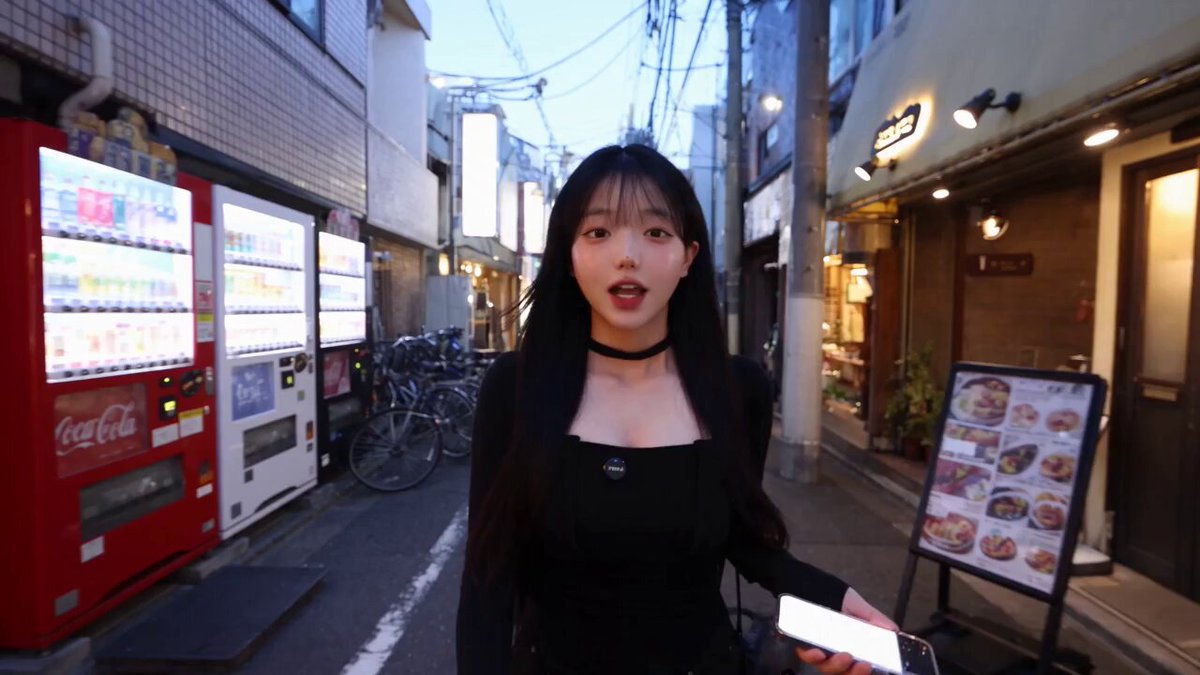
Influencer-style video looks effortless. A person talks to camera, a product appears, a hook lands in the first two seconds, and the clip is over before you can scroll past it. What the audience does not see is the machinery underneath: the shot list, the retakes, the caption pass, the vertical crop, the alternate hook for a different platform.
When AI enters that pipeline, the temptation is to treat generation as the entire job. It is not. A generated clip is a raw ingredient, not a finished asset. Teams that treat generation as the finish line end up with a folder of beautiful fragments and no campaign.
The reliable way to work is a loop:
- Define the campaign.
- Script the beats.
- Generate against a locked look.
- Assemble a master cut.
- Adapt the master for each destination.
- Publish.
- Measure.
- Refine the inputs and run the loop again.
The point of the loop is compounding. Your tenth video should cost a fraction of your first, because the character reference, the wardrobe sheet, the caption style, the export presets, and the opening hook patterns are already solved. That is the difference between a creator with a system and a creator with a folder.
This guide walks through each stage with concrete decisions, examples, and checkpoints you can apply whether you are producing a single campaign or a weekly content calendar.
Define the campaign before generating anything
Most wasted generation time traces back to an undefined brief. If you cannot state the audience, the platform, the length, and the single takeaway in one sentence, no model will save you.
The five decisions that lock the brief
Write these down before you open a browser tab.
- Who is on screen. A recurring persona, a product-only narrator, a documentary voiceover, or a rotating cast. Recurring personas build recognition; rotating casts give you variety but cost consistency work.
- What the viewer should do. Follow, click, save, share, or simply remember the brand name. A vague goal produces a vague video.
- Where it will run first. The first platform determines the native grammar. A vertical short with burned-in captions is not the same asset as a landscape explainer.
- How long. Pick a target and a hard ceiling. Fifteen seconds rewards one idea; sixty seconds rewards one idea plus one proof point.
- What must never appear. Competitor logos, unlicensed music cues, off-brand slang, a character in the wrong wardrobe. A short do-not list prevents most rework.
Build a reusable brand kit
The brand kit is the file set that every asset generation pulls from. It should contain:
- Two to four character reference images per persona, front-lit and neutral background
- A wardrobe sheet with two or three approved outfits and their color values
- A palette file with primary, secondary, and accent colors plus hex values
- Three to five typography and caption presets
- A music and sound direction note describing tempo, energy, and genre boundaries
- Logo lockups in transparent and solid variants, sized for vertical and horizontal
Keep the kit in one folder that never gets scattered into project folders. When a model update changes how it renders faces or motion, a stable kit is what lets you re-render the same character and still recognize them.
Scripting and prompting: from beat sheet to prompt library
A script written for a human actor rarely survives contact with a generative pipeline. Actors improvise around weak lines; models do not. What works is a beat sheet, which is a script reduced to its structural functions.
Beat sheets for 15, 30, and 60 seconds
15 seconds: hook, single claim, single visual proof, call to action. Four beats, roughly two to four seconds each.
30 seconds: hook, claim, proof, objection handling, call to action. Five beats, with the hook extended to four seconds and the proof given room to breathe.
60 seconds: hook, context, claim, proof, second proof or demonstration, objection handling, call to action. Seven beats. Most creators overfill the middle; cut a proof point before you cut the call to action.
Each beat should carry three pieces of information: what the viewer sees, what the viewer hears, and what changes between the previous beat and this one. If a beat contains no change, it is filler.
Turning beats into prompts
A prompt library is a set of reusable prompt fragments mapped to beat types. Instead of writing a new prompt for every shot, you assemble one from parts:
- Subject block: the locked description of your persona, including wardrobe and identifying features
- Action block: what the subject physically does in this beat
- Camera block: shot size, angle, and movement
- Lighting block: key direction, contrast, time of day
- Style block: the overall look, described in plain descriptive terms
- Negative block: what to avoid, such as warped hands, text artifacts, or abrupt cuts
Reusing blocks is not just about speed. It is the only practical way to keep twenty clips looking like they came from the same shoot. Change one block per generation and you can trace exactly which change caused a difference in output.
A worked example
Suppose the beat is: the persona reacts to a notification on their phone. The subject block stays identical to every other shot. The action block reads as a medium shot of the persona lifting a phone into frame at chest height, eyes moving down, then a small smile. The camera block specifies a slight push-in with a shallow depth of field. The lighting block matches the rest of the campaign: warm key from the left, soft fill, no hard shadows on the face.
Generate three variations of that prompt. Pick the one where the expression reads clearly at thumbnail size. Save the winning prompt back into the library tagged by beat type and persona.
Consistency: characters, wardrobe, and style
Consistency is the single hardest problem in AI video, and it is the one that most determines whether a campaign feels professional.
Locking the character
Three levers control character consistency.
Reference anchoring. Always start from the same reference images rather than from a text description alone. Text descriptions drift; images constrain.
Descriptive discipline. Write the character description once, in a specific order, and never paraphrase it. Word order and specificity affect output. If the description says silver hoop earrings and a charcoal crew-neck, keep those exact words in every prompt.
Scene economy. Fewer distinct environments per character means fewer chances for drift. Reuse three or four settings across a campaign and vary the action instead.
Locking the look
A look bible is a one-page document that defines the visual rules: palette, contrast level, lens character, grain, and how motion is handled. Two rules matter most in practice. First, decide whether the camera moves or the subject moves, and be consistent. Second, decide how sharp the image should be; a mix of crisp and soft footage reads as an accident rather than a style.
When a shot breaks the look bible, fix it now rather than in the edit. A single off-look clip will pull attention away from the message no matter how good the rest of the cut is.
Assembly: from raw takes to a publishable cut
Generation is fast. Selection is slow. Budget more time for choosing than for producing.
The selection pass
Watch every take once at normal speed, then again at double speed. Takes that only work at normal speed usually have pacing problems. Score each take on three criteria: expression clarity, motion naturalness, and continuity with neighboring shots. Keep the best two per beat and discard the rest immediately. A pile of maybes becomes a decision trap.
The rough cut
Lay the beats in order and watch the sequence with sound off. If the story is not legible without audio, the visuals are doing too little work. Then watch with sound on and cut every frame that does not advance the beat. Short-form video rewards compression; a ten-second idea stretched to twenty loses more than it gains.
Sound, captions, and motion
Three post-production layers do most of the perceived quality work.
- Sound design. Lay a music bed that sits under the voice, then add small foley hits on cuts and actions. Even minimal sound design makes generated footage feel intentional.
- Captions. Burn in captions for vertical platforms. Use a consistent preset and keep them inside the safe area so nothing is hidden by interface elements.
- Motion. Add subtle scale or position changes to static-feeling shots. A two to three percent push over three seconds is usually enough to make a still scene feel alive.
Multi-platform adaptation from one master
One master cut plus a set of export recipes beats producing separate videos for each destination.
Aspect ratios and safe zones
Produce a square or vertical master and derive the rest. Vertical covers most short-form feeds. Square suits feed placements. Landscape remains useful for embedded players and longer explainers. For each ratio, define a safe zone and check that faces, captions, and key product details stay inside it.
Hook swapping
Hooks are the most platform-specific element you have. The same thirty-second video can run with a question hook on one platform, a bold claim on another, and a visual reveal on a third. Because hooks are usually the first two to four seconds, they are cheap to re-render and swap. Build a small library of alternate openings per campaign and test them deliberately rather than randomly.
Localized variants
If you publish in more than one language, translate the caption track rather than regenerating the video. When a spoken line must change, re-render only the affected beat and splice it back into the master. Keep the same music bed and pacing so the version still feels native.
Quality control before you publish
A ten-minute check prevents most embarrassing releases. Run it every time.
- Watch the full cut at normal speed on the smallest screen you own.
- Watch again muted and confirm the story still reads.
- Check for text artifacts, warped hands, flickering edges, and objects that change shape between cuts.
- Verify captions for spelling, line breaks, and timing against the audio.
- Confirm the first two seconds contain a reason to keep watching.
- Confirm the last two seconds contain a clear next step.
- Check audio loudness consistency between beats; abrupt jumps read as amateur.
- Confirm all assets, music, and fonts are cleared for commercial use.
- Name the file with campaign, persona, version, and ratio before exporting.
Archive the winning prompt set alongside the exported video. Six weeks later, that archive is the fastest way to reproduce a look that performed well.
Measuring performance and feeding it back
Measurement only matters if it changes your inputs. Track three layers.
Attention metrics: three-second view rate and average watch time. A weak three-second rate is a hook problem. A strong three-second rate with a weak average is a pacing problem.
Engagement metrics: saves, shares, and comments. Saves usually indicate utility; shares indicate identity or humor.
Conversion metrics: clicks, profile visits, and downstream actions. These tell you whether the video attracted the right viewer, not just any viewer.
Then attribute results back to variables you control. Did the winning variant use a question hook or a reveal hook? Was the persona on camera or off? Was the proof visual or verbal? Write the finding in one sentence and change exactly one input next time. Testing two variables at once produces results you cannot use.
Common mistakes that waste the most time
Generating before defining the brief. The most expensive mistake, because it invalidates everything downstream.
Rewriting the character description every session. Small wording changes produce different faces. Lock the description and reuse it verbatim.
Chasing perfection in one shot. Five mediocre takes that cut together well beat one perfect take that does not match its neighbors.
Ignoring vertical safe zones. Captions and faces hidden behind interface elements destroy otherwise strong videos.
Overloading the middle. Most drafts try to say three things where one would land harder.
Skipping sound design. Silent-feeling footage reads as a demo, not a finished video.
Publishing without a retest plan. If you cannot state what you are testing and how you will judge it, you are guessing twice.
FAQ
How long should an influencer-style AI video be? Start at fifteen to thirty seconds. Go longer only when you have a second proof point that earns the extra time.
How many takes should I generate per beat? Three is usually enough: one safe, one expressive, one experimental. More takes rarely improve the final cut, and selection time grows faster than quality.
Can one persona carry an entire campaign? Yes, and it usually performs better than a rotating cast because recognition compounds. Rotate settings, wardrobe, and actions instead of faces.
What if my character drifts between shots? Return to reference anchoring and reduce the number of distinct environments. Re-render the drifted shots rather than trying to fix them in the edit.
Should I produce separate videos per platform? No. Produce one master, then adapt hooks, captions, and crops per destination. Reserve full re-renders for language changes or platform-specific formats.
How often should I revisit my prompt library? Monthly, or whenever a model update changes output character. Prune prompts that consistently produce weak results and promote the ones that keep winning.
Where does a director-style assistant tool fit in? It fits in the scripting and consistency stages: organizing beats, holding character definitions, and keeping shot language aligned across a campaign. Treat it as part of the pipeline, not a replacement for the pipeline.
What is the fastest way to improve quality without new tools? Better selection and better sound. Both cost time rather than money and both raise perceived quality immediately.

Alexander
More Blogs
Read MoreVidu Q4 Alternatives: 4K AI Video Models Compared (2026)
Vidu Q4 alternatives compared: Kling 4.0, Seedance 2.5, Wan 3.0, and Runway Gen-4 — 4K support, input modes, durations, audio, and what each costs in credits on Domer.
Top 4K AI Image Generators in 2026: 5 Models Compared on Real Costs
The top 4K AI image generators on Domer compared: Flux 3 Klein, Nano Banana 2.1, GPT Image 2.5, GPT Image 2, and Nano Banana Pro — 4K credit costs, reference limits, and speed.
Nano Banana 2.1 vs GPT Image 2.5: Which Image Model Should You Use? (2026)
Nano Banana 2.1 vs GPT Image 2.5 Flare compared: credit costs per resolution, aspect ratios, reference images, text rendering, and which tasks fit each model.