
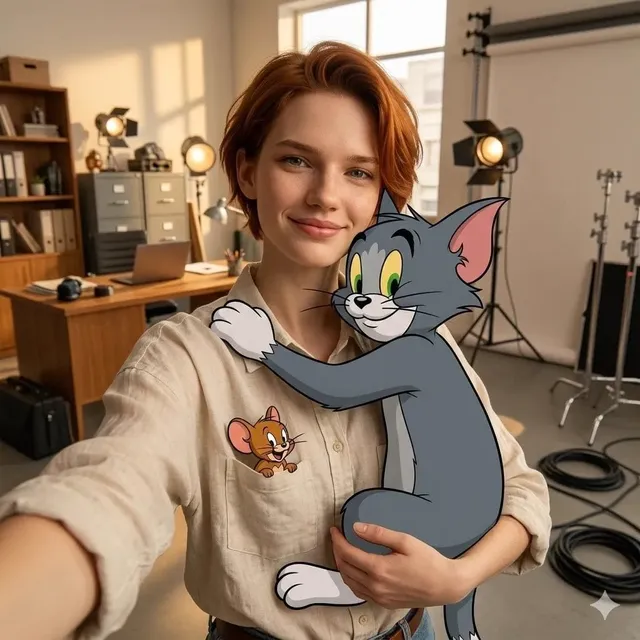
AI Video Marketing: Build High-Converting Promo Content
Oct 15, 2026



Why AI-Assisted Video Became the Default Promotional Format
Promotional video used to be a project. You booked a crew, rented a space, shot for two days, spent three weeks in post, and shipped one asset that had to carry an entire quarter. That model still works for brand films and product launches, but it cannot keep up with how people actually consume content now. Feeds demand a steady stream of short, specific, platform-native clips, and each one needs to feel made for the person watching it.
Generative and AI-assisted tools changed the economics of that first cut. A marketing team can now go from a written offer to a watchable 20-second clip in an afternoon, then iterate on it five more times before lunch the next day. The bottleneck moved from production capacity to decision-making: knowing which hook, which angle, and which format deserve the next round of spend.
That shift cuts both ways. Teams that treat AI video as a volume machine produce a lot of forgettable footage that burns budget on distribution. Teams that treat it as a rapid prototyping layer — where the strategy still comes from a human and the generation handles execution — consistently outperform both traditional production and naive automation. This guide lays out the second approach: a repeatable workflow for AI-assisted promotional content that is built around conversion rather than novelty.
What "High-Converting" Actually Means for a Promo Video
Conversion is not a property of a video. It is a property of a video in a context: the platform, the audience, the offer, and the page the viewer lands on afterward. Before touching a generation tool, get clear on the four levers that decide whether a promo clip performs.
The first three seconds carry most of the load
Most short-form platforms decide distribution based on early engagement. If viewers swipe past in the first second or two, the algorithm stops showing the clip. That means your opening frame needs to do three things at once: signal what the video is about, create a small information gap, and look visually distinct from the surrounding feed. A product rotating on a plain white background rarely does any of those things. A hand opening a package while a caption asks a specific question often does.
Message match between the video and the landing experience
The most common reason a well-watched video fails to convert is a mismatch with the destination. If the ad promises a two-minute setup, the landing page must lead with a two-minute setup. If the ad shows a specific colorway, the product page should open on that colorway. AI generation makes it cheap to produce many promises; it does not make it cheap to fix a broken promise, so keep the headline, visual, and offer aligned across every variant you ship.
A single, unmissable call to action
Promo videos that try to do five things do nothing. Choose one action per asset: start a trial, add to cart, book a demo, download the guide. Repeat it in the caption, the voiceover, and the final frame. If you need to test multiple actions, do it as separate variants rather than stacking them into one clip.
Conversion is a chain, not a moment
Track the whole chain: impression, three-second view, completion, click, landing page engagement, and final action. A video that lifts completion but drops click-through is not a success — it is an awareness asset, and it should be measured and budgeted as one.
The AI Capabilities That Actually Move the Needle
Not every AI feature matters equally for marketing. These four consistently change what a small team can ship.
Multi-image fusion and scene generation
Instead of hunting for stock footage that almost matches your product, you can feed several reference images — packaging, lifestyle context, texture detail — into a generation tool and get a coherent scene that contains all of them. This is especially useful for e-commerce, where the product itself is the hero and licensing generic footage often creates inconsistency across a campaign.
Character, product, and object consistency
Early generative video had a well-known problem: the same person looked slightly different in every shot, and product labels warped as the camera moved. Modern pipelines handle consistency far better through reference conditioning, locked style prompts, and per-shot seed control. For marketing, consistency is not a luxury. A campaign where the product looks different in every clip reads as untrustworthy.
Style and format adaptation
A single master clip can be re-rendered in a warmer lifestyle palette for one audience and a high-contrast, technical look for another. Style adaptation is where personalization becomes practical: you are not shooting twice, you are adjusting grade, pacing, and framing language per segment.
Voice, script, and caption generation
Text-to-speech has reached the point where a synthetic voice can carry a 20-second ad without feeling jarring, provided the script is written for speech rather than for reading. Pair that with automatic captioning and you get the single highest-leverage accessibility and retention improvement available: burned-in subtitles for sound-off viewing.
A Repeatable Workflow: From Brief to Published Ad
This is the sequence that keeps quality high when volume increases. It works whether you are a solo marketer or a five-person content team.
Step 1 — Write the offer before the script
Start with a single sentence: who this is for, what it does for them, and what it costs them to say yes. Everything downstream — hook, pacing, visuals, CTA — should be traceable to that sentence. If you cannot write it, generation will only produce a faster version of a vague idea.
Step 2 — Build a shot plan, not a storyboard novel
Six to ten shots is plenty for a 15–30 second promo. Write each shot as one line: what is on screen, what it proves, how long it lasts. Mark which shots are generation-friendly (abstract, textural, environmental) and which need real footage (hands on the physical product, packaging detail, real customer moments). Hybrid shoots are normal and usually produce better results than pure generation.
Step 3 — Prepare assets generation tools can actually use
Clean, well-lit reference images beat a folder of mixed screenshots. Aim for: a flat product front, a three-quarter product angle, a lifestyle context image, a texture or material close-up, and a logo asset with transparent background. Name files descriptively so prompt work stays organized when you have forty variants in flight.
Step 4 — Generate in passes: wide, medium, insert
Treat generation like a shoot day. First pass: the two or three wide establishing shots. Second pass: medium shots that show a person or product in context. Third pass: inserts, textures, and transitions. Generate more than you need for each slot — usually three to five options — and keep a running log of prompts that produced usable output.
Step 5 — Assemble and cut to a music spine
Pick the track before you finish the edit, not after. Music dictates cut rhythm, and cutting to a beat makes even simple footage feel intentional. Most short-form promos land better with cuts every 1.5 to 3 seconds early on, then a longer final beat for the CTA.
Step 6 — Sound design, captions, and legibility checks
Add a subtle whoosh or click on the transition into the product moment, duck music under the voiceover, and burn in captions with a contrast-safe background. Then check legibility at thumbnail size on an actual phone. If the caption is unreadable there, it is unreadable for most of your audience.
Step 7 — Export a variant matrix
Do not ship one file. Ship a set: two hooks, two aspect ratios, and two voice treatments. Name them by variable, not by version number, so performance data stays readable later.
Designing Variants Instead of One-Off Videos
A variant system turns each campaign into a small experiment with a clear learning goal.
- Hook variants test the opening three seconds only. Keep everything else identical so the result is interpretable.
- Format variants test vertical against square and landscape placements, which changes both context and cost.
- Voice variants compare synthetic narration, real narration, and text-only with music. Some audiences respond strongly to one and ignore the others.
- Offer variants test price framing, trial length, and bundling. These usually produce the biggest swings, and they are the ones most teams test last.
Keep a shared brand kit — fonts, color values, logo placement, caption style — so that variants differ in strategy, not in craft. When a visual system stays constant, viewers recognize your content before they consciously register the brand, which compounds over a campaign far more reliably than a single viral hit.
Platform-Native Craft: Aspect Ratio, Pacing, and Captions
The same clip performs differently depending on where it lives, and the differences are not cosmetic.
Vertical 9:16 placements are dominated by full-screen, sound-off viewing. Lead with visual motion, keep captions in the middle third, and expect the first frame to be judged instantly.
Square 1:1 works well in mixed feeds and email thumbnails; it is more forgiving of text and product detail because there is more horizontal room.
Landscape 16:9 is where longer storytelling and demo content still thrive, particularly for considered purchases where viewers want to see an interface or a process in detail.
Beyond ratio, respect pacing conventions. Short-form rewards immediate payoff; long-form rewards a clear promise of what is coming. Framing should keep the subject away from the edges where platform UI overlaps, and every asset should survive being watched with the sound off — that is the default state for most viewers, not the exception.
Quality Control: Failure Modes and How to Fix Them
Generation is fast, but unchecked it produces artifacts that quietly erode trust. Build a review pass with these checks.
Flickering textures and morphing edges
Look at the edges of the frame and any detailed surface — fabric, foliage, hair, mesh. If details shimmer between frames, shorten the shot, slow the motion, or replace it with a different take rather than trying to fix it in the edit.
Unstable faces and hands
Hands holding objects and faces in profile are the two hardest cases. If they fail, restructure the shot so hands enter and leave frame, or use a real-footage insert instead of generating the moment.
Text that renders as gibberish
Never generate on-screen text inside the video model. Generate clean plates and add typography in the editor, where it stays sharp and editable.
Over-stylized footage that fights the product
Heavy stylization draws attention to the effect rather than the offer. If the grade or the camera move is the most memorable part of the clip, dial it back.
Audio and visual drift
Check that voiceover timing matches the visual beats. A great script laid over mismatched visuals reads as sloppy, no matter how good the individual pieces are.
Mistakes that quietly kill performance
Shipping without captions, burying the CTA in the last half-second, changing three variables between variants, and reusing the same hook for every audience are the four most common self-inflicted problems. Each one is cheap to fix and expensive to ignore.
Measurement That Should Drive the Next Cut
Data should decide what gets generated next, not personal taste. Track these signals per variant: three-second view rate (is the hook working?), hold rate through the middle (is the payoff arriving?), completion rate (is the length right?), click-through rate (is the CTA clear?), and conversion rate on the landing page (is the promise matched?).
Treat three-second view rate and conversion rate as the two bookends. A high hook rate with low conversion means the video oversells. A low hook rate with decent conversion means the click is valuable but too few people ever see the offer — fix the opening frame before touching anything else.
Be realistic about attribution. Many conversions happen after multiple touches, on a different device, or days later. Use platform-reported metrics for creative decisions and incrementality testing for budget decisions. Run a structured test cadence — one hypothesis per week, enough spend for a meaningful read, and a written conclusion — so the team accumulates knowledge instead of re-testing the same three ideas.
Tooling, Budget, and Team Decisions
You do not need a single tool that does everything. You need a stack that covers generation, editing, voice, and captioning without creating friction between them.
When evaluating options, score them against these criteria:
- Consistency: can it hold a product or character stable across shots?
- Control: does it accept reference images, seeds, and motion direction?
- Speed per usable second: how long until you have something you would actually publish?
- Review workflow: can stakeholders comment without exporting files to email?
- Rights and licensing: are commercial use terms clear for your market?
- Data handling: where do your uploads live, and does that fit your compliance requirements?
- Disclosure: what does each platform require you to label as synthetic content?
On budget, the useful number is cost per published second, not cost per generation. A tool that produces ten throwaway clips per usable one is not cheap, even at a low subscription price. Also account for the human hours in review, caption writing, and landing page alignment — those often exceed generation time in a mature workflow.
On team structure, the most effective small setup is one strategist who owns the offer and the hooks, one editor who owns assembly, pacing, and typography, and one analyst who turns results into the next test list. Generation itself is a task within those roles, not a separate department. If you are a team of one, rotate through those three hats on a fixed schedule so measurement does not get skipped when deadlines compress.
FAQ
How long should a promotional video be?
For cold social placements, 15 to 30 seconds is the practical range, with the offer visible by second five. For retargeting and demo content, 45 to 90 seconds works because the viewer already has context. Let hold-rate data overrule any rule of thumb.
Do I need real footage at all?
Usually yes, for at least a few shots. Hands on the physical product, real packaging, and genuine customer moments build trust in ways generation still struggles to match. Use generated material for environments, transitions, texture, and abstraction, and keep real footage for proof.
How many variants should I ship per campaign?
Four to six is a healthy starting point: two hooks crossed with two formats, plus one voice or offer variation. More than that makes results hard to attribute without a large enough budget.
Will synthetic voiceovers hurt performance?
They can perform as well as human narration when the script is written for speech and the pacing matches the edit. If a brand is built on a recognizable human voice, keep that voice for hero content and use synthetic narration for testing and long-tail variants.
How do I keep a product looking identical across many AI-generated clips?
Lock a reference image set, reuse the same style and lighting prompts, keep the camera moves simple, and avoid extreme angles where the model has to invent detail. Add the product's on-screen text in the editor rather than generating it.
What is the fastest way to improve a failing video?
Change the first two seconds. Most underperformance traces back to a weak opening frame or an unclear promise, not to the middle of the clip. Fix the hook before rewriting the script or reshooting anything else.
Do AI-generated promos need to be labeled?
Many platforms require disclosure of realistic synthetic media, and rules evolve. Confirm the current policy for each channel you publish on, and when in doubt, add a short on-screen label — it costs nothing and protects the account.
Can this workflow work for a very small business?
Yes, and it is often where the gains are largest. A single owner-operator can produce a month of promotional clips by following the brief-first workflow, testing two hooks per offer, and tracking only click-through and conversion rather than a full analytics suite.

Alexander
More Blogs
Read MoreVidu Q4 Alternatives: 4K AI Video Models Compared (2026)
Vidu Q4 alternatives compared: Kling 4.0, Seedance 2.5, Wan 3.0, and Runway Gen-4 — 4K support, input modes, durations, audio, and what each costs in credits on Domer.
Top 4K AI Image Generators in 2026: 5 Models Compared on Real Costs
The top 4K AI image generators on Domer compared: Flux 3 Klein, Nano Banana 2.1, GPT Image 2.5, GPT Image 2, and Nano Banana Pro — 4K credit costs, reference limits, and speed.
Nano Banana 2.1 vs GPT Image 2.5: Which Image Model Should You Use? (2026)
Nano Banana 2.1 vs GPT Image 2.5 Flare compared: credit costs per resolution, aspect ratios, reference images, text rendering, and which tasks fit each model.