
Utwórz
AI Video Production Workflows: A Practical Team Guide
Oct 13, 2026
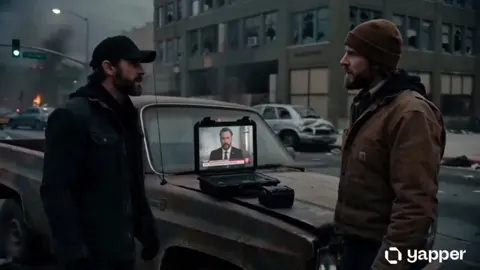

Generative video stopped being a novelty and quietly became infrastructure. Teams that once booked a studio for a product demo now build a shot list, generate a rough cut overnight, and spend their budget on the parts of the process that still require human judgement: story, pacing, sound, and taste. The result is not a cheaper version of the old pipeline. It is a different one, with its own bottlenecks, failure modes, and required skills.
This guide walks through a practical AI video production workflow end to end: how to choose models per shot, keep characters and products consistent, control motion, structure review loops, and scale without chaos. It is written for small teams and solo creators who need repeatable results rather than one-off demos.
Start With the Shot List, Not the Model
The most common mistake in AI video production is opening a generation tool before knowing what you are making. Text-to-video is seductive because it produces something immediately, but "something" is not a deliverable. A shot list converts intent into constraints, and constraints are what make generative tools predictable.
A useful AI-era shot list has six columns:
- Shot ID — a stable name like
S03_product_hero, notfinal_v2_real. - Duration — target seconds, which drives how much motion the model can sustain.
- Subject and action — one sentence, one verb. Two verbs in one shot usually produces mush.
- Camera — locked-off, slow push-in, handheld, orbit, crane.
- Continuity anchors — wardrobe, prop position, lighting direction, time of day.
- Source type — pure generation, image-to-video from an existing still, or a hybrid with live plates.
That sixth column matters more than people expect. Roughly half of a well-run AI project ends up as image-to-video, because starting from a still gives you far more control over composition and identity than starting from a sentence. Deciding this up front prevents the classic spiral where a creator burns an afternoon regenerating a shot that should have been built from a keyframe.
The shot list also becomes your budget document. Instead of guessing how long a project will take, you can estimate generation attempts per shot type and multiply. A locked-off product shot might take three to five attempts. A walking character in a crowded street might take twenty. Knowing that ratio before you start is the difference between a schedule and a wish.
Designing the Pipeline: Four Stages That Hold Up
AI production borrows structure from animation and VFX rather than from live-action film. The pipeline is iterative by nature, which means the stages are less about sequence and more about gates.
Stage 1: Pre-production and the prompt bible
Before generating anything, write a prompt bible. This is a shared document with the recurring language your project uses: visual style phrases, lens and film-stock references, lighting vocabulary, palette notes, and the exact wording used to describe each recurring character. The goal is consistency of language, because consistency of language is the cheapest proxy for consistency of output.
Keep entries short and concrete. "Warm afternoon sun, soft shadows, shallow depth of field, subtle grain" outperforms a paragraph of atmospheric prose, because most models weight the beginning of a prompt more heavily and drop detail from the middle. Also record the negative constraints you rely on — artifacts, watermark-like textures, unwanted text, distorted hands — so nobody has to rediscover them.
Stage 2: Generation and iteration
This is where most time is spent and where discipline pays off. Treat generation as sampling, not authoring. Run small batches with one variable changed at a time: same prompt, different seed; same seed, different camera instruction; same camera, different lighting phrase. Changing three things at once produces a result you cannot reproduce.
Every accepted take should be saved immediately with its full prompt, seed, model, and settings. If you cannot regenerate a shot six weeks later during a client revision, you do not own it.
Stage 3: Assembly
Bring all takes into an editing timeline early, even if they are placeholders. Editing reveals problems that isolated clips hide: a shot that looks beautiful on its own may kill the pacing of a sequence. Assembly is also where you discover you need connective shots — inserts, hands, textures, cutaways — that were never on the original list. Generate those in a dedicated pass rather than interrupting the main flow.
Stage 4: Finishing
Finishing is where AI footage stops looking like AI footage. That usually means: a consistent grade across shots so day and night scenes match; stabilization on any shot with unintended drift; frame-rate conforming so everything sits at the same base rate; light grain or texture to unify synthetic and live elements; and sound design, which does more for perceived realism than any visual tweak. Footsteps, room tone, and cloth movement sell a shot that the renderer got 85 percent right.
Matching the Model to the Shot
Not every shot should come from the same engine. Different models have different strengths, and blending them is the single biggest quality lever available to a working team.
A simple shot-type matrix
Map shot types to model characteristics:
| Shot type | What to prioritise |
|---|---|
| Product hero, static | Detail fidelity, sharpness, texture accuracy |
| Character close-up | Identity retention, facial stability |
| Wide establishing | Coherent geometry, believable depth |
| Action or motion-heavy | Temporal smoothness, motion blur handling |
| Stylised or animated | Style adherence, consistent rendering |
| Text or graphic overlays | Control, clean edges, low hallucination |
If you are honest about which column each shot falls into, model selection becomes obvious. A shot that needs texture accuracy is not the same job as a shot with a running character, and using one engine for both means compromising one of them.
Blending models without losing coherence
Mixed-pipeline footage drifts. Two engines interpret "warm cinematic" differently, and the audience notices even when they cannot articulate why. Three fixes work reliably:
- Anchor with an image. Generate the look for each scene as a still, approve it, then use that still as the starting frame for every shot in the scene. Colour, contrast, and composition inherit from the frame rather than from prompt text.
- Grade after, unify last. Accept that individual models will produce different colour science. Apply a shared grade in post rather than fighting each engine's defaults.
- Limit the palette of tools. Two or three engines per project is workable. Five is a continuity problem you will spend days solving.
Character and Product Consistency
Identity drift is the number one complaint in AI video, and it has a specific cause: the model has no persistent concept of your subject. It reinterprets a description every time. Multi-image reference techniques solve most of it, but only if the references are built properly.
Building a reference sheet
Create a character sheet before generating story shots: a frontal face, a three-quarter view, a profile, a full-body shot, and a shot in the scene's actual lighting. Consistent clothing, consistent hair, no accessories that appear in one image and not another. Then, when generating, supply several of these images together rather than a single portrait. Multiple angles give the model geometry instead of a flat likeness, and it holds up better when the character turns or moves.
For products, the equivalent is a turntable set: front, back, label close-up, and a shot that shows scale relative to a hand or table. Labelling and typography are the hardest thing to preserve, so treat any shot that must show readable packaging as a compositing job rather than a generation job.
When drift still happens
If a character morphs mid-project, check four things in order: whether the reference set changed between shots, whether the shot uses a different model, whether the prompt's description of the character contradicts the reference images, and whether the shot involves an extreme angle the references never covered. The fourth cause is the most common and the least obvious. Models cannot invent a profile from a frontal portrait; they guess, and guessing looks like a different person.
Temporal Control: Motion, Frame Rates, and Continuity
Time is where AI video is weakest, and where small technical choices produce big differences.
Keep shots short. Most engines hold coherence for a handful of seconds. Instead of asking for one ten-second shot, generate two five-second shots with matched first and last frames, then cut. The cut hides the seam and audiences read it as a deliberate edit.
Control the start and the end. Where the tool supports first-frame and last-frame conditioning, use both. It converts an open-ended generation into an interpolated one, which is dramatically more predictable and makes reverse shots trivial.
Match motion to shutter logic. Fast pans and whips are where generative footage breaks. Slow, deliberate movement reads as intentional; a failed fast move reads as a glitch. If a scripted moment truly needs speed, consider motion blur applied in post rather than asking the model to render it.
Conform frame rates early. Generate or conform everything to your delivery rate before you grade. Mixing 24 and 30 fps clips in one timeline produces stutter that no amount of polishing fixes.
Plan entrances and exits. A shot where a subject walks into frame and settles is far easier to make believable than one where they are already moving at full speed. Blocking for AI means giving the model a moment of stillness.
Turning Stills Into Motion: Image-to-Video in Practice
Image-to-video deserves its own workflow because it is where most professional-looking AI footage actually comes from.
The sequence that works: generate a still, iterate on the still until the composition is exactly right, upscale if needed, then animate. Animation prompts for stills should describe motion only — camera movement, subject movement, environmental movement — not appearance. Re-describing the subject tends to make the model redraw it, which is precisely what you were trying to avoid by starting from a frame.
Three practical notes. First, generate stills at a resolution and aspect ratio that match your delivery; cropping after animation reveals edges where the model had less information. Second, avoid animating a still whose lighting is ambiguous; models will invent a light source and the shot will not cut with its neighbours. Third, if you need two shots of the same scene, animate two stills from the same scene rather than continuing one animation; you will get matching coverage instead of a drifting camera.
For anything with a human face in close-up, budget extra attempts. Faces are where audiences are most sensitive to synthetic artifacts, and a two-second shot of the wrong micro-expression is more damaging than a slightly soft wide shot.
The Review Loop: Versions, Names, and Approvals
AI production generates volume, and volume without naming discipline destroys projects. Adopt a convention and never deviate: project_scene_shot_version, so atlas_s03_004_v07. Include the model or pipeline in the metadata, not the filename, and log seeds and prompts in a spreadsheet or asset manager.
Structure reviews in rounds rather than in real time. Collect feedback on a full sequence, address it in a single generation pass, then re-present. Live, per-shot feedback loops feel productive and are actually the fastest way to lose track of which version is approved.
Separate three approval states clearly: selected (best current take), locked (approved, do not regenerate), and delivered (exported to the client). Without this vocabulary, someone will regenerate a locked shot and the audio sync will break. Lock shots as soon as picture is approved for a scene, and treat unlocking as a logged decision with a reason attached.
Scaling Up Without Chaos
Scale problems appear at roughly the same point on every project: when more than one person generates footage.
Centralise storage before you centralise tools. A shared folder structure with read/write rules prevents the classic situation where three people export three different "final" files. Keep raw generations, selected takes, and exports in separate directories with automatic retention rules.
Queue renders instead of babysitting them. Long generations should run as background jobs with visible status, so the team can keep editing while new material renders. Even a simple job list with states — queued, running, failed, complete — eliminates most coordination overhead.
Version the prompt bible. Treat it like code: changes get a note and a date. When output quality shifts, the first question is always "what changed in the wording?"
Write handoff notes. A one-paragraph note per scene describing what is final, what is placeholder, and what is still missing saves more time than any automation. Most delays in AI production are communication delays wearing a technical costume.
Common Mistakes and How to Fix Them
Chasing a perfect single shot. If a shot has failed ten times, the prompt is wrong, the source is wrong, or the shot should be two shots. Change the approach rather than the seed.
Over-describing. Long prompts dilute attention. Cut adjectives, keep nouns and verbs, and move stylistic language into a reference image where it is unambiguous.
Ignoring audio. Viewers forgive visual imperfection and almost never forgive bad sound. Budget real time for foley, room tone, and music.
Generating before editing. If you do not have an edit, you do not know what you need. Build an animatic from stills first; it costs hours instead of days.
No backup of accepted takes. Generation is not deterministic across sessions. If a take is good, copy it somewhere immutable immediately.
FAQ
How many generation attempts should I expect per finished shot? Plan for three to five for simple, controlled shots and fifteen to twenty for shots with complex motion, crowds, or faces. If your ratio is far worse than that, the problem is usually pre-production rather than the tool.
Do I need one model or several? Two or three is the sweet spot for most projects: one strong at detail and stills, one strong at motion, and optionally one for stylised work. More than that multiplies continuity problems.
How do I keep a character consistent across a long video? Build a reference sheet with multiple angles in the scene's lighting, supply several references per generation, keep the descriptive wording identical across shots, and avoid extreme angles your references do not cover.
What is the fastest way to improve perceived quality? Grade all shots together, stabilise drift, conform frame rates, and add real sound design. These four steps do more than doubling your generation attempts.
Can AI footage cut with live-action material? Yes, but unify them in post: shared grain, shared grade, shared frame rate, and matched motion blur. Shoot live plates at the same frame rate and shutter angle you are conforming AI shots to.
How should a small team split the work? One person owns the prompt bible and shot list, one owns generation and asset logging, one owns edit and finishing. Rotating roles mid-project is the fastest route to inconsistency.
The teams getting the most out of generative video are not the ones with the most tools. They are the ones with the clearest shot lists, the tightest naming conventions, and the discipline to lock a shot and move on.

Alexander
More Blogs
Read MoreMontaggio video rapido: transizioni e software per l'AI
Guida pratica al montaggio video rapido con AI: transizioni fluide, software, workflow, coerenza visiva, errori da evitare e FAQ operative.
Building an AI Video Production Workflow From Concept to Cut
A practical guide to planning, generating, editing, and finishing AI-assisted videos with consistent characters, clear shot lists, and reliable review loops.
A Repeatable Post-Production Workflow for Polished AI Video
Build a repeatable AI video post-production pipeline: organize assets, cut story-first, design transitions, refine audio, and review versions calmly.