

How AI Video Synthesis Captures Live-Action Realism in Feeds
Oct 15, 2026
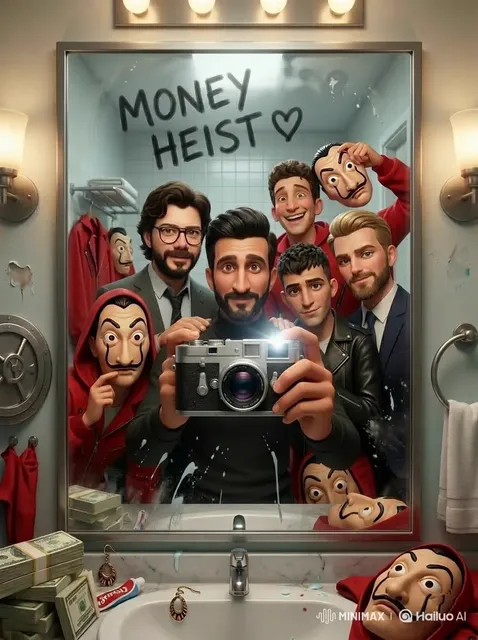
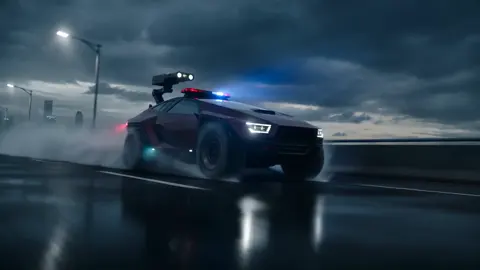

Why Live-Action Realism Became the New Minimum Standard
A phone-shot highlight reel used to be enough. Someone filmed a few shaky seconds of a match, a dance battle, or a skate trick, cut the clips together in a free editor, and posted it. The footage looked rough, but nobody expected more because nothing better was easy to make.
That expectation is gone. Audiences now scroll past broadcast-grade slow motion, gimbal tracking shots, and color-graded close-ups dozens of times per session. Their tolerance for amateur-looking footage has collapsed, and their tolerance for obviously synthetic footage has collapsed even faster. The moment a viewer senses that a face changed shape or a foot slid across the floor, they stop watching — not because they consciously identified an error, but because the illusion broke and the clip felt cheap.
This is why live-action realism has become the real benchmark for AI video synthesis. The interesting question is no longer whether a model can produce a clip of a person running. It is whether that clip survives the same scrutiny a viewer applies to a live broadcast: does the fabric react to motion, does the light stay consistent when the camera pans, does the same person remain the same person across six consecutive shots?
This guide is for editors, social teams, solo creators, and small studios who want generated footage that can sit next to camera-original material without an apology. It covers what realism actually requires, where current tools still fail, and how to build a workflow that produces cinematic-feeling sequences on a realistic schedule.
What "Realism" Really Means in Generated Video
Realism is not a single property that a model either has or lacks. It is a stack of independent layers, and each one fails on its own terms. Understanding the stack is the difference between fixing a problem and randomly re-rolling prompts.
Photometric realism
This is the easiest layer: believable lighting, surface texture, depth of field, and grain. Most modern models clear this bar inside a single frame. A well-generated still is frequently indistinguishable from a photograph, which is exactly why creators get fooled. A beautiful frame is not evidence that the next three seconds will hold up.
Temporal realism
Temporal realism asks whether the image stays stable over time. Flicker, texture crawl, edges that shimmer, and backgrounds that seem to breathe are temporal failures, not photographic ones. They appear most often in long takes, fast pans, and scenes packed with high-frequency detail — grass, water spray, confetti, chain-link fences, crowds.
Physical realism
This layer covers motion and contact: weight, momentum, friction, and deformation. A ball that changes trajectory mid-flight, a jacket that folds like cardboard, or a hand that passes through a railing breaks the illusion instantly, even if every individual frame is gorgeous.
Narrative realism
This is the human layer. Do the people in the frame behave like people? Does a crowd react at the right moment? Does a goalkeeper dive before or after the shot? Does a reaction shot arrive when an editor would place it? Models are increasingly competent at this, but they still default to generic behavior when the prompt leaves behavior unspecified.
Cinematic realism
The final layer is the one that separates amateur output from professional-looking feeds, and it is discussed the least. Cinematic realism is camera language: lens choice, framing, movement motivation, and the discipline to keep the camera still when nothing in the scene needs the camera to move.
When a viewer says generated footage "looks AI," they are almost never reacting to a bad texture. They are reacting to a failure in one of the last four layers — and usually the last one.
Prompt Like a Cinematographer, Not a Search Engine
The fastest way to raise production value is to write prompts the way a director of photography thinks. A vague prompt hands every decision to the model. A specific prompt removes the decisions you care about.
The six ingredients of a realistic prompt
A prompt that reliably produces believable live-action footage usually contains six components:
- Subject and action — who is doing what, described in plain language with mechanics where they matter.
- Environment — location, time of day, weather, crowd density, and what is in the background.
- Camera — shot size, lens character, support, and movement.
- Lighting — direction, quality, and source.
- Texture and detail — fabric behavior, sweat, dust, moisture, motion blur.
- Grade and mood — documentary, broadcast, commercial, or cinematic.
A weak prompt: "skateboarder lands a trick, realistic, 4K."
A stronger prompt: "Low-angle tracking shot on a 24mm lens, gimbal at knee height, following a skateboarder rolling toward a stair set, late afternoon backlight with visible dust in the air, wheels gripping concrete with slight motion blur, urban plaza blurred behind, muted documentary grade."
The second prompt is not better because it is longer. It is better because each clause eliminates a decision the model would otherwise make arbitrarily.
Control dimensions worth learning
- Shot size — extreme close-up, close, medium, wide, establishing
- Lens character — 24mm wide, 50mm normal, 85mm portrait compression, 200mm telephoto flattening
- Camera support — tripod, handheld, gimbal, crane, drone
- Movement — static, slow push-in, lateral tracking, whip pan, orbit, tilt reveal
- Frame-rate feel — 24fps cinematic cadence, 60fps live-action energy, high-speed slow motion
- Lighting — golden-hour backlight, overcast soft box, stadium floodlights, practical neon
- Grade — teal-and-orange blockbuster, desaturated documentary, high-contrast broadcast
Two rules outperform the entire list. First, one camera intention per shot: a push-in and an orbit in the same clip reads as a machine searching for something to do. Second, movement must be motivated. If the subject moves, the camera follows. If the subject is still, the camera stays still.
Negative guidance is part of the craft
Most pipelines accept a list of things to avoid, and it is worth filling in deliberately rather than copying a generic block. Reliable entries include: no text overlays, no distorted hands, no duplicated limbs, no sudden unmotivated zoom, no flicker, no watermark, no warped background architecture. Add project-specific entries as you discover them — a recurring garbage artifact in the top-right corner of interiors, for example, belongs in the negative list permanently.
Reference Sheets: The Unsexy Fix for Character Drift
Identity drift is the most common reason a multi-shot sequence falls apart. Ask a model to generate the same performer across eight shots from text alone and you will often get eight close relatives: the jaw shifts, the hair length changes, the jacket becomes a different jacket.
No amount of prompt phrasing solves this reliably. A reference pipeline does. Feed the model three or four well-lit images — a face at two angles, the full wardrobe, and the location — and consistency improves dramatically.
The habit worth building is a reference folder per project:
- Subject sheet — face front, face three-quarter, full body, plus any distinguishing detail
- Wardrobe sheet — the outfit photographed flat and worn, with fabric texture visible
- Location sheet — two or three angles of the same space under the same light
- Palette reference — one frame that defines the color direction for the whole sequence
Keep the folder in one place and reuse it for every generation in the project. When a shot comes back with the wrong hair or the wrong jacket, resist the urge to fix it with adjectives. Fix the reference set, or discard the take.
There is a second discipline here that saves hours: lock your descriptors. If the character is "a stocky athlete in a charcoal training top" in shot one, they must not become "a muscular man in a grey shirt" in shot four. Small vocabulary changes produce visibly different people.
A Repeatable Workflow, From Shot List to Final Cut
The following sequence works for social feeds, broadcast-style packages, and short narrative pieces alike. The order matters more than the tools.
Step 1 — Write the look document first
Spend twenty minutes before generating anything. Collect three reference images, define a palette, pick a preferred lens family, and write one line describing the mood. This single step prevents the most expensive failure mode in synthetic video: fifty clips that look great individually and do not belong in the same film.
Step 2 — Build the shot list around coverage, not around cool shots
Plan rhythm deliberately: wide, medium, close, reaction, wide. A twenty-second piece might be six shots. A sixty-second piece might be fifteen. What you do not want is ten variations of the same angle, because that is a demo reel, not a story.
Step 3 — Generate short, controlled takes
Three to six seconds per generation is the sweet spot for realism. Longer generations accumulate temporal drift, and physics errors compound over time. Build long sequences by editing short takes together rather than by asking one generation to carry the scene.
Expect a three-to-one to ten-to-one ratio of attempts to usable takes, depending on complexity. Save the prompt next to every clip you keep so you can iterate deliberately instead of guessing what worked.
Step 4 — Assemble, grade, and sound-design
This is where synthetic footage starts looking expensive. Cut on motion rather than on stillness. Use audio leads so sound enters before or after the picture cut. Add ambience, foley, and music. Apply one grade across the entire timeline.
Uniform color and continuous audio do more for perceived realism than any individual clip. A slightly imperfect shot inside a consistent grade feels intentional. A technically clean shot inside an inconsistent grade feels broken.
Step 5 — Run a QA pass at quarter speed
Watch the sequence once at 25 percent speed with the sound off, then once at full speed with sound on. The slow pass catches hand errors, foot sliding, identity drift, and flicker. The fast pass tells you whether the pacing works. Fix or cut anything that breaks. A tight twenty seconds beats a loose forty-five seconds every time.
Fast-Motion Action: Where Realism Breaks First
High-speed content is the stress test for any synthesis pipeline. Sports, dance, combat, and vehicle footage compress a lot of physics into very few frames, and small errors compound quickly into visible nonsense.
A practical playbook for these sequences:
- Slow the perceived pace. Generate footage that reads as high frame rate, then conform it to a slower timeline for slow motion. Generating natively at a slow cadence and then stretching it produces stutter and smear.
- Break the action into beats. The approach, the contact, the follow-through, and the reaction are four shots, not one. Do not ask a single generation to deliver a complete athletic sequence.
- Anchor contact points explicitly. Describe foot plants, hand grips, and the moment of impact. Contact is where physics errors are most visible and where viewers are most sensitive to mistakes.
- Separate crowd and background layers. Generated crowds are a frequent source of mush. Treat the background as its own plate and composite if the toolchain allows it.
- Cut on impact. Real sports editors cut at the moment of contact, and doing the same with synthetic footage hides the frames where the model is least reliable. Use the collision as your edit point.
A worked example: a six-second skate sequence is best built as four short generations — a rolling approach, a launch, a landing with a visible board flex, and a crowd reaction. Each generation is under two seconds of screen time. The edit stitches them into a sequence that feels continuous and physically honest.
A Pre-Publish Quality Control Checklist
Before a sequence ships, run this list in order. It takes about four minutes and catches most of what viewers notice.
- Faces and wardrobe identical across every shot
- No flicker or texture crawl in flat areas such as sky, walls, or water
- Contact points physically plausible — feet, hands, ball, board
- Camera movement motivated, and consistent in direction between adjacent shots
- Lighting direction consistent within the same scene and time of day
- Color grade uniform across the full timeline
- Ambience continuous with no hard audio cuts
- No accidentally generated text, logos, signage, or watermarks
- Sequence length justified — cut anything that exists only to fill time
- First two seconds strong enough to stop a scroll
Common Mistakes and How to Fix Them
Generating long clips and hoping coherence holds. It usually does not. Build sequences from short, controlled takes, and treat length as something you assemble rather than something you request.
Skipping the look document. Without a defined palette and lens language, even technically clean footage feels like a random collection of clips someone found in a folder.
Over-relying on post-production. Grading, sharpening, and interpolation can rescue slightly soft footage. They cannot fix identity drift, broken hands, or impossible physics. Those failures must be solved at generation time.
Ignoring audio. Viewers forgive visual imperfection far more readily than they forgive silence or mismatched sound. Ambience and foley are not optional polish; they are part of the realism stack and often do more work than the image.
Treating every shot as equally important. Cinematic feeds are built on rhythm. When every shot is a hero shot, nothing feels like a hero shot.
Chasing a single perfect take. Ten mediocre takes with varied angles give you a sequence. One flawless take gives you a clip. Plan for coverage and let the edit do the work.
Changing the prompt vocabulary mid-project. Renaming the subject, the wardrobe, or the location between shots guarantees inconsistency. Freeze your descriptors and change only the camera and action fields.
Choosing Tools Without Overbuilding
You do not need access to every model on the market. You need a small set that covers four jobs, and you need to know each one deeply rather than casually.
Text-to-video for concept and coverage. Pick one model and learn its quirks: how sensitive it is to prompt length, which motions it handles well, where it tends to fail. Familiarity produces better output than raw capability.
Image-to-video for control. Most realistic professional work happens here. Generate or select a strong still frame, then animate it. Control of the first frame is control of the shot, and it is the single biggest consistency upgrade available to a solo creator.
Upscaling and restoration. A dedicated upscaler handles face detail, edge sharpening, and frame interpolation better than the built-in tools inside a general editor. This is usually the cheapest quality upgrade in the stack.
Editing and grading. A standard non-linear editor with a real color pipeline is essential. Consistency across a timeline is a color-management problem, not a generation problem.
Add a shared review space if you work with a team, and enforce a naming convention for generated clips so you can find the take you actually liked three days later. A naming pattern as simple as project_scene_shot_take prevents a surprising amount of wasted time.
FAQ
How long should a generated clip be?
Three to six seconds is the reliable range for realism. Beyond that, temporal drift and physics errors accumulate. If you need a thirty-second sequence, generate six short takes and cut them together; you will get better motion, fewer artifacts, and more editorial control.
Why does my footage look synthetic even when the image quality is high?
It is almost always camera language. Continuous floating movement, inconsistent lighting direction between shots, or zooms with no motivation read as machine-generated. Lock the camera unless the subject's movement gives you a reason to move it.
How do I keep a character consistent across many shots?
Use image-to-video with a reference sheet containing the face, wardrobe, and build, and keep the text descriptors identical from shot to shot. Reuse the same references for the entire sequence. Consistency is a pipeline property, not a prompt property.
Do I need a special model for slow motion?
Not necessarily, but you do need to generate footage that reads as a high frame rate and then conform it to a slower timeline. Generating at a slow cadence and stretching it in post usually produces stutter and motion smearing that no amount of sharpening fixes.
How many attempts should I expect per usable shot?
Three to ten, depending on complexity. Fast-motion, multi-person, and contact-heavy scenes sit at the high end. Budget your time around that ratio rather than assuming one generation equals one finished shot.
Can synthetic footage sit next to camera-original footage in the same edit?
Yes, if the grade and audio are unified. Match grain, contrast, and lens character in post, and keep synthetic shots shorter than camera-original shots until you trust the pipeline. Shorter synthetic inserts are easier to blend than long ones.
What is the single highest-leverage change for a beginner?
Stop writing prompts that describe content and start writing prompts that describe camera, light, and motion. A mediocre scene filmed with clear camera intent looks more professional than a beautiful scene filmed with none.
How do I fix hand and foot errors?
Cut them. Trying to repair broken hands or sliding feet through regeneration rarely works at a reasonable cost in time. Reframe the shot tighter, place the contact point outside the frame, or use a different take where the error never occurs.
Live-action realism in synthetic video is not the product of one breakthrough. It is the compound result of temporal coherence, reference-driven consistency, physical plausibility, deliberate camera language, and disciplined post-production. Each layer is independently fixable, and the order matters: solve identity and physics at generation time, then solve look and rhythm in the edit.
The creators producing genuinely cinematic generated feeds are not using secret tools. They work in short takes, maintain reference libraries, prompt like cinematographers, and run a quality pass that most people skip. That discipline is the real difference between footage that reads as a generated clip and footage that reads as a production.

Alexander
More Blogs
Read MoreVidu Q4 Alternatives: 4K AI Video Models Compared (2026)
Vidu Q4 alternatives compared: Kling 4.0, Seedance 2.5, Wan 3.0, and Runway Gen-4 — 4K support, input modes, durations, audio, and what each costs in credits on Domer.
Top 4K AI Image Generators in 2026: 5 Models Compared on Real Costs
The top 4K AI image generators on Domer compared: Flux 3 Klein, Nano Banana 2.1, GPT Image 2.5, GPT Image 2, and Nano Banana Pro — 4K credit costs, reference limits, and speed.
Nano Banana 2.1 vs GPT Image 2.5: Which Image Model Should You Use? (2026)
Nano Banana 2.1 vs GPT Image 2.5 Flare compared: credit costs per resolution, aspect ratios, reference images, text rendering, and which tasks fit each model.