
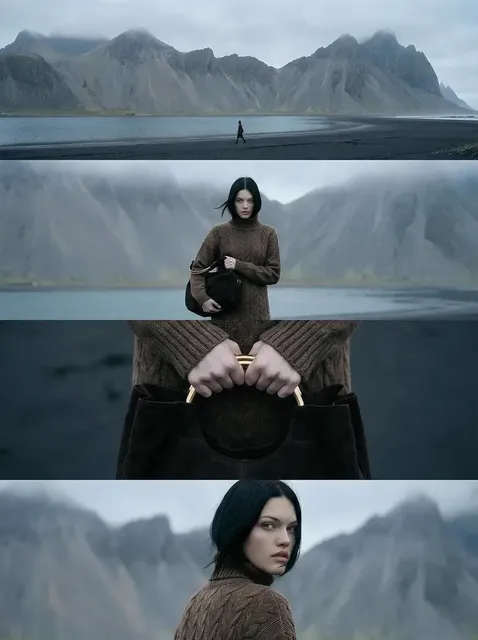
AI Video Workflow Guide: From Script to Finished Cut
Oct 14, 2026
Start With a Workflow, Not a Tool
Most people who try AI video production for the first time do the same thing: they open a generator, type something imaginative, and wait. The result is often striking for a few seconds and useless for anything longer. The footage does not match, the characters change faces between shots, the pacing collapses, and the whole thing feels like a demo reel rather than a film.
The problem is rarely the model. It is the absence of a pipeline. Generative video works best when it is treated like a production process with defined stages, clear handoffs, and a small set of quality gates. A director does not walk onto a set and hope a scene appears. They arrive with a script, a shot list, a lighting plan, and a schedule. The same discipline applies when your camera is a text prompt.
A practical AI video workflow has seven stages: briefing, scripting and storyboarding, prompt design, generation, editing, sound, and quality control. Each stage produces an artifact that the next stage depends on. Skip one and you will feel it later, usually in the form of endless re-renders or a final cut that never quite holds together.
This guide walks through each stage with concrete techniques, examples, decision criteria, and the mistakes that cost the most time. It is tool-agnostic on purpose. Models change every few months; the workflow does not.
Stage 1: Briefing, Audience, and the One-Sentence Premise
Define the deliverable before the idea
Before writing a single prompt, write down four constraints: runtime, aspect ratio, platform, and tone. A 15-second vertical clip for a social feed and a 3-minute horizontal narrative require completely different shot economies. A vertical clip needs a strong hook in the first second and no wide establishing shots that read as empty on a phone. A horizontal narrative has room for atmosphere and slower reveals.
Also define the sound situation. Will there be a voiceover? On-screen text? Dialogue? Music only? Sound decisions affect how many shots you need and how long each one can run. A shot that carries narration can be longer than a shot that must hold attention on its own.
Write the premise as one sentence
A useful premise contains a subject, a tension, and a change. "A diver descends into a flooded city and finds it still lit" is a premise. "Cool underwater footage" is not. The premise becomes the filter for every later decision: if a shot does not serve the change, cut it.
Keep the premise visible in your project notes. When you are forty generations deep and considering a beautiful but irrelevant shot, the premise is what saves you.
Stage 2: Scripting and Storyboarding for Generative Tools
Write scripts in shot-sized beats
Generative video models think in shots, not scenes. Rewrite your script so every paragraph maps to one visual idea. If a sentence introduces two actions in two locations, split it. This is not a creative compromise; it is the same logic used in animation and previz, where a scene is broken into numbered shots before anything is drawn.
A useful rule: one shot equals one camera setup equals one prompt. If your prompt needs the word "then" to describe what happens, you probably need two shots.
Build a shot list with four columns
A minimal shot list needs duration, subject and action, camera behavior, and audio intent. Everything else is optional.
| # | Duration | Subject and action | Camera | Audio intent |
|---|---|---|---|---|
| 01 | 3s | Diver breaks the surface, exhales | Slow push in, underwater housing | Muffled ambience, breath |
| 02 | 5s | Diver descends past a submerged street sign | Tracking down, wide | Low rumble builds |
| 03 | 4s | Lights flicker on inside a flooded lobby | Static wide, slight drift | Electrical hum |
| 04 | 2s | Close-up on the diver's eyes | Macro, shallow depth | Silence, then a single tone |
Two things happen when you fill in this table. First, you notice gaps: you may have three shots of the same action and no reaction shot. Second, you notice that some shots are unfilmable in the current state of the art, so you can redesign them before you waste hours.
Storyboard with stills first
Generate still images before generating motion. Stills are cheaper, faster, and easier to revise. A storyboard of twelve images lets you test composition, color palette, and character design in an afternoon. Once the board reads clearly as a sequence, you can animate it with image-to-video, which gives you far more control over framing than pure text-to-video.
This single change to your process usually improves output quality more than any model upgrade.
Stage 3: Prompt Design: The Grammar of AI Video
Use a stable prompt skeleton
Video prompts reward structure. A reliable skeleton looks like this:
- Subject: who or what, with two or three distinguishing details.
- Action: one verb phrase, present tense, no compound actions.
- Setting: location, time of day, weather, atmosphere.
- Camera: framing, angle, movement, lens character.
- Light: source, direction, quality, color temperature.
- Style: film stock, genre reference, rendering approach.
- Motion intensity: how much the subject and camera should move.
A finished example: A weathered deep-sea diver in a brass helmet, stepping slowly through a flooded hotel lobby, midnight, water at chest height, low tracking shot at hip level with a 28mm lens, hard shafts of light from a broken skylight, cool teal palette, cinematic documentary style, moderate motion, gentle drift.
Note what is absent: no emotional adjectives like "breathtaking," no stacked style references, no contradictory camera instructions. Models do not respond well to intensifiers. They respond to specificity.
Write negative instructions deliberately
Most generators accept an exclusion list. Keep it short and targeted: text overlays, watermarks, distorted hands, extra limbs, warped faces, jump cuts, flickering light. Do not paste a hundred-item list; it dilutes attention and sometimes produces the very artifacts you are trying to avoid.
Create consistency anchors
Character and location consistency comes from repetition, not from one clever prompt. Keep a small reference file with a fixed character description, a fixed location description, and a fixed palette note. Paste those exact phrases into every relevant prompt. Detail drift comes from rewriting descriptions each time in slightly different words.
Stage 4: Generation Strategy: Takes, Seeds, and Continuity
Batch, then select
Treat generation like a photo shoot. For each shot, produce six to twelve takes with small variations, then pick the best one. Evaluating twelve clips takes a few minutes; reworking a prompt for hours takes an afternoon. Batch generation also frees you from the trap of accepting the first acceptable result.
Score each take on three axes: composition, motion quality, and continuity with neighboring shots. A take that is beautiful but breaks continuity is a liability.
Record seeds and settings
When a take works, save the seed, the prompt, the model, and any settings. Seed reuse lets you generate additional variations of a successful shot — a slightly different camera angle, a longer hold, an alternate ending. Without documentation, you will never reproduce that shot, and you will spend the next session chasing it.
Manage continuity across shots
Three techniques carry most of the load:
- Anchor frames: generate a final frame of shot A and use it as the first frame of shot B when they share a location.
- Locked camera language: if shot A is a slow push, avoid a whip pan in shot B unless you intend the contrast.
- Palette discipline: pick three colors and enforce them across all prompts. Cohesion is often more about color than about faces.
Know when to stop generating
Diminishing returns set in fast. If your seventh take is not better than your fourth, the prompt or the shot concept is the problem. Move on, or return to the storyboard and redesign the shot.
Stage 5: Editing and Assembly
Cut on motion, not on duration
AI-generated clips rarely have natural cut points, so create them. Trim so that each cut lands on a movement peak — the end of a step, the turn of a head, the peak of a camera push. Cuts on motion feel intentional even when the underlying footage is imperfect.
Handle seams with purpose
Where two generated shots do not match perfectly, you have three options: hide the seam with a motivated transition such as a light flash or a whip pan; bridge it with a short insert shot of detail; or accept it as a stylistic jump. What you should not do is place two mismatched shots back to back and hope the viewer misses it. They will not.
Control pacing with a rhythm pass
After assembly, watch the cut with the sound off. If you can follow it, the visual storytelling works. Then watch it at double speed. If it still reads, your structure is solid. Finally, add one deliberate pause — a two-second hold on a face or an empty room. Rhythm needs quiet moments to contrast with movement.
Keep a cut log
Note the version, the changes, and the reason for each. In a project with 30 generated shots, you will otherwise lose track of which version had the better ending.
Stage 6: Sound Design, Voice, and Music
Voiceover is the fastest path to coherence
A well-paced voiceover forgives a lot of visual inconsistency. It provides narrative continuity that holds disparate shots together. Write narration for the ear, not the page: shorter sentences, concrete nouns, active verbs. Record a rough scratch track early and cut visuals to it. Re-recording later is easy; re-cutting to a different timing is not.
Layer ambience before music
Ambience establishes place. A flooded lobby needs a low rumble, dripping water, and distant structural groans. Music sets emotion; ambience sets reality. If you add music first, you will find that the ambience no longer fits and you will rebuild both.
Treat AI-generated audio as a starting point
Generated music and synthetic voices are useful for scratch tracks, temp scores, and social-first content. For anything client-facing or long-form, plan to replace or heavily process them. Simple moves help: add room reverb to dry synthetic voices, side-chain the music under narration, and high-pass the low end of ambient beds so they do not muddy dialogue.
Watch the loudness target
Deliver at the loudness standard your platform expects, and check the mix on phone speakers. Most viewers will watch on a phone, often without headphones. If the voice gets lost in the music on a phone, it gets lost for most of your audience.
Stage 7: Quality Control and Delivery
Before exporting, run a fixed checklist. Consistency beats inspiration at this stage.
- Continuity: Do characters, clothing, and locations match across shots?
- Artifacts: Are there warped hands, melting faces, flickering textures, or unstable edges?
- Text: Any accidental lettering in frame? Generated text is almost always wrong.
- Pacing: Does any shot run longer than it earns?
- Audio: Is the voice intelligible on a phone speaker? Any clipping?
- Framing: Are key subjects inside the safe area for the target platform?
- Legal and ethical: Do you have rights to any real people, brands, or logos that appear?
Export settings matter less than most people assume, but consistency does. Pick one codec and bitrate per platform and reuse it. Keep a master file at the highest quality you can store, and derive platform versions from it.
Choosing Your Stack: Decision Criteria
Tool choice should follow your workflow, not the reverse. Evaluate candidates against these criteria.
| Criterion | What to look for | Why it matters |
|---|---|---|
| Control over motion | Image-to-video, camera parameters, motion strength | Determines whether your storyboard survives |
| Consistency features | Reference images, character anchors, seed reuse | Reduces reshoots and continuity fixes |
| Iteration speed | Time per take, queue behavior, batch options | Directly sets how many ideas you can test |
| Aspect ratio support | Vertical, horizontal, square, cinematic | Avoids reframing and crop damage |
| Editing integration | Export formats, frame-accurate output | Saves a generation step later |
| Commercial terms | Usage rights for your distribution plan | Protects you before a launch, not after |
| Learning curve | Prompt documentation, predictable behavior | Determines how fast your team ships |
Run a one-week test with a real project rather than a demo prompt. Generate twelve shots, cut them together, and see whether the tools survive a sequence. Single beautiful clips are easy; a coherent minute is the actual benchmark.
Common Mistakes and How to Fix Them
Writing scenes instead of shots. If a prompt describes more than one action, split it. The fix is a shot list, not a better model.
Chasing realism when stylization would work. Photoreal generation exposes every artifact. A graphic, illustrative, or archival look hides flaws and can be more distinctive.
Generating before storyboarding. You will accumulate attractive clips with no spine. Board first, animate second.
Rewriting prompts from memory. Copy-paste your anchor phrases. Paraphrasing creates drift.
Ignoring sound until the end. Sound often dictates pacing. Build a scratch track early.
Over-generating. Twelve takes per shot is usually plenty. Beyond that you are negotiating with yourself, not with the model.
No version control. Name files by shot number and take, and keep a short log. It costs a minute and saves hours.
FAQ
How long does a typical AI video project take?
A one-minute narrative with 20 to 30 shots usually takes two to four working days for a solo creator who is comfortable with the workflow: about a day for script and board, a day for generation, and a day for editing, sound, and polish. First projects take longer because you are learning your tools' behavior.
Do I need editing software if the generator has a timeline?
Built-in timelines are fine for simple assemblies, but dedicated editors give you better control over audio, color, and versioning. Most serious workflows export frame-accurate clips and finish in a traditional editor.
How do I keep a character consistent across many shots?
Use a fixed written description, a reference image, and a locked palette. Reuse seeds where possible. Accept that consistency is a process of repeated small corrections, not a single setting.
Is image-to-video better than text-to-video?
For narrative work, usually yes. Stills give you precise composition and character design; motion generation then only has to solve movement. Text-to-video is faster for abstract or atmospheric shots where framing is flexible.
What is the biggest quality gain for the least effort?
Storyboarding with stills before animating. It improves composition, continuity, and pacing at once, and it costs almost nothing compared to re-generating motion.
Can I use AI video for client work?
Yes, with care. Confirm the commercial usage terms of every tool in your stack, avoid generating recognizable real people or protected brands without permission, and disclose synthetic media where your client or platform requires it.
Turning the Workflow Into a Habit
The creators who get consistently good results from AI video are not the ones with the most tools. They are the ones with a repeatable process: a premise that filters decisions, a shot list that keeps scale honest, prompts built from a stable skeleton, batch generation followed by disciplined selection, editing that cuts on motion, sound that arrives early, and a quality checklist that runs every time.
Start small. Take a 30-second idea, run it through all seven stages, and finish it. Finishing is the skill that compounds. Once the pipeline is second nature, adding new models or features becomes an upgrade rather than a disruption — and the work stays yours, regardless of which generator is fashionable that month.

Alexander
More Blogs
Read MoreVidu Q4 Alternatives: 4K AI Video Models Compared (2026)
Vidu Q4 alternatives compared: Kling 4.0, Seedance 2.5, Wan 3.0, and Runway Gen-4 — 4K support, input modes, durations, audio, and what each costs in credits on Domer.
Top 4K AI Image Generators in 2026: 5 Models Compared on Real Costs
The top 4K AI image generators on Domer compared: Flux 3 Klein, Nano Banana 2.1, GPT Image 2.5, GPT Image 2, and Nano Banana Pro — 4K credit costs, reference limits, and speed.
Nano Banana 2.1 vs GPT Image 2.5: Which Image Model Should You Use? (2026)
Nano Banana 2.1 vs GPT Image 2.5 Flare compared: credit costs per resolution, aspect ratios, reference images, text rendering, and which tasks fit each model.