

Animation AI Image Generators: A Practical Workflow Guide
Oct 15, 2026
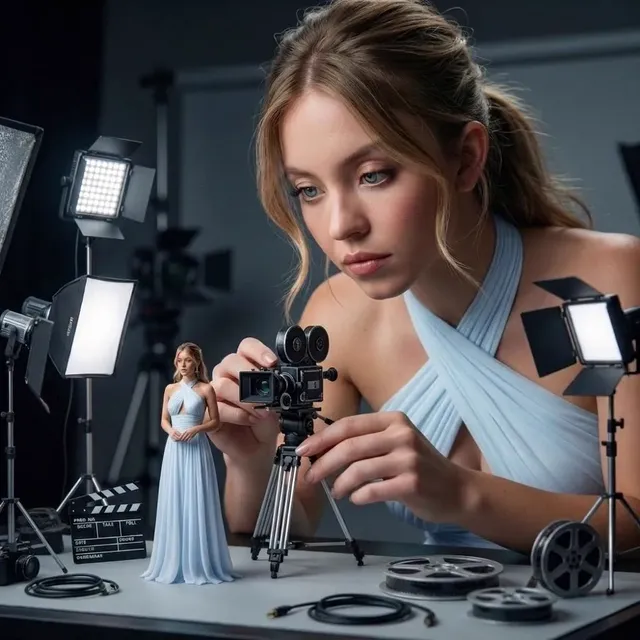

Why Animated Stills Became a Core Video Skill
For years, production split cleanly into two camps: designers who produced static frames and editors who assembled motion. Generative models collapsed that divide. A single operator can now art-direct a rich, deliberate frame in seconds and hand that frame to a motion model that brings it to life from a short written description. The output is not a replacement for a full character animation pipeline, but it covers an enormous amount of ground: social loops, product teasers, explainer b-roll, animated title cards, and moving storyboards that communicate a director's intent far better than a static board ever could.
The practical appeal is that the bottleneck moved. Rendering power and software seats are no longer the constraint. The constraint is taste, planning, and continuity. Anyone can generate one attractive image. Producing forty frames that feel like they belong to the same world, lit by the same sun, inhabited by the same character, is the actual craft. That is where most projects succeed or quietly fall apart.
What "animation" means in this context
When people say an image generator "creates animations," they usually mean one of three different things, and confusing them is the fastest way to waste a day:
- Ambient motion. The frame stays largely intact while hair moves, smoke drifts, water ripples, or fabric shifts. This is the easiest and most forgiving category.
- Camera motion. The subject holds still while the virtual camera pushes in, tracks sideways, or arcs around a scene. Depth-aware models handle this well.
- Character performance. A figure walks, turns, gestures, or speaks. This is the hardest category and the one where artifacts concentrate.
Decide which category each shot belongs to before you generate anything. Ambient and camera shots can be produced reliably at high volume. Performance shots deserve more attempts, more control inputs, and more time in review.
How Animation AI Image Generators Actually Work
Modern systems are assembled from several cooperating models rather than one monolithic engine. Understanding the assembly helps you diagnose failures instead of guessing.
From text to keyframe
A text encoder converts your description into a mathematical embedding. A diffusion model then starts from noise and iteratively denoises it toward an image that matches that embedding. Earlier systems relied heavily on generative adversarial networks; contemporary pipelines favor diffusion because it produces more stable, more controllable results and accepts additional conditioning signals.
From keyframe to motion
A video or image-to-video model takes your finished frame plus a motion description and generates a short sequence. Temporal layers inside the model learn how pixels should relate from one frame to the next, which is why the same prompt can produce a fluid result in one model and a shimmering mess in another. Some pipelines add explicit control signals: depth maps to preserve spatial structure, pose skeletons to guide a figure, edge maps to lock architecture, or optical flow to describe direction of movement.
Where artifacts actually come from
The most common defects trace back to four causes:
- Ambiguous motion instructions. The model tries to satisfy two conflicting movements at once and averages them into mush.
- Insufficient spatial information. Without depth or pose conditioning, the model invents geometry that changes between frames.
- Clip length beyond the model's reliable window. Quality often degrades after a certain number of seconds; generate short and chain.
- Style drift. Long sequences gradually lose the original palette, contrast, or line quality.
Knowing the cause narrows the fix considerably. Vague motion needs a rewritten prompt. Structural wobble needs a control input. Length problems need shorter clips. Style problems need reference conditioning or a locked look.
Choosing a Tool: The Decision Criteria That Matter
Tool comparisons age quickly; criteria do not. Evaluate any generator against these dimensions before you commit production time to it.
| Criterion | Why it decides your workflow |
|---|---|
| Output type | Still-only tools are for keyframes; you still need a motion model downstream |
| Control fidelity | Depth, pose, edge, and mask support determine whether complex shots are feasible |
| Reliable clip length | Sets your shot rhythm and how much chaining you will do |
| Style adherence | LoRA or fine-tune support is what keeps a series visually coherent |
| Reproducibility | Seed control and saved settings make revisions possible |
| Resolution headroom | Determines your finishing path for vertical or widescreen delivery |
| Licensing terms | Commercial use rules decide whether client work is permitted |
| Iteration speed | Fast mediocre drafts often beat slow perfect ones during exploration |
The two-tool rule
Most working teams settle on exactly two tools: one still generator they know intimately, and one motion model they trust for consistency. Deep familiarity with two tools outperforms shallow familiarity with ten. You learn each model's quirks, the phrasing it responds to, and the shot types it should never be asked to handle.
When a still generator beats a video model
If the shot requires precise typography, crisp product geometry, or a specific illustration style, generate and refine the still first, then animate. Trying to solve composition inside a motion model is like editing a screenplay by shouting at the actors. Get the frame right, then move it.
A Repeatable Seven-Step Production Pipeline
This pipeline works for a thirty-second social spot and scales to a multi-minute explainer. The steps are deliberately boring, because boring steps are the ones that survive a deadline.
Step 1: Brief and shot list
Write the deliverable in one sentence: duration, aspect ratio, platform, tone. Then break it into shots of three to five seconds each. A thirty-second piece is six to ten shots. Number them and note the motion category for each.
Step 2: Build a style bible
Collect four to six reference images. Write a single reusable style block, roughly fifteen to twenty-five words, describing palette, light, lens character, and rendering style. Every prompt in the project will include this block verbatim. Consistency comes from repetition, not from cleverness.
Step 3: Generate keyframes
Produce the stills first, four to six variants per shot. Reject fast: composition problems cannot be fixed later. Keep a simple log with the shot number, prompt, seed, and chosen file name. When a client asks for a change three weeks later, that log is the difference between a twenty-minute revision and a rebuild.
Step 4: Run the motion pass
Animate one shot at a time using the approved keyframe plus a motion prompt. Generate at least three motion variants per keyframe, changing one variable at a time: motion strength, camera instruction, or clip length. Judging motion is easier when only one thing differs between attempts.
Step 5: Select, trim, and chain
Choose the best take, then trim the first and last few frames where the model is still stabilizing. If you need a longer continuous move, extract the final frame of a good clip, use it as the starting frame for the next clip, and overlap them slightly in the edit so the transition disappears.
Step 6: Sound design
Sound is what makes generated motion feel intentional. Add a room tone, a subtle whoosh on camera moves, footsteps, or a music bed with a clear rhythmic spine. Cut your picture to the beat rather than hunting for music that fits arbitrary clip lengths.
Step 7: Finishing and delivery
Stabilize jitter, apply a consistent color treatment across all shots, and export platform-specific versions. Apply light grain and a gentle sharpen pass; both help smooth the slightly plastic sheen that some models leave behind. Then deliver in the formats the destination actually requires: vertical, square, and widescreen cuts prepared from the same timeline.
Prompt Design for Animated Output
Prompting for motion is a different discipline from prompting for stills. The model needs to know what moves, how fast, and in which direction, while the frame itself stays recognizable.
Use a fixed prompt skeleton
Subject, action, camera, environment, light, style block, technical notes. Keeping the order stable makes debugging easier: if a shot fails, you know which clause to adjust.
Motion verbs carry weight
"Drifts," "ripples," "pushes in slowly," "turns her head," and "particles rise" all produce distinct results. Generic words like "moves" or "animates" tell the model almost nothing. Prefer one primary verb per shot.
Separate camera from subject
Say "camera pulls back slowly; subject remains still" rather than "the scene moves dramatically." When camera and subject instructions compete, you get warping geometry that looks like a rendering error and is actually a prompt error.
Keep it short
Twenty to forty words of motion description is usually the sweet spot. Longer prompts dilute attention; the model satisfies the first clause and improvises the rest.
Use negatives for known failures
If a model keeps warping faces, add negatives for duplicate limbs, melted features, and text artifacts. Negative prompts are cheap insurance for recurring defects in a specific model.
Character and Style Consistency Across Shots
A series lives or dies on continuity. Three techniques do most of the work.
Reference conditioning
Feed the same character reference image into every shot in which that character appears. Text descriptions of a face are unreliable; a reference image is not. Where the tool supports image conditioning, use it even when the prompt already sounds descriptive.
Seed discipline
Lock seeds for variants of the same shot and change them for genuinely new shots. Changing a seed mid-shot is the single most common reason a client sees two different characters in one sequence.
The narrow fine-tune
If a project needs fifteen or more shots with the same character, consider training a small style or character adapter on fifteen to thirty curated images. It costs an afternoon and pays back across every remaining shot. Curate ruthlessly: inconsistent training images produce inconsistent output.
Continuity checklist
Before approving a shot, verify wardrobe, hair length, prop position, time of day, palette, and lens character against the previous shot. These checks take fifteen seconds and prevent reshoots.
Quality Control and Troubleshooting
Build a review pass that is separate from generation. Watching while you generate makes you generous; watching an assembled sequence makes you honest.
Common defects and their fixes
- Flickering textures. Usually a lighting or detail density issue. Reduce motion strength, shorten the clip, or animate from a cleaner, slightly simpler frame.
- Melting faces and hands. Switch to a pose or depth control, reduce clip length, or reframe so the hands are less prominent.
- Rubbery, weightless motion. Add a concrete physical verb and reference a specific speed. "Leaves fall slowly, one at a time" behaves better than "nature moves."
- Background drift. Lock the camera and let only the subject move, or supply a depth map so static geometry stays static.
- Style drift across a sequence. Re-apply the style block exactly, refresh reference conditioning, and unify everything with a single color grade at the end.
- Over-smoothing. Add a subtle grain layer and a light contrast curve; both restore perceived texture.
- Jitter on slow moves. Stabilize in post, or generate at a slower motion setting and speed up slightly in the edit.
A ten-second approval test
Play the clip on mute, then with sound, then at half speed. Problems visible at half speed are usually visible to audiences too. If a shot only works when you are not looking closely at it, it is not finished.
Time, Team, and Iteration Realities
The unseen cost in generative video is iteration, not rendering. A realistic planning rhythm for a thirty-second piece: a day for brief, style bible, and keyframes; a day for motion passes and selection; half a day for sound and finishing; plus one review cycle. Teams that budget only for generation time consistently miss deadlines.
Roles matter too. Even a two-person team benefits from separating the continuity lead, who guards style and character consistency, from the operator, who drives the models. One person cannot easily judge consistency and generate simultaneously. On solo projects, do the review pass the next morning before generating anything new.
Finally, keep a failure archive. Save the prompts and settings that produced garbage alongside the ones that worked. Model behavior is not intuitive, and a written record of "this phrasing warps hands" is worth more than any tutorial you will read.
Where Animated Image Generation Pays Off
The highest-return applications share a trait: they need many visually rich shots on a small budget.
- Social and short-form ads. Vertical loops with ambient motion and camera pushes, produced weekly rather than quarterly.
- E-commerce. Product frames animated with a slow orbit and a light sweep, giving static catalog photography a video presence.
- Explainer and training content. Historical scenes, cutaways, and abstract concepts that would otherwise require stock footage that does not exist.
- Previsualization. Moving boards that communicate camera intention to clients before any expensive production begins.
- Publishing and news graphics. Illustrative sequences for stories with no available footage.
- Music and audio releases. Looping art films cut to a track, made from a handful of keyframes.
- Games and worldbuilding. Animated concept art for pitch decks and mood reels.
In each case, success comes from choosing shots that fit the tool's strengths. Ambient detail and camera movement are reliable. Complex character performance is still a specialist task, better handled by combining a controlled pipeline with post-production compositing than by hoping a single prompt nails it.
Frequently Asked Questions
Do I need animation experience to use these tools?
Not for software operation, but animation literacy helps enormously. Understanding shot length, continuity, and pacing is what separates a professional result from a collection of pretty clips. Study a minute of well-edited motion design frame by frame and you will learn more than any settings menu teaches.
How long should each generated clip be?
Three to five seconds is the practical sweet spot for most models. Shorter clips hold quality better, and you can chain them for longer sequences. Long uninterrupted takes are where artifacts concentrate.
Why does my character look different in every shot?
Almost always because reference conditioning or seed discipline is missing. Text descriptions cannot pin down a face. Feed the same reference image into every shot and lock the seed while exploring variants of a single shot.
Can I fix a bad clip in post instead of regenerating it?
Sometimes. Stabilization, grain, masks, and speed ramps solve jitter, flatness, and minor geometry issues. Warped faces and morphing hands cannot be repaired cheaply; regenerate those with stricter control inputs.
Is it better to generate video directly from text or from an image?
Image-first is more controllable for anything with composition or branding requirements. Text-to-video is useful for loose exploration and for backgrounds where exact framing does not matter.
How many variants should I generate per shot?
At least three motion variants per approved keyframe, changing one variable at a time. Four to six keyframe variants is a reasonable starting point for hero shots and overkill for background b-roll.
What is the biggest mistake beginners make?
Trying to solve composition inside a motion model. Generate stills until the frame is genuinely good, then animate. Every hour spent fixing a keyframe saves several spent fighting a video model.
How do I keep an entire series visually unified?
One style block applied verbatim to every prompt, one shared reference set, and one final color pass across all shots. Consistency is a discipline of repetition, not a lucky setting.
What to Build Next
Start small: pick a single ten-second concept, one character, three shots, and take it all the way through keyframes, motion, sound, and finishing. The complete cycle teaches more than twenty experiments that stop at the render. Once that loop feels routine, extend clip length, add a second character, and introduce control signals such as depth or pose for the shots that resisted you. The technology will keep shifting; the pipeline, the review habits, and the continuity discipline you build around it will carry across every model that comes next.

Alexander
More Blogs
Read MoreVidu Q4 Alternatives: 4K AI Video Models Compared (2026)
Vidu Q4 alternatives compared: Kling 4.0, Seedance 2.5, Wan 3.0, and Runway Gen-4 — 4K support, input modes, durations, audio, and what each costs in credits on Domer.
Top 4K AI Image Generators in 2026: 5 Models Compared on Real Costs
The top 4K AI image generators on Domer compared: Flux 3 Klein, Nano Banana 2.1, GPT Image 2.5, GPT Image 2, and Nano Banana Pro — 4K credit costs, reference limits, and speed.
Nano Banana 2.1 vs GPT Image 2.5: Which Image Model Should You Use? (2026)
Nano Banana 2.1 vs GPT Image 2.5 Flare compared: credit costs per resolution, aspect ratios, reference images, text rendering, and which tasks fit each model.