
Anime AI Image Generation: Craft Stunning Art with Better Prompts
Oct 15, 2026
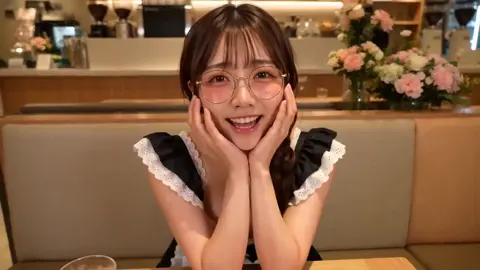
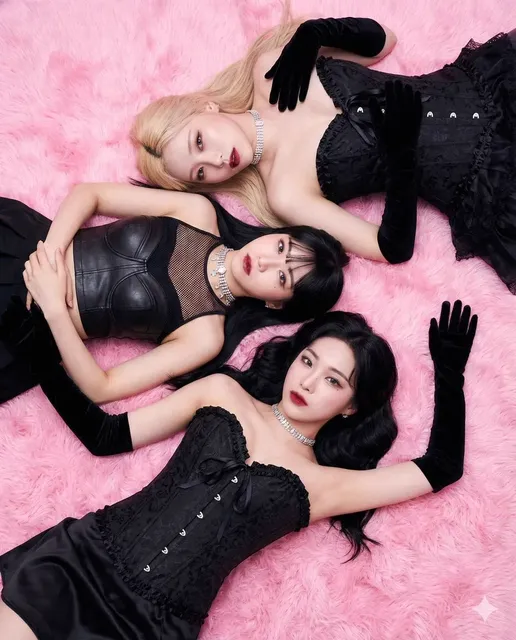
Anime-style AI art can look breathtaking in one image and completely off-model in the next. The difference is rarely the generator alone. It is the workflow around the generator: how you describe the scene, choose the model, control style, fix errors, and keep characters consistent across a set. This guide walks through a practical anime AI image generation process you can reuse for fan art, webcomic concepts, character sheets, posters, social content, and client moodboards.
Why Anime Is a Stress Test for AI Image Generators
Anime looks simple until you ask a model to reproduce it. The style depends on clean line economy, expressive eyes, stylized proportions, distinctive hair shapes, costume logic, and backgrounds that read clearly even when they are detailed. A generator must infer all of that from text or reference images. When it misses, the result feels off even if the rendering is technically sharp.
Common failure points include hands, eyes, profile views, complex costumes, and character consistency. Another issue is style drift. A model may give you a soft watercolor look in one image, a sharp cel-shaded look in the next, and a semi-realistic portrait after that. If you are building a series, drift breaks the illusion faster than a single bad frame.
Anime also mixes visual languages. A magical girl scene, a mecha cockpit, a slice-of-life classroom, and a dark fantasy duel all need different lighting, color, and composition. The generator does not know your intent unless you make it explicit. That is why a repeatable workflow matters more than any single prompt trick.
Core Workflow: From Idea to Finished Anime Art
A reliable anime workflow has five stages. Each stage reduces randomness before you move to the next.
Step 1: Define the scene and emotional beat
Start with one sentence that names the character, action, setting, and feeling. For example: a young inventor nervously presents a glowing device in a crowded workshop. That sentence gives you subject, action, location, and emotion. If you skip this step, you will generate attractive images that do not tell a story.
Write a short brief before you touch the generator. Include the aspect ratio, final use, and must-have elements. A poster needs negative space for text. A character sheet needs neutral lighting and a clear silhouette. A social crop needs the face near the center. The brief keeps you from chasing random beauty.
Step 2: Build a reusable prompt skeleton
A strong anime prompt usually has six parts: subject, action, setting, style anchor, lighting, and camera. You can rearrange them, but keep the structure consistent. Consistency makes it easier to compare outputs and fix what is missing.
A skeleton might look like this: anime key visual, [character description] [action] in [setting], [style anchor], [lighting], [camera angle], [composition], clean lineart, detailed background. Fill the brackets with specific choices rather than vague praise. Good is not a visual instruction.
Step 3: Choose a model and aspect ratio
Different generators have different strengths. Some excel at painterly anime backgrounds. Others handle character faces and hands more reliably. Some give you fine control through reference images and inpainting. Choose based on the job, not habit.
Aspect ratio matters just as much. Vertical ratios suit character portraits and mobile wallpapers. Wide ratios suit cinematic scenes and banners. Square ratios are flexible for social posts. If you generate a wide scene and crop it square later, you may lose the composition you wanted.
Step 4: Generate variations, not one-offs
Never judge a prompt from a single image. Generate a small batch with the same seed when possible, then change one variable at a time. If the face is good but the background is weak, keep the seed and adjust the setting. If the pose is wrong, change the action wording or use a pose reference.
Batch generation is not about volume for its own sake. It is about learning which words and settings control which outcomes. Save the prompts that work. A prompt library becomes more valuable than any temporary trend.
Step 5: Select, upscale, and refine
Choose the image with the best silhouette, expression, and composition, not the one with the most detail. Detail can be added later. A weak pose cannot. Once you have a candidate, upscale it, then repair hands, eyes, hair edges, and background transitions with inpainting or a raster editor.
The final step is a quality check at full size. Zoom in on the face, hands, clothing seams, and background perspective. If the image falls apart at full resolution, it is not finished.
Prompt Formula for Anime Styles That Stay Consistent
A prompt is a set of decisions. The more decisions you make, the less the model has to guess.
Subject and action
Describe the character with three to five concrete traits. Instead of a cute girl, write short black hair, red scarf, brass goggles, determined expression. Action should be active and visible: sprinting across rooftops, shielding her eyes from the sun, gripping a cracked sword. Passive descriptions produce passive images.
Style anchors and era
Style anchors tell the model what visual tradition to draw from. Use terms like cel shading, 90s anime aesthetic, watercolor background, ink lineart, retro mecha design, shoujo sparkle, or painterly key visual. Pick one primary anchor and one secondary texture. Too many anchors create mush.
Lighting, color, and mood
Lighting shapes anime drama. Try rim light, golden hour, neon glow, soft window light, stormy backlight, or stage spotlight. Color direction matters too: teal and orange, pastel palette, muted earth tones, high-contrast monochrome. Mood words like lonely, triumphant, tense, or playful guide expression and posture.
Camera and composition
Camera language gives you control over perspective. Use low angle, eye level, over-the-shoulder, wide establishing shot, close-up, or dutch angle. Composition terms like rule of thirds, centered symmetry, negative space on the left, or dynamic diagonal help place the subject. If you need text space, say it directly.
Negative prompts and exclusions
Negative prompts are not a magic eraser, but they help. Common exclusions include extra fingers, fused limbs, asymmetric eyes, blurry face, watermark, text, logo, bad anatomy, and messy lineart. Keep the list focused. A massive negative prompt can fight your main prompt.
Example prompt: anime key visual, a young swordswoman on a rain-slick rooftop, navy cloak, short silver hair, determined expression, neon reflections, cel shading, clean lineart, dramatic low angle, cinematic composition, detailed background. Example negative prompt: extra fingers, fused limbs, blurry face, asymmetric eyes, watermark, text.
Tool Choices: Matching the Generator to the Job
No single tool wins every anime task. Match the tool to the stage of work.
| Tool or type | Strength | Best for | Watchouts |
|---|---|---|---|
| Bing Image Creator | Fast, accessible, good at interpreting natural language | Early brainstorming, quick style tests | Less precise control over seeds and composition |
| Midjourney | Strong aesthetics, cohesive color, stylized lighting | Moodboards, key art, concept exploration | Character consistency requires references and iteration |
| Stable Diffusion | Deep control through models, LoRAs, ControlNet, inpainting | Repeatable characters, pose control, local workflows | Setup and settings have a learning curve |
| Adobe Firefly | Integrated editing and generative fill | Commercial-safe editing and cleanup | Less specialized for niche anime styles |
| Leonardo and similar web tools | Balanced controls and presets | Character design, game art, fast iteration | Feature limits vary by plan and interface |
| ComfyUI | Node-based automation and advanced pipelines | Batch production, complex refinement, repeatability | Requires technical patience |
A practical stack might use an accessible web generator for ideation, a controllable model for character consistency, and a raster editor for final cleanup. You do not need every tool. You need a clear handoff between them.
Advanced Techniques: Consistency, Control, and Cleanup
Character consistency across panels
Consistency comes from reference, not memory. Create a character sheet with front, side, and three-quarter views. Use the same seed and prompt skeleton. Then use image references, IP-Adapter, or a trained LoRA to lock facial features, hair, and outfit. Keep a written character bible with color codes and signature details. If the model changes the outfit, correct it with inpainting rather than rerolling everything.
Inpainting, outpainting, and pose control
Inpainting fixes small areas without regenerating the whole image. Use it for hands, eyes, accessories, and background objects. Outpainting extends the canvas when you need a wider banner or more headroom. Pose control tools let you define a skeleton or depth map so the character matches a specific stance. This is essential for action scenes, comic panels, and choreography.
Style references and lightweight fine-tuning
Style references are useful when you want a specific line quality or color palette. A single strong reference often works better than ten weak ones. If you need a recurring style across many assets, a small fine-tune or LoRA can stabilize it. Train on clean, legally usable images, and test the model on neutral prompts before using it on a project.
Upscaling and artifact repair
Upscale in stages. A gentle first pass preserves lineart. A second pass can add texture, but too much sharpening creates crunchy edges and fake detail. After upscaling, repair eyes, fingers, jewelry, and text. Check for duplicated patterns in hair and clothing. If an artifact repeats, fix the source image before upscaling again.
Common Mistakes That Ruin Anime AI Art
The first mistake is vague prompting. Words like beautiful, masterpiece, and best quality do not tell the model what to draw. Replace them with specific visual decisions.
The second mistake is contradictory style anchors. Asking for photorealistic skin, cel shading, watercolor, and 3D rendering at the same time creates a confused image. Choose one primary style and support it.
The third mistake is too many characters in one prompt. Models often blend faces, limbs, and costumes when the scene is crowded. Generate characters separately and composite them if needed.
The fourth mistake is ignoring aspect ratio. A beautiful vertical portrait becomes awkward when cropped into a wide banner. Decide the final format first.
The fifth mistake is accepting the first batch. AI generation is iterative. The best image is often the result of three small corrections, not one perfect prompt.
The sixth mistake is neglecting hands and eyes. These are the first places viewers notice errors. Repair them before delivery.
The seventh mistake is over-relying on one seed. Seeds help consistency, but they can also lock in bad composition. Change the seed when the pose is wrong, not when the face is slightly off.
The eighth mistake is forgetting licensing. If you plan to publish or sell the work, check the model terms and avoid living artists' signatures or protected characters. Ethical use protects your project and your reputation.
Editing and Post-Processing Workflow
Select your best candidate and open it in a raster editor such as Photoshop, Krita, Clip Studio Paint, Affinity Photo, or GIMP. Work in layers. Keep the original image untouched on the bottom layer.
First, correct anatomy. Use liquify or transform tools for small proportion fixes. Then repair lineart with a clean brush or generative fill. Match the line weight to the rest of the image. Next, adjust color balance, contrast, and saturation. Anime art often benefits from clear separation between warm and cool areas.
Then refine the background. If the background is too busy, blur it slightly or repaint distracting shapes. If it is too empty, add environmental details that support the story. Finally, add text, logos, or panel borders on separate layers. Export a flattened version for delivery and keep a layered version for revisions.
A quality checklist helps: face symmetry, eye highlights, hand count, finger count, hair strands, clothing seams, perspective lines, shadow direction, color harmony, and text readability. Run the checklist at 100 percent zoom and again at thumbnail size. If it reads at thumbnail size, the composition works.
Ethical and Practical Considerations for Anime Creators
AI image generation raises real questions about copyright, style imitation, and disclosure. Rules vary by country and platform, so treat this as a practical risk review rather than legal advice. If you use AI for client work, state your process in the contract. Some clients welcome AI-assisted concepts. Others forbid it. Clear expectations prevent disputes.
Avoid prompts that name living artists in a way that copies a signature style. Instead, describe visual traits: bold ink lines, pastel palette, geometric hair shapes, soft gradient skies. If you train a custom model, use images you have the right to use. Keep records of your sources and model versions.
For fan art, respect the original rights holders. For original characters, document your design process. If a platform requires AI disclosure, follow it. Ethical workflows do not limit creativity. They make your work easier to publish, license, and defend.
Building a Repeatable Studio Workflow
A repeatable workflow turns lucky images into a production system. Start with a project folder. Inside, create subfolders for briefs, references, prompts, raw generations, selects, edits, and exports. Name files with the project, character, scene, version, and date. Avoid spaces and vague names.
Keep a prompt library in a text file or spreadsheet. Record the prompt, negative prompt, model, seed, aspect ratio, and notes. When a prompt works, save it as a template. When it fails, note the failure. Over time, this library becomes your real asset.
Batch your work. Generate a set, review it, shortlist, then edit. Do not edit while generating. Context switching reduces quality. Set a review timer and choose based on composition and expression first.
Use a simple decision matrix. If the pose is wrong, change the prompt or reference. If the face is wrong, use a character reference. If the background is wrong, inpaint or replace it. If the style is wrong, change the model or style anchor. If the resolution is wrong, upscale. This keeps troubleshooting systematic.
Finally, build a delivery checklist. Confirm aspect ratio, color profile, file format, text accuracy, and licensing notes. A clean handoff is part of the creative work.
FAQ
What makes an anime AI prompt effective?
An effective prompt names the subject, action, setting, style, lighting, and camera. It uses concrete visual words instead of vague praise. It also includes a focused negative prompt for common errors. The goal is to reduce guesswork, not to write a paragraph of adjectives.
Which AI image generator is best for anime art?
The best generator depends on your need. Accessible web tools are great for fast ideation. Midjourney excels at aesthetic cohesion. Stable Diffusion offers the most control for consistency and inpainting. Adobe Firefly is useful when editing and commercial-safe workflows matter. Test two or three tools on the same prompt and compare.
How do I keep the same character across multiple images?
Create a character sheet, write a detailed character bible, and use image references or a trained model. Keep the seed and prompt skeleton stable, then change only the pose, setting, or camera. Repair small differences with inpainting instead of rerolling the entire image.
Can I use AI-generated anime art commercially?
It depends on the model license, the platform terms, the country, and the client. Some tools allow commercial use, while others restrict it. Avoid protected characters and living artists' signature styles. If you are unsure, get legal advice or use the image for internal concepts only.
How do I fix hands and eyes in AI anime art?
Use inpainting with a tight mask. Zoom in and describe the exact fix, such as relaxed open hand or symmetrical eyes with round highlights. If the model keeps failing, generate a detail shot separately and composite it. A raster editor is often faster for small fixes.
Should I use realistic or anime-specific models?
Anime-specific models usually understand stylized faces, hair, and eyes better. Realistic models can work for semi-realistic anime, but they often produce uncanny faces. Mixing both can be useful, but keep one model as the base and use the other only for specific passes.
How many images should I generate per idea?
Start with four to eight variations. If none work, change one major variable rather than generating fifty more. Batch size should match your review capacity. A small, well-reviewed batch teaches you more than a huge folder of random images.
Do I need drawing skills to create anime AI art?
Basic art knowledge helps, especially composition, color, and anatomy. You do not need to draw every line, but you should learn to spot errors and direct fixes. The strongest AI artists are usually strong editors. They know what to keep, what to repair, and what to discard.
Anime AI image generation is not a single button. It is a loop of brief, prompt, generate, select, repair, and deliver. Build that loop once, and you can create stunning anime art with far less frustration and far more control.

Alexander
More Blogs
Read MoreVidu Q4 Alternatives: 4K AI Video Models Compared (2026)
Vidu Q4 alternatives compared: Kling 4.0, Seedance 2.5, Wan 3.0, and Runway Gen-4 — 4K support, input modes, durations, audio, and what each costs in credits on Domer.
Top 4K AI Image Generators in 2026: 5 Models Compared on Real Costs
The top 4K AI image generators on Domer compared: Flux 3 Klein, Nano Banana 2.1, GPT Image 2.5, GPT Image 2, and Nano Banana Pro — 4K credit costs, reference limits, and speed.
Nano Banana 2.1 vs GPT Image 2.5: Which Image Model Should You Use? (2026)
Nano Banana 2.1 vs GPT Image 2.5 Flare compared: credit costs per resolution, aspect ratios, reference images, text rendering, and which tasks fit each model.