
Utwórz
Anime Art AI Generator from Image: A Practical Workflow
Oct 15, 2026
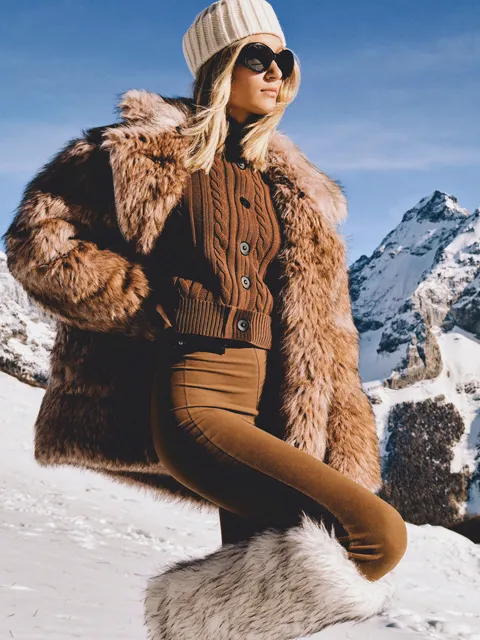
Why image-to-anime conversion became a standard creative step
Anime's visual grammar — clean lineart, flat cel shading, expressive eyes, dramatic rim light — travels well. It works on a profile picture, a webtoon panel, a game portrait, a thumbnail, a print. That versatility is why so many people want to convert an existing photograph into an anime-style illustration rather than generate something from scratch.
The practical advantage is simple: a photograph already contains everything that is hard to describe. Composition, pose, camera angle, perspective, the fold of a jacket, the exact tilt of a head. When you write a text prompt, you are asking a model to invent all of that and hoping it lands close to your mental image. When you start from an image, you hand the model a structural blueprint and only ask it to change the rendering style. That is a much smaller, much more controllable request.
That shift matters commercially too. Indie game teams build character portraits from reference photos of actors or cosplayers. Comic creators previsualize panels from phone snapshots. Marketing teams turn staff photos into illustrated key visuals without booking a full illustration commission. The workflow is no longer a novelty — it sits alongside cropping, color grading, and retouching as a normal production step.
This guide covers how image-to-anime models actually work, how to choose a tool, a repeatable end-to-end workflow, prompting patterns that change results, character consistency across a series, common failure modes, and the licensing questions you should answer before you ship anything.
How image-to-anime models actually work
Diffusion models: denoising toward a style prior
Most modern anime conversion runs on latent diffusion. The pipeline takes your source image, encodes it into a compressed latent representation, adds a controlled amount of noise, and then denoises it step by step while a text prompt steers the result toward an anime aesthetic. The key dial is the denoise strength (sometimes called strength or noise).
- 0.25–0.4 — a light pass. The photo still reads as a photo with an anime filter over it. Good for portraits where likeness matters.
- 0.45–0.65 — the balanced zone. Lineart emerges, shading flattens, but the pose and features survive. Most finished work lives here.
- 0.7–0.9 — a near-total redraw. You keep rough composition and silhouette, and lose almost everything else, including identity.
Two other parameters matter constantly. Guidance scale (CFG) controls how hard the prompt pushes against the image; anime checkpoints usually behave best between 5 and 7, not the 7–9 range common in photoreal work. Step count controls how much refinement each denoise pass gets; 20–30 steps is the practical sweet spot, and beyond that you mostly burn time.
GANs and lightweight style filters
Generative adversarial networks and small style-transfer networks still power most real-time mobile filters. They are fast, run on-device, and produce consistent, low-drama results. Their weakness is flexibility: they cannot follow a detailed prompt, they struggle with unusual poses, and they tend to flatten distinct faces into a generic template. They are excellent for social filters and terrible for a 40-page comic.
What the model preserves and what it reinvents
Understanding this split prevents most disappointment.
Usually preserved: overall composition, camera angle, body pose, approximate lighting direction, hair silhouette, clothing silhouette, background layout.
Usually reinterpreted: skin texture, fabric patterns, hair strand structure, small accessories, glasses frames, background detail, hands.
Frequently broken: fingers, text on clothing, logos, fine jewelry, anything relying on legible detail at small scale.
Structure guidance: depth, pose, and line control
Modern pipelines add a second conditioning channel that locks structure while the style channel changes appearance. Depth maps preserve three-dimensional form. Pose skeletons preserve limb placement. Canny and lineart extracts preserve edges — the outline of a jacket, the shape of a jaw. Reference-image conditioning preserves identity and color palette from a second image entirely.
This is the single biggest quality upgrade available to most hobbyists. If your conversions keep losing likeness, adding an edge or pose conditioning layer at moderate strength usually fixes it faster than any prompt rewrite.
Choosing the right tool for the job
Tool choice is a series of trade-offs, not a ranking. Score candidates against these criteria.
| Criterion | What to ask |
|---|---|
| Fidelity vs stylization | Can I control how far the conversion goes, or is it one fixed strength? |
| Identity retention | Does it keep faces recognizable, or does it homogenize them? |
| Consistency tools | Can I reuse a character reference, seed, or trained style across batches? |
| Structure control | Is there pose, depth, or lineart conditioning? |
| Resolution ceiling | What is the native output size before upscaling artifacts appear? |
| Batch throughput | How many images per hour, and is queuing involved? |
| License terms | Is commercial use permitted, and are there content restrictions? |
| Privacy | Do images leave my machine, and are they retained? |
In practice, tools fall into four buckets. Desktop diffusion front-ends give maximum control and require a decent GPU. Node-based pipelines (ComfyUI and its relatives) are the professional option for repeatable, multi-step workflows — they are essentially visual programs you can rerun on a folder of images. Browser apps trade control for convenience and are the right call for one-off conversions. Mobile filters are for social posts only.
A pragmatic default: start in a browser app to learn what strength and prompting do, then move the workflow you like into a desktop or node-based setup once you need consistency and batch processing.
A practical workflow from photo to finished anime frame
Step 1 — Prepare the source image properly
Resolution: aim for a long edge around 1024–1536 pixels. Too small and the model hallucinates detail; too large and you pay for it without gaining much. Crop to your target aspect ratio before generating, because letterboxing forces the model to invent content at the edges and those inventions are usually ugly.
Cleanup checklist: straighten rotation, remove watermarks and timestamps, reduce heavy noise, and simplify the background if it is visually busy. If the photo contains a distracting object that you do not want translated into anime lineart, remove it now.
Step 2 — Decide how much structure to lock
If the goal is a recognizable portrait of a specific person, add lineart or canny conditioning and keep it strong. If the goal is a dynamic action pose, depth conditioning preserves the pose more naturally. If the goal is maximum stylization with no fidelity requirement, skip conditioning entirely and let denoise do the work.
Step 3 — Set denoise strength and accept the trade-off
Write down the trade-off before you tune it: identity versus style. There is no setting that maximizes both. For portrait likeness, start at 0.4. For a stylized illustration of a scene, start at 0.6. Adjust in increments of 0.05 and compare side by side rather than judging a single output in isolation.
Step 4 — Build the prompt around the image, not instead of it
In image-to-image work the prompt is a steering signal, not a description. Keep it short and weighted toward style and rendering, because the structure is already supplied. A workable template:
anime illustration, [character description], cel shading, clean lineart, [lighting], [palette], [framing], high detail
And a starting negative prompt:
photo, realistic, 3d render, blurry, extra fingers, deformed hands, text, watermark, jpeg artifacts, oversaturated
Step 5 — Fix resolution only after the composition works
Generate at a moderate base resolution, pick the best of a batch, and then upscale. Push the upscaler's own denoise to roughly 0.3–0.45 so it adds crisp lineart rather than soft resampling. A dedicated upscaling model applied after the fact is usually better than generating directly at very high resolution, which tends to produce duplicated limbs and cluttered backgrounds.
Step 6 — Hand-fix the parts models are bad at
Expect to spend 10–20% of total project time on repair. Inpaint hands, eyes, and any small prop that carries meaning. Rebuild line weight where the conversion produced mush. Straighten the occasional stray hair strand. This is the difference between an output and a deliverable.
Prompting patterns that measurably change output
Style prompts work better as descriptions of rendering than as names of creators. Relying on a living artist's name is both ethically fraught and legally risky for commercial work; describing the same qualities directly is safer and often more precise.
Useful descriptive tokens include: cel shading, flat color with hard shadows, two-tone shading, soft gradient sky, watercolor background, 1990s OVA aesthetic, clean vector-like outlines, ink lineart, high-contrast rim lighting, muted pastel palette, warm golden-hour palette, rain-soaked night scene.
Three habits that consistently improve results:
- Change one variable at a time. If you alter strength, prompt, and seed together, you learn nothing about which one mattered.
- Keep a seed log. Note seed, model, strength, CFG, and prompt template for every image you would want to reproduce. Future-you will need this.
- Prefer prompt weighting over prompt length. A bloated prompt with fifteen style tags dilutes all of them. Four or five strong tokens beat fifteen weak ones.
Also remember that as denoise strength rises, prompt influence rises with it. At low strength the source photograph is doing most of the talking.
Keeping a character consistent across a series
This is where most hobbyist workflows break down, and where professional ones differentiate. A single beautiful image is easy; eleven panels featuring the same person is a system problem.
Lock the technical stack
Use one checkpoint, one VAE, one upscaler, and one prompt template for the entire project. Swapping models mid-project is the most common cause of visible style drift between panels.
Use reference conditioning
Reference-image conditioning lets you feed the model a character sheet — front view, three-quarter view, a couple of expressions — and reuse it across every generation. This is generally faster and more flexible than training a dedicated style adapter, and it works well for short projects.
Train a lightweight adapter for long projects
If a project spans dozens or hundreds of images, a small trained adapter on 15–30 carefully curated images pays for itself. Curate for consistency, not variety: same character, different poses, clean backgrounds, consistent lighting. Mixed-quality training sets produce mixed-quality output forever.
Batch by scene, not by convenience
Generate an entire scene's worth of images in one session with one seed family, then move on. This keeps lighting and palette coherent within a scene even if it drifts slightly between scenes — which is usually desirable, since scenes should feel distinct anyway.
Common mistakes and how to fix them
Identity loss. The most frequent complaint. Lower denoise to around 0.5, add lineart conditioning, and stop pushing CFG above 7.
Muddy or broken lineart. Usually caused by too few steps, too-high CFG, or a checkpoint trained for photorealism. Switch to an anime-tuned checkpoint and raise steps to 25–30.
Plastic-looking skin with no shading variation. Over-flattened shading is a strength problem, not a prompt problem. Reduce strength slightly and add explicit shading tokens such as two-tone shading or soft shadow under chin.
The same generic face on every character. This is checkpoint bias. Vary the prompt with concrete facial attributes, use distinct reference images per character, and change seeds deliberately.
Broken hands and eyes. Do not try to fix these at full-image scale. Crop, inpaint at higher resolution, and blend back.
Source-image artifacts bleeding through. Watermarks, moire from screens, and compression blocking all survive low-strength conversions. Clean the source first; masking them out later is more work.
Inconsistent aspect ratios. Generators compose differently at 1:1 versus 16:9. Pick one ratio per deliverable and crop the source to match before generating.
Scaling too early. Generate for composition, then upscale for resolution. Reversing that order multiplies every flaw.
No version tracking. After twenty iterations, you will not remember which settings produced the good one. Save prompts and parameters alongside every exported image.
Where this fits in real projects
Video thumbnails. Fast turnaround, strong visual identity, and a consistent character across a channel's back catalog. Generate at 16:9, upscale, add typography in a design tool.
Comics and webtoons. Use conversion for previsualization and for backgrounds, then hand-ink the panels that carry the story. Straight conversion rarely survives close reading of a hero panel.
Indie games. Character portraits, dialogue busts, and item illustrations are ideal targets because they are small, repeated, and need consistency rather than spectacle.
Tabletop and roleplay. Player portraits from photos or descriptions, with a consistent party style established once and reused.
Marketing and social. Illustrated key visuals derived from real staff or product photography, where likeness is a feature rather than a liability.
Cosplay and personal work. Photo stylization with controllable strength, from subtle filter to full illustration.
Print and merchandise. Only after upscaling and manual cleanup, and only with a license that clearly permits commercial use and printing.
Ethics, licensing, and disclosure
Check the license of every model and hosted service you use. Some restrict commercial output, some restrict certain categories of content, and some place conditions on redistribution of the model itself rather than the images.
Be careful with photographs of other people. Getting consent for a stylized portrait is the same courtesy as getting consent for a photograph, and the same privacy expectations apply. Treat anything involving minors with particular caution.
Avoid naming living artists in prompts for commercial work. Describe the technique instead. You will get comparable results, and you avoid both the ethical problem and the reputational risk.
Disclose AI involvement where your audience or client would reasonably expect to know. For client work, put it in the contract or the delivery notes. For published images, embedded provenance metadata is becoming a normal expectation.
Keep a record: which tool, which model version, which prompt, and which date. If a licensing question arises later, that record is the thing that settles it.
FAQ
Can I convert a photo to anime without losing the person's likeness?
Yes, within limits. Keep denoise between 0.4 and 0.55, add lineart or edge conditioning, and accept that fine facial detail will be simplified. Anyone who knows the person will recognize them; a forensic match is not the goal.
What resolution should I generate at?
Around 1024–1536 pixels on the long edge, then upscale. Generating natively at very high resolution usually introduces duplicated features rather than real detail.
Why does my output look like a photo with a filter?
Your denoise strength is too low, or you are using a photoreal checkpoint. Raise strength in small increments and switch to an anime-tuned model.
How do I keep the same character across many images?
Lock the checkpoint, seed family, and prompt template; use reference-image conditioning; and for long projects train a small adapter on a tightly curated character set.
Are hands always going to be broken?
They will be unreliable at full-image scale. Generate, then inpaint hands at higher resolution. Budget time for this rather than treating it as a failure.
Can I sell images made this way?
Only if the model or service license permits commercial use, and only after you have confirmed your source photograph is yours to use. Read the terms before you build a product around them.
Do I need a powerful GPU?
Not for occasional work — browser tools handle it. You will want local hardware once you are processing batches, training adapters, or need to keep source images private.
The reliable path to good image-to-anime results is unglamorous: clean source images, moderate denoise, structure conditioning, a locked technical stack, and twenty minutes of manual repair at the end. Master that loop on a handful of photographs and the rest is variation — and once your workflow is repeatable, you can push it into batch processing, video frames, and full illustrated series without starting over each time.

Alexander
More Blogs
Read MoreVidu Q4 Alternatives: 4K AI Video Models Compared (2026)
Vidu Q4 alternatives compared: Kling 4.0, Seedance 2.5, Wan 3.0, and Runway Gen-4 — 4K support, input modes, durations, audio, and what each costs in credits on Domer.
Top 4K AI Image Generators in 2026: 5 Models Compared on Real Costs
The top 4K AI image generators on Domer compared: Flux 3 Klein, Nano Banana 2.1, GPT Image 2.5, GPT Image 2, and Nano Banana Pro — 4K credit costs, reference limits, and speed.
Nano Banana 2.1 vs GPT Image 2.5: Which Image Model Should You Use? (2026)
Nano Banana 2.1 vs GPT Image 2.5 Flare compared: credit costs per resolution, aspect ratios, reference images, text rendering, and which tasks fit each model.