
Utwórz
Automated Video Personalization: A Practical AI Workflow Guide
Oct 15, 2026

Why Personalized Video Stopped Being a Luxury
For most of the last two decades, "personalized video" meant a thin layer of theater. A marketer recorded one hero film, then paid an editor to drop a first name into the opening frame and swap a city name in the closing card. The result was technically personalized and emotionally flat: the viewer could feel the template underneath.
The economics explain why. A single polished 30-second spot — script, talent, location, edit, color, sound — consumed weeks and a budget most teams could not repeat twelve times, let alone twelve hundred. So one asset had to serve everyone, and audiences were sorted into broad buckets after the fact.
Generative video tooling removed that constraint. When the fortieth variant costs roughly the same effort as the first, creative stops being a fixed asset and becomes a variable you can tune. That is the real shift. The interesting question is no longer "can AI make a video?" It is "which input actually changes behavior, and how cheaply can we test it?"
This guide walks through how automated video personalization works in practice, where the leverage lives, which tooling capabilities matter, and the mistakes that quietly waste the whole effort.
The Four Layers of an Automated Personalization Pipeline
Personalization at scale is a system, not a feature. Almost every working setup separates into four layers, and most failures trace back to one layer being underbuilt.
The signal layer: what you know about the viewer
Signals come in three flavors. Declared data is what someone told you — form fields, onboarding answers, saved preferences. Observed data is what they did — pages viewed, products compared, cart contents, watch history. Contextual data is what surrounds them right now — device, connection quality, time of day, locale, referral source.
Declared data is accurate but sparse. Observed data is plentiful but noisy. Contextual data is free and often underused; serving a vertical cut to a mobile viewer on a slow connection is a form of personalization that requires no profile at all.
The template layer: the modular creative system
Instead of a finished film, you build a kit: interchangeable hooks, product shots, proof points, and calls to action, all sharing consistent characters, lighting, and grade. The template defines which slots can change, how long each slot runs, and which combinations are legal.
The generation layer: turning inputs into variants
This is where diffusion and transformer-based video models do their work — producing new footage, extending existing footage, restyling footage, or compositing supplied assets. The key capability is consistency: the same product, the same face, the same environment across every variant so the brand stays recognizable.
The delivery layer: rendering and routing
Finally, someone has to render the right variant for the right viewer at the right moment, in the right aspect ratio, with captions and a working destination link. This layer is unglamorous and is where most campaigns break: a variant that renders beautifully but arrives forty seconds late to a pre-roll slot is a variant that never gets seen.
Five Levels of Personalization Depth
Not every campaign needs the same ambition. Pick the level that matches your data quality and your measurement discipline.
Level 1 — Surface tokens
Names, cities, dates, currency, weather. Cheap, fast, and easy to automate. Best for retention and lifecycle messaging where the relationship already exists. The limitation is obvious: the creative itself never changes, so the lift plateaus quickly.
Level 2 — Modular scene swaps
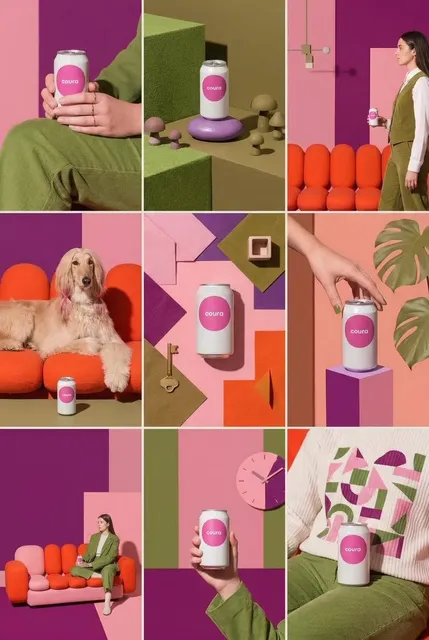
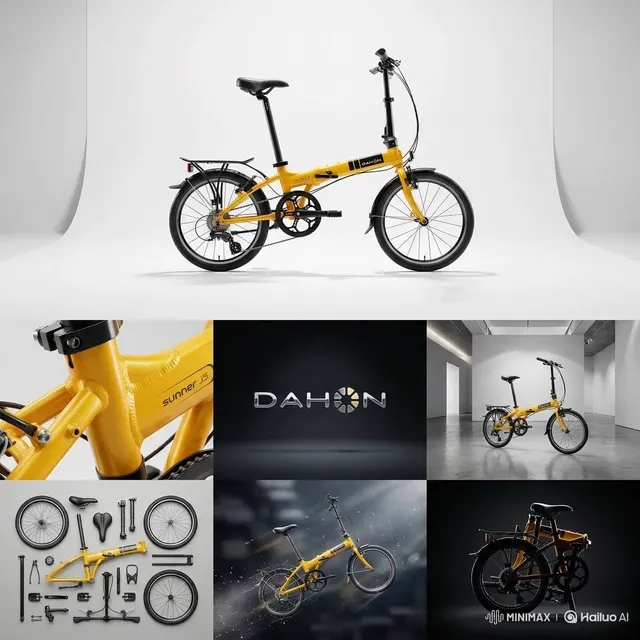
The structure stays fixed but individual shots change: a runner on a city street versus a cyclist on a coastal road, or a product shot in three different colorways. This is usually the highest-leverage level for paid social, because the variable being tested is visual, not textual.
Level 3 — Segment variants
Whole edits are produced for defined audiences — different hooks, pacing, music, and value proposition for first-time viewers versus returning customers. This is where generative tools pay for themselves, since producing twelve complete edits used to mean twelve production cycles.
Level 4 — Real-time assembly
Variants are composed at request time from a component library, driven by live signals. Practical for app onboarding, logged-in web experiences, and email-adjacent channels where a second or two of latency is acceptable. Rarely worth it for pre-roll.
Level 5 — Closed-loop optimization
The system proposes new hooks and structures, tests them, and folds the winners back into the template library. This is the frontier, and it requires strict guardrails: without human review of claims and framing, a model optimizing for click-through will happily invent promises your legal team never approved.
Building Your First Campaign: A Six-Step Workflow
Step 1 — Choose exactly one variable
Teams that try to personalize everything at once learn nothing. Start with a single dimension — the opening hook, the product shown, or the primary proof point — and hold everything else constant. If you cannot state the hypothesis in one sentence, it is not a test yet.
Step 2 — Write the template as a shot list
Scripts hide dependencies; shot lists expose them. List every shot with its duration, its slot type (fixed or variable), and its dependency on data. Anything you cannot regenerate should be marked fixed so the generator never touches it.
Step 3 — Define the data contract
Decide, in writing, which fields arrive from which system, in what format, with what fallback. The fallback matters more than the happy path: what does the video show when the first-name field is empty, when the product is out of stock, or when a localized string runs 40% longer than expected?
Step 4 — Generate in batches with a strict naming convention
Batch by audience segment, not by individual viewer, unless you have a genuine reason to go finer. Use a naming scheme that encodes template version, segment, variable value, and date — for example hookB_city-break_0912_v3. Retroactively reconstructing which variant a number came from is one of the most common ways teams lose a week.
Step 5 — Build a QC gate before anything ships
Automated QC should catch structural problems: missing audio, broken captions, aspect-ratio mismatches, frames where a generated face drifts, text rendered in the wrong language for the locale. Human QC should catch meaning problems: does the claim still hold? Does the tone fit? Does the CTA match the landing page the viewer will actually see?
Step 6 — Launch with a holdout
Always keep a portion of the audience on a non-personalized control. Without it, you are measuring seasonality, not creative. A 10% holdout is usually enough to detect meaningful lift without starving the campaign.
Who Does What: Roles in a Personalization Workflow
Automated pipelines do not remove people; they rearrange them. In a mature setup, six roles carry the work, and on small teams a single person may hold three of them.
The strategist owns the hypothesis: which variable, which segment, which success threshold. The creative lead owns the template and the brand rules that constrain it. The data engineer owns the contract — field definitions, fallbacks, refresh cadence. The operator runs generation: prompting, batching, retrying failed renders, keeping the asset library clean. The reviewer is the person with authority to block a variant, and they need real sign-off power, not a Slack emoji. The analyst owns holdout design and reporting.
The most common staffing gap is the operator. Teams assume generation is fully automatic and discover too late that someone has to babysit queues, judge whether a face drifted, and decide when a variant is good enough. Budget for that role explicitly.
What to Look For in Tooling
When evaluating any AI video platform, score it against these criteria rather than against its demo reel.
Character and scene consistency. Can the same person, product, or environment appear across shots without drift? This single capability determines whether your variants look like a brand family or a pile of clips.
Multi-asset composition. Can the tool combine several still images or short clips into one coherent scene, or does it only generate from a text prompt? Real campaigns almost always mix supplied assets with generated ones.
Batch generation and queueing. Producing forty variants should be one job, not forty sessions. Look for job queues, resumability, and clear per-variant error reporting.
Format flexibility. Native vertical, square, and widescreen outputs, plus adjustable durations, save enormous downstream work.
Data connectors or a clean API. If the only way to personalize is manual upload, your ceiling is low.
Approval states. Draft, review, approved, published — with permissions attached. Creative governance collapses without them.
Transparent export. Clean output, standard codecs, separate caption files, and no lock-in on assets you generated.
Cost predictability. Understand whether you pay per render, per minute, or per seat, and stress-test that model against your realistic variant count before committing to a workflow.
Common Mistakes That Quietly Kill Results
Personalizing the wrong variable. Inserting a name changes nothing if the underlying offer is irrelevant. Test the message before you test the messenger.
Treating variants as free. They are not. Every variant adds review time, QA surface, and reporting complexity. Twelve well-chosen variants beat two hundred random ones.
Ignoring the first two seconds. Most personalization effort goes into the middle of the video. In practice, the hook decides everything.
Skipping the holdout. Without a control group you will report a lift that is really just a good month.
Letting generative output make claims. Models are excellent at making things sound convincing. That is exactly why every regulated claim needs a human signature.
Asset sprawl. Without a naming convention and a component library, six months in you will have thousands of files and no idea which one performed.
Forgetting accessibility. Captions, readable contrast, and captions that match the spoken language of the locale. This is both a legal and a performance issue.
Optimizing for novelty. A weird variant that gets attention but confuses the offer is not a win. Watch click-through and conversion together, not separately.
The Metrics That Actually Matter
Start with hook rate — the percentage of viewers still watching after three seconds. It is the fastest signal of whether your personalization variable matters at all.
Then hold rate, the share reaching the midpoint, which tells you whether the body sustains attention after the hook lands. Click-through rate follows, but read it next to landing page match: a personalized video pointing at a generic page will underperform for reasons that have nothing to do with the video.
Cost per acquisition and incremental lift versus holdout are the numbers that justify continued investment. Finally, track time-to-first-variant — how long it takes your team to go from idea to a testable render. Shrinking that number is often more valuable than any single optimization, because it multiplies every future test you run.
One more habit worth building: record the reasoning behind each variant at the moment you create it. Six weeks later, the numbers will tell you what won, but only your notes will tell you why.
Consent, Brand Safety, and Governance
Personalization runs on data, and data carries obligations. Collect only what you will actually use, store it where your privacy policy says you store it, and honor deletion requests in a way that propagates to your creative pipeline, not just your customer database.
Be transparent about AI involvement where it could mislead — particularly if a generated presenter appears to be a real spokesperson. Avoid using real people's likenesses without explicit permission, and keep a documented approval trail for every claim that appears on screen.
Finally, keep a brand safety checklist: no stereotyping by inferred demographic, no assumptions about sensitive attributes, and a clear escalation path if a generated variant produces something unexpected. Run that checklist before launch, not after a screenshot circulates.
FAQ
How many variants do I actually need?
Start with three to five per segment. Enough to detect a difference, few enough to review properly. Scale only after you have a repeatable winner.
Does personalized video work for B2B?
Yes, and often better than in consumer marketing, because the audience is small and the signals are richer. Account-level variants for named target companies are a strong starting point.
Can I personalize without a CRM?
Absolutely. Contextual signals — device, channel, locale, time of day — require no personal data at all and can drive meaningful variant selection.
How do I keep characters consistent across variants?
Lock a reference asset and reuse it as the anchor for every shot in a slot. Consistency comes from a fixed reference, not from re-describing a person in a prompt.
What is the biggest failure mode?
Shipping variants that were never reviewed. Most disasters are not model failures; they are process failures.
How long should each variant be?
Match the placement first. A 15-second cut for feed placements and a 6-second bumper for pre-roll will outperform one 30-second film squeezed everywhere.
Do I need a data warehouse to start?
No. A spreadsheet of segment definitions and a consistent export from your ad platform is enough for a first test. Build infrastructure after the concept proves itself.
How often should I refresh variants?
Watch the hook rate curve. When it flattens for a week, rotate in new hooks before the whole campaign decays.
A Seven-Day Starter Plan
Day one: pick one campaign, one variable, one segment. Day two: build the shot list and mark fixed versus variable slots. Day three: define the data contract and fallbacks. Day four: generate five variants. Day five: QC and fix only what breaks. Day six: launch with a 10% holdout. Day seven: read hook rate and decide whether the variable is worth scaling.
That loop — one variable, five variants, one holdout, seven days — will teach you more about automated video personalization than any platform tour. Run it three times and you will have a repeatable creative engine instead of a folder full of experiments.

Alexander
More Blogs
Read MoreVidu Q4 Alternatives: 4K AI Video Models Compared (2026)
Vidu Q4 alternatives compared: Kling 4.0, Seedance 2.5, Wan 3.0, and Runway Gen-4 — 4K support, input modes, durations, audio, and what each costs in credits on Domer.
Top 4K AI Image Generators in 2026: 5 Models Compared on Real Costs
The top 4K AI image generators on Domer compared: Flux 3 Klein, Nano Banana 2.1, GPT Image 2.5, GPT Image 2, and Nano Banana Pro — 4K credit costs, reference limits, and speed.
Nano Banana 2.1 vs GPT Image 2.5: Which Image Model Should You Use? (2026)
Nano Banana 2.1 vs GPT Image 2.5 Flare compared: credit costs per resolution, aspect ratios, reference images, text rendering, and which tasks fit each model.