

Best AI Animation Video Generators: A Practical Workflow
Oct 13, 2026
Why AI Animation Changed the Production Math
Animation used to be a gatekept discipline. To produce thirty seconds of coherent motion, you needed a storyboard artist, a character designer, an animator, a compositor, and enough rendering time to make a workstation sweat. That pipeline still exists, and it still produces the best results at the highest end. But it is no longer the only path.
Generative video tools have collapsed the distance between an idea and a moving image. What used to take a week of blocking and keyframing can now be prototyped in an afternoon. That shift matters less because it replaces artists and more because it changes how often you are willing to try something. When a revision costs an hour instead of a week, you experiment more. You test three visual directions instead of defending the first one. You iterate on pacing, camera angle, and color before you commit.
This guide is a practical workflow for getting genuinely watchable animation out of an AI animation video generator, whether you are producing social shorts, explainers, product demos, or previsualization for a larger project. It covers what these tools actually do under the hood, how to structure a project so the output stays consistent, how to pick a tool for your specific constraints, and the mistakes that quietly ruin otherwise good generations.
What an AI Animation Video Generator Actually Does
It helps to separate the useful capabilities instead of treating "AI video" as one feature. Most modern generators bundle several distinct engines, and knowing which one you need saves hours.
Text-to-video. You describe a scene and the model produces motion. This is the most flexible and the least controllable mode. It is excellent for backgrounds, abstract sequences, establishing shots, and anything where the exact motion path does not matter.
Image-to-video. You supply a still — a character design, a product photo, concept art — and the model animates it. This is where most professional work happens, because you control the composition before you spend time on motion.
Video-to-video and style transfer. You bring existing footage and restyle it: live action into cel-shaded animation, day into night, rough previz into a polished look. Useful for hybrid productions where you want real camera movement with a stylized finish.
Motion control and camera direction. Some tools let you specify camera moves — dolly in, orbit, crane up — or drive motion from a reference clip, a depth pass, or a skeleton. This is the difference between "it moves somehow" and "it moves the way I intended."
Post-generation utilities. Frame interpolation for smoothness, upscaling to delivery resolution, background removal, rotoscoping, lip sync, and voice generation. These are unglamorous and decisive. A mediocre generation with clean audio and clean edges beats a beautiful generation with a drifting mouth and a noisy background.
Understanding which of these you are actually using prevents a common trap: trying to solve a consistency problem with more prompting when the real answer is image-to-video plus a locked reference.
The Core Workflow: From Concept to Final Cut
A reliable pipeline beats a clever prompt. Here is a sequence that works for projects from fifteen seconds to three minutes.
Step 1: Define the format before the prompt
Decide three things first: aspect ratio, target duration, and delivery platform. A vertical nine-by-sixteen short for a feed rewards fast cuts, bold subjects, and legible text. A sixteen-by-nine explainer rewards wider compositions and slower camera moves. Generating in the wrong aspect ratio and cropping later destroys framing that the model composed intentionally.
Step 2: Write a shot list, not a script dump
Convert your script into shots before you touch a generator. A useful shot entry contains: what is in frame, what moves, how the camera behaves, how long the shot lasts, and what the audience should feel. Example: "Medium shot, character at a workbench, hands assembling a small device, slow push in, four seconds, focused and calm."
Ten to fifteen shots for sixty seconds of finished video is a realistic ratio once you account for cuts.
Step 3: Generate stills first, then animate
This is the single highest-leverage habit. Use image generation to lock composition, character design, palette, and lighting. Iterate cheaply while the frames are static. Once a frame looks right, animate it. You will spend far less time regenerating video and far more time making deliberate choices.
Step 4: Animate in short bursts
Most models drift when asked for long continuous motion. Generate three to five second clips and assemble them. Short clips also make it easier to cut around artifacts — a hand that briefly warps, an eye that flickers — by trimming to the strongest two seconds.
Step 5: Assemble, stabilize, and grade
Bring clips into an editor. Trim aggressively. Use subtle scale or position drift to hide hard cuts, add transitions only where the story needs them, and apply a consistent color grade across all shots. A shared grade does more for perceived quality than any single generation improvement.
Step 6: Add sound before you call it finished
Sound is not a final step; it is half the experience. Add ambience, foley, music, and voiceover, then re-watch with audio only once. If the piece does not make sense with your eyes closed, the visuals are carrying too much weight.
Choosing the Right Tool: Decision Criteria
Tool comparisons age quickly, but evaluation criteria do not. Score your candidates on these dimensions.
Control versus convenience. Some tools produce stunning results from a single sentence and almost no guidance. Others expose camera paths, motion strength, seeds, and reference weights. Pick based on whether you are exploring or executing. Exploration favors convenience; client work favors control.
Character and style consistency. If your project has a recurring character or a defined visual identity, test that specifically before committing. Generate the same character in five different poses and lighting conditions and compare. This is where many tools fall apart.
Maximum clip length and resolution. Know the ceiling. If you need five seconds at a time, build your shot list around five-second beats rather than fighting the tool.
Input modes. Text, image, video, depth, pose, audio-driven. The more ways you can constrain the output, the more predictable your pipeline becomes.
Iteration speed. A tool that generates in thirty seconds changes how you work. You draft, review, and refine in a loop instead of queuing a render and moving on.
Export and interoperability. Check codecs, alpha channel support, frame rate options, and whether output drops cleanly into your editor. A beautiful clip locked in an awkward format is a tax on every subsequent step.
Licensing and usage rights. Confirm what you can do commercially with generated output and with uploaded references. If you are animating a branded character or a licensed property, read the terms before you invest production time.
Language handling. If your prompts or on-screen text are not in English, verify that the model handles your language and your typography correctly. Text rendering inside generated frames is still a weak point; plan to add titles and captions in post.
A reasonable approach: build a five-shot test reel in each of your two or three finalists, using the same script. Judge the reels, not the marketing pages.
Prompting for Animation: The Four Levers
Most disappointing output comes from prompts that describe a subject but not a shot. Think in four levers and set each one deliberately.
Subject. Who or what is in frame, how they are framed, and what they are doing. Be specific about wardrobe, materials, and environment. "A ceramicist" is weaker than "a ceramicist in a clay-dusted apron shaping a bowl on a wheel."
Motion. What actually moves and in which direction. Distinguish between subject motion, environment motion, and camera motion. Vague motion is the number one cause of mushy results; models will invent something, and it is rarely what you wanted.
Camera. Shot size, angle, lens feel, and movement. "Low angle, wide lens, slow dolly forward" gives the model a physical intention. If the tool supports motion strength, keep it low at first — subtle moves read as professional, aggressive moves read as unstable.
Look. Lighting, palette, texture, film grain, animation style. Keep style language short and consistent across a project. If every shot has a different adjective list, every shot will look like it came from a different film.
Two practical additions. First, keep a running prompt library: the exact phrasing that produced your best shots, organized by shot type. Second, change one lever at a time when troubleshooting. If you rewrite everything at once, you learn nothing.
Consistency Across Shots: The Hardest Problem
Animation lives or dies on continuity. Here is how to get it.
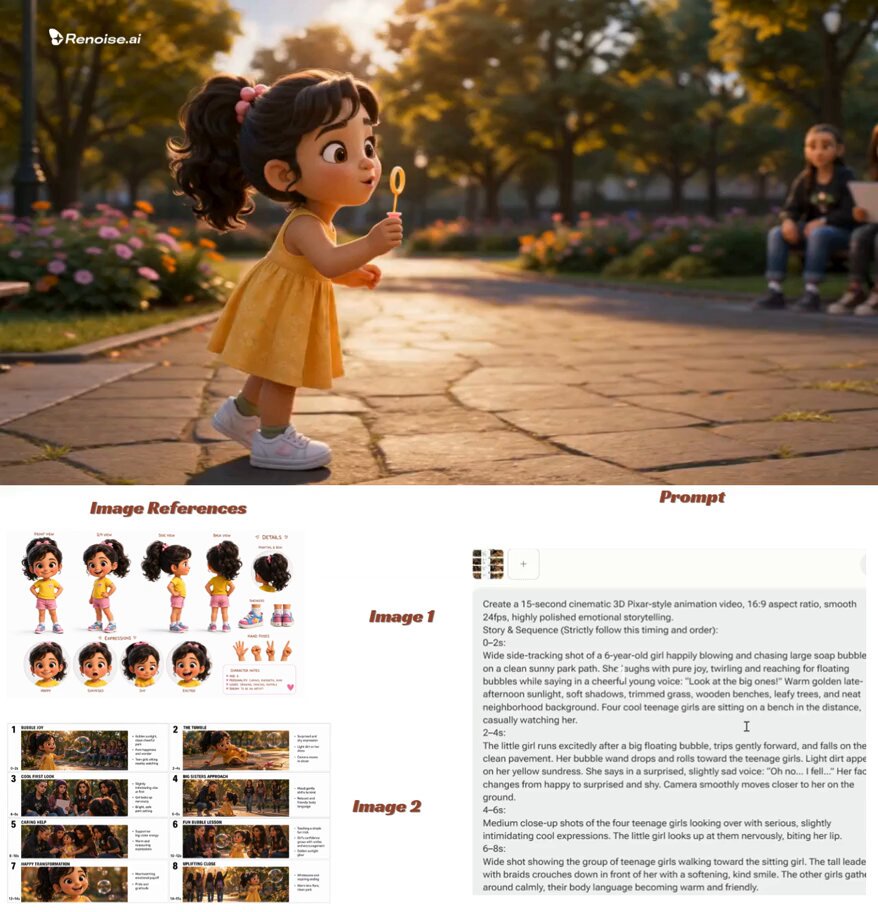
Build a character sheet. Generate a reference sheet with the character in a neutral pose, plus two or three expressions and a turnaround. Reuse those images as references for every shot featuring that character. Text descriptions of a face will drift between generations; image references drift far less.
Lock your visual grammar. Define a palette of five or six colors, one lighting logic, and one rendering style. Apply them in every prompt and every reference image. Consider building a style board that you reuse wholesale.
Reuse seeds and settings. When a generation works, record the seed and every parameter. Reproducing a good shot deliberately is a superpower.
Prefer fewer, longer setups. Every cut is an opportunity for inconsistency. If a scene can be played in three shots instead of seven, take it.
Fix continuity in the edit. Match color, add a subtle grain overlay across all clips, and use insert shots — hands, objects, environment details — to bridge moments where characters are hardest to keep stable. Audiences forgive a lot when the rhythm is good.
Consider a controlled look. Stylized animation, cel shading, painterly textures, and puppet-like motion hide small inconsistencies that photoreal animation exposes. If consistency is critical, choose a style that works with you rather than against you.
Sound, Voice, and Post-Production
Audio is where amateur AI video announces itself. Address it early.
Voice. Generate or record narration before you finalize timing. Synthetic voices are now good enough for many explainers, but they need direction: pacing, emphasis, and pauses. If you use a synthetic voice, read the script aloud yourself first and mark where you naturally breathe.
Lip sync. If a character speaks on camera, generate the voice first, then animate to it. Tools that accept audio input for mouth movement are dramatically more reliable than trying to match visuals after the fact. For anything longer than a few seconds, consider cutting away to visuals and keeping the voice as narration.
Music. Licensed music sets tone instantly. Match tempo to your cut rhythm; if the edit feels sluggish, the music tempo is often the real problem.
Foley and ambience. Footsteps, cloth movement, room tone, wind, keyboard clicks. This layer is invisible and indispensable. It makes generated motion feel physically present.
Text and captions. Add titles in your editor, not in the generator. Text rendered inside generated frames warps, misspells, and shifts. Burned-in captions remain one of the highest-return additions for social formats.
Common Mistakes and How to Fix Them
Asking for too much motion. If everything in frame is moving, nothing reads. Motion strength low, one clear action per clip.
Skipping stills. Animating an unrefined composition locks in a weak frame. Fix the still first.
Changing style mid-project. A shifted adjective set produces a shifted film. Freeze your style language after the first approved shot.
Ignoring aspect ratio. Generate in the native ratio of the destination. Retroactively cropping ruins framing.
Over-rendering. Generating twenty variations of a shot that already works burns time better spent on the next shot.
Neglecting the first two seconds. In feed-based formats, the opening frames decide whether anyone watches. Design them explicitly.
Treating generation as the finish line. Raw output is raw material. The edit, grade, and sound design are where quality is actually manufactured.
Where This Workflow Performs Best
Explainers and internal training. Abstract concepts, cutaway diagrams, and consistent visual metaphors are easy to generate and forgiving of small artifacts.
Social shorts. Vertical, fast, sound-driven, and stylized. Speed of iteration matters more than photoreal fidelity.
Product and service demos. Styled motion around a real product photograph works well; be careful with claims and keep visual accuracy honest.
Previsualization. Storyboards that move are far more persuasive to stakeholders than static frames, and they cost a fraction of final production.
Music and mood pieces. Abstract, atmospheric, texture-led sequences are where generative video looks most natural.
Education and children's content. Stylized, non-photoreal animation plays to the strengths of these tools and avoids the uncanny valley.
FAQ
Do I need animation experience? Not for the generation step, but editing instinct matters more than ever. Knowing how to cut, pace, and mix sound is the actual skill ceiling.
How long should each generated clip be? Three to five seconds is a practical default. Longer clips drift; shorter clips are harder to cut smoothly.
Can I keep a character consistent across a whole video? Yes, with image references, a locked style board, reused seeds, and a disciplined edit. Expect to spend real time on it — consistency is the hardest part of the craft, not the prompting.
Should I generate audio in the same tool? Often yes for speed, but a dedicated voice tool plus a music library usually gives better control. Match voice to picture, never the reverse.
What resolution should I deliver? Generate as high as your tool allows if you plan to reframe or stabilize, then deliver at the platform standard. Downscaling looks better than upscaling.
How do I handle text in the video? Add it in your editor. Generated typography is unreliable, and burned-in captions from real fonts always look cleaner.
What if the style keeps shifting between shots? Reduce your style vocabulary to a handful of recurring phrases, lock a grade across every clip, and add a unified grain or texture pass in post.
Bringing It Together
The best AI animation video generator is not the one with the longest feature list. It is the one that fits your format, your consistency requirements, and your iteration speed. Choose two or three candidates, run the same five-shot test, and judge the reels.
Then build the habit that separates good output from lucky output: stills before motion, short clips, locked style, sound before polish, and an edit that does the heavy lifting. Generation gets you frames. Direction gets you a film.

Alexander
More Blogs
Read MoreMontaggio video rapido: transizioni e software per l'AI
Guida pratica al montaggio video rapido con AI: transizioni fluide, software, workflow, coerenza visiva, errori da evitare e FAQ operative.
Building an AI Video Production Workflow From Concept to Cut
A practical guide to planning, generating, editing, and finishing AI-assisted videos with consistent characters, clear shot lists, and reliable review loops.
A Repeatable Post-Production Workflow for Polished AI Video
Build a repeatable AI video post-production pipeline: organize assets, cut story-first, design transitions, refine audio, and review versions calmly.