
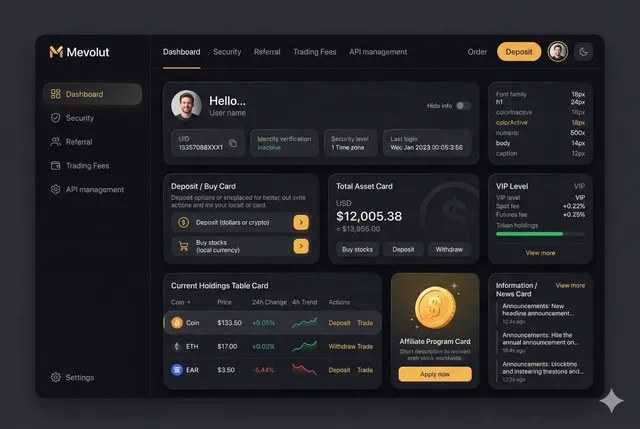
Browser vs Platform AI Video Tools: Which Workflow Wins?
Oct 13, 2026


Why the Browser-vs-Platform Choice Shapes Your Whole Video Workflow
Every AI video project begins with a decision that rarely gets discussed out loud: where the work actually happens. You can open a tab, paste a prompt, and get a stylized clip back in under a minute. Or you can commit to a dedicated production environment with project files, timelines, version history, and a render queue that keeps running while you sleep. Both produce video. They produce very different kinds of video, and they suit very different kinds of creators.
The distinction matters more now than it did a few years ago. Generative models have spread across every layer of production: text-to-video, image-to-video, motion transfer, upscaling, background replacement, voice synthesis, auto-captioning, and rough-cut assembly. Each capability exists in both worlds, but depth, control, and repeatability differ sharply. A browser effect that looks magical in a fifteen-second demo can fall apart the moment you need the same character to appear in six consecutive shots.
This article is a practical comparison rather than a feature checklist. The goal is to help you decide where a given project should live, how to move assets between the two environments without losing quality, and which mistakes tend to cost the most time. If you produce short-form social clips, the answer may be simple. If you produce client work with revisions, approvals, and deadlines, the answer is almost always a hybrid.
How Each Approach Actually Works: Architecture in Plain Language
The difference between a browser tool and a dedicated platform is not really about the interface. It is about where the heavy computation happens, how long your session and your files persist, and how much of the pipeline you are allowed to see.
Where the computation happens
A browser-based tool runs the model on someone else's servers and streams the result back to you. Your laptop is a terminal, not a render farm. That is why a fairly ordinary machine can produce a convincing animated clip: the GPU that did the work was never in the room. The trade-off is that you inherit the provider's queue, the provider's limits on clip length and resolution, and the provider's definition of what a finished file looks like.
A platform-based setup gives you a workspace rather than a single function. Projects persist, shots can be organized into sequences, and the same model can be re-run with different parameters against the same source material. You are still renting compute, but you are renting it inside a structure that remembers what you were doing last week.
What that means for render times and file sizes
Browser tools are optimized for fast, small deliverables: vertical clips, square posts, teasers. Files are typically compressed for streaming, and exports are capped to keep the service responsive for everyone. Platform tools are optimized for throughput and fidelity: higher bitrates, longer timelines, multiple passes, and formats that survive another round of editing in a non-linear editor.
A useful mental model is that browser tools produce outputs, while platforms produce sources. If a clip is the final artifact, the browser is fine. If the clip will be cut, graded, mixed, and re-versioned, you want a source file you can push further.
Rendering Power and Model Depth: What You Can Realistically Generate
Model availability is the most visible point of divergence. Consumer-facing browser tools tend to expose one or two polished models with curated settings. Production platforms expose a wider range of models, plus parameters that let you trade speed for fidelity.
Short clips and stylized effects in the browser
Browser environments shine when the creative goal is a look rather than a shot. Style transfer, subtle motion, quick background replacement, animated stills, and short loops all work beautifully. Latency is low, iteration is cheap, and the friction of trying five variations is close to zero. For social campaigns where the hook matters more than continuity, this is a genuinely strong workflow.
Long-form, layered, and high-resolution work
Platform environments pull ahead when a project has structure. Multi-shot sequences, character continuity across scenes, compositing over live-action plates, and 4K delivery all demand more than a single generation call. They also demand control over frame rate, aspect ratio, color space, and audio sync — the unglamorous parameters that determine whether footage is usable.
A practical rule: if a shot needs to match another shot, move up to a platform. Matching is where browser tooling quietly breaks down, because matching requires stored references, consistent seeds, and the ability to re-run a generation with a tweak.
Creative Control: Prompting, Keyframes, and Consistency
Control is the axis creators underestimate until the second or third revision. Generating something surprising is easy. Generating something specific, twice, is the hard part.
Keeping characters and scenes consistent
Consistency comes from three things: a durable reference set, deterministic settings where available, and a way to lock what already works. Browser tools often let you upload a reference image, but they rarely let you build a library of references that travels with the project. Platforms typically store reference sheets, reusable style tokens, and per-shot parameter sets, which is what makes a six-shot sequence look like one story.
If your project involves a recurring presenter, mascot, or product, treat consistency as a first-class requirement and choose accordingly. Regenerating a character from scratch for every shot is the single most common cause of blown timelines in AI video work.
Directing versus prompting
Prompting describes an outcome. Directing specifies an intent. The difference shows up in how much you can constrain motion, framing, pacing, and camera behavior. Some platforms layer a directorial layer on top of the model — scene graphs, shot lists, camera instructions — so that a generation call is informed by the surrounding sequence rather than existing in isolation.
In practice, the strongest results come from planning in a platform and experimenting in a browser. Build the shot list where the project lives, then use lightweight tools to explore variations cheaply before committing the final version.
Collaboration, Storage, and Asset Management
Solo creators can survive on downloads and a tidy desktop folder. Teams cannot. The moment two people touch the same project, storage and access control become production features.
Platform workspaces give you shared project structure, comments, version history, and role-based access. Reviewers can leave time-coded notes; editors can see which version was approved; legal can confirm which assets cleared. Browser tools usually stop at a download link, which means coordination happens somewhere else — chat threads, shared drives, spreadsheets tracking which file is current.
That external coordination is not fatal, but it compounds. Every handoff introduces a chance that someone edits the wrong export. If your project has more than two stakeholders, budget for the coordination cost of a browser-only pipeline before you commit to it.
Storage strategy matters too. Keep a canonical project folder with three tiers: originals, working files, and exports. Never overwrite an original generated clip. Disk space is cheap compared with the cost of regenerating a shot you cannot reproduce exactly.
Cost Models Without the Confusion: What You're Really Paying For
Pricing structures diverge as much as the technology does, and comparing them naively leads to bad decisions.
Browser tools typically use subscription tiers with generation caps. The headline number is low, but the effective cost per usable second rises fast when you discard most attempts. Platform tools often combine a seat fee with metered compute, which looks expensive on paper until you account for the fact that a single well-controlled render replaces ten blind attempts.
The honest way to compare is cost per finished shot, not cost per generation. Track three numbers for a representative project: total spend, number of attempts, and number of clips that made the final cut. Do that once and the spreadsheet usually settles the argument.
Watch for the hidden line items as well. Storage overages, high-resolution upscaling passes, watermark removal, commercial licensing tiers, and additional editor seats all shift the total. A tool that is free for exploration may carry a licensing restriction that disqualifies it for paid client work — check usage rights before you build a deliverable around any model.
Security, Privacy, and Rights Considerations
Confidentiality deserves more attention than it usually gets. Uploading unreleased product footage, client campaign material, or personal data to a consumer browser tool means that material now lives on infrastructure you do not control. Ask three questions before any upload: is the data used for training, how long is it retained, and can it be deleted on request.
Platforms aimed at professional work generally answer these questions in writing, offer access controls, and provide audit trails. Consumer browser tools often have broader terms, because their business model depends on large-scale usage data.
On the rights side, the practical concerns are model licensing, voice and likeness consent, and music. Synthetic voices that resemble a real performer carry legal risk regardless of which environment produced them. Keep a simple clearance log per project: model used, date generated, inputs supplied, and whether the output is cleared for commercial use. That log will save you more than once.
Choosing Your Setup: A Practical Decision Framework
Forget brand loyalty and think in terms of project shape. Three questions resolve most decisions.
First, how long is the final piece? Under thirty seconds, browser-first is usually fine. Over a minute, or anything with multiple scenes, lean platform.
Second, how many revisions do you expect? One or two passes suit a browser tool. Ongoing client feedback suits a workspace where versions are tracked.
Third, who needs to touch it? If the answer includes anyone other than you, collaboration features stop being optional.
Pick browser-first if you are...
- producing high-volume social content where speed beats polish
- testing concepts before committing budget
- working solo with a single deliverable per project
- generating stills that will be animated elsewhere
- limited by hardware and unwilling to rent a workstation
Pick platform-first if you are...
- building sequences with recurring characters or products
- delivering to broadcast, streaming, or cinema specifications
- collaborating with reviewers, editors, or clients
- producing anything that needs an audit trail or licensing clarity
- iterating on the same shot more than a handful of times
The hybrid workflow most teams settle on
In practice, the strongest pipelines run both. Pre-production and concepting happen in a browser, where exploration is cheap. Shot approval moves into a platform, where the sequence, references, and delivery specs live. Final finishing happens in a traditional editor — a compositor, a color tool, an audio mixer — because those tools remain better at the last five percent than any generative interface.
A concrete example: a sixty-second product film. Concept loops are generated in a browser and reviewed in an afternoon. The approved looks are recreated on a platform with locked reference images so the product stays identical across eight shots. Renders land in a shared project folder, get graded and mixed in an editor, and ship as a source-quality master plus vertical and square cuts. Nothing about that workflow is exotic, and it consistently beats committing to a single environment.
Common Mistakes and How to Avoid Them
Treating a first generation as final. The first output is a sketch. Budget at least three passes per hero shot, and expect the usable rate to improve dramatically once references are locked.
Working without a shot list. AI video tempts you to improvise, but improvisation produces clips that do not cut together. Write the shot list first, even a rough one, and generate against it.
Ignoring aspect ratio and frame rate early. Choosing vertical and then discovering the client needs widescreen means regenerating everything. Decide delivery specs before the first prompt.
Leaving audio until the end. Sound design is not a garnish. If dialogue matters, plan for lip-sync accuracy and room tone from the start; retrofitting audio onto a finished cut is painful.
Upscaling as an afterthought. Upscaling magnifies flaws. Generate at the highest practical resolution and treat upscaling as a finishing step, not a rescue mission.
Messy naming conventions. Establish a pattern like project-scene-shot-version and never deviate. Future you, hunting for the approved take, will be grateful.
Assuming the model will handle continuity. It will not, unless you give it references and constraints. Consistency is a workflow design problem before it is a model problem.
FAQ
Can a browser tool produce professional-quality video?
Yes, for short-form and effects-driven work. The constraint is usually control and delivery format rather than visual quality. If the output is the final artifact and the specs are modest, a browser tool can absolutely carry the project.
Do I need expensive hardware to work with AI video?
Not for browser-based generation, since rendering happens remotely. You do benefit from a machine that can comfortably run an editor, a color tool, and a browser with several heavy tabs. Storage matters more than raw GPU power for most workflows.
How do I keep a character consistent across shots?
Build a reference set of three to five images covering different angles and expressions, lock whatever seed or style controls your tool offers, and regenerate in batches rather than one shot at a time. Then verify continuity before generating the next batch.
Which is cheaper in the long run?
It depends entirely on your waste rate. If you discard nine out of ten generations, a metered platform with stronger controls is often cheaper than a capped subscription. Measure cost per finished shot on a real project before deciding.
Can I move projects between the two environments?
Yes, and you should plan for it. Export at the highest quality available, keep original reference images in your own storage rather than relying on the tool, and maintain a shot list that documents which model and settings produced each clip.
What should I learn first if I am new to AI video?
Story structure and editing fundamentals. Models change quarterly; the ability to plan a sequence, judge pacing, and cut to rhythm stays valuable regardless of which tool is fashionable.
How many models do I actually need?
Fewer than you think. Most creators get better results from two or three models they understand deeply than from a constantly rotating menu of options. Depth beats breadth in production work.
The Bottom Line
The browser-versus-platform question is really a question about project intent. Browser tools compress the distance between idea and output, which makes them unbeatable for exploration, social content, and rapid iteration. Platform environments trade some immediacy for structure, consistency, collaboration, and delivery-grade control.
Choose per project rather than per personality. Concept in the browser, commit on the platform, finish in a real editing suite. Review your cost per finished shot once a quarter, keep your reference library under your own control, and document the settings behind anything you might need to reproduce. Do those few things and the tooling debate stops being a source of anxiety and becomes just another production decision — one you make quickly and move past.

Alexander
More Blogs
Read MoreVidu Q4 Alternatives: 4K AI Video Models Compared (2026)
Vidu Q4 alternatives compared: Kling 4.0, Seedance 2.5, Wan 3.0, and Runway Gen-4 — 4K support, input modes, durations, audio, and what each costs in credits on Domer.
Top 4K AI Image Generators in 2026: 5 Models Compared on Real Costs
The top 4K AI image generators on Domer compared: Flux 3 Klein, Nano Banana 2.1, GPT Image 2.5, GPT Image 2, and Nano Banana Pro — 4K credit costs, reference limits, and speed.
Nano Banana 2.1 vs GPT Image 2.5: Which Image Model Should You Use? (2026)
Nano Banana 2.1 vs GPT Image 2.5 Flare compared: credit costs per resolution, aspect ratios, reference images, text rendering, and which tasks fit each model.