
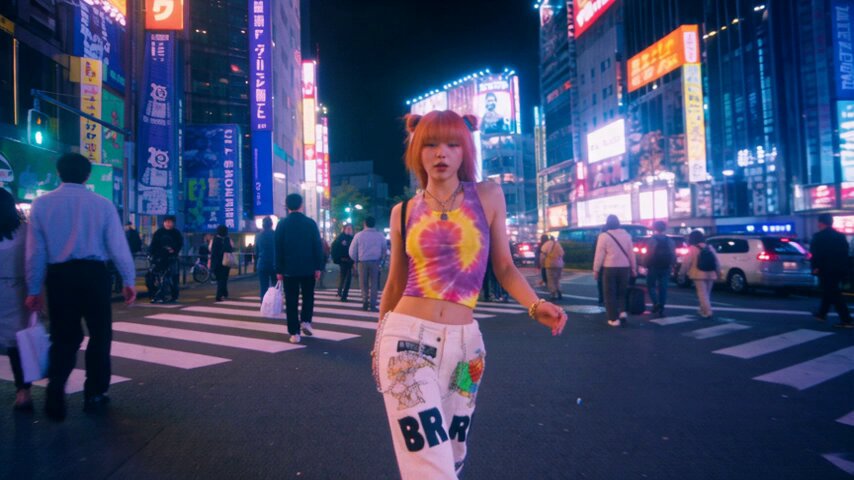
Character Consistency in Multi-Scene AI Video: A Workflow Guide
Oct 13, 2026
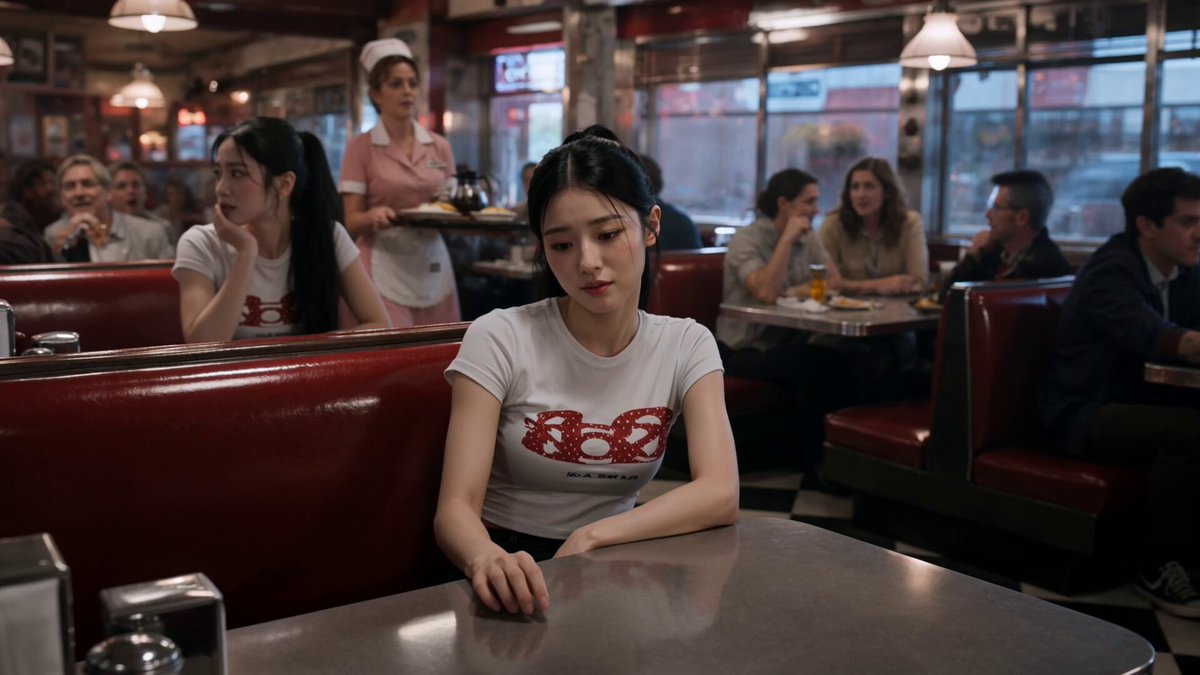
Why Character Consistency Breaks Down in AI Video
Generating a single striking shot with an AI video model is easy. Generating twelve shots that look like they belong to the same film, with the same person walking through them, is a different discipline entirely. That gap — between one good clip and a coherent sequence — is where most AI video projects stall.
The failure is rarely dramatic. It shows up as small betrayals of continuity: a jawline that gets slightly wider in scene four, a jacket that shifts from charcoal to navy, hair that moves from shoulder-length to collarbone-length between cuts, or a face that keeps its features but loses its age. Individually these changes are minor. Across a two-minute sequence they read as a completely different person, and viewers notice immediately even when they cannot articulate why.
There are four structural reasons identity drifts in generated video:
- Stochastic generation. Every render samples from a probability space. Unless you deliberately constrain that space, small random changes compound from shot to shot.
- Reference dilution. When you feed a model too many reference images, it averages them. Averaging a three-quarter view, a profile, and a low-angle shot can produce a face that matches none of them.
- Framing sensitivity. Face identity is encoded differently at different distances and angles. A model that nails a close-up may lose the same person in a wide shot, because it has far fewer pixels of facial detail to work with.
- Prompt and setting changes. Camera moves, lighting direction, focal length, and aspect ratio all influence how the model renders a face. Change three of those at once and identity drift becomes almost guaranteed.
The practical solution is not a single magic setting. It is a production workflow: a documented character identity, locked reference anchors, a strict shot-by-shot generation order, and a continuity pass before anything is exported. This guide lays out that workflow end to end, using tools you already have.
Build a Character Bible Before You Generate Anything
A character bible is the cheapest insurance you can buy against continuity drift. It is a folder — images, a text file, and a short style note — that every prompt and every render references. Building it takes an hour. Skipping it costs days of regeneration.
What belongs in a character sheet
Your core sheet should contain six to ten images of the same character, generated or photographed under controlled conditions:
- Front, three-quarter, and profile views at the same focal length and lighting.
- Two expression variants — one neutral, one speaking. Speaking frames matter more than you expect, because mouth shapes alter how the model reconstructs the lower face.
- A full-body reference that shows proportions, not just the head. Height-to-width ratio is one of the most stable identity cues and one of the easiest to lose.
- Wardrobe variants for each costume the script requires, each shot on the same neutral background.
- Detail crops of distinguishing features: a scar, a freckle pattern, glasses, earrings, a tattoo, a specific hairstyle edge.
Keep the background consistent across the sheet. A busy background leaks into generations and makes it harder to isolate identity features.
Write the identity block once, reuse it everywhere
Your character bible should include a written identity block: a fixed paragraph of descriptive text that goes into every prompt. It should describe age range, build, hair color and length, eye color, skin tone, and wardrobe, in the same words every time. Consistency in wording matters more than elegance in wording — the model responds to phrasing patterns, so reword nothing between scenes.
A workable identity block reads like this: "Mid-thirties woman, athletic build, dark brown hair tied back in a low bun, olive skin, defined cheekbones, small silver hoop earrings, charcoal wool blazer over a white crew-neck shirt." That is enough. Do not add story context, mood, or camera instructions to the identity block — keep those in a separate section of the prompt so you can change one without disturbing the other.
Add a lookbook for the world, not just the person
Continuity is not only facial. A lookbook defines color palette, lighting style, grain, lens character, and time of day for each scene. Two scenes shot in the same location should share the same lookbook entry, even if the camera angle changes. This is what makes a sequence feel shot rather than assembled.
Choosing Tools and Settings for Identity Lock
Not every model handles identity equally well, and the best model for a talking-head presentment is not the best model for a walking wide shot. Rather than chasing leaderboards, run a short test.
The 3×5 identity test
Take one character sheet and one sentence of action. Generate five variations across three candidate models, using identical prompts and identical seeds where the platform supports them. Score each output on four criteria: facial match, wardrobe match, motion plausibility, and background stability. Whichever model scores highest on facial match becomes your primary; the runner-up becomes your backup for shots the primary handles badly.
This test takes about forty minutes and saves you from discovering mid-project that your chosen tool cannot hold a jawline in motion.
Settings that matter more than model choice
- Seed control. If the platform exposes seeds, lock them. Reusing a seed across a scene's shots reduces unintended variation dramatically.
- Reference image count. Two to four strong references usually outperform ten mediocre ones. Prioritize a clean front and a clean three-quarter view.
- Motion strength. Lower motion intensity preserves facial structure. Raise it only for shots where movement is the point.
- Aspect ratio consistency. Changing aspect ratio mid-project changes how faces are framed and cropped, which changes identity rendering. Pick one and stay with it.
- Upscaling strategy. Do not upscale individual shots with different tools. Use one upscaler, applied uniformly, at the end.
Where presenter-led tools fit
Avatar-based platforms such as Synthesia or HeyGen take a different approach: you train or select a fixed avatar, and the platform renders that identity from a stable internal model. This trades flexibility for reliability. If your video is primarily a person speaking to camera, an avatar platform will give you better continuity than a general text-to-video model, because identity is a platform guarantee rather than a prompt outcome.
The trade-off is visual range. If your script needs the character climbing a staircase, driving, or standing in the rain, general video models handle it better — but then you own the continuity problem yourself. Many hybrid productions use an avatar platform for dialogue scenes and a general video model for B-roll and inserts.
The Multi-Scene Pipeline, Step by Step
This is the sequence that consistently produces coherent multi-scene output. Follow the order; skipping steps is what creates rework.
Step 1: Lock the script and shot list before generating
Write the script, then break it into numbered shots with a one-line description, a scene number, a location, a wardrobe state, and a lighting state. Do not start generating until the shot list is frozen. Every script change after generation begins invalidates shots downstream.
Step 2: Generate anchor frames as stills first
For each shot, generate a still image — not video — using your identity block and the shot's specific framing. Stills are faster, cheaper to iterate, and easier to judge. Approve each still before it becomes a clip. This gives you a contact sheet of the whole film at a glance, and continuity errors become obvious when images sit side by side.
Step 3: Convert approved stills to motion
Feed each approved still into an image-to-video stage. Because the first frame is now fixed, the model has a strong constraint on identity, and drift drops sharply. Keep camera movement modest on shots where the face is prominent; save the dramatic pushes for wide shots and inserts.
Step 4: Run a continuity pass before editing
Place all clips on a timeline in shot order and watch them back to back at normal speed. Watch once for faces, once for wardrobe, once for lighting direction, once for props. Take timestamped notes. Do not fix anything yet — collect the full list first so you can batch similar fixes.
Step 5: Patch instead of regenerating
When a single shot breaks continuity, do not rebuild the sequence. Regenerate only the failing shot, reusing its still anchor and adjusting one variable at a time — usually motion strength, seed, or a single phrase in the continuity block. Regenerating everything because one shot is wrong is the single most common way projects blow past their schedule.
Prompt Patterns That Hold a Face Together
Prompts are not just creative direction; they are continuity infrastructure. Structure them so identity, action, and style stay in separate, stable compartments.
The three-block prompt structure
Write prompts in three labeled parts, always in the same order:
- Identity block — the fixed character description, copied verbatim from the bible.
- Action block — what happens in this shot. This is the only part that changes between shots in the same scene.
- Technical block — lens, framing, lighting direction, film grain, color palette, and camera movement.
Because only the action block changes within a scene, identity and technical phrasing remain constant, which stabilizes the render.
Negative prompts that protect identity
Maintain a standing negative list and reuse it: extra fingers, deformed hands, changing hair length, different eye color, text overlays, watermark, face warping, unnatural skin texture, duplicate limbs. Add project-specific items as you find them, and never remove an entry that fixed a real problem.
Keep prompts lean
Long prompts do not produce better identity retention. They produce competing instructions. If a prompt runs past roughly 120 words, split the difference: move stable information into the reference image or the platform's character feature, and leave the prompt for the action and camera.
Wardrobe, Lighting, and Time-of-Day Continuity
Faces get the attention, but wardrobe and lighting cause just as many visible breaks.
Wardrobe changes must be motivated. Decide at the shot-list stage which scene each costume belongs to, and generate all shots for a given costume in one batch so you can compare them directly. If a character wears a jacket in scene two, it should not silently disappear in scene three.
Lighting direction is the most underrated continuity signal. If the key light comes from the left in one shot and the right in the next, the cut feels wrong even if the face is perfect. Record key light direction in each shot's technical block, and keep it stable within a location.
Time of day should be treated as part of the location, not the shot. A dusk scene stays dusk across all its shots; the moment one shot renders as midday, the sequence loses its rhythm.
Props and set dressing deserve a written inventory. A mug on a desk, a backpack on a chair, a specific chair itself — these are continuity anchors. Generate a reference still of the set once, and reuse it as an image reference for every shot in that location.
Voice, Lip Sync, and Presenter-Led Video
If your character speaks, audio continuity is part of the job. A voice that shifts pitch or accent between scenes is as jarring as a changing face.
Use one voice profile for the entire project, whether that is a cloned voice, a selected platform voice, or a recorded actor. Render all voiceover in a single session so tone and room character stay consistent. When a platform offers voice cloning, clone from a clean recording with limited background noise; noisy source material produces unstable output that varies between renders.
For lip sync, generate dialogue lines in short segments rather than one long take. Short segments are easier to re-render individually when a mouth shape fails, and they let you match mouth movement to the shot's framing — a tight close-up needs tighter sync than a medium shot.
For avatar-based presenter tools, treat the avatar itself as the character bible. Train it once on well-lit footage with neutral expressions and a range of mouth shapes, then never re-train mid-project. Changing a trained avatar invalidates every shot you have already produced.
Quality Control: A Continuity Checklist
Run this checklist before export. It takes fifteen minutes and catches most of what a viewer would notice.
- Faces: hair length, hairline, eye color, eyebrow shape, facial hair, distinguishing marks.
- Wardrobe: garment color, garment style, accessories, footwear, layering.
- Lighting: key light direction, color temperature, shadow softness, time of day.
- Set: props in position, background elements unchanged, no phantom objects.
- Motion: gait, posture, hand dominance, speed of movement.
- Audio: voice tone, volume, room tone, lip sync accuracy.
- Format: resolution, frame rate, and color treatment consistent across all clips.
Watch the sequence once with sound off. Visual continuity problems become obvious when audio is not carrying your attention. Then watch once more at 2× speed — breaks that survive a fast pass are the ones worth fixing.
Common Mistakes That Kill Continuity
Regenerating instead of patching. Fix the shot, not the sequence.
Overloading reference images. More references often means more averaging. Use fewer, cleaner ones.
Changing aspect ratio mid-project. It alters framing and cropping, and therefore identity rendering.
Mixing upscalers. Different upscalers apply different face-enhancement heuristics. Standardize on one.
Ignoring compression. Repeated re-encoding softens detail unevenly. Export once, from a high-quality master.
Working without a shot list. Improvised generation produces improvised continuity.
Forgetting audio. A perfect visual match with a shifting voice still reads as broken.
FAQ
Do I need a trained avatar, or can prompts handle identity? Prompts can get you close for stylized work, but for realistic recurring characters, reference images plus image-to-video anchoring are far more reliable. Trained avatars are best when the character is mostly speaking to camera.
How many reference images should I use? Two to four: a clean front view, a clean three-quarter view, and one full-body or wardrobe reference. Add a detail crop only if a specific feature keeps drifting.
Why does my character change in wide shots? There is less facial detail at that distance, so the model has weaker constraints. Generate the wide shot as a still first, approve it, then animate it. Locking the first frame solves most wide-shot drift.
Should I use the same seed for every shot? Within a scene, yes — it reduces unintended variation. Across different locations or lighting setups, reusing a seed can constrain the model too much, so treat seeds as scene-level tools.
How do I handle a character aging or changing costume mid-story? Create a separate bible entry for each state and treat them as distinct identities that share a base. Generate all shots for one state together before moving to the next.
What is the fastest way to fix one bad shot? Reuse its approved still, lower motion strength slightly, and change one prompt variable. If that fails twice, regenerate the still rather than the clip — it is faster to correct a still than a video.
Can I mix avatar platforms with general video models? Yes, and many productions do. Keep the character's design language, color palette, and voice consistent between them, and use the avatar tool for dialogue and the general model for movement-heavy inserts.

Alexander
More Blogs
Read MoreVidu Q4 Alternatives: 4K AI Video Models Compared (2026)
Vidu Q4 alternatives compared: Kling 4.0, Seedance 2.5, Wan 3.0, and Runway Gen-4 — 4K support, input modes, durations, audio, and what each costs in credits on Domer.
Top 4K AI Image Generators in 2026: 5 Models Compared on Real Costs
The top 4K AI image generators on Domer compared: Flux 3 Klein, Nano Banana 2.1, GPT Image 2.5, GPT Image 2, and Nano Banana Pro — 4K credit costs, reference limits, and speed.
Nano Banana 2.1 vs GPT Image 2.5: Which Image Model Should You Use? (2026)
Nano Banana 2.1 vs GPT Image 2.5 Flare compared: credit costs per resolution, aspect ratios, reference images, text rendering, and which tasks fit each model.