
How to Create Engaging AI Video Ads That Convert Faster
Oct 15, 2026
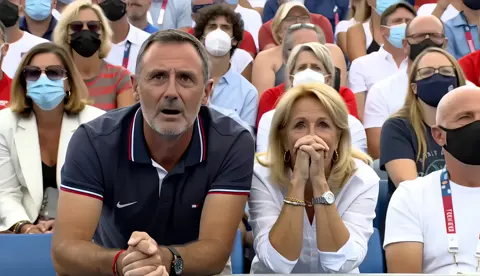
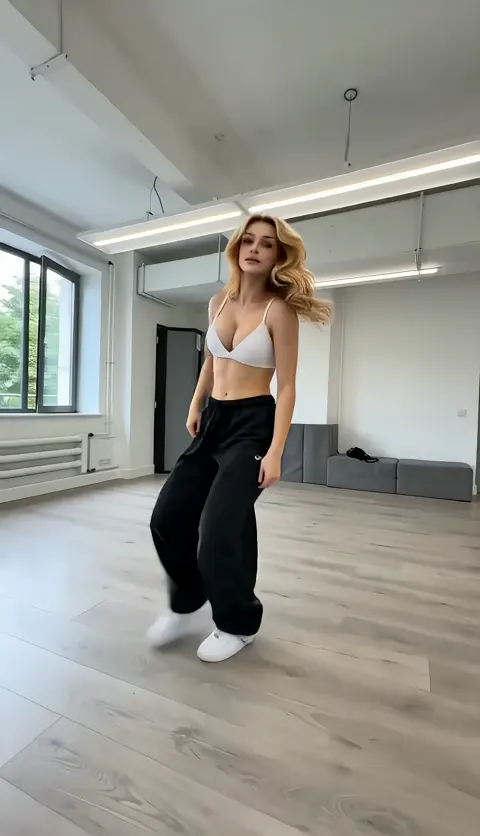
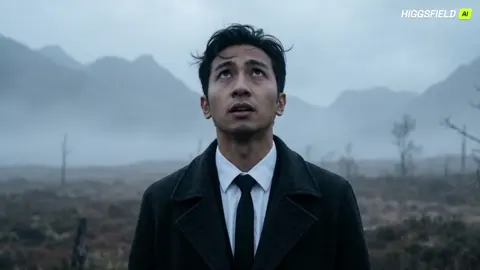
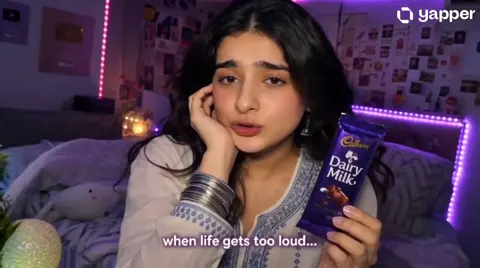
Video ads used to be a logistics problem. You needed a script, a casting call, a location, a crew, a shoot day, an editor, a colorist, a sound mix, and three rounds of notes from stakeholders who all wanted something different. The result was one hero asset that took weeks to produce and cost more than many small businesses spend on marketing in a quarter. That math forced marketers to be conservative: one video, minor tweaks, and a lot of hoping.
AI video generation broke that constraint. Not because it removed the need for ideas — it removed the need for a production pipeline to prove whether an idea works. You can now go from a paragraph of copy and three product photos to a finished, platform-ready ad in an afternoon, then generate eight variants of the same concept before lunch the next day. The bottleneck moves from "can we make it?" to "which version should we run?"
This guide is a working manual for that shift. It covers what engagement actually means in measurable terms, a repeatable production workflow, tool selection criteria, character and brand consistency, platform formatting, testing structure, the mistakes that quietly waste budgets, and the metrics that tell you whether the creative is doing its job.
Why AI Video Ads Changed the Production Math
Traditional video production has a fixed cost structure. Whether you shoot a 15-second spot or a 60-second brand film, you pay for the same setup: pre-production, crew, talent, location, equipment, post. Doubling the number of variants roughly doubles the cost, which is why most campaigns historically ran two or three creative concepts and called it a test.
AI generation changes the shape of that curve. The first asset requires the most effort — writing the brief, sourcing or shooting reference images, defining a visual style, generating and selecting takes. Once that foundation exists, additional variants cost mostly time and judgment, not crew days. Ten versions of the same concept become a realistic request instead of a budget conversation.
The practical consequences are worth spelling out:
- Faster concept validation. You can test whether an angle resonates before investing in a polished shoot.
- Cheaper localization. The same scene can be re-voiced, re-subtitled, or re-staged for different markets without re-shooting.
- Asset reuse. Product photography, lifestyle images, and user-generated clips can all be animated into motion sequences.
- Lower risk tolerance for bad ideas. When a variant costs an hour rather than a week, killing an underperformer is easy.
The mistake is assuming AI fixes a weak offer. It does not. A confusing value proposition, an overpriced product, or a landing page that fails to load will sink an AI-generated ad exactly as fast as a studio production. AI expands creative supply; it does nothing for demand.
What "Engaging" Actually Means in Ad Metrics
Engagement is a vague word that hides several distinct measurements. Before generating anything, decide which one you are optimizing.
Hook rate — three-second views divided by impressions. This measures whether your first frame and first sentence stop the scroll. On short-form placements, a hook rate under roughly 20 percent usually signals a creative problem, not a targeting problem.
Hold rate — completed views or 15-second views divided by three-second views. This measures whether the middle of the ad rewards attention. A strong hook with a collapsing hold rate means you promised something the body did not deliver.
Click-through rate — clicks divided by impressions. This measures whether the call to action feels worth acting on right now.
Conversion rate and cost per acquisition — the only numbers that ultimately matter, and the ones most likely to be distorted by attribution windows, so review them alongside incrementality testing.
A useful structure that maps to these metrics:
- 0–2 seconds: pattern interrupt. Movement, an unusual visual, a blunt statement, or a question the viewer cannot ignore.
- 2–5 seconds: the promise. What changes for the viewer if they keep watching?
- 5–15 seconds: proof. Demonstration, before-and-after, testimonial, or specific numbers.
- 15–20 seconds: the ask. One action, one destination, no competing messages.
Design the first frame as a thumbnail, not an afterthought. Most viewers decide in under a second.
The AI Video Ad Workflow, Step by Step
Step 1: Write a one-page brief
Keep it to a single page. Include the audience, the single takeaway, the offer, the mandatory product shots, the brand rules, the target placements, and the success metric. If the brief contains two messages, split it into two ads. Every downstream prompt becomes easier when the brief is narrow.
Step 2: Prepare the asset inventory
Gather more source material than you think you need: product photos from multiple angles, lifestyle images, logo files with transparency, approved fonts, brand color values, existing footage, and any sound or music assets you have rights to use. Resolution matters. Generate from the highest-quality images available; upscaling a compressed JPEG into motion produces muddy results that no amount of prompt tuning repairs.
Step 3: Generate scenes from images and prompts
Most modern generators accept an image plus a text prompt, which is the most controllable path for product advertising. A workable prompt pattern:
Camera movement + subject action + environment + lighting + style reference + duration.
Example: "Slow push-in on a ceramic coffee cup on a wooden counter, steam rising, morning light from the left, shallow depth of field, warm neutral grade, subtle handheld motion."
Generate three to five takes per scene. Even with identical prompts, output varies, and selecting the best take is faster than iterating on wording.
Step 4: Lock character and product consistency
If a person appears in more than one scene, consistency is the hardest technical problem in AI video. Use a reference image or a locked seed when the tool supports it, describe wardrobe and features in every prompt, and avoid mixing multiple characters in early generations. For products, consistency is easier: reuse the same source image, keep lighting direction identical between shots, and avoid dramatic camera angles that reveal details you have not generated.
Step 5: Add voice, captions, and music
Sound carries more perceived production value than picture quality. Use synthetic voice tools for narration and pick a voice that matches the brand's pace — fast and energetic for performance creative, slower and warmer for premium categories. Burn in captions for sound-off viewing; most social feeds autoplay muted. Keep music licensed and duck it under narration by roughly 12 to 18 dB.
Step 6: Export platform cutdowns
From one master sequence, export 9:16, 4:5, 1:1, and 16:9 versions. Reframe rather than crop blindly, and re-place captions so they sit inside each platform's safe zone. A single export stretched across every placement is one of the most common reasons a good concept underperforms.
Choosing the Right AI Video Tool
Tool choice matters less than workflow discipline, but the differences are real. Evaluate candidates against these criteria:
- Image-to-video quality. Product shots need believable materials, text rendering, and stable geometry. Test with your own assets, not the demo gallery.
- Character consistency controls. Reference images, identity locking, and multi-shot continuity features separate tools that can tell a story from tools that can only make a montage.
- Aspect ratios and resolution. Native vertical output beats cropping a landscape master.
- Native audio. Some generators produce synchronized sound; others require a separate voice and foley pass.
- Editing and assembly. A generation tool is not an editor. Expect to finish in a timeline-based editor.
- Automation and API access. Relevant if you plan to produce variants or localized versions at volume.
- Commercial rights. Confirm that your subscription permits commercial advertising use and that training-data restrictions do not apply to your category.
- Cost predictability. Model your spend per finished ad minute, including failed generations, not per generation.
A typical stack: a diffusion-based generator for scenes, a lip-sync or avatar tool for spokesperson segments, a voice synthesis tool for narration, a stock or licensed music library, and a standard editor for assembly, captions, and export. Tools such as Runway, Pika, Kling, Luma, and Sora-class models cover generation; HeyGen and similar platforms handle presenters; ElevenLabs-style services handle voice. Pick one generator as your primary and learn it deeply rather than spreading thin.
Character Consistency and the Brand Look
Visual consistency is what separates an ad from a demo reel. Two areas deserve dedicated effort.
Character continuity. Build a small "character bible": reference images from three angles, wardrobe description, hair, distinguishing features, and the exact wording you use every time you describe them. Keep camera distance and lighting direction similar between shots; large jumps in framing make minor inconsistencies obvious. When the tool supports it, reuse the same seed or identity reference across scenes. If a scene drifts, regenerate that scene rather than trying to fix it in post.
Brand style. Define a palette, a grade, a preferred lens feel, and framing rules — for example, always eye-level, never dutch angles, product always lit from the upper left. Then encode those rules in every prompt. A style guide for AI generation is surprisingly short: three to six reusable phrases that you paste into each prompt.
Avoid the generic AI aesthetic: excessive lens flares, hyper-saturated skies, floaty weightless camera drift, and faces that read as slightly uncanny at close range. Keep shots short — two to four seconds — and cut on motion. Short shots hide artifacts and keep pacing tight.
Platform-by-Platform Formatting Rules
- Vertical short-form (Reels, Shorts, TikTok). 9:16, hook inside the first second, captions in the middle third, avoid the bottom 15 percent where interface elements sit.
- Feed placements (Meta, LinkedIn). 4:5 or 1:1 performs better than 16:9 on mobile feeds. Front-load text overlay.
- YouTube in-stream. 16:9, brand mention early, and a hook that survives a skippable five-second window.
- Connected TV and streaming. 16:9, larger typography, slower pacing, and a clear end card since the viewer cannot click.
- Marketplace and retail media. Square or vertical, product on screen within two seconds, price or offer visible if the placement allows.
Running Creative Tests Without Chaos
Testing fails when too many variables change at once. Isolate one dimension per round: the hook, the talent, the format, the offer, or the call to action. A simple first matrix is three hooks against two calls to action, producing six variants.
Practical rules:
- Keep every cell above the minimum spend needed for a statistically meaningful read.
- Run for a fixed window — usually three to seven days — before judging.
- Decide the winner in advance: hook rate for top-of-funnel, cost per acquisition for performance campaigns.
- Retire the losing hook, keep the winning structure, and generate new hooks against it.
- Log every test in a shared sheet with the prompt, the source assets, and the result so learning compounds.
Common Mistakes That Waste Budget
- No hook. A beautiful opening shot with no tension loses to a rough shot with a sharp first line.
- Overloading the brief. Two offers in one ad usually converts worse than either alone.
- Ignoring sound-off viewing. Missing captions can halve completion rates.
- Reusing one export everywhere. Wrong aspect ratios look amateur and reduce delivery.
- Uncanny faces in close-up. Favor medium shots and quick cuts when consistency is uncertain.
- Text artifacts. Generated on-screen text often garbles. Add typography in the editor instead.
- Rights and consent gaps. Confirm commercial licensing, avoid recognizable people without permission, and follow disclosure rules for synthetic presenters.
- Testing everything at once. You learn nothing when six variables move together.
Measuring What Actually Works
Track a small dashboard: hook rate, hold rate, click-through rate, conversion rate, cost per acquisition, and return on ad spend. Add frequency so you can spot fatigue — when frequency climbs and click-through decays, refresh the creative rather than raising budgets.
Review results in cohorts by creative concept, not by individual video. A concept that produced one winner out of six variants is a concept worth scaling. Also watch for the quiet failure mode: strong engagement, weak conversion. That usually means the ad promised entertainment rather than a reason to buy, and the fix lives in the offer and the landing experience, not the edit.
FAQ
How long should an AI-generated video ad be?
Fifteen to thirty seconds covers most social placements. Performance creative often works at 10 to 15 seconds; brand storytelling can stretch to 45 seconds if the hold rate justifies it.
Do I still need a human editor?
Yes. Generation produces clips; editing produces ads. Assembly, pacing, captions, sound design, and platform exports are editor work — and they are usually what separates a converting ad from a demo.
Can AI video ads work for regulated industries?
Often, with care. Keep claims substantiated, avoid implying outcomes you cannot support, disclose synthetic presenters where required, and route final assets through legal review before launch.
How many variants should I generate per concept?
Six is a reasonable starting point: three hooks against two calls to action. Expand only after you have a winner to build on.
Why does my character keep changing between shots?
Usually because the prompt wording, seed, or reference image changed, or because framing shifted dramatically. Lock all four and regenerate the drifting scene.
Is AI video cheaper than live action?
For short, product-led, high-volume creative, typically yes by a wide margin. For complex narrative work with actors and locations, live action still often wins on quality per dollar.
Where to Start
Pick one product, one audience, and one message. Write a single-page brief. Gather your best product images. Generate five scenes, assemble a 20-second vertical ad with captions and narration, and export it in two aspect ratios. Run it against one alternative hook. That is a complete cycle, and it takes an afternoon rather than a quarter.
Once the cycle feels routine, expand: more hooks, more languages, more placements, more concepts. The advantage AI video advertising creates is not that any single ad is dramatically better than a studio production. It is that you can afford to find out what works, repeatedly, without betting the quarter on one guess.

Alexander
More Blogs
Read MoreVidu Q4 Alternatives: 4K AI Video Models Compared (2026)
Vidu Q4 alternatives compared: Kling 4.0, Seedance 2.5, Wan 3.0, and Runway Gen-4 — 4K support, input modes, durations, audio, and what each costs in credits on Domer.
Top 4K AI Image Generators in 2026: 5 Models Compared on Real Costs
The top 4K AI image generators on Domer compared: Flux 3 Klein, Nano Banana 2.1, GPT Image 2.5, GPT Image 2, and Nano Banana Pro — 4K credit costs, reference limits, and speed.
Nano Banana 2.1 vs GPT Image 2.5: Which Image Model Should You Use? (2026)
Nano Banana 2.1 vs GPT Image 2.5 Flare compared: credit costs per resolution, aspect ratios, reference images, text rendering, and which tasks fit each model.