

Hailuo AI Video Alternatives: A Creator's Workflow Guide
Oct 13, 2026

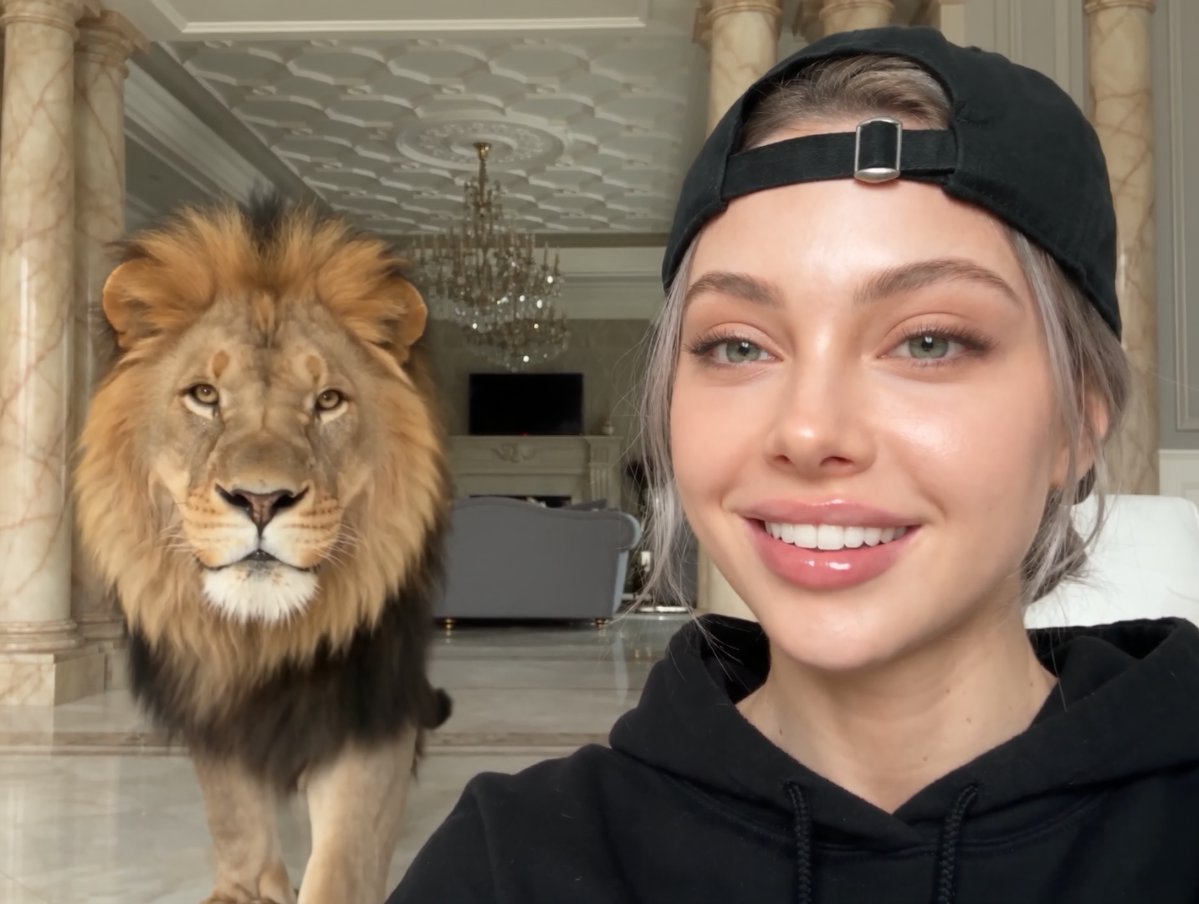
Hailuo AI earned its reputation the hard way: it generates expressive, physically plausible motion, handles stylized prompts with unusual grace, and produces short clips that often look better than what competing text-to-video systems manage on the first attempt. That is exactly why so many creators start there. It is also why so many of them eventually go looking for alternatives.
The reason is rarely that Hailuo suddenly became bad. It is that video production is not a single-shot task. A 30-second product teaser, a character-driven narrative short, a talking-head explainer, and a looping social clip all stress different parts of a generative model. No single system wins every category, and the ones that lead today can be dethroned by a quieter, cheaper, or more controllable option within a few months.
This guide is not a ranking list that will be stale by the time you finish reading it. Instead, it is a comparison framework and a production workflow you can apply to any AI video tool, including whatever replaces the current favorites. You will learn what actually differentiates these systems, how to test them against your own material, and how to assemble several of them into one reliable pipeline.
Why Creators Look Beyond a Single AI Video Generator
The most common reasons creators diversify are practical rather than ideological.
Shot-type fit. Some models excel at cinematic camera movement and landscapes but struggle with hands, crowds, and fast dialogue-driven interaction. Others are weaker on lighting drama but far more obedient when you need a specific action performed in a specific order. If your project includes a person pouring coffee, a car turning a corner, and a logo animation, you may end up using three different systems for one 20-second sequence.
Character and style consistency. A recurring character across six shots is one of the hardest problems in AI video. Models drift in facial structure, wardrobe, and lighting between generations. Some tools offer reference-image conditioning or character-locking features; others rely entirely on prompt discipline. Knowing which of your tools can hold a face together changes how you plan a series.
Control surfaces. Text prompts alone are a blunt instrument. The systems that professionals keep coming back to usually offer image-to-video, start-and-end frame control, camera directives, motion strength sliders, or mask-based regional edits. Control is often worth more than raw output quality, because control is what makes a shot repeatable.
Throughput and queue behavior. A model that produces a stunning clip in eleven minutes is not necessarily better than one that produces a good clip in ninety seconds when you need forty variations. Rendering speed and how the platform queues jobs during peak hours directly affect how many ideas you can test in a day.
Cost structure and predictability. Pricing models vary enormously: some charge per second of generated video, some per generation attempt, some via subscription tiers with soft limits. A workflow that depends on heavy iteration can become expensive quickly on per-attempt pricing, while a subscription with generous limits rewards experimentation.
Availability and policy. Regional access, content policies, watermarking rules, and commercial-use terms all matter. A tool you cannot legally use for client work is not an alternative, no matter how good the demo reel looks.
What Actually Matters When Comparing AI Video Tools
Most comparison articles focus on visual quality from cherry-picked demos. That is the least useful dimension, because every serious tool can produce one beautiful clip. What separates them is behavior under repetition.
Motion realism and temporal stability
Temporal stability is the tendency of an object to remain itself from frame to frame. Watch for melting edges, texture crawl on fabric, faces that subtly reshuffle, and background elements that morph when the camera pans. A model with slightly softer detail but rock-solid stability is almost always more usable than a sharper model that flickers.
Test this deliberately: generate the same prompt three times and compare how much the subject's identity and clothing change between runs. Low variance is a professional feature.
Prompt adherence and control surfaces
Ask a simple question: does the model do what you asked, or something adjacent to it? Prompt adherence shows up in small details — whether the person is walking or running, whether the camera is handheld or on a dolly, whether the scene is dusk or night. If a tool ignores half your prompt, you will spend your time re-rolling instead of directing.
Then examine the control surfaces. Image-to-video, first-and-last-frame interpolation, motion brush or regional masking, camera parameter controls, and seed locking all reduce randomness. A tool with strong controls and slightly weaker default output is often the better long-term choice.
Duration, resolution, and aspect ratio
Clip length limits shape your editing rhythm. Short native clips push you toward a cut-heavy style; longer clips allow sustained takes but often at the cost of coherence. Check native resolution and how upscaling is handled, and confirm that the aspect ratios you need — vertical for short-form, square for feeds, widescreen for YouTube and presentations — are available natively rather than through cropping.
Audio, editing, and delivery
Some platforms generate synchronized sound, dialogue, or ambience. Others produce silent clips and expect you to handle audio elsewhere. Neither approach is wrong, but a tool with built-in sound generation can save an entire post-production step for talking-head or dialogue-heavy content. Likewise, check whether the platform includes basic editing, timeline assembly, and export presets, or whether it hands you a file and wishes you luck.
Access, reliability, and iteration speed
Finally, evaluate the boring stuff. How long do generations take at your usage level? Are there outages? Can you run batches? Is there an API if you want to automate? Does the interface let you compare takes side by side? These factors determine whether a tool becomes part of your weekly workflow or a novelty you open twice.
The Main Approaches to AI Video Generation
Before comparing brands, understand the categories. Tools differ as much by method as by model quality.
Text-to-video
You write a description and receive a clip. This is the most flexible approach and the least controllable. It is excellent for mood pieces, abstract sequences, establishing shots, and concept exploration. It is painful for anything requiring precise blocking.
Image-to-video and keyframe animation
You supply a still image — generated, photographed, or illustrated — and the model animates it. This is the workhorse of professional AI video because it separates two problems: composition and motion. You can perfect a frame using an image generator or a camera, then decide how it should move. Many pipelines add start-and-end frames so the model interpolates between two exact compositions, which is the closest thing to storyboarding in generative video.
Video-to-video and restyling
You feed in existing footage and transform its style, color, or texture while preserving motion and structure. Useful for previz, animatics, stylized social content, and turning live-action reference into illustrative looks.
Talking-head and avatar generation
These systems animate a portrait or a synthesized presenter with lip-sync and delivery. They are the right tool for explainers, localization, training content, and social ads where a human presence matters more than cinematic motion. They are the wrong tool for action sequences.
Hybrid pipelines
The strongest results usually come from combining categories: generate stills with an image model, animate select shots with image-to-video, restyle a background plate with video-to-video, then assemble everything in a traditional editor with real audio, titles, and color work. Treating AI as one stage in a pipeline rather than the whole pipeline is the single biggest quality unlock.
Building Your Own Scorecard
Rather than trusting someone else's ranking, score each candidate tool against your actual needs. A simple weighted table keeps the decision honest.
| Criterion | Why it matters | Weight |
|---|---|---|
| Prompt adherence | Fewer re-rolls, faster delivery | High |
| Temporal stability | Avoids unusable flicker and morphing | High |
| Control surfaces | Makes shots repeatable across a series | High |
| Native resolution | Determines whether footage survives on a big screen | Medium |
| Clip duration | Shapes editing rhythm and take structure | Medium |
| Audio generation | Can remove an entire post step | Medium |
| Speed and throughput | Determines how many ideas you can test | Medium |
| Commercial terms | Legal safety for client and monetized work | High |
| Price predictability | Protects margin on long projects | High |
Score each tool from one to five per criterion, multiply by the weight, and total. Then run the same five prompts through every finalist before deciding. Ten minutes of testing on your own material will tell you more than any spec sheet.
A useful test set looks like this: one human close-up with dialogue implied, one product shot with a rotating object, one wide landscape with camera movement, one stylized animation prompt, and one image-to-video animation from your own still. Score each output for adherence, stability, and whether you would ship it after a single edit pass.
Workflow: From Idea to Finished Clip
Here is a pipeline that works regardless of which tools you choose.
Define the deliverable first
Decide aspect ratio, runtime, platform, and whether sound is required before generating anything. A vertical nine-second loop and a widescreen forty-second narrated piece require completely different generation strategies. Writing this down prevents the common disaster of generating beautiful horizontal clips for a vertical campaign.
Write a shot list, not a script
Translate the idea into discrete visual units. Each line should describe subject, action, camera, lighting, and duration. For example: "Close-up of hands tightening a bicycle bolt, shallow depth of field, slow push in, three seconds." Shot lists keep prompts short and make it obvious when a tool cannot deliver a specific unit.
Generate stills before you generate motion
Use an image generator to produce the exact frames you want. Iterate on composition, wardrobe, and lighting in stills, where iteration is fast and cheap. This step alone eliminates most of the frustration in AI video, because you are solving composition problems in a medium that lets you solve them.
Animate with image-to-video
Feed your approved stills into the video model with a motion-focused prompt describing only what changes: camera direction, subject action, atmosphere. Do not restate the whole image; the model already sees it. Keep motion prompts short and specific. Generate three to five variations per shot and pick the best.
Repair, extend, or regenerate problem moments
If a clip works for the first two seconds and then falls apart, consider trimming rather than regenerating. Short usable fragments edited together often beat a single long imperfect take. Frame interpolation and color grading can smooth small imperfections; nothing fixes a melting face, so regenerate those shots with a simplified prompt.
Handle sound deliberately
Decide early whether audio comes from the model, a sound library, or a recording session. Ambience, room tone, and a subtle music bed make AI footage feel dramatically more real. Bad or absent audio is the fastest way to make otherwise impressive footage look like a demo.
Assemble and finish
Bring clips into a conventional editor. Cut on motion, add transitions sparingly, apply consistent color treatment across all shots, and check that lighting direction does not flip between cuts. This finishing stage is what turns a set of generations into a piece of video.
Prompt Patterns That Improve Consistency
Good prompts are structured, not poetic. Four patterns carry most of the weight.
Subject, action, camera. Lead with who or what, what they are doing, and how the camera behaves. "A cyclist, pedaling uphill, camera tracking alongside at wheel height." This ordering keeps the model focused on motion rather than decoration.
Style anchoring. Establish a look once and repeat the same phrasing across every shot in a sequence: "overcast daylight, muted teal and amber palette, 35mm film grain." Consistency in wording produces consistency in output.
Explicit negatives. State what you do not want when a model has a recurring habit: no text overlays, no extra limbs, no camera shake, no lens flare. Many tools accept a separate negative field, which is more reliable than embedding negatives in the main prompt.
Iteration discipline. Change one variable per generation. If you alter the camera, the lighting, and the wardrobe at once, you learn nothing about which change helped. Keep a short log of prompt, seed, and result so successful shots become reproducible.
Common Mistakes That Ruin AI Video Output
The same failures appear in almost every project that goes badly.
- Asking for too much in one clip. Long, complex prompts with multiple actions produce mush. Split into shots.
- Skipping the still stage. Jumping straight to text-to-video means solving composition and motion simultaneously, which multiplies re-rolls.
- Ignoring aspect ratio until the end. Cropping vertical video from widescreen footage destroys framing.
- Chasing realism above all else. Stylized, illustrated, or abstract looks often hide model weaknesses and are more forgiving to edit.
- Neglecting sound. Silent AI footage reads as unfinished, no matter how good the motion is.
- Not locking a look. Mixed lighting and color temperature between shots makes a sequence feel assembled from unrelated projects.
- No version tracking. Without naming conventions for prompts and files, you cannot return to the version that worked.
- Over-relying on one model. Even a great tool has blind spots; keeping a second option ready saves schedules.
Cost, Time, and Team Considerations
Think in terms of cost per usable second, not cost per generation. A cheap tool that requires twenty attempts per usable second is expensive. An expensive tool that nails it in three attempts is cheap. Track your own hit rate for a week and the math becomes obvious.
Time budget matters just as much. A realistic planning assumption for polished AI video is that final runtime represents roughly a tenth of the generation work you will produce. A sixty-second finished piece may involve ten minutes of raw generated footage, most of it discarded.
For teams, define roles early. One person owning prompt and still generation, another owning motion and editing, keeps decisions fast and reduces the chaos of everyone re-rolling the same shot. Solo creators should simply alternate between creative and technical passes rather than trying to do both at once.
If you are scaling up, batch your generations. Queue several shots overnight, review in the morning, and reserve interactive sessions for shots that need genuine experimentation. This rhythm uses slow render windows productively instead of turning them into dead time.
Quality Control Checklist Before You Publish
Run every finished sequence through the same checks:
- Watch it once at full speed on a phone. Does anything break?
- Watch it frame by frame through the fastest motion. Any morphing edges?
- Check continuity: lighting direction, wardrobe, props, and color across cuts.
- Confirm audio levels, ambience continuity, and no clipping.
- Verify aspect ratio and safe areas for every target platform.
- Confirm commercial-use terms cover the models you used.
- Check captions and on-screen text for readability and accuracy.
- Export at your maximum useful bitrate and archive the project file with prompts.
FAQ
Is Hailuo still worth using if I adopt other tools?
Yes. It remains strong for expressive motion and stylized sequences. The practical approach is to keep it in your rotation for the shot types it handles best and use other systems for control-heavy or dialogue-driven work.
How many AI video tools do I actually need?
Most solo creators settle on two or three: one for stills, one for motion, and optionally one specialized system for talking heads or restyling. More than that creates decision overhead without proportional quality gains.
Why does my output look worse than the demos?
Demos are selected from hundreds of attempts and often lightly edited. Your realistic comparison point is the median result, not the best result. Improving prompts, using image-to-video, and adding sound closes most of the perceived gap.
Can I use AI-generated video for client work?
It depends on the specific tool's commercial terms and your client's comfort level. Read the terms for every model in your pipeline, keep records, and disclose your process when contracts require it.
What is the fastest way to improve quality?
Move from text-to-video to image-to-video. Generating a perfect still first, then animating it, improves composition and stability more than any prompt trick.
How long should AI video clips be?
Generate short, usually two to five seconds per shot, and build longer sequences in the edit. Short clips are more coherent and give you more control over pacing.
Do I still need a traditional editor?
Almost always. Timeline assembly, color consistency, sound design, and titles are where AI footage becomes a finished video. Browser-based and desktop editors both work; consistency matters more than the specific tool.
How do I keep a character consistent across shots?
Generate a strong reference image, reuse it as the conditioning input for every shot, keep wardrobe and lighting descriptions identical in wording, and accept that minor drift is normal. Where possible, favor shots that do not show the face in sharp close-up.
The honest conclusion is that the best Hailuo alternative is not a single rival tool. It is a pipeline: stills for composition, one or two motion models for animation, a restyling or avatar system where needed, and a real edit with real sound. Build that pipeline around your own scorecard, test it on your own prompts, and you will stop chasing whichever model is trending and start shipping work that looks intentional.

Alexander
More Blogs
Read MoreVidu Q4 Alternatives: 4K AI Video Models Compared (2026)
Vidu Q4 alternatives compared: Kling 4.0, Seedance 2.5, Wan 3.0, and Runway Gen-4 — 4K support, input modes, durations, audio, and what each costs in credits on Domer.
Top 4K AI Image Generators in 2026: 5 Models Compared on Real Costs
The top 4K AI image generators on Domer compared: Flux 3 Klein, Nano Banana 2.1, GPT Image 2.5, GPT Image 2, and Nano Banana Pro — 4K credit costs, reference limits, and speed.
Nano Banana 2.1 vs GPT Image 2.5: Which Image Model Should You Use? (2026)
Nano Banana 2.1 vs GPT Image 2.5 Flare compared: credit costs per resolution, aspect ratios, reference images, text rendering, and which tasks fit each model.