
Utwórz
Hyper-Personalized Video Marketing: An AI Workflow Guide
Oct 15, 2026
Why One-to-One Video Became the Default Expectation
Broad demographic targeting used to be enough: one hero spot, three audience buckets, a media plan, and a quarterly refresh. That math no longer holds. Feeds and inboxes are saturated with interchangeable creative, and viewers scroll past anything that reads as generic within the first second or two. At the same time, the cost of producing a variant of an existing video has collapsed. When one master edit can spawn dozens of context-aware versions, personalization stops being a premium tactic and becomes the default configuration of a campaign.
The practical shift is less about novelty than about logistics. Personalization at scale is a production problem before it is a creative problem. You need a data layer that tells you who is watching, a template layer that keeps the brand intact, a generation layer that produces the variants, and a measurement layer that tells you whether the variants were worth the render time. Get any one of those four wrong and you end up with a hundred videos that perform worse than a single well-made one.
This guide walks the full pipeline: which signals are worth using, how generative systems create meaningful variation without breaking brand consistency, how to run a personalized campaign from brief to report, and where personalization quietly fails. It is written for marketers, creative producers, and growth teams who want a repeatable process rather than a demo reel.
The Data Layer: What Personalization Actually Runs On
Personalization is only as good as the variables you feed it. Most teams jump to generation too early and then wonder why their variants feel arbitrary. Start here instead.
Signals worth collecting
Not every data point deserves a video variation. The useful test is simple: does this signal change what the viewer should hear, see, or be offered? Signals that usually pass the test include:
- Lifecycle stage — a first-time visitor and a renewal candidate need different framing, not just different copy.
- Product or plan context — someone using a single feature sees a different proof point than someone on an enterprise tier.
- Geography and language — locale affects currency, season, holiday references, and even what counts as a relatable street scene.
- Role or industry — a hospital administrator and a retail operations lead care about different outcomes.
- Behavioral history — pages viewed, features adopted, cart state, support tickets, trial day count.
- Declared preferences — onboarding answers, quiz results, saved interests. These are the highest-quality signals because the viewer volunteered them.
Signals that usually fail the test: device type (rarely changes the message), referrer (weak intent signal), and anything so granular that only a handful of viewers qualify. A variant that serves eleven people is not personalization; it is a bespoke edit, and it should be budgeted as one.
Building a variable map
Write down every variable you intend to use, its data source, its fallback value, and its owner. A variable map looks like this in practice: {{first_name}} comes from the CRM, falls back to "there," owned by lifecycle marketing. {{city_landmark}} comes from a geo lookup table, falls back to a neutral skyline, owned by brand design. {{plan_benefit}} comes from the product matrix, falls back to the hero benefit, owned by product marketing.
Two things make this map valuable. First, the fallback column prevents broken renders when a field is empty — and fields are empty more often than anyone expects. Second, the owner column creates accountability. When a personalized video says something wrong about a product feature, the fix is a data fix, not a re-render.
Consent, retention, and hygiene
Personalized video touches personal data, so the rules are the same as any other personalized channel. Collect what you use, use what you collect, document the legal basis, and honor deletion requests across the whole pipeline — including generated assets sitting in a render queue. Keep a short retention window for intermediate files and a clear policy for how long a personalized variant remains accessible.
Hygiene matters just as much. Deduplicate records, normalize names, handle casing correctly, and screen for anything that would look absurd if injected into a script. A name that breaks a sentence structure or a location that does not exist in your landmark table will ship to a real viewer if you skip validation.
How Generative Pipelines Produce Variations
Once the data layer is stable, generative systems handle the multiplication. Modern pipelines combine several model types, each responsible for a different kind of variation. Understanding the division of labor helps you decide where to automate and where to keep a human in the loop.
Script and copy variation
Language models are best at producing controlled rewrites: the same claim expressed for different audiences, at different reading levels, with different openings. The trick is to constrain them properly. Give the model a locked structure — hook, problem, proof, offer, call to action — and allow variation only inside those slots. Then define the tone rules explicitly: sentence length ceiling, banned phrases, required terminology, and how the product name is written.
For multilingual campaigns, generate in the target language rather than translating a finished script where possible. Transcreated lines read naturally; translated lines often carry the rhythm of the source language. Keep a native reviewer on each major locale, and build a glossary so that brand terms do not drift between markets.
Visual variation without brand drift
Visual variation is where personalization looks most impressive and breaks most easily. The workable approach is to separate constants from variables. Constants: logo placement, color palette, typography, lower-third treatment, product footage, transition style, and the presenter's wardrobe. Variables: background setting, on-screen props, location references, b-roll inserts, and the specific screenshots shown.
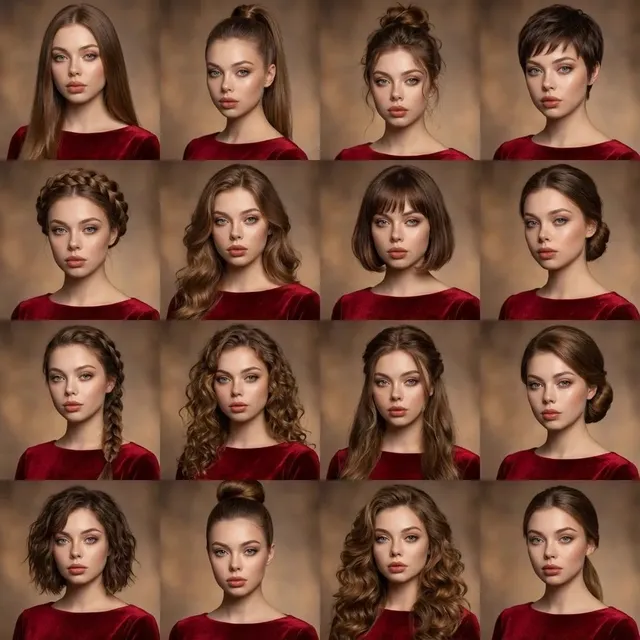
Character consistency is the hard part. If the same presenter appears across dozens of variants, the face, hair, and proportions must stay stable between renders, or viewers will notice something subtly wrong even if they cannot name it. Look for tools that support reference-locked characters or keyframe consistency, where an approved frame anchors every subsequent shot. Budget review time for the first batch of variants specifically to catch drift — a collar that changes shape or an eye line that shifts is enough to undermine trust in the whole campaign.
Voice, pacing, and sound
Voice is a personalization lever most teams underuse. Accent, pace, and energy level change how the same script lands. Synthetic voices are now good enough for many applications, but they still need direction: specify pace in words per minute, mark emphasis, and keep pronunciation dictionaries for brand and product names. Always check that the voice you use is licensed for commercial use in every market you serve.
Music should stay constant within a campaign family. Changing the soundtrack between variants makes two versions feel like different brands rather than different messages. Use consistent levels, keep a loudness target, and add captions or burned-in subtitles for silent autoplay environments.
Rendering and assembly at volume
At the assembly stage, treat video like any other templated asset. Maintain a naming convention that encodes campaign, audience, locale, and version so that files remain findable months later. Automate the render queue, but stage releases: internal review, then a small live test, then full deployment. Rendering hundreds of variants is cheap; rendering hundreds of wrong variants and shipping them is expensive.
A Practical Workflow From Brief to Launch
Here is a workflow you can run with a small team. It assumes you already have a master video concept and a data source.
1. Pick one decision to influence
Personalization works best when it targets a single behavior: start a trial, upgrade a plan, book a demo, complete onboarding, renew. If your brief contains four goals, split it into four campaigns. A variant that tries to do everything does nothing.
2. Choose your branching depth
Decide how many variants you will actually support. A realistic starting point is three to five branches per campaign, built from at most two or three variables combined. Shallow personalization that always renders correctly beats deep personalization that breaks on ten percent of records. Expand once you have measurement data showing which branches earn their keep.
3. Lock the brand constants
Produce a template specification: exact durations per channel, safe areas for text, logo position, font sizes, color values, and approved b-roll. Give it to everyone who touches the project. Most quality problems in personalized video come from unlocked constants, not from bad creative ideas.
4. Generate in batches, review in passes
Generate in grouped batches so reviewers can compare like with like. Run three review passes, each with a single focus: (a) data accuracy — names, numbers, claims; (b) visual consistency — faces, framing, brand elements; (c) audio and captions — pronunciation, sync, timing. Reviewers who check everything at once miss the things that matter.
5. Ship, measure, iterate
Launch with a control group. Keep a non-personalized version running alongside the personalized variants so you can attribute lift honestly. Review results at a fixed interval — two to four weeks is typical — and retire branches that underperform instead of letting them accumulate. A personalization program should get smaller and sharper over time, not larger and noisier.
Channel Notes: Where Each Variant Goes
Aspect ratio, duration, and hook style change by destination, and a single render rarely serves all of them well.
Short-form vertical. Nine-by-sixteen, one idea, hook in the first second. Personalization here is often visual: local landmarks, relevant product screen, or a name in the opening frame. Keep text large and high in the frame.
Email and lifecycle. Sixteen-by-nine or square, fifteen to forty-five seconds, with a thumbnail that carries the personalization even if the video is never played. Autoplay is muted more often than not, so design the first three seconds to work silently.
Landing pages and sales decks. These can be longer and more specific — a walkthrough that references the visitor's industry or the features they have already explored. Embed players that respect reduced-motion settings and do not hijack scroll.
Paid social and retargeting. Build variant sets around audience segments, then let the platform optimize delivery. Supply enough creative diversity that the algorithm has something to learn from, and refresh before frequency fatigue sets in.
Measurement That Survives Scrutiny
Personalization invites optimistic reporting. Here is how to avoid it.
Metrics to watch
- Hook retention — the percentage still watching at three seconds, by variant.
- Completion rate — sensitive to duration, so compare only equal-length variants.
- Click-through and conversion rate — the business outcome, tracked per branch.
- Incremental lift — personalized group versus control group, not versus last quarter.
- Production cost per variant — including review time, which is usually the hidden cost.
Attribution traps
Viewers who receive a personalized video are often already further down the funnel, so a naive comparison flatters personalization. Always hold out a control group. Also watch for novelty effects: a personalized campaign often spikes in week one and settles. Judge on the settled baseline, not the spike.
Statistical guardrails
Set a minimum sample per branch before you declare a winner — a few hundred conversions is a reasonable floor for most B2C tests, more for high-value B2B. Avoid peeking daily and stopping when a branch looks good. Pre-register what success means, then read the results once, at the end.
Mistakes That Kill Personalization Campaigns
- Personalizing the wrong thing. Inserting a name is not personalization if the message is identical. Personalize the argument, not just the salutation.
- Too many branches. Every branch multiplies review, QA, and reporting work. Start narrow.
- Unlocked brand constants. Colors, logos, and typography drift the moment different people generate different batches.
- No fallbacks. Empty fields produce broken renders that reach real viewers.
- Skipping the control group. Without it, you cannot tell whether personalization worked or the quarter was simply strong.
- Ignoring accessibility. Captions, contrast, and readable text sizes are not optional, especially in short-form where compression degrades quality.
- Never retiring variants. Dead branches consume budget and complicate reporting.
Ethics, Disclosure, and Brand Safety
Personalization carries obligations. Be transparent about what data drives the variation, and give viewers a way to see or change it. Avoid implying knowledge you do not have — a video that references a purchase the viewer never made reads as a mistake, not as insight. When synthetic presenters appear, follow the disclosure rules of each platform and market, and never use a real person's likeness without written permission.
Brand safety also means brand restraint. A personalized variant should still be recognizably yours with the sound off. Test that by muting a random sample of variants and asking whether a stranger could name the brand. If the answer is no, the variation has gone too far.
FAQ
How many variants do I need before personalization pays off? Fewer than most teams assume. Three well-chosen branches that map to real audience differences usually outperform thirty shallow ones, because they are easier to QA, measure, and refine.
Can I personalize with a small team? Yes, if you automate the render and review pipeline and keep branching shallow. The bottleneck is almost always human review, so design the process to minimize it.
Should I personalize the script, the visuals, or both? Start with the script, since message relevance drives more lift than cosmetic changes. Add visual personalization once the pipeline is stable.
How do I handle multiple languages? Generate in each language where possible, keep a terminology glossary, and have native speakers review every locale before launch.
What is the biggest technical risk? Character or brand drift across renders. Lock reference frames and run consistency checks on the first batch of every campaign.
How often should I refresh the variants? Review on a fixed cadence — monthly for fast-moving consumer campaigns, quarterly for longer sales cycles — and retire anything that stops earning.
Getting Started Without Betting the Whole Budget
Pick one campaign, one audience split, and one measurable outcome. Build three branches, lock your constants, generate a small batch, and run it against a control. If the lift is real, expand the variable map and add a second campaign. If it is not, you have learned something inexpensive about your audience and kept your production pipeline intact.
The teams that win at personalized video are not the ones with the most variants. They are the ones with the cleanest data, the tightest templates, the most disciplined review process, and the patience to measure honestly. Everything else is rendering capacity.

Alexander
More Blogs
Read MoreVidu Q4 Alternatives: 4K AI Video Models Compared (2026)
Vidu Q4 alternatives compared: Kling 4.0, Seedance 2.5, Wan 3.0, and Runway Gen-4 — 4K support, input modes, durations, audio, and what each costs in credits on Domer.
Top 4K AI Image Generators in 2026: 5 Models Compared on Real Costs
The top 4K AI image generators on Domer compared: Flux 3 Klein, Nano Banana 2.1, GPT Image 2.5, GPT Image 2, and Nano Banana Pro — 4K credit costs, reference limits, and speed.
Nano Banana 2.1 vs GPT Image 2.5: Which Image Model Should You Use? (2026)
Nano Banana 2.1 vs GPT Image 2.5 Flare compared: credit costs per resolution, aspect ratios, reference images, text rendering, and which tasks fit each model.