

InVideo vs. Sora: Which AI Video Tool Fits Your Workflow?
Oct 13, 2026

Choosing between InVideo and Sora looks like a simple feature comparison. It is not. One platform assumes you want to assemble a finished video quickly from templates, stock media, and captions. The other assumes the footage you need does not exist yet, and that you are willing to describe it in words and iterate until it looks right. That difference shapes planning, timelines, who can contribute, and what happens when someone asks for a revision.
This guide works through the practical trade-offs: what each tool is genuinely good at, where it breaks down, how to fit either into a real production pipeline, and a short decision framework you can apply in a few minutes.
Where each tool sits in the production stack
InVideo is an editor with generative features layered on top. You start with a template or a blank timeline, drop in stock clips, screen recordings, product footage, or AI-generated b-roll, then shape everything with text, transitions, music, and captions. The promise is speed and predictability: a marketing video, an explainer, or a social cut can go from brief to export in an afternoon without a specialist.
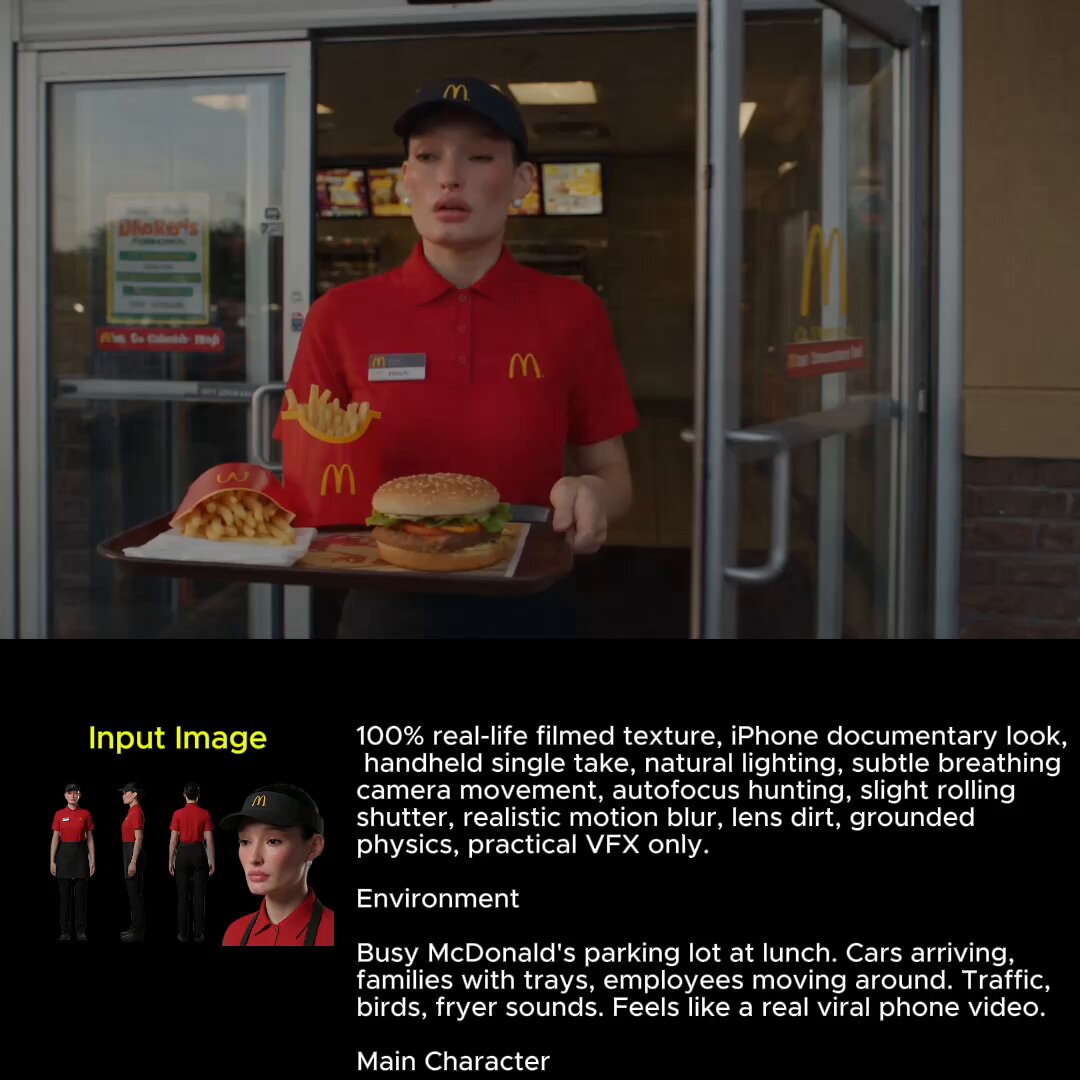
Sora is a generative video model. You write a prompt, sometimes with a reference image, and get a short clip back. There is no timeline, no caption editor, and no template library. Its value is inventing scenes that would be slow, expensive, or impossible to shoot: a camera move through a stylized city, a product shot with impossible lighting, a character who must look recognisable across several shots.
The template-first mindset
Template-first tools optimise for finishing. They are strongest when the structure is known, the message is fixed, and the goal is to produce many consistent variants. That is why they dominate social ad production, internal communications, and anything with a recurring format. The creative work happens in the arrangement, not in the imagery.
The generation-first mindset
Generation-first tools optimise for discovery. You rarely know exactly what the model will return, so the workflow becomes propose, review, refine. That suits concept art, pitch videos, mood pieces, and shots that need a specific visual idea rather than a specific duration or layout.
Where the two overlap
Both can take a text prompt and return something watchable. Both handle image-to-video. Both can output vertical or widescreen. The overlap grows every quarter as editors add generative clips and generators add trimming and stitching. Treat them as complementary roles in the same stack rather than rivals for the same slot, and the decision gets easier.
Output quality and realism: what to expect
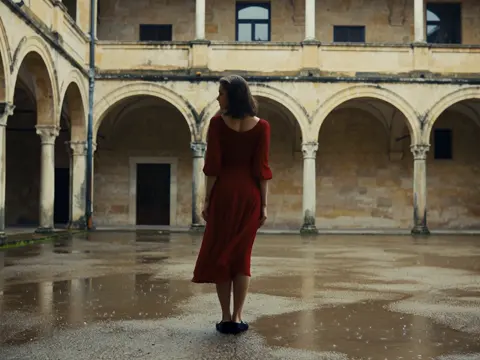
Sora's reputation rests on photoreal detail: skin, fabric, reflections, camera movement that feels filmed rather than rendered. When a prompt lands, the result can be genuinely difficult to distinguish from live action. When it misses, it misses loudly, with melted hands, unstable geometry, or a camera that drifts somewhere illogical.
InVideo's output is polished rather than photoreal. It looks like a well-made marketing video: clean typography, consistent brand colours, tidy cuts, stock footage that reads as professional. Nobody will mistake it for cinema, but nobody will question whether it is usable either. For most commercial work, that reliability is worth more than spectacle.
Motion, physics, and artifacts
Generative models still struggle with cause and effect. Liquids behave oddly, objects pass through one another, and fast motion smears. Prompting specific camera motion helps: a slow dolly-in on a static subject is far more stable than a chaotic chase scene. In an editor, motion artefacts are less of a concern because most footage is real, but badly matched stock clips create their own jarring rhythm.
Shot-to-shot consistency
This is the hardest problem in generative video. Keeping the same face, wardrobe, and location across eight shots takes effort: reference images, locked descriptions, careful seeding, and patience. InVideo sidesteps the issue entirely by using one continuous source clip or one set of stock assets across a sequence. If your project depends on a recurring character, plan for significantly more iteration in a generative tool, or treat each shot as a separate visual idea.
Control, precision, and revision cycles
Control means different things in each tool. In InVideo it means trim points, text placement, timing, and export settings. In Sora it means prompt wording, style references, and shot composition. Confusing the two leads to frustration: people ask a generator for pixel-level precision and ask an editor for imagination.
Iterating on prompts versus trimming on a timeline
Prompt iteration is fast and cheap in the early going. You can produce a dozen variations of a concept in the time it takes to storyboard one. The cost appears later, when you need a specific change: make the logo bigger, shorten the middle by four seconds, swap the voiceover. Generative tools cannot do those things directly; you re-generate and hope, or move the clip into an editor anyway.
Timeline editing inverts that curve. The first cut takes longer because you have to find or shoot material. Every revision after that is minutes of work. For projects with stakeholders and multiple review rounds, that trade-off usually wins.
Brand systems, captions, and localisation
Editors ship with brand kits, reusable text styles, caption generators, and multi-language voiceovers. If your organisation produces the same format repeatedly, rebuilding that system around a raw generative model is a step backwards. The smart pattern is to generate hero shots in a model and assemble them in an editor where the brand layer already exists.
Fitting each tool into three real pipelines
Solo creator or freelancer
You need range more than depth. A typical week might include a client reel, three vertical clips, and a thumbnail sequence. InVideo handles the routine work quickly and keeps turnaround predictable. A generative model becomes your differentiator for the shots that make a portfolio stand out. Budget your time so generation sits early in the week, when a failed prompt still leaves room to fall back on stock.
Small marketing team
Here the constraint is not creativity, it is review cycles. Multiple stakeholders, brand rules, and legal checks mean every asset passes through several hands. Editors with comment threads, version history, and locked templates reduce friction. Use a generative tool for campaign concepts and distinctive visuals, then place them inside a governed template so approvals stay quick.
Agency or studio
Studios need both, plus a documented pipeline. A workable pattern: generate style frames and motion tests to align with the client, then produce final assets using whichever method is faster for each shot. Keep a library of prompts that worked, with the reference images that anchored them. That library is often more valuable than any single render.
Budget, throughput, and practical constraints
Cost comparisons are rarely apples to apples. Subscription editors charge for seats and feature tiers. Generative models charge for usage, so spend scales with experimentation. A team that generates fifty variations to find one good shot will burn through allowance far faster than a team that writes a tight prompt and accepts the third result.
Three practical constraints matter more than list prices:
- Render time. Generation adds latency to every iteration. A four-hour render queue changes how you plan a day.
- Resolution and duration limits. Most generated clips are short. Long sequences mean stitching, which means an editor or a compositor regardless of which tool you started in.
- Rights and disclosure. Stock libraries and generated assets carry different licensing obligations. Know what you can publish, and whether your audience or platform expects disclosure of synthetic media.
A useful habit is to measure cost per finished minute rather than cost per generation. That number exposes whether your experimentation is producing usable footage or just noise.
Use cases that tilt the decision
Short-form social and advertising
Editor-first tools win on volume. Ten variants of the same ad with different hooks, captions, and aspect ratios is a fifteen-minute job once the template exists. Generative clips help when you need a scroll-stopping visual that no stock library has.
Product explainers and training
Screen recordings, UI walkthroughs, and voiceover synchronisation are editor territory. Generative video has almost nothing to contribute here, because the footage must be factually accurate. Use generation only for abstract background sequences or illustrative metaphors.
Narrative, concept, and pitch work
This is where Sora-class models shine. A director can storyboard a sequence as moving images instead of drawings, and a pitch deck becomes a short film. The output may never ship as final footage, but it aligns a room faster than any script.
A five-question decision framework
- Does the footage need to exist? If the shots are real products, real people, or real screens, you need an editor. If the shots cannot be filmed practically, you need generation.
- How many revisions should I expect? More than two rounds of stakeholder feedback points to timeline editing.
- How many deliverables per week? High volume favours templates; low volume with high novelty favours generation.
- Who will operate the tool? Non-specialists do better with guided templates. Prompt craft rewards people who enjoy iteration.
- What is the failure cost? For a paid ad, a mediocre but on-brand video beats a beautiful clip that misses the message.
Answer those five honestly and the choice usually makes itself. If you get a split result, that is your signal to combine them: generate the hero shot, assemble everything else in the editor.
Common mistakes and how to avoid them
Treating generation as a one-shot. First outputs are drafts. Plan for three to five iterations on anything important, and keep the versions that nearly worked; they are useful references for the next prompt.
Overloading a prompt with unrelated ideas. A single clip should express one visual idea. Asking for a sunset, a city, a character, a product, and a camera move invites a muddled result you cannot fix.
Skipping the edit. Raw generated clips rarely make a watchable video on their own. Titles, pacing, music, and sound design do the heavy lifting. Sound is the most commonly neglected element and the cheapest way to make synthetic footage feel intentional.
Ignoring aspect ratios until the end. Reframing after the fact crops away composition. Decide format before you generate or choose clips.
Forgetting accessibility. Captions, contrast, and readable text sizes are not optional on platforms where most viewing happens muted.
Publishing without checking licensing. Confirm that stock assets, music, and generated material are cleared for commercial use in every territory you distribute to.
FAQ
Is one of these tools better overall?
No. They solve different problems. An editor is better for structured, repetitive, brand-controlled work. A generative model is better for footage that cannot be captured. The mistake is picking one and forcing every project through it.
Can I use both in a single project?
Yes, and it is usually the strongest approach. Generate two or three distinctive shots, then build the rest of the sequence from stock, screen recordings, and graphics in an editor. The viewer only notices whether the video holds together.
How long does a typical project take?
A two-minute branded explainer in an editor is realistically a day for a competent generalist. A thirty-second generative sequence can take anywhere from an hour to several days, depending on how specific your requirements are and how stable the subject needs to be.
What about audio?
Neither tool replaces a proper audio pass. Voiceover, music, and sound effects determine perceived quality more than image fidelity. Editors usually include more built-in audio support; with a pure generator you will finish audio somewhere else.
Do I need design skills?
For editor-first tools, basic layout sense is enough because templates carry the structure. For generation, the skill is visual description: knowing how to specify subject, framing, lens, light, and movement in plain language.
How do I keep quality consistent across a series?
Lock a small style guide: one aspect ratio, two fonts, three colour values, a fixed intro length, and a consistent caption style. Reuse prompts for generated shots and reuse templates for edited ones. Consistency comes from the system, not the tool.
Bringing it together
The sensible default for most teams is editor-first, generative-second. Build your recurring formats in an editing tool so routine work stays fast and on-brand, then reach for a generative model when a project needs an image that does not exist. Freelancers get a speed advantage from the same split; studios get a repeatable pipeline.
Decide with your calendar, not the hype cycle. Count how many deliverables you owe, how many review rounds you expect, and how many shots genuinely need to be invented rather than filmed. Those three numbers point to a clear answer, and if they point in two directions at once, that is the moment to run both tools side by side.

Alexander
More Blogs
Read MoreVidu Q4 Alternatives: 4K AI Video Models Compared (2026)
Vidu Q4 alternatives compared: Kling 4.0, Seedance 2.5, Wan 3.0, and Runway Gen-4 — 4K support, input modes, durations, audio, and what each costs in credits on Domer.
Top 4K AI Image Generators in 2026: 5 Models Compared on Real Costs
The top 4K AI image generators on Domer compared: Flux 3 Klein, Nano Banana 2.1, GPT Image 2.5, GPT Image 2, and Nano Banana Pro — 4K credit costs, reference limits, and speed.
Nano Banana 2.1 vs GPT Image 2.5: Which Image Model Should You Use? (2026)
Nano Banana 2.1 vs GPT Image 2.5 Flare compared: credit costs per resolution, aspect ratios, reference images, text rendering, and which tasks fit each model.