
Utwórz
Kling AI vs Hailuo AI: Which AI Video Generator Wins
Oct 13, 2026
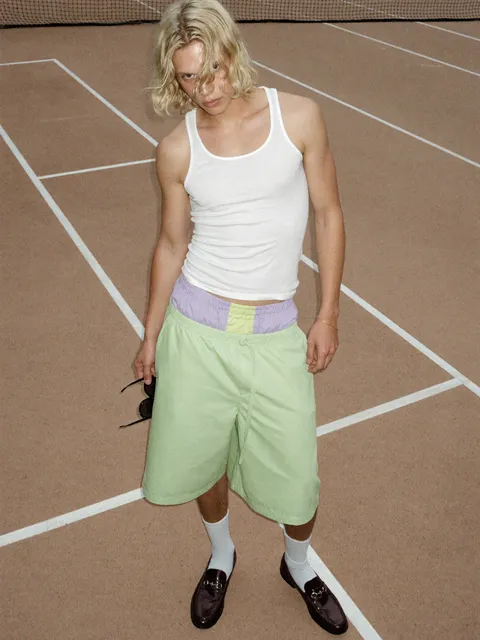
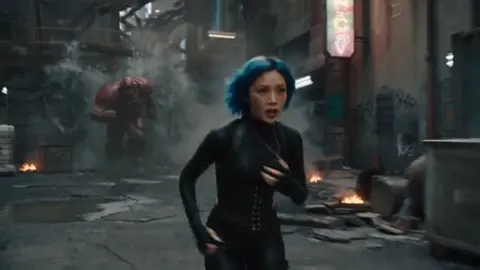
Why the Kling vs Hailuo Question Is Really a Workflow Question
Every few months a new head-to-head comparison promises to settle which AI video generator is best. Kling AI versus Hailuo AI is one of the most frequently searched matchups, and for good reason: both can produce striking footage from a text prompt or a still image, both have been adopted by agencies, indie filmmakers, and social content teams, and both keep improving fast enough that any absolute verdict has a short shelf life.
That is exactly why a straight verdict is the wrong deliverable. What a working creator actually needs is a decision framework: which generator solves which shot, at what iteration speed, and with how much cleanup afterward. A cinematic drone push over a rain-slicked city and a talking-character close-up in a bright kitchen are different problems. The first rewards motion realism and camera language. The second rewards facial expression, lip-sync plausibility, and precise character detail.
Once you reframe the comparison at the shot level, the conversation becomes practical. You stop asking which model is better in the abstract and start asking which model is better for the forty shots on your board, and whether you can route each shot to the tool that produces a usable take in the fewest attempts.
This guide is built around that idea. It covers how the two generators differ in feel and behavior, how to judge output beyond a highlight reel, how to run a fair test on your own footage, and how to slot either tool into a real production pipeline without wrecking your schedule.
How the Two Generators Differ at a Glance
Kling AI and Hailuo AI are both text-to-video and image-to-video systems, but they have developed different personalities. Understanding those personalities saves you hours of blind prompting.
Kling AI: cinematic motion and physical weight
Kling tends to shine when a shot needs believable physics and camera movement. Water, fabric, smoke, hair, and debris behave in a way that reads as heavy rather than floaty. Camera moves such as slow push-ins, orbit shots, and handheld drift usually come out coherent, which makes Kling a natural fit for cinematic inserts, product hero shots, and atmospheric establishing frames.
Its weaknesses show up in dense scenes. Crowded environments can produce background drift, and complex action choreography sometimes collapses into a blur of motion. Kling also rewards restrained prompts: describing one clear action, one subject, and one camera behavior usually beats a paragraph of layered instructions.
Hailuo AI: expressive characters and fast iteration
Hailuo tends to excel with human subjects. Facial expression, eye movement, and small gestures often survive the generation process better, which makes it a strong choice for dialogue-driven shots, lifestyle content, and vertical social video where a face fills the frame. Many creators also find it forgiving with stylized and animated looks, where a slightly exaggerated performance reads as intentional rather than broken.
Its trade-off is often in large-scale camera work. Wide, sweeping moves can feel less grounded than what Kling produces, and fast action sequences may lose spatial logic. In practice, Hailuo is frequently the faster tool for social-first iteration, while Kling is the tool people reach for when a shot needs to feel expensive.
Core Generation Modes, Side by Side
Both platforms cover the same broad feature surface, but the practical differences appear in how each mode behaves under stress.
Text-to-video
Text-to-video is where most people start and where most disappointment happens. The single biggest variable is prompt structure. Both models respond well to a formula of subject, action, environment, lighting, camera, and mood. Where they differ is tolerance for ambiguity. Kling often produces a more cinematic default interpretation of a vague prompt. Hailuo often produces a more literal, character-focused interpretation. If your script depends on a specific performance beat, Hailuo's literalism helps. If it depends on atmosphere, Kling's cinematic bias helps.
Image-to-video
Image-to-video is usually where professional work gets done, because you control composition and color before the model touches anything. Both tools preserve a source image reasonably well, but the failure modes differ. Kling can add motion that feels physically correct while subtly altering fine details in the background. Hailuo can preserve character identity while introducing smaller, more stylized motion. A useful rule: use image-to-video whenever identity consistency matters, and keep a clean, high-resolution reference with simple lighting.
Motion control and camera language
Camera control is the sharpest dividing line. If your shot list includes specific moves such as a slow dolly, a crane reveal, or a controlled rotation around a product, Kling's motion handling is often the safer bet. If your shot needs a character to turn, emote, and hold a believable expression mid-move, Hailuo frequently delivers the more usable take. Neither is a substitute for a shot list. Decide the move before you generate, not after.
Judging Output Quality Beyond the Demo Reel
Demo reels are curated. Your footage will not be. Here is what to evaluate on your own material.
Temporal consistency
Watch for flicker in exposure, shifting skin tones, and clothing that changes between frames. Generate ten seconds and scrub frame by frame at the halfway point and the end. Consistency problems compound in editing, especially when you cut between two takes of the same subject.
Prompt adherence
Count how many of your stated elements actually appeared. A common pattern is that the main subject is correct while the environment, props, or background characters drift. Track adherence as a percentage across twenty generations rather than judging one lucky result.
Physics, hands, and text
Hands, reflective surfaces, on-screen text, and liquids remain the hardest problems. Test them deliberately rather than hoping. If your project requires legible signage or a logo rendered in-frame, plan to composite it in post rather than generating it.
Detail stability at scale
Render the same prompt at two resolutions and compare. Some models look superb at small sizes and fall apart when scaled for a large display or a cinema screen.
A Fair Benchmark Protocol You Can Reuse
Most comparisons fail because people test different prompts on different days and draw firm conclusions. Use a repeatable protocol instead.
- Build a fixed test set of six shots: an establishing wide, a character close-up, a product insert, a fast action beat, a stylized animation, and a text-heavy frame.
- Write one prompt per shot and keep the wording identical across both tools.
- Generate the same number of takes per shot per tool, ideally with the same seed or reference image where the platform allows it.
- Score each take from one to five on prompt adherence, motion realism, identity stability, and cleanup needed.
- Record the number of attempts required to reach a usable take. Attempts, not quality alone, drive real cost.
- Repeat the test after any major model update, because rankings shift quickly.
The most useful metric is almost always usable takes per hour. A tool that produces a beautiful result after thirty attempts is more expensive than a tool that produces a good-enough result in four.
Fitting Either Tool Into a Real Production Pipeline
Generators are not pipelines. They are one station inside a longer assembly line. Here is how professionals typically wire them in.
Pre-production
Storyboards become shot lists, and shot lists become prompt templates. Build a reusable prompt skeleton with fields for subject, wardrobe, environment, lighting, lens, and motion. Keep a reference folder with character sheets, location plates, and color palette examples. This is the single highest-leverage step: teams that template prompts get consistent output, and teams that improvise get lottery results.
Generation
Batch by shot type rather than by scene order. Generating all close-ups together keeps your prompt phrasing consistent and makes quality comparison easy. Version every output with a naming convention that includes shot number, take number, and model name so your editor can trace decisions later.
Post-production
Assume you will edit, stabilize, color grade, and often upscale. Generated footage rarely arrives with a consistent look, so a simple grade, grain pass, and speed adjustment can unite takes from two different models into one coherent sequence. Sound design does more for perceived realism than any render setting: footsteps, room tone, and a subtle score hide small motion artifacts effectively.
Hybrid routing
Many studios route shots to both tools rather than choosing one. Kling handles establishing shots and product motion. Hailuo handles character delivery and vertical social cuts. The finished piece feels authored, not stitched, because the grade and sound unify it.
Cost, Speed, and Team Fit
Budget conversations about AI video usually focus on subscription tiers, but the real cost is time. Consider four factors.
- Iteration speed: how quickly you can test an idea and discard it. Fast, cheap drafts beat expensive precision when you are still exploring.
- Retry rate: how many generations a usable take requires. This is where hidden expenses accumulate.
- Resolution and length limits: some projects need long takes or high resolution, and workarounds cost editing hours.
- Team learning curve: a tool your editor already understands is worth more than a marginally better model nobody has time to learn.
For solo creators, the practical answer is usually to keep a primary generator and a secondary one for the specific shots the primary mishandles. For teams, standardize on one primary tool for consistency, then allow exceptions with a documented reason. That keeps output coherent while preserving flexibility.
Common Mistakes That Ruin AI Video Output
Most disappointing results trace back to a handful of repeatable errors.
- Overloading prompts with contradictory instructions, such as asking for both a static locked-off camera and a sweeping aerial move.
- Ignoring aspect ratio until the end, then cropping away the composition that made the shot work.
- Chasing a perfect single shot for an hour instead of generating ten variations and picking the best.
- Generating in scene order, which scatters prompt wording and makes consistency harder.
- Skipping sound design, which leaves even good footage feeling synthetic.
- Neglecting lighting language. Words like backlit, soft window light, and neon rim light change output more than most style keywords.
- Forgetting to save prompts alongside renders, so a good take cannot be reproduced or extended.
Which Generator Should You Choose?
Use this decision guide instead of a blanket verdict.
| Your priority | Better starting point | Why |
|---|---|---|
| Cinematic camera moves and physics | Kling AI | Stronger motion weight and camera coherence |
| Character expression and dialogue shots | Hailuo AI | More reliable facial performance |
| Vertical social content at volume | Hailuo AI | Faster iteration on people-focused frames |
| Product and architecture inserts | Kling AI | Cleaner motion on objects and environments |
| Stylized or animated looks | Hailuo AI | More forgiving of exaggeration |
| Mixed long-form project | Both, routed by shot type | Best quality per shot with one unified grade |
If you can only pick one, pick based on the subject you shoot most: people or places. If you shoot both, route by shot type and treat the generator as a swappable component rather than an identity.
FAQ
Can I use both Kling AI and Hailuo AI in the same project?
Yes, and many teams do. Match the color grade, add consistent grain, and unify the sound design so viewers never notice the seams.
Which one is better for image-to-video work?
Both are strong. Choose Kling when the scene needs physical motion and Hailuo when a character needs a convincing performance. Always start from a high-resolution reference with simple lighting.
How long should a generated clip be?
Short clips cut together better. Three to eight seconds per shot gives you room to trim and keeps consistency problems manageable.
Do I need to rewrite prompts for each tool?
Yes. Keep a shared prompt template, then adjust phrasing per tool. Motion verbs matter more for one and performance details matter more for the other.
What is the fastest way to improve output quality?
Improve your references and lighting language first. Better input solves more problems than switching models.
The Practical Takeaway
The Kling AI versus Hailuo AI debate is more useful as a routing decision than as a ranking. Kling tends to deliver cinematic motion, weight, and camera coherence. Hailuo tends to deliver expressive characters and fast, forgiving iteration for people-centric footage.
The creators who get the most out of both treat generation as one stage in a disciplined pipeline: templated prompts, batched shot types, tracked attempts, and a finishing pass that unifies everything. Choose your primary tool based on the subjects you film most often, keep the other within reach for the shots your primary mishandles, and let the grade and sound design do the work of making it all look intentional.

Alexander
More Blogs
Read MoreVidu Q4 Alternatives: 4K AI Video Models Compared (2026)
Vidu Q4 alternatives compared: Kling 4.0, Seedance 2.5, Wan 3.0, and Runway Gen-4 — 4K support, input modes, durations, audio, and what each costs in credits on Domer.
Top 4K AI Image Generators in 2026: 5 Models Compared on Real Costs
The top 4K AI image generators on Domer compared: Flux 3 Klein, Nano Banana 2.1, GPT Image 2.5, GPT Image 2, and Nano Banana Pro — 4K credit costs, reference limits, and speed.
Nano Banana 2.1 vs GPT Image 2.5: Which Image Model Should You Use? (2026)
Nano Banana 2.1 vs GPT Image 2.5 Flare compared: credit costs per resolution, aspect ratios, reference images, text rendering, and which tasks fit each model.