
Utwórz
Kling AI vs. Hailuo AI: Which Video Model Fits Your Workflow
Oct 13, 2026
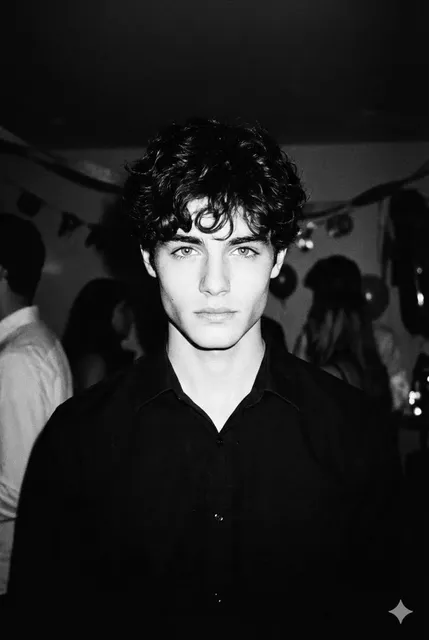
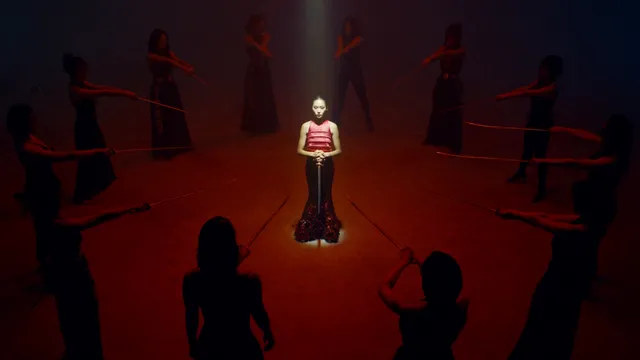
Choosing between Kling AI and Hailuo AI is rarely settled by a single side-by-side clip. The real question is which model survives contact with a working pipeline: the shot list, the client review loop, the edit, and the person regenerating a shot for the tenth time at midnight. Both models can produce startling footage. They fail differently, they reward different prompting habits, and they earn their place at different stages of production.
This comparison treats the decision as an engineering problem rather than a fan debate. You will find behavior notes from real production tasks, decision criteria you can argue with a team, workflow patterns that cut retries, and the mistakes that make either model look worse than it actually is.
Why Model Choice Becomes a Pipeline Decision
An AI video model is not a standalone tool. It sits between a script and a timeline, and everything it emits has downstream consequences. A model that produces gorgeous three-second fragments but drifts on character identity will quietly cost you an afternoon in cleanup. A model that nails consistency but ignores camera language will cost you the shot you actually described.
The variables that matter in a real pipeline are narrower than feature lists suggest:
- Shot-level reliability. How often does the first or second generation give you something usable without re-prompting from scratch?
- Motion plausibility. Whether limbs, fabric, liquid, and crowds behave in ways an editor can cut around.
- Prompt obedience. Whether camera moves, framing, and blocking survive the translation from text to pixels.
- Iteration speed. How fast a failed idea becomes a new attempt, including queue time and turnaround.
- Continuity support. Whether the model accepts reference frames, start and end frames, or subject anchors.
- Editing friendliness. Resolution, frame rate, aspect ratio, and how cleanly the output grades next to live-action footage.
Sort those six factors by how often they appear in your work, and the comparison becomes specific. A short-form social team weights iteration speed and style consistency. A commercial team weights framing control and texture fidelity. A documentary team weights realism and the absence of uncanny artifacts.
How Kling AI and Hailuo AI Differ at a Glance
Both models belong to the same generation of diffusion-based video systems, and both accept text and images as inputs, but their personalities diverge in ways that show up in the first few generations.
Motion and physical behavior
Kling AI tends to prioritize physical plausibility. Body mechanics, weight transfer, cloth movement, and object interaction read as grounded, which makes it a natural fit for scenes that must feel shot rather than generated. When you ask for a person walking through a market, the feet plant, the shoulders counter-rotate, and the camera can follow without the frame feeling like it is sliding on rails.
Hailuo AI leans toward expressive, high-energy motion. Performances feel more animated, gestures are broader, and stylized or 3D-flavored content often holds together with less prompting. That energy is an asset in comedy, music-driven edits, and character work where exaggeration reads as intent.
Prompt adherence and control surfaces
Hailuo AI is often praised for listening closely to dense, multi-clause prompts, especially when the prompt describes subject, action, environment, and mood in plain language. It tends to give you something close to what you asked for on the first pass.
Kling AI rewards more deliberate prompting around camera and lighting. It supports controls that let you define motion direction, anchor a start frame, and guide the trajectory of movement. In practice, this means Hailuo AI is quicker to a usable first draft, while Kling AI gives finer control once you know the shot you want.
Stylization range
Hailuo AI has an edge in anime, illustration, and 3D-stylized looks, where its motion exaggeration matches the visual language. Kling AI holds up better in photoreal scenarios, product cinematography, and footage that will be intercut with real camera material.
Audio and delivery formats
Both ecosystems have expanded toward generated sound and faster delivery options, but treat audio as a convenience rather than a finished mix. Plan to replace or at least layer generated audio in post. For delivery, check the highest available resolution and frame rate before locking a model into a hero shot, because upscaling a soft render rarely beats generating at a higher setting.
Benchmarking the Two Models on Real Production Tasks
Feature matrices are abstract. The useful test is to run the same three or four shots through both models and compare the number of attempts required to reach something usable. Call it the attempt count. It is a better predictor of cost than any spec sheet.
Test one: character action with dialogue-free performance
Prompt a mid-shot of a character reacting to news, moving from neutral to alarmed. Score for facial continuity, shoulder movement, and whether the emotional beat lands without audio. Kling AI usually delivers a restrained, believable read. Hailuo AI usually delivers a bigger, more readable performance that works well in stylized contexts but can feel theatrical in a naturalistic scene.
Test two: product hero shot with a camera move
Ask for a slow push-in on a product on a reflective surface, with a rotating highlight. This exposes how each model handles reflections, micro-texture, and camera acceleration. Kling AI tends to keep the camera move smooth and the reflections physically coherent. Hailuo AI can produce a striking look quickly, but inspect label text and edge geometry before committing.
Test three: stylized motion sequence
Request an anime-style character sprinting through rain with debris. This is where Hailuo AI's motion vocabulary shines: speed lines, splash behavior, and hair movement often cohere with minimal guidance. Kling AI can do it, but you will spend more prompts steering the style away from photorealism.
Test four: image-to-video continuity
Feed the same reference frame to both and ask for a five-second continuation in which the subject turns their head. Consistency is the deciding factor. Whichever model preserves facial structure, wardrobe details, and background geometry across the clip is the one you should use for multi-shot sequences.
Record the attempt counts in a spreadsheet. Three tasks, two models, one afternoon. The numbers will tell you more about your future workload than any review thread.
Workflow Integration: Where Each Model Fits
The smartest teams stop asking which model wins and start asking which stage each model serves.
Storyboarding and previz
Use Hailuo AI for fast previz. Dense prompts and quick turnaround make it ideal for exploring tone, blocking, and pacing before anyone commits to a locked shot list. Generate short, low-commitment clips, cut them into a scratch timeline, and evaluate whether the sequence works as a sequence.
Hero shot generation and iteration
Move to Kling AI when the shot must hold up at full size. Its physical grounding and camera control reduce the odds of a broken frame in the final cut. Use start-frame anchoring when continuity with an existing plate matters, and keep a written log of the settings that worked so a reshoot is a lookup rather than an experiment.
Finishing and delivery
Neither model replaces finishing. Plan a finishing path that includes frame interpolation where motion feels stepped, a light grain or texture pass to blend generated and photographed material, and a grade that matches black levels. Generated footage often arrives slightly cleaner than camera footage, which makes the mismatch obvious in a cut.
Quality Control: Reading Failures Before They Cost Time
Every model fails in recognizable patterns. Learning to diagnose them early is the single biggest time saver in AI video work.
- Identity drift. Face shape or wardrobe shifts mid-clip. Fix it with shorter clips, image conditioning, and by avoiding prompts that change environment and wardrobe at the same time.
- Limb melting. Occurs with fast action and crowded frames. Reduce the number of simultaneous actions and give the subject a clearly readable silhouette.
- Camera slide. The frame appears to glide rather than move with intent. Specify the move, the speed, and what stays anchored in frame.
- Texture shimmer. Fine detail vibrates on surfaces. Generate at higher resolution or simplify the background rather than fighting it in post.
- Over-stylization. Style terms bleed into realism. Remove competing style words and describe lighting in physical terms instead of aesthetic adjectives.
Build a short failure checklist and attach it to your project template. Teams that diagnose in one pass instead of five cut their generation volume dramatically.
Cost, Throughput, and Scale Planning
Budgets in AI video come from attempts, not from a single per-clip figure. Model your throughput with three numbers: how many usable seconds you need per finished minute, how many attempts each usable second requires, and how long a single attempt takes in wall-clock time.
If a project needs sixty finished seconds at a one-in-four usable ratio, you are looking at roughly four minutes of generated footage. If each attempt takes two to four minutes of queue and render time, the schedule math becomes obvious, and so does the value of a model with a higher first-pass success rate on your specific content type.
Practical ways to control throughput:
- Batch your prompts. Generate variants of one shot in a single session rather than returning to it four times.
- Freeze your parameters. Lock aspect ratio, duration, and style language so only the variable you are testing changes.
- Keep a proven prompt library. Reusable prompt skeletons with slots for subject, action, camera, and lighting cut setup time to seconds.
- Generate at final aspect ratio. Cropping later throws away resolution you paid to create.
- Review at thumbnail size first. Composition problems are visible small; texture problems are not worth fixing until the composition works.
A Decision Framework for Teams and Solo Creators
Choose Kling AI when
- Photoreal texture and physical motion are non-negotiable.
- You need camera-move control and start-frame continuity.
- Footage will be intercut with live-action plates.
- Product, automotive, architectural, or brand cinematography is the core use case.
Choose Hailuo AI when
- You need a usable first draft quickly and you iterate in volume.
- Stylized, animated, or 3D-flavored looks dominate your output.
- Prompts are long and descriptive, covering character, mood, and environment.
- Short-form social delivery rewards speed over cinematic nuance.
Run both when
- You previz in one model and finish hero shots in the other.
- Different deliverable tiers exist in the same campaign, such as a fast social cut and a polished hero film.
- You want a fallback when one service has a slow queue or an outage during a deadline crunch.
The most common professional setup is not a single winner. It is a primary model with a documented secondary, plus a rule for when to switch.
Common Mistakes When Switching AI Video Models
- Porting prompts verbatim. Prompt language is model-specific. A prompt tuned for one system often over-constrains the other. Rebuild from the shot description instead.
- Judging on a single clip. Cherry-picked outputs mislead. Run five attempts per model on the same prompt.
- Ignoring aspect ratio differences. Composition and subject scale change with the frame, so re-block rather than crop.
- Comparing models on different subject matter. Same prompt, same reference image, same duration. Otherwise you are comparing content, not capability.
- Skipping the finishing pass. Ungraded generated footage looks like generated footage. A grade, grain, and sound design do more for believability than switching models.
- No attempt log. Without records, every session restarts from zero knowledge.
FAQ
Which model is better for realistic humans?
Kling AI generally holds up better for photoreal human performance and physical motion. Hailuo AI can produce convincing results, but the performance style tends to read as more expressive.
Which is easier for beginners?
Hailuo AI's responsiveness to plain-language prompts makes the first hour friendlier. Kling AI rewards learning its control surfaces, which pays off later.
Can I use both in one project?
Yes, and many teams do. Use one for previz and exploration and the other for hero shots, then unify both in the grade and sound design.
How many attempts should I plan per finished shot?
Plan for three to five, and track your actual ratio. Once you know your personal attempt count per model, budgeting becomes straightforward.
Do generated clips need post-production?
Always. Stabilization, interpolation, color, grain matching, and sound design are what make generated footage cuttable.
What matters more, resolution or motion quality?
Motion quality. Audiences forgive softness far more readily than they forgive melting hands and sliding feet.
Bottom Line
Kling AI is the stronger choice when physical realism, camera control, and continuity with photographed footage drive the project. Hailuo AI is the stronger choice when speed, expressive motion, and stylized looks drive it. Neither verdict is permanent, and the honest professional answer is to test both against your own shot list, log the attempt counts, and build a workflow that routes each stage to the model that handles it best. That habit, more than any single model, is what keeps a production pipeline fast and predictable.

Alexander
More Blogs
Read MoreVidu Q4 Alternatives: 4K AI Video Models Compared (2026)
Vidu Q4 alternatives compared: Kling 4.0, Seedance 2.5, Wan 3.0, and Runway Gen-4 — 4K support, input modes, durations, audio, and what each costs in credits on Domer.
Top 4K AI Image Generators in 2026: 5 Models Compared on Real Costs
The top 4K AI image generators on Domer compared: Flux 3 Klein, Nano Banana 2.1, GPT Image 2.5, GPT Image 2, and Nano Banana Pro — 4K credit costs, reference limits, and speed.
Nano Banana 2.1 vs GPT Image 2.5: Which Image Model Should You Use? (2026)
Nano Banana 2.1 vs GPT Image 2.5 Flare compared: credit costs per resolution, aspect ratios, reference images, text rendering, and which tasks fit each model.