
Kling AI vs Hailuo AI: A Practical AI Video Routing Guide
Oct 13, 2026

Most comparisons of these two generators read like sports coverage: one is crowned, the other is dismissed. That framing breaks the moment you put the tools inside a real schedule. A client revision lands, a vertical cutdown is due, and the question is not which model is better in the abstract. The question is which model gets a specific shot to an approved state in two attempts instead of eight.
Kling AI and Hailuo AI behave differently, fail differently, and reward different prompt structures. The productive approach is to treat them as two suppliers on the same shot list, then build rules for routing work between them. That is what this guide covers: what each model is genuinely good at, how to benchmark them on your own footage, prompt patterns that transfer, a full routing workflow, and the failure modes that eat days when nobody planned for them.
What These Models Actually Produce
Both systems turn text or a still image into short clips, usually a few seconds long. Neither delivers a finished film. They deliver shots, and shots are ingredients: you still assemble, grade, sound-design, and cut. Once you accept that, evaluation becomes concrete. You are not asking whether a model can make video. You are asking whether it can hold a face for four seconds, move a camera without warping the background, and survive a two-hundred-percent punch-in on a vertical export.
Kling AI: weight, composition, controlled motion
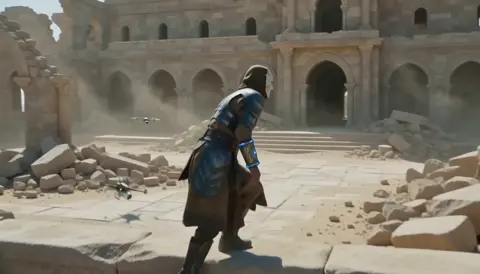
Kling AI built its reputation on physically believable movement. Objects have mass, fabric folds with momentum, and camera moves read like an operator rather than a slideshow transition. Its image-to-video behavior is where most professionals lean hardest: give it a designed still frame plus a description of motion, and it tends to preserve the composition while animating inside it. That fits product reveals, architectural walkthroughs, character walks, portraits that need subtle life, and cinematic inserts where the frame is already art-directed.
The weak spots are the usual stressors: fast chaotic action, intricate hand interactions, and scenes with many independently moving subjects. When it misses, the miss usually shows up as softened geometry or a slow identity drift rather than an explosion of noise, which is often easier to hide in an edit than a fully broken frame.
Hailuo AI: expressiveness and fast exploration
Hailuo AI is often the pick when a shot needs energy rather than restraint. It handles stylized movement, dynamic action, expressive characters, and punchy social-first content well, and it is frequently the tool people reach for while exploring an idea rather than executing a locked board. Iteration speed matters here: the faster a model returns something usable, the more variations you can weigh before committing.
The trade-off is control. Expressive motion can become exaggerated motion, and prompts that read like camera notes may be interpreted more loosely than you intended. For stylized work that is a feature. For a product spot where a label must stay legible, it becomes extra review time and sometimes an extra round of revisions with the client.
The Criteria That Decide Real Production Questions
Feature lists tell you what exists. They do not tell you what breaks at deadline. Score both models against the five criteria below, and score them on your own material rather than on curated showcase clips.
| Criterion | What to test | Why it decides the shot |
|---|---|---|
| Motion plausibility | Weight, cloth, water, contact with ground | Some artifacts cannot be fixed in post |
| Prompt adherence | Camera language, subject count, framing | Fewer regenerations per approved shot |
| Identity consistency | Face and wardrobe drift across the clip | Continuity in multi-shot sequences |
| Throughput | Minutes per approved clip, not per clip | Scheduling and review capacity |
| Finishing headroom | Detail after upscale, grain, and compression | Whether the shot holds on a large screen |
Motion plausibility and physics stress tests
Water, fabric, hands, and crowds expose a generator faster than anything else. Watch how cloth folds and unfolds, whether feet slide across the floor, and whether a pushed object reacts with believable mass. Both models can produce excellent controlled results and both can produce uncanny results on hard prompts. The practical question is not which is more realistic in the abstract, but which model's failure mode you can absorb in the edit without reshooting the sequence.
Prompt adherence and camera vocabulary
Camera moves are the hardest thing to repair later, so test them explicitly. Write a prompt that specifies shot size, lens, movement, and lighting direction, then check how many of the four you actually received. Models that follow camera notes reliably cut your regeneration count, and regeneration count is where schedules die. Keep a personal phrasing log: “slow dolly in” beats “zoom in slowly” almost every time, and naming a lens changes framing more than any adjective about quality.
Identity consistency across shots
Lock a reference frame, animate it, then compare the first frame, a middle frame, and the final frame side by side. You are measuring drift: changes in facial structure, hairline, wardrobe folds, and background geometry. For any project with recurring characters or a single hero product, this test outranks every visual flourish. A slightly less spectacular model that holds an identity is worth more than a dramatic one that morphs faces every twelve frames.
Throughput per approved shot
Measure time per approved clip, not time per clip. A fast model that needs eight attempts is slower than a slower model that needs two. Log every generation with a timestamp and a pass/fail note for two weeks; the pattern becomes obvious quickly, and it usually contradicts first impressions.
Finishing headroom
Push outputs through your real finishing chain: upscale, grain, grade, and compression for the target platform. Detail that dissolves under an upscale was never usable, no matter how clean it looked at native resolution. Some clips look great in a preview window and turn to mush after delivery encoding, and only a full-chain test catches that.
Build a Six-Shot Benchmark Pack First
Before you commit either model to a schedule, build a small test pack that mirrors your actual work. Six shots is enough:
- A talking head with subtle movement.
- A product rotation with fine text or a logo.
- A walking character crossing frame.
- A crowd or traffic scene with depth.
- A fabric or water close-up.
- A camera move that must land precisely, such as a slow push-in.
Generate each prompt several times at identical settings, then score every result from one to five on motion artifacts, identity drift, prompt adherence, texture, and usable duration. Add the scores up and keep a per-shot favorite. Two rules make the results trustworthy. First, score blind where possible, so you are not grading the model you expected to win. Second, re-run the pack after any major version change, because behavior shifts quietly and last quarter's verdict expires without warning.
Prompt Patterns That Transfer Between Both Models
Most prompt failures are structural, not model-specific. A prompt that states subject, action, camera, light, and duration in that order performs well almost everywhere. For example: “Medium shot, a potter's hands shaping wet clay on a spinning wheel, slow dolly in, fifty millimeter lens, warm tungsten key from camera left, dust in the air, five seconds, single continuous take.”
A few habits improve results in both systems:
- Front-load the subject and action, then add camera detail.
- Describe one motion per clip. Two competing movements usually produce a compromise of both.
- Use image-to-video when the frame matters; use text-to-video when you are exploring.
- Reuse the same seed when comparing prompt variants, so you are testing the prompt and not the dice.
- Keep prompts under roughly forty words. Longer prompts rarely add control and often subtract it.
- Name lighting direction and quality; “soft window light from the right” outperforms “good lighting”.
A quick camera-language cheat sheet
Use shot size (wide, medium, close-up), lens (twenty-four millimeter, fifty millimeter, eighty-five millimeter), movement (dolly in, tracking left, handheld follow, static lock-off), and light (key direction, hard or soft, practical sources). When you combine all four, your pass rate improves noticeably because the model has fewer guesses to make.
A Routing Workflow From Shot List to Locked Cut
The most reliable setup treats generators as interchangeable suppliers rather than as a single chosen tool. This workflow scales from a solo editor to a small team of three or four.
Step 1: Break the script into a shot list
Each shot gets one line: subject, action, camera, duration, and the main quality risk. A locked shot list prevents the most expensive mistake in AI video, which is generating beautiful footage that will not cut together. Add a column for the target aspect ratio so vertical crops are planned from the start instead of squeezed in at the end.
Step 2: Tag each shot by type
Label shots as realism-critical, composition-sensitive, stylized, or exploratory. Realism-critical shots include lips and hands, product labels, and anything the client will scrutinize. Composition-sensitive shots include locked frames you designed carefully in a still. Stylized shots include titles, dream sequences, and montage beats. Exploratory shots are the ones where you do not yet know what you want.
Step 3: Route by tag, not by loyalty
Send realism-critical and composition-sensitive shots to Kling AI. Send stylized, motion-heavy, and exploratory shots to Hailuo AI. When you are genuinely unsure, run the identical prompt through both and compare against the shot list rather than against personal taste. The shot list is the judge.
Step 4: Assemble a rough cut with placeholders
Cut the sequence together with colored slates standing in for missing shots. This exposes pacing problems before you spend hours generating footage for a beat that does not work. It also tells you which shots must be perfect and which ones are on screen for less than a second.
Step 5: Replace placeholders in priority order
Generate the shortest-duration and most-repeated shots first, then the hero shots. Short inserts are cheap wins that build momentum, and hero shots deserve your best attention once the structure is proven.
Step 6: Lock the picture, then finish
Only after the cut stops changing should you upscale, grade, and add sound. Finishing before picture lock wastes work on clips that get trimmed to half their length.
Finishing: Making Two Models Look Like One Film
Assemble a rough cut with placeholders, then replace them with final clips, and grade everything in a single pass. Slight differences in contrast, color science, and grain disappear when a shared look-up table and consistent grain are applied across the timeline. Add matched sharpening and a touch of the same film noise to every shot, and viewers will attribute motion differences to camera style rather than to software.
Sound does more for perceived realism than any generation setting. Footsteps that land on the beat, room tone under dialogue, and a consistent reverb character make a slightly stiff animation read as intentional. Conversely, a technically excellent clip with mismatched ambience feels fake immediately.
Troubleshooting the Failures You Will Actually See
| Symptom | Likely cause | Fix |
|---|---|---|
| Face morphs mid-clip | Text-only prompt with no reference | Switch to image-to-video with a locked still |
| Feet slide or hover | Unspecified ground contact | Describe contact points and surface |
| Background warps during a camera move | Two competing motions | Reduce to one camera move plus one subject action |
| Text on a product turns to gibberish | Model struggles with fine detail | Reframe so the label is further from the lens edge, or composite the label in post |
| Motion looks sped up | Excessive prompt energy words | Remove “fast”, “rapid”, and “intense”; specify duration |
| Clip unusable after upscale | Insufficient texture in the source | Regenerate with more surface detail and sharper key light |
| Vertical crop loses the subject | Horizontal framing without safe zones | Frame with center weight or generate native vertical |
Capacity Planning Without Guesswork
Count backwards from the deliverable. A ninety-second piece with an average cut length of three seconds needs roughly thirty usable clips. If your approval rate is one in four, that is around a hundred and twenty generations plus review time. Run that number against your calendar before you promise a date.
Keep exploratory tests in a separate lane so they do not consume production capacity, and reserve a portion of every timeline for reshoots driven by continuity rather than quality. Continuity problems arrive late, usually after the client has seen a cut and remembers what a character was wearing.
Mistakes That Quietly Break AI Video Projects
- Judging from curated reels instead of your own material. Showcase clips are selected; your shot list is not.
- Skipping the shot list. Without it, you accumulate footage instead of sequences.
- Ignoring the final aspect ratio until delivery week.
- Forgetting the finish chain. Plan upscaling, grain, and compression before you approve anything.
- No naming convention. Version chaos burns more hours than generation does.
- Forcing one model to do everything. Routing by shot type is cheaper than loyalty.
- Treating audio as an afterthought. Music and sound design decide whether motion reads as real.
- Re-testing nothing after an update. Model behavior changes; your benchmark should too.
FAQ
Which model produces more realistic people?
It depends on the version and the prompt, and the gap narrows with every release. Test both with a locked reference frame and measure identity drift across the clip. For most projects, image-to-video with a controlled reference beats text-only prompting regardless of which model you pick.
Can I mix Kling AI and Hailuo AI in a single project?
Yes, and many workflows already do. Unify the look in post with one grade, consistent grain, and matched sharpening. Differences in motion style are far more visible than differences in color science once the finish is standardized.
How long should I test before committing?
One week with a fixed six-shot benchmark pack is enough to reveal the pattern. Keep the pack so future comparisons stay apples to apples, and re-run it after significant updates.
What matters most for commercial work?
Motion that reads as physically plausible, identity that holds across shots, and output that survives upscaling and delivery compression. Spectacle is negotiable. Continuity is not.
What if a shot fails in both models?
Change the shot, not just the prompt. Split it into two shorter clips, move the camera less, reduce the number of moving subjects, or composite a static element over generated motion. Some shots are easier to build in pieces than to generate whole.
Do longer, more detailed prompts help?
Usually not past a point. Past roughly forty words, added adjectives rarely change output and often dilute the camera instructions that actually matter. Precision beats volume.
Route, Do Not Marry
If you need believable physics, controlled camera language, and composition that survives animation, Kling AI is usually the stronger starting point. If you need expressive motion, stylized energy, and quick exploration, Hailuo AI earns a permanent place in the rotation. The durable strategy is not to crown a winner but to build routing rules: assign every shot to the model most likely to deliver it in two attempts, then unify everything in the finishing stage.
Models will keep changing, names will shuffle in importance, and new versions will reset your instincts. A shot list, a benchmark pack, and a disciplined finish chain will keep working through all of it. Build those three assets once and the comparison question stops being a debate and becomes a checklist.

Alexander
More Blogs
Read MoreVidu Q4 Alternatives: 4K AI Video Models Compared (2026)
Vidu Q4 alternatives compared: Kling 4.0, Seedance 2.5, Wan 3.0, and Runway Gen-4 — 4K support, input modes, durations, audio, and what each costs in credits on Domer.
Top 4K AI Image Generators in 2026: 5 Models Compared on Real Costs
The top 4K AI image generators on Domer compared: Flux 3 Klein, Nano Banana 2.1, GPT Image 2.5, GPT Image 2, and Nano Banana Pro — 4K credit costs, reference limits, and speed.
Nano Banana 2.1 vs GPT Image 2.5: Which Image Model Should You Use? (2026)
Nano Banana 2.1 vs GPT Image 2.5 Flare compared: credit costs per resolution, aspect ratios, reference images, text rendering, and which tasks fit each model.