
Utwórz
Kling AI vs PixVerse: Which AI Video Generator Wins?
Oct 13, 2026
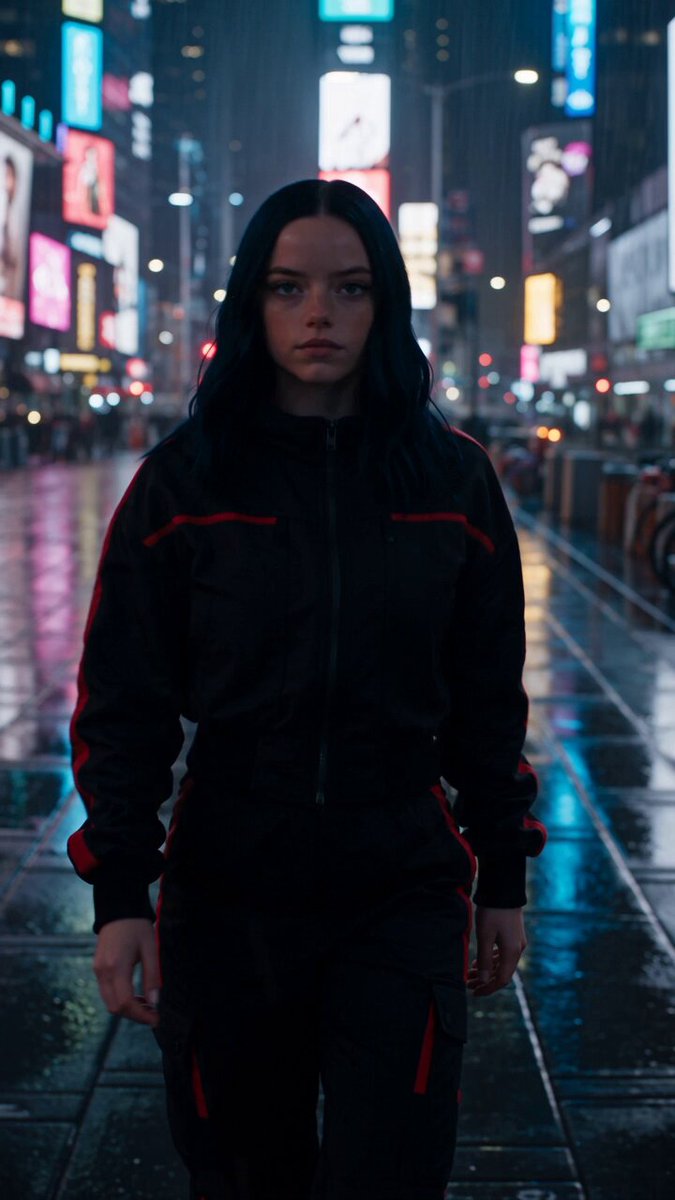
Two names come up in almost every conversation about generative video: Kling AI and PixVerse. Both can turn a sentence into moving footage. Both can animate a still image. Both have passionate users who insist their favorite is obviously better. And yet the honest answer to "which one wins" depends almost entirely on the kind of shot you are trying to make, how much iteration you can afford, and where the clip has to live once it exists.
This guide treats the comparison the way a working editor or creative director would: not as a beauty contest, but as a tooling decision. You will get a clear breakdown of how these models behave in real projects, the criteria that separate a usable clip from a throwaway one, a hybrid workflow that extracts value from both platforms, and the mistakes that quietly burn through an afternoon.
The Real Question Behind "Which Tool Wins"
Most comparisons frame AI video tools as competing products in a single category. In practice they are closer to different lenses in the same camera bag. A model that produces breathtaking cinematic vistas may struggle with a person's hands. A model that nails anime faces may produce flat, weightless motion in a live-action crowd scene. The tool only "wins" relative to a specific shot.
So the useful question is narrower and more practical:
- Which model gives me the highest hit rate for the shot types I actually produce?
- Which one lets me control the result precisely enough to match my storyboard?
- Which one fits my iteration loop, meaning how fast I can test, reject, adjust, and re-test?
- Which one produces files that survive post-production without falling apart?
If you answer those four questions for your own project, the Kling versus PixVerse debate resolves itself quickly. If you skip them, you end up collecting impressive demo clips that never assemble into a finished piece.
A useful framing is to think in terms of hit rate rather than peak quality. Peak quality is what a model produces on its best day with a carefully tuned prompt. Hit rate is how often it produces something usable on a normal Tuesday with a normal prompt. For production work, hit rate matters more, because every rejected generation costs time even when it does not cost money.
How Text-to-Video Generators Actually Work
Understanding the machinery at a high level makes the differences between these tools far less mysterious. Both platforms rely on diffusion-based architectures trained on enormous collections of video, but the training data, the temporal modeling strategy, and the post-processing pipeline produce noticeably different personalities.
Latent diffusion and temporal consistency
A diffusion model starts with noise and gradually refines it into an image. For video, the model must also decide how each frame relates to the one before it and the one after. That is the temporal consistency problem, and it is the single hardest part of the whole field.
When temporal consistency fails, you get flickering textures, morphing faces, limbs that dissolve into fabric, or backgrounds that subtly reshape themselves every second. When it succeeds, you get the impression of a single continuous camera take. Models differ enormously in how gracefully they handle this, and the difference shows up most sharply in fast motion, complex intersections between objects, and human anatomy.
What quality means shot by shot
"Quality" is not one variable. It decomposes into several:
- Motion realism. Does the movement obey weight, momentum, and friction? Does a thrown object arc plausibly?
- Identity stability. Do faces, clothing, and props stay the same across the clip?
- Prompt adherence. Does the clip contain the subject, action, setting, and camera move you asked for?
- Texture fidelity. Do hair, skin, water, and foliage hold up under scrutiny?
- Camera language. Can the model execute a push-in, a dolly, a handheld sway, or a whip pan without artifacts?
Different models lead in different columns. That is why a head-to-head test on a single prompt is nearly worthless. You need a small battery of shots, each stressing a different column, before you can say anything meaningful.
Kling AI in Practice
Kling AI has built its reputation primarily on motion realism and physical plausibility. If you need a clip where a character walks through a space, interacts with objects, or performs a continuous physical action, Kling is often the model people reach for first.
Strengths worth building around
- Weight and momentum. Movement tends to feel grounded. Characters carry mass; objects settle rather than float.
- Cinematic camera motion. Push-ins, orbit moves, and tracking shots generally read as intentional rather than accidental.
- Image-to-video discipline. When you supply a strong reference frame, the model tends to respect it instead of drifting into its own interpretation.
- Control surfaces. Start-and-end frame control, motion direction hints, and reference-driven generation give you more levers than a single text box.
- Longer sequences. Extension features allow you to build a continuous shot beyond the base clip length, which is invaluable for dialogue scenes and establishing shots.
Friction points to plan for
Kling is not the fastest model to iterate with. Generations can take a meaningful amount of time, which changes how you work: you stop throwing prompts at the wall and start planning them. That is arguably a healthy discipline, but it does slow the discovery phase when you are still exploring a visual direction.
Stylization is the other consideration. Kling can absolutely produce stylized footage, but its default aesthetic leans toward photographic realism. If your project is heavily illustrated, anime-flavored, or deliberately artificial, you may spend extra prompt effort fighting the model's instincts.
PixVerse in Practice
PixVerse took a different path. It emphasizes speed, accessibility, and a broad menu of stylized looks and effects. The platform feels designed for creators who want to try many ideas quickly and publish frequently.
Strengths worth building around
- Fast turnaround. Quick generations mean more experiments per session, which matters enormously when you are hunting for a look.
- Distinct stylistic presets. Animation, comic, and painterly treatments are part of the core experience rather than something you have to coax out with prompt engineering.
- Template-driven effects. Ready-made transformation and transition effects lower the barrier for short-form social content.
- Character and identity tools. Reference features help keep a face or a design recognizable across multiple clips, which is a common requirement for series content.
- Accessible interface. The learning curve is gentle, which makes it a good entry point for teams new to generative video.
Friction points to plan for
Speed and stylization come with trade-offs. In scenes demanding precise physical interaction, PixVerse can produce motion that feels lighter or more elastic than reality. Complex hand movements and object interactions sometimes need several attempts.
Fine-grained camera control is also less developed than what you get from a heavily control-oriented model. You can describe a camera move in the prompt, but you have less mechanical authority over exactly how it executes. For stylized short-form content that is rarely a problem. For narrative work with a strict shot plan, it can be.
Head-to-Head Comparison: The Criteria That Matter
Here is where the two tools diverge in ways that actually affect a project.
Motion realism and physical plausibility
Kling generally leads. Realistic human motion, walking, running, and interacting with props tends to hold together better. PixVerse is capable but less consistent under demanding physical choreography, particularly at high motion speeds.
Prompt adherence and control surfaces
Both models understand descriptive prompts, but they interpret them differently. Kling tends to reward highly specific, structured prompts with technical camera language. PixVerse tends to reward clear subject-and-style prompts and leans on its presets for the rest. If your process involves precise shot specs, Kling's control surfaces give you more room to steer.
Stylization and animation
PixVerse has the edge for illustrated, anime-adjacent, and heavily stylized output. It reaches those looks faster and with less prompting effort. Kling can get there, but usually with more attempts.
Clip length, resolution, and framing
Both platforms support vertical and horizontal output, which matters because a vertical-first social cut and a widescreen narrative cut are genuinely different creative problems. Kling's extension capability is a real advantage for continuous action; PixVerse compensates with a snappier loop from idea to finished asset, plus upscaling paths for cleaner final files.
Iteration speed and cost of experiments
PixVerse wins on raw speed. Kling wins on precision per attempt. The practical implication: use the fast model to explore, and the precise model to finalize. Teams that treat them as mutually exclusive usually work harder than they need to.
Audio, lip sync, and finishing
Both ecosystems have moved toward integrated speech and lip sync. Neither replaces a real audio pass. Treat generated dialogue as a scratch track: useful for timing, rarely good enough to ship without cleanup, mixing, and room tone.
A Hybrid Workflow That Gets More From Both
The strongest results usually come from a pipeline that uses each model where it is strongest. Here is a workflow that holds up under deadline pressure.
Step 1 — storyboard before you generate
Write a shot list with one line per shot: subject, action, setting, camera, duration, and emotional beat. This takes twenty minutes and saves hours. Generative tools reward clarity, and a shot list forces clarity before you start typing prompts.
Step 2 — write prompts as shot specs
A strong prompt reads like a camera report: subject, wardrobe, action, environment, lighting, lens, camera movement, and mood. Order matters less than completeness. Avoid stacking contradictory instructions, and avoid vague adjectives like "epic" that carry no visual information.
Step 3 — generate coverage, not single clips
Professionals shoot coverage: multiple angles and takes of the same action. Do the same here. Generate four to six variations per shot across both models, varying one variable at a time. If everything changes between attempts, you learn nothing about what caused the improvement.
Step 4 — curate ruthlessly
Judge each clip on a small screen first. If it does not read at thumbnail size, it will not read in the final edit. Cut anything with unstable identity, warping geometry, or motion that breaks physical logic, no matter how good the lighting is.
Step 5 — finish in the edit
Generative clips are raw material, not finished scenes. Trim to the moment that works, stabilize if needed, color match across shots, add sound design, and cut on motion. A mediocre clip cut tightly to a beat often outperforms a beautiful clip that lingers too long.
Prompt Patterns You Can Reuse
These patterns travel well across both platforms.
- The establishing shot. "Wide shot, coastal town at dawn, low fog over rooftops, slow aerial push forward, soft golden light, shallow depth of field."
- The character action. "Medium shot, woman in a red raincoat walking toward camera on a wet street, steady tracking backward, reflections in puddles, overcast light."
- The product beat. "Macro shot of a matte black bottle on a rotating pedestal, hard rim light, seamless dark background, slow 180-degree orbit."
- The stylized transition. "Hand-drawn ink illustration of a city street, lines animating on, then dissolving into watercolor, single continuous camera pan right."
- The loop. "Seamless loop, abstract liquid metal sphere rotating in place, studio lighting, camera locked off, no cuts."
Notice that each prompt names a shot size and a camera behavior. That single habit improves adherence more than any list of style adjectives.
Mistakes That Waste Time and Budget
- Testing with one prompt and declaring a winner. Single-prompt tests measure luck, not capability.
- Overloading prompts. Five subjects, three actions, and two camera moves in a five-second clip guarantees mush.
- Ignoring aspect ratio until the end. Reframing a finished horizontal clip into vertical crops the composition you designed.
- Chasing realism in a stylized project. Pick the model whose default aesthetic matches your target, then refine.
- Skipping the reference image. A good starting frame does more for consistency than any adjective.
- Treating generations as sunk cost. Delete aggressively. A cluttered library slows every future session.
- Forgetting sound. Silent clips feel like tests. Sound design is what makes them feel like film.
FAQ
Is Kling AI better than PixVerse?
For realistic motion, physical plausibility, and precise camera control, Kling generally has the advantage. For speed, stylized looks, and effects-driven short-form content, PixVerse is often the better fit. Most serious creators use both.
Which one is easier for beginners?
PixVerse has a gentler learning curve thanks to presets and a straightforward interface. Kling rewards users who already think in shots and camera language.
Can I use both in one project?
Yes, and you probably should. Explore visual direction quickly in the faster tool, then lock hero shots in the more controllable one. Keep a consistent color pass in the edit so the mixed sources feel unified.
How long should a generated clip be?
In the final edit, most generated shots work best between one and four seconds. Longer clips are useful for building continuous action, but you will usually trim them down.
Do generated clips need upscaling?
Often yes, especially for large screens. Generate at the highest native resolution you can, then upscale and apply light sharpening in the edit rather than relying on a single aggressive pass.
How do I keep a character consistent across shots?
Use a strong reference image, keep wardrobe and lighting descriptions identical between prompts, and avoid changing the shot's emotional register mid-sequence. Consistency is a documentation problem as much as a model problem.
The Verdict
Neither tool wins outright, and the framing of "winner" actively hurts your output. Kling AI is the stronger instrument when realism, physical weight, camera precision, and extended continuous action matter. PixVerse is the stronger instrument when speed, stylistic range, and rapid experimentation matter.
The creators producing the best work with these tools are not loyalists. They keep a small shot battery for testing, they plan before they prompt, they generate coverage instead of single clips, they curate without sentiment, and they finish everything in an edit where sound and timing do the heavy lifting. Pick the model that matches the shot in front of you, and keep both installed.

Alexander
More Blogs
Read MoreVidu Q4 Alternatives: 4K AI Video Models Compared (2026)
Vidu Q4 alternatives compared: Kling 4.0, Seedance 2.5, Wan 3.0, and Runway Gen-4 — 4K support, input modes, durations, audio, and what each costs in credits on Domer.
Top 4K AI Image Generators in 2026: 5 Models Compared on Real Costs
The top 4K AI image generators on Domer compared: Flux 3 Klein, Nano Banana 2.1, GPT Image 2.5, GPT Image 2, and Nano Banana Pro — 4K credit costs, reference limits, and speed.
Nano Banana 2.1 vs GPT Image 2.5: Which Image Model Should You Use? (2026)
Nano Banana 2.1 vs GPT Image 2.5 Flare compared: credit costs per resolution, aspect ratios, reference images, text rendering, and which tasks fit each model.