
Utwórz
Photorealistic AI Video: Build an Offline-Style Workflow
Oct 15, 2026
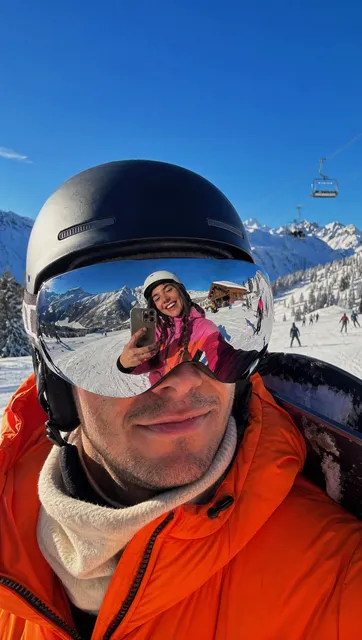

Photorealistic AI video has moved from novelty to production tool, but the phrase hides a lot of nuance. A clip can look razor sharp and still feel fake, while a slightly softer render can read as completely believable. The difference is rarely the model name on the label. It is the workflow around the model: how references are chosen, how identity is locked, how motion is broken into pieces small enough for the system to handle, and how the final frames are graded and finished.
This guide walks through a practical, control-first approach to generating photorealistic video. The emphasis is on habits that keep working when your connection is slow, your session is limited, or you simply refuse to send every creative decision through a live cloud round-trip. Think of it as an offline-style discipline applied to an online medium.
Start With a Definition: What Photorealistic Actually Means
Photorealism is not a single property. It is a bundle of cues that human eyes and brains process together, and any one of them being wrong can collapse the illusion. When you evaluate a generated clip, you are really judging several layers at once:
- Optics. Real cameras have depth of field, chromatic aberration, lens breathing, and a specific field of view. A render with infinite depth of field and no lens character reads as CGI even when textures are excellent.
- Light transport. Skin scatters light, fabric absorbs it, metal reflects it with structure rather than a smear. Highlights that behave like a flat Gaussian blur are a giveaway.
- Sensor behavior. Grain, highlight rolloff, black level, and motion blur are all camera-specific signatures. Clean digital perfection often looks less real than a slightly noisy image.
- Motion physics. Cloth should lag behind a shoulder. Hair should trail a turn. Weight should shift when a character stands up.
- Temporal stability. Flickering textures, drifting facial features, and micro-jitter between frames destroy realism faster than any single bad frame.
- Sound. A perfectly lit shot with mismatched room tone still feels synthetic. Audio is part of photorealism.
It also helps to separate photorealism from hyperrealism. Hyperreal work deliberately sharpens, saturates, and exaggerates. Photoreal work imitates a specific camera on a specific day with a specific lens. If your brief says photorealistic, your target is usually the second one.
Why a Control-First Workflow Beats Model Shopping
Most people start a project by asking which model is best. That is the wrong first question, because the same model produces wildly different results depending on how it is fed.
The model is one variable among many
A generation is the output of a chain: reference images, prompt structure, aspect ratio, motion strength, seed, sampling steps, guidance scale, and post-processing. Change the seed and you may improve the shot more than changing the model would. Change the reference plate and you may fix a lighting problem that no amount of prompt wording could solve.
Teams that produce consistent photoreal work tend to treat the model as a swappable component. They build the rest of the chain first, so that switching engines is a minor operation rather than a rewrite.
Decide the look before you animate
Real productions do not animate first and grade later. They decide the lens, the lighting plan, and the color story before anyone rolls. Do the same thing:
- Pick a visual reference — a film, a photographer, a commercial — and write down what makes it work.
- Define a look: warm tungsten interior, overcast daylight, harsh sodium street light, soft window bounce.
- Choose a camera language: 35mm with shallow depth, 50mm handheld, locked-off wide.
- Only then start generating. Every prompt inherits this look vocabulary.
This single decision removes most of the randomness people complain about in AI video.
Choosing the Right Tool for Each Stage
A photorealistic pipeline is rarely one tool. It is usually four.
Base generation
For hero shots — faces, hands, dialogue close-ups — you want a model with strong facial detail and stable skin texture. For wide establishing shots, a model with good scene composition and atmospheric depth is often better. Do not force one engine to do both jobs if two are available.
Motion and camera control
Image-to-video tools with explicit motion controls (camera pans, dolly moves, subject direction) give you far more predictability than text-to-video alone. If a tool lets you drive depth or define a motion path, use it. Small, deliberate movements also hide artifacts that large movements reveal.
Identity and consistency tools
Reference-image conditioning, character sheets, and lightweight fine-tuning are what keep a face recognizable across a sequence. Some workflows use a trained character model; others use multi-image references with a prompt template. Either approach works if you are strict about inputs.
Finishing
Upscaling, deflicker, grain matching, color grading, and sound design are where generated footage becomes credible. A short render upscaled and graded carefully will out-perform a longer render dropped straight into the timeline.
A Repeatable Photorealistic Workflow, Step by Step
Step 1 — Write a shot list with technical notes
Before generating anything, list every shot with three columns: what happens, how the camera behaves, and what light is present. A shot list like this prevents the most common failure, which is generating isolated clips that cannot be cut together.
Example entry: A woman in a wool coat steps out of a doorway, camera pushes in slowly at chest height, overcast daylight with cool shadows. That single line gives you framing, motion, and lighting in one place.
Step 2 — Build a look board from real references
Collect 6–12 real photographs that match your intended look. Not screenshots of other AI generations — real photos. Real references carry the camera signatures you need: grain, contrast, highlight behavior.
Annotate them. Note which are for lighting, which are for framing, which are only for color. Mixing purposes in one board creates confusion later when you try to describe what you want.
Step 3 — Create a character sheet and lock identity
For each recurring character, assemble a sheet with:
- A neutral front-facing portrait in even light
- A three-quarter view
- One profile view
- A full-body shot with the correct wardrobe
- Two or three frames showing different expressions
Keep the wardrobe, hair, and makeup identical across the sheet. Then write a reusable character prompt block — age range, hair, build, clothing, distinguishing features — and paste that block into every prompt that includes the character. Consistency comes from repetition, not from luck.
Step 4 — Generate in short, reviewable bursts
Do not generate a 20-second clip and hope. Generate 2–4 second segments, review each one, and keep the takes that work. Short segments give you:
- Faster iteration on framing and lighting
- Easier rejection of bad frames before they compound
- More control during editing, since you can reshape pacing
- Fewer visual artifacts, because temporal drift grows with duration
Track every generation in a log: prompt, seed, reference images, model, and a one-word verdict. Within a day, this log becomes your most valuable asset, because it tells you what actually works for this project.
Step 5 — Assemble, grade, and mix
Cut the segments together before you polish them individually. Sequence reveals problems you cannot see in isolation: a jump in skin tone between two shots, a mismatch in shadow direction, a sudden shift in grain.
Then finish in order:
- Upscale and stabilize the shots you are keeping.
- Deflicker and grain match so every shot shares a texture.
- Color grade with a single look applied across the whole sequence.
- Add sound: room tone, footsteps, cloth movement, and subtle ambience.
- Check on multiple screens — phone, laptop, television. Realism that survives a phone screen is realism that holds up anywhere.
Character Consistency Across Scenes: The Hardest Problem
Nothing breaks an AI video faster than a face that changes between cuts. The fix is procedural rather than magical.
Anchor with a trained or referenced identity. If your tool supports a character profile built from multiple images, use it. If not, always supply the same 3–4 reference images, in the same order, at the same crop.
Write a frozen prompt block. Do not paraphrase your character description between shots. Copy and paste. Small wording differences produce visible identity drift.
Control expression separately from identity. Describe emotion in a separate sentence from physical appearance so you can vary one without disturbing the other.
Keep wardrobe and props consistent. A watch, a scarf, or a scar is a continuity anchor. Changing it forces the model to re-invent the character.
Watch the light direction. Even a perfect face looks like a different person when key light flips from left to right between shots. Match lighting notes across the whole scene, not just within a shot.
Prefer medium shots for stability. Extreme close-ups amplify any facial instability. Save them for moments where you can afford extra takes.
Making the Workflow Offline-Friendly
Even if generation happens in the cloud, your decision-making does not have to. An offline-style discipline improves quality and reduces wasted sessions.
Mirror your assets locally
Keep reference images, character sheets, look boards, and approved takes in a local folder with a clear naming convention. When you sit down to generate, you should never be hunting for the right reference through a browser history.
Batch your online time
Write prompts, prepare references, and plan your shot list offline. Then spend a focused session generating, downloading results, and logging them. Batching means fewer interruptions, more consistent context, and less chance of losing track of which seed produced which take.
Document everything in a prompt log
Your log is the difference between a lucky project and a repeatable one. Include the reference files used, the exact prompt text, the seed, any negative prompts, and a short verdict. Six months later, that log is a template library.
Prepare a fallback plan
If your connection drops or a service is unavailable, you should still be able to work. Editing, sound design, grading, and assembling previews can all happen locally. A pipeline that only functions when everything is online is a fragile pipeline.
Keep versions
Save each approved shot as a numbered version. Do not overwrite. When a client asks for the earlier take with softer motion, you want it in one click, not one afternoon.
Where Photorealism Usually Breaks
These are the recurring failure points, roughly in order of how often they appear:
- Over-clean images. No grain, no imperfection, no lens character. Real footage has noise.
- Sliding motion. Characters appear to glide rather than walk. Fix by shortening clips and reducing movement speed.
- Uncanny hands and teeth. Frame around them, or generate extra takes and pick the cleanest.
- Lighting flips between cuts. Track key light direction as a continuity note.
- Inconsistent color temperature. Grade everything through the same look.
- Mismatched audio. Silence in a scene that should have room tone reads as fake instantly.
- Over-long clips. Drift accumulates. Four seconds is often better than twelve.
- Too many ideas per shot. A shot with two characters, a moving camera, and a costume change is a shot that will fail.
A Quality Control Checklist Before You Publish
Run every sequence through this list before delivery:
- Does the face stay consistent from first frame to last cut?
- Is the light direction consistent within each scene?
- Is grain and sharpness consistent across shots?
- Do hands, hair, and fabric behave plausibly in motion?
- Do cuts land on natural beats, or do they feel random?
- Is there sound under every shot, even a quiet room tone?
- Does the color grade tell one story rather than five?
- Does it hold up muted? Does it hold up on a phone screen?
- Is the pacing comfortable, or are you hiding weak shots with fast cuts?
- Would a viewer with no context know what is happening?
If any answer is no, fix it before you export. Half of photorealism is simply removing obvious errors.
Time, Cost, and Decision Criteria
Three trade-offs shape every photoreal project.
Time versus volume. Generating fifty takes and choosing one feels slow, but it is usually faster than trying to fix a single bad generation in post. Budget your time for selection, not just creation.
Quality versus length. A tight thirty seconds of convincing footage beats three minutes of drifting faces. If your script runs long, break it into episodes rather than compressing everything into one sequence.
Customisation versus speed. Building a character profile and a look board takes an afternoon. It saves days on any project with more than one scene, and it is the single highest-leverage investment you can make.
A good rule of thumb: spend 20 percent of your project time planning references and prompts, 50 percent generating and selecting, and 30 percent finishing. Most beginners invert this, spending nearly all their effort generating and almost none finishing, then wonder why the result looks artificial.
FAQ
Do I need a trained character model to get consistency?
No. A well-built character sheet with consistent reference images and a frozen prompt block gets you most of the way. Training helps with long projects and close-ups, but it is not a prerequisite.
How long should each generated clip be?
Two to four seconds for most storytelling. Longer clips are possible, but temporal drift rises quickly, and you lose the ability to reshape pacing in the edit.
Why does my footage look like a video game even when the textures are detailed?
Usually the problem is optics and light. Add depth of field, match a real lens look, introduce grain, and soften highlights. Detail without camera behavior still reads as CGI.
Can I work effectively on a slow or intermittent connection?
Yes, if you batch. Prepare references, prompts, and shot lists locally, then generate in focused sessions and download immediately. Keep editing and sound work local so a dropped connection never stops production.
What is the fastest way to improve realism?
Shorten your clips, slow your motion, match lighting across shots, and add grain plus room tone. Those four changes typically produce a bigger jump than switching models.
How many takes should I plan for per shot?
Assume five to ten for simple shots and fifteen or more for faces, hands, and complex motion. Build that into your schedule rather than treating it as waste.
Should I generate at final resolution?
Rarely. Generate at a workable resolution, choose your takes, then upscale the keepers. It is faster, cheaper in compute, and gives you more attempts per session.
The real skill in photorealistic AI video is not finding a magic model. It is building a disciplined pipeline — references, prompts, short clips, consistent identity, careful finishing — and then repeating it until the process, not the luck, carries the result. Do that, and you can produce convincing photorealistic footage from almost anywhere, on almost any schedule.

Alexander
More Blogs
Read MoreVidu Q4 Alternatives: 4K AI Video Models Compared (2026)
Vidu Q4 alternatives compared: Kling 4.0, Seedance 2.5, Wan 3.0, and Runway Gen-4 — 4K support, input modes, durations, audio, and what each costs in credits on Domer.
Top 4K AI Image Generators in 2026: 5 Models Compared on Real Costs
The top 4K AI image generators on Domer compared: Flux 3 Klein, Nano Banana 2.1, GPT Image 2.5, GPT Image 2, and Nano Banana Pro — 4K credit costs, reference limits, and speed.
Nano Banana 2.1 vs GPT Image 2.5: Which Image Model Should You Use? (2026)
Nano Banana 2.1 vs GPT Image 2.5 Flare compared: credit costs per resolution, aspect ratios, reference images, text rendering, and which tasks fit each model.