
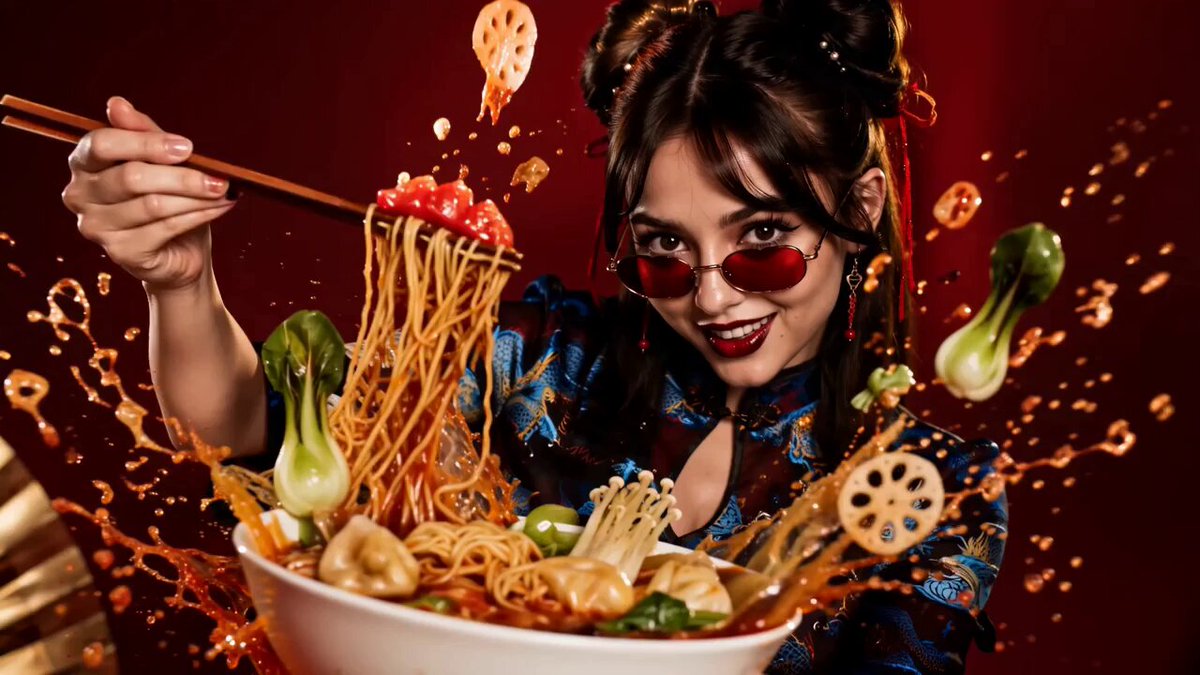
PixVerse V4.5 for Narrative Depth: AI Storytelling Workflow
Oct 13, 2026

The difference between a clip people scroll past and a scene people remember rarely comes down to resolution or frame rate. It comes down to whether the footage serves a story. Modern generative video tools can produce gorgeous single shots on demand, yet most creators still struggle to string those shots into something that feels directed rather than assembled. PixVerse V4.5 is interesting precisely because it targets that gap: not just prettier pixels, but more deliberate control over camera language, character continuity, and motion behavior — the three things that quietly determine whether an AI-assisted scene reads as cinema or as a demo.
Why narrative depth is the real battleground in AI video
For the first few years of generative video, the benchmark was novelty. Could the model render a plausible waterfall, a person walking, a camera push through a city? Every release pushed those ceilings higher, and the results were genuinely impressive in isolation. But isolation is exactly the problem. A story is a sequence of causally linked shots, and a model that produces one excellent shot but drifts on the next one is not a filmmaking tool — it is a slot machine.
Narrative depth in AI video rests on four practical pillars:
- Shot-to-shot continuity. The same character, costume, props, and lighting must survive cuts, angle changes, and time jumps.
- Intentional camera behavior. A dolly-in means something different from a handheld drift. If you cannot specify the difference, you cannot build tension.
- Temporal coherence. Faces should not melt, hands should not multiply, and background geometry should not rearrange itself between frames.
- Directable pacing. A model that only generates five-second bursts forces you to think in fragments. Storytelling requires thinking in beats.
When creators complain that AI video "looks fake," they are usually not describing texture quality. They are describing a breakdown in one of those four pillars — most often continuity. That is why the most meaningful progress in this space is not raw fidelity but controllability, and why a version bump like PixVerse V4.5 matters more than the marketing language around it suggests.
The practical consequence is a shift in job description. The creator is no longer only a prompter. They are a director working with a fast, tireless, slightly literal crew that needs precise instructions and benefits enormously from pre-visualization.
What PixVerse V4.5 changes for storytellers
PixVerse V4.5 improves on its predecessors in areas that map directly onto the pillars above: finer camera parameter control, stronger motion adherence, and better retention of reference imagery across generations. None of these are glamorous features on a landing page, but they are the difference between one usable shot and a usable sequence.
Camera language and lens control
Camera control is where AI video most often feels arbitrary. You get a nice move, but not the move you asked for. V4.5 gives you more granular handles — direction, speed, and framing behavior — so you can specify a slow push-in instead of hoping the model guesses. In practice, this means you can storyboard with intention:
- Push-in to tighten emotional focus on a reaction.
- Pull-out to reveal context and isolate a character in a space.
- Lateral track to build geography and spatial logic.
- Crane or tilt to establish scale before dialogue begins.
- Handheld drift to signal instability, documentary realism, or urgency.
That vocabulary is borrowed from live-action, and using it deliberately keeps your sequences readable. If every shot is a slow push-in, the audience stops feeling the emphasis and starts feeling the repetition.
Motion responsiveness and temporal coherence
Motion adherence matters most in shots where physics is doing narrative work: a door swinging shut, a coat catching wind, a hand lifting a cup. Weak temporal coherence shows up as flicker, limb warping, or objects changing shape mid-move. V4.5 handles these cases more gracefully than earlier generations, especially in mid-shot ranges where the model has enough context to maintain object identity.
The realistic working rule: keep individual movements small and motivated. A character who turns, then speaks, then steps forward across five seconds will degrade less than a character who does all three simultaneously. Complexity is expensive, and story beats rarely need it in a single take.
Character consistency across shots
If you have spent any serious time generating video, you already know the real bottleneck. Not style, not lighting — the face. Audiences forgive soft backgrounds and stylized textures, but they never forgive a protagonist whose jawline changes between scenes.
Multi-image fusion in practice
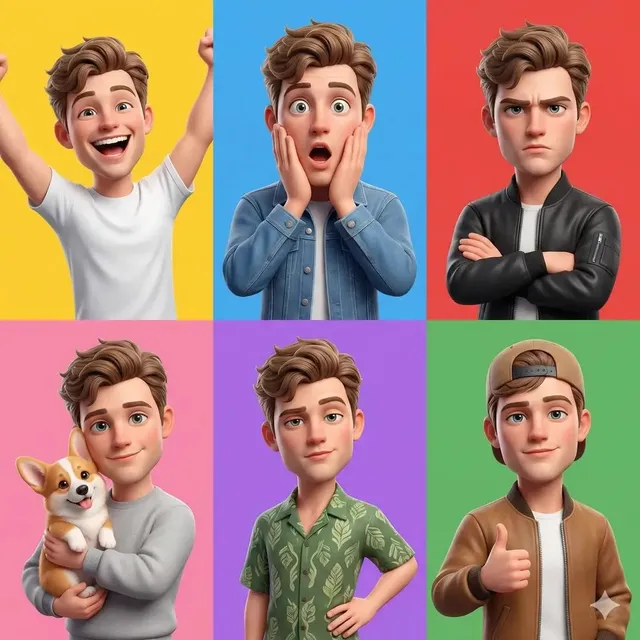
Reference-driven generation has become the standard approach for consistency. You supply one or more images of your character — front, three-quarter, profile — and the model uses them to constrain the output. The reason multi-reference input matters is that a single photo leaves too much unconstrained: the model knows what the face looks like from one angle and improvises the rest.
A workflow that reliably improves fidelity:
- Lock a character sheet before you generate any video. Front, three-quarter, profile, and one full-body shot with consistent wardrobe.
- Keep lighting conditions in reference images as neutral as possible. Heavy shadows bake in information you may not want in every scene.
- Generate a short test shot from an unusual angle early. If it fails badly, your reference set is too thin.
- Reuse the same prompt skeleton for the character across all shots, changing only action and environment.
Keyframing and reference conditioning
Keyframing lets you define the start and end state of a shot, which is enormously powerful for continuity. Instead of describing where a character ends up, you show it. This is how you get matching eyelines and consistent framing across a conversation scene — the kind of detail that usually signals "this was directed" to an audience, even if they never consciously notice it.
A practical trick: build a sequence around matched keyframes. Generate the wide establishing shot, then the medium shot, then the close-up using the same character references and a fixed lighting description. Cut them together before polishing anything. If the sequence already cuts cleanly at low fidelity, it will only improve.
Choosing the right model for each shot
No single model wins every category, and treating the toolchain as a competition misses the point. What matters is which engine handles which shot type best for your project.
| Shot type | What to prioritize | Practical guidance |
|---|---|---|
| Dialogue close-up | Facial stability, subtle motion | Favor models with strong reference conditioning |
| Action beat | Motion adherence, physics | Shorter durations, simpler choreography |
| Establishing wide | Composition, scale | Any strong text-to-video model works |
| Stylized insert | Aesthetic consistency | Match your reference images carefully |
| Transition shot | Camera control | Specify movement precisely |
PixVerse V4.5 tends to shine in the mid-range: narrative shots where camera intent and character continuity both matter. Other engines may beat it on stylized extremes or long single takes. The professional move is to route each shot to the engine that handles it best, then unify everything in post with a consistent grade and sound design.
A practical pre-visualization workflow
Pre-visualization is where AI video stops being experimentation and becomes production. Here is a workflow that scales from a thirty-second short to a multi-scene narrative.
Step 1: Break the script into beats
Ignore shots at first. Write the scene in beats — the smallest unit of change. A character wants something, encounters resistance, adjusts. Each beat gets a line. A three-minute scene typically lands between eight and fifteen beats.
Step 2: Assign one shot per beat
Now translate. A beat where a character realizes the truth does not need three shots; it needs one well-chosen close-up. Resist the urge to over-cut. Amateur sequences feel frantic because every beat gets multiple angles.
Step 3: Choose camera language deliberately
Write the camera instruction into your prompt as a structured element rather than an afterthought. Something like: subject, action, environment, lighting, camera movement, lens feel, duration. Consistency in prompt structure produces consistency in output, which is exactly what a sequence needs.
Step 4: Generate cheap tests first
Generate at low resolution or short duration to validate composition and motion. Only invest in high-quality renders for shots that already work structurally. This single habit saves more time than any prompt trick.
Step 5: Assemble a rough cut immediately
Do not generate all your shots and then edit. Cut as you go. Editing reveals problems — a missing reaction, a jump in screen direction — while they are still cheap to fix.
Step 6: Re-generate selectively
Most shots will need two or three passes. Regenerate the specific problem, not the whole sequence. Changing one variable at a time is the only way to learn what actually influenced the result.
Prompt patterns for cinematic control
Prompt quality is not about length. It is about eliminating ambiguity in the dimensions that matter.
- Specify subject before style. Models weight early tokens heavily; a clear subject prevents aesthetic drift.
- Name the movement, not the mood. "Slow dolly-in" outperforms "dramatic feel."
- Anchor lighting explicitly. "Overcast daylight from the left" beats "moody."
- Describe one action per shot. Compound actions degrade.
- Include continuity tags. Reuse a short identifier for your character and setting across every prompt in a sequence.
A useful exercise: take a shot you generated and rewrite the prompt as if briefing a cinematographer on set. If a human crew could not act on your description, neither can the model.
Post-production: where AI footage becomes a film
Raw generations are raw material. Three passes transform them:
- Color and contrast matching. Even strong models drift in tone. A unified grade makes disparate shots feel like one film.
- Sound design. Ambience, footsteps, and room tone do more for perceived realism than another generation pass. Silence is the fastest way to make AI footage feel synthetic.
- Editing rhythm. Trim aggressively. Generative clips often have a dead half-second at the start and end.
If you handle these three consistently, viewers stop evaluating the footage and start following the story — which is the entire goal.
Budget, access, and throughput planning
Production planning for AI video is about throughput, not just unit economics. Before committing to a pipeline, decide:
- How many generations per finished shot? A realistic ratio is three to five. Plan accordingly.
- What resolution do you actually need? Delivery format should drive render settings, not ambition.
- Where is the bottleneck? Often it is review time, not generation time.
- What is your fallback? Have one alternate engine available for shots that consistently fail.
Teams that treat generation as an abundant resource but review as the scarce one ship faster than teams that chase maximum quality on every attempt.
Mistakes that flatten narrative depth
- Chasing fidelity over continuity. A slightly softer image that matches the previous shot beats a razor-sharp one that does not.
- Over-cutting. More shots do not equal more story.
- Ignoring screen direction. If a character exits left, they should enter right in the next shot.
- No locked references. Improvising references per shot guarantees drift.
- Treating prompts as spells. Structured, specific prompts consistently outperform poetic ones.
Frequently asked questions
How long should each generated shot be?
Start with three to five seconds. Longer clips magnify continuity errors and are harder to trim meaningfully.
Do I need a character sheet for every project?
For anything with a recurring human character, yes. It takes twenty minutes and saves hours of regeneration.
Can one model handle an entire short film?
It can, but routing shots to different engines usually produces better results. Unify the look in post-production rather than forcing one model to do everything.
What is the fastest way to improve output quality?
Shorten your shots, specify camera movement explicitly, and cut a rough edit as you go. These three changes outperform any prompt hack.
Is AI video ready for client work?
For short-form, stylized, or pre-visualization work, yes. For dialogue-heavy realism, expect to combine AI shots with practical footage and traditional editing.
How do I keep a series visually consistent across episodes?
Maintain a project bible: character references, prompt skeletons, lighting notes, and a grade preset. Consistency is a documentation problem before it is a generation problem.
The tools will keep improving, and version numbers will keep climbing. What will not change is the underlying craft: shots that serve beats, beats that serve scenes, and scenes that serve a story. PixVerse V4.5 narrows the gap between what you imagine and what you can actually direct — but the directing is still yours to do.

Alexander
More Blogs
Read MoreVidu Q4 Alternatives: 4K AI Video Models Compared (2026)
Vidu Q4 alternatives compared: Kling 4.0, Seedance 2.5, Wan 3.0, and Runway Gen-4 — 4K support, input modes, durations, audio, and what each costs in credits on Domer.
Top 4K AI Image Generators in 2026: 5 Models Compared on Real Costs
The top 4K AI image generators on Domer compared: Flux 3 Klein, Nano Banana 2.1, GPT Image 2.5, GPT Image 2, and Nano Banana Pro — 4K credit costs, reference limits, and speed.
Nano Banana 2.1 vs GPT Image 2.5: Which Image Model Should You Use? (2026)
Nano Banana 2.1 vs GPT Image 2.5 Flare compared: credit costs per resolution, aspect ratios, reference images, text rendering, and which tasks fit each model.